
Fractal memory system for Claude Code

Project description
Oubli
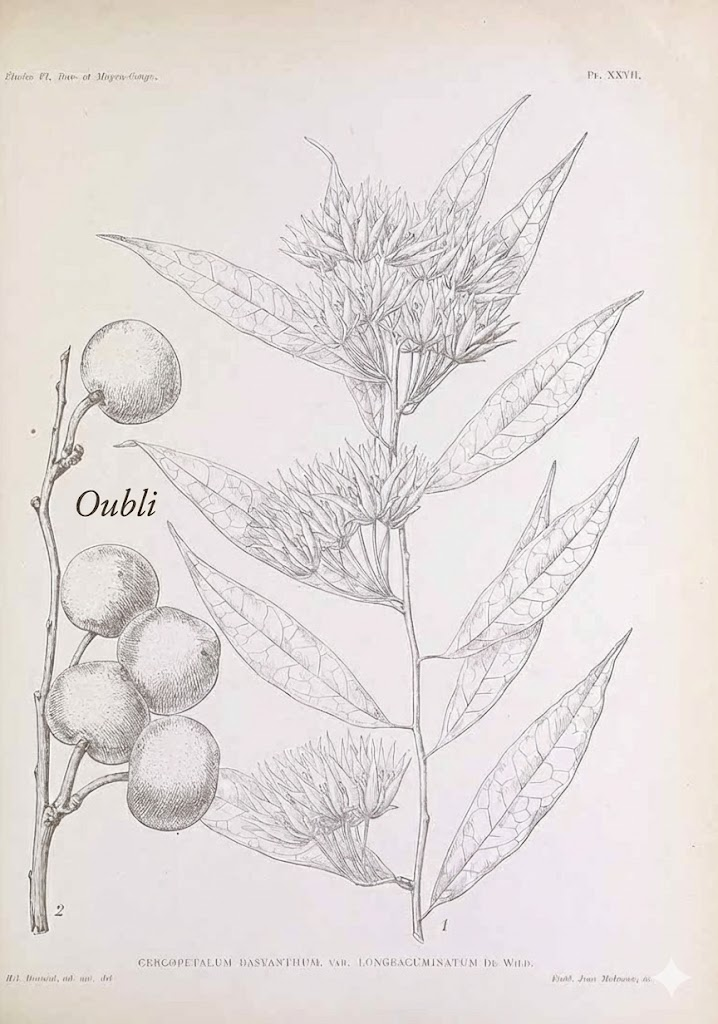
Oubli: French for "forgetting." (Also a West African fruit so sweet it makes babies forget their mother's milk.)
A memory system that never forgets. Persistent fractal memory for Claude Code.
Features
- Core Memory - Essential facts about you (~2K tokens), loaded in every conversation
- Persistent Storage - Memories survive across sessions, stored locally in LanceDB
- Smart Import - Import your Claude.ai memory export with one command
- Auto-Save - Saves memories at session end and before context compaction
- Auto-Deduplication - Duplicate memories are automatically detected and merged (85% similarity threshold)
- Fractal Synthesis - Automatically consolidates raw memories into higher-level insights via
/synthesize - Auto-Synthesis - Synthesis triggers automatically when unsynthesized memories exceed threshold
- Proactive Memory - Claude searches and saves automatically, no prompting needed
- Immediate Core Memory Updates - Family, work, and identity changes update Core Memory instantly
- Quiet Operation - Memory operations happen silently in the background
- Local-First - No external services, no API keys, your data stays on your machine
Installation
pip install oubli
oubli setup
Then restart Claude Code.
Requirements
- Python 3.10+
- Claude Code CLI installed
Uninstall
oubli uninstall
pip uninstall oubli
What Gets Installed
| Component | Location | Description |
|---|---|---|
| MCP Server | claude mcp |
15 memory tools (save, search, synthesize, etc.) |
| Hooks | ~/.claude/settings.json |
UserPromptSubmit, PreCompact, Stop |
| Slash Commands | ~/.claude/commands/ |
/clear-memories, /synthesize |
| Instructions | ~/.claude/CLAUDE.md |
How Claude should use the memory system |
| Data | ~/.oubli/ |
LanceDB database + Core Memory file |
Usage
After installation, restart Claude Code. Your Core Memory will be automatically loaded in every conversation.
Import Existing Memories
Paste your Claude.ai memory export and ask:
"Import this into my memory"
Claude will parse it into structured memories and optionally create your Core Memory.
Natural Interaction
Just talk naturally:
- "Remember that I prefer TypeScript over JavaScript"
- "What do you know about my work?"
- "I no longer work at Spotify, update your memory"
Slash Commands
/clear-memories- Clear all memories (requires confirmation)/synthesize- Run full synthesis workflow: merge duplicates, create insights, update Core Memory
How It Works
           ┌─────────────────────────────────────────┐
           │            CORE MEMORY                  │
           │    (~2K tokens, always in context)      │
           │                                         │
           │  The essential "you" - personality,     │
           │  key preferences, life context, work    │
           └─────────────────────┬───────────────────┘
                                 │ (distilled from)
                                 ▼
Level 1+   ○ "Deeply appreciates jazz guitar, especially fusion"
(insights)  ╱╲
           ╱  ╲
Level 0   ○ ○ ○ ○  Raw memories from conversations
(raw)
- Core Memory: Always loaded, contains the most important stable facts
- Level 0: Raw memories from conversations with full context
- Level 1+: Synthesized insights from multiple raw memories
Data Storage
All data is stored locally in ~/.oubli/:
memories.lance/- LanceDB databasecore_memory.md- Your Core Memory (human-readable, editable)
MCP Tools
Oubli provides 15 MCP tools for memory operations:
| Tool | Description |
|---|---|
memory_save |
Save a new memory (auto-deduplicates) |
memory_search |
Search memories by BM25 full-text search |
memory_get |
Get full details including conversation text |
memory_get_parents |
Drill down from synthesis to source memories |
memory_list |
List memories by level |
memory_stats |
Get memory statistics |
memory_update |
Update an existing memory |
memory_delete |
Delete a memory |
memory_import |
Bulk import memories |
memory_synthesis_needed |
Check if synthesis should run |
memory_prepare_synthesis |
Merge duplicates and get groups for synthesis |
memory_synthesize |
Create Level 1+ insight from raw memories |
memory_dedupe |
Manual duplicate cleanup |
core_memory_get |
Get Core Memory content |
core_memory_save |
Save Core Memory content |
Development
# Clone and install in development mode
git clone https://github.com/dremok/oubli.git
cd oubli
pip install -e .
oubli setup

# Run tests
python -c "from oubli.storage import MemoryStore; store = MemoryStore(); print(store.get_stats())"

# Check MCP tools
python -c "from oubli.mcp_server import mcp; print([t.name for t in mcp._tool_manager._tools.values()])"
License
MIT
Release history Release notifications | RSS feed


Download files
Download the file for your platform. If you're not sure which to choose, learn more about installing packages.
Source Distribution
Built Distribution
Filter files by name, interpreter, ABI, and platform.
If you're not sure about the file name format, learn more about wheel file names.
Copy a direct link to the current filters
File details
Details for the file oubli-0.1.12.tar.gz.
File metadata
- Download URL: oubli-0.1.12.tar.gz
- Upload date:
- Size: 20.1 kB
- Tags: Source
- Uploaded using Trusted Publishing? No
- Uploaded via: twine/6.2.0 CPython/3.11.4
File hashes
| Algorithm | Hash digest | |
|---|---|---|
| SHA256 |
36e3b4dca2930c4504393975e8660e046b796dc2fb5bb688c4960187f6d446e3
|
|
| MD5 |
b9014c352f5c726713bbf3265cfeed10
|
|
| BLAKE2b-256 |
9acbd52b75afd58d3ceb9ae5fc83edeebcdf49ce7e10699b5db729fbb3918946
|
File details
Details for the file oubli-0.1.12-py3-none-any.whl.
File metadata
- Download URL: oubli-0.1.12-py3-none-any.whl
- Upload date:
- Size: 22.1 kB
- Tags: Python 3
- Uploaded using Trusted Publishing? No
- Uploaded via: twine/6.2.0 CPython/3.11.4
File hashes
| Algorithm | Hash digest | |
|---|---|---|
| SHA256 |
ce3e4b9271db65b760027e8335a9a30fe293ddc3700e75f6440e7231098dd571
|
|
| MD5 |
9b4efa0f3338ac5478d98dfb1794bd02
|
|
| BLAKE2b-256 |
9acdab4ded205a8ffc803b7a927f0c8ce0b750d7cb135758889c2bf76751cd50
|






