
This release is a pre-release and may not be stable for production use.
plotnine 





plotnine is an implementation of a grammar of graphics in Python based on ggplot2. The grammar allows you to compose plots by explicitly mapping variables in a dataframe to the visual characteristics (position, color, size etc.) of objects that make up the plot.
Plotting with a grammar of graphics is powerful. Custom (and otherwise complex) plots are easy to think about and build incrementally, while the simple plots remain simple to create.
To learn more about how to use plotnine, check out the documentation. Since plotnine has an API similar to ggplot2, where it lacks in coverage the ggplot2 documentation may be helpful.
Example
from plotnine import *
from plotnine.data import mtcars
Building a complex plot piece by piece.
-
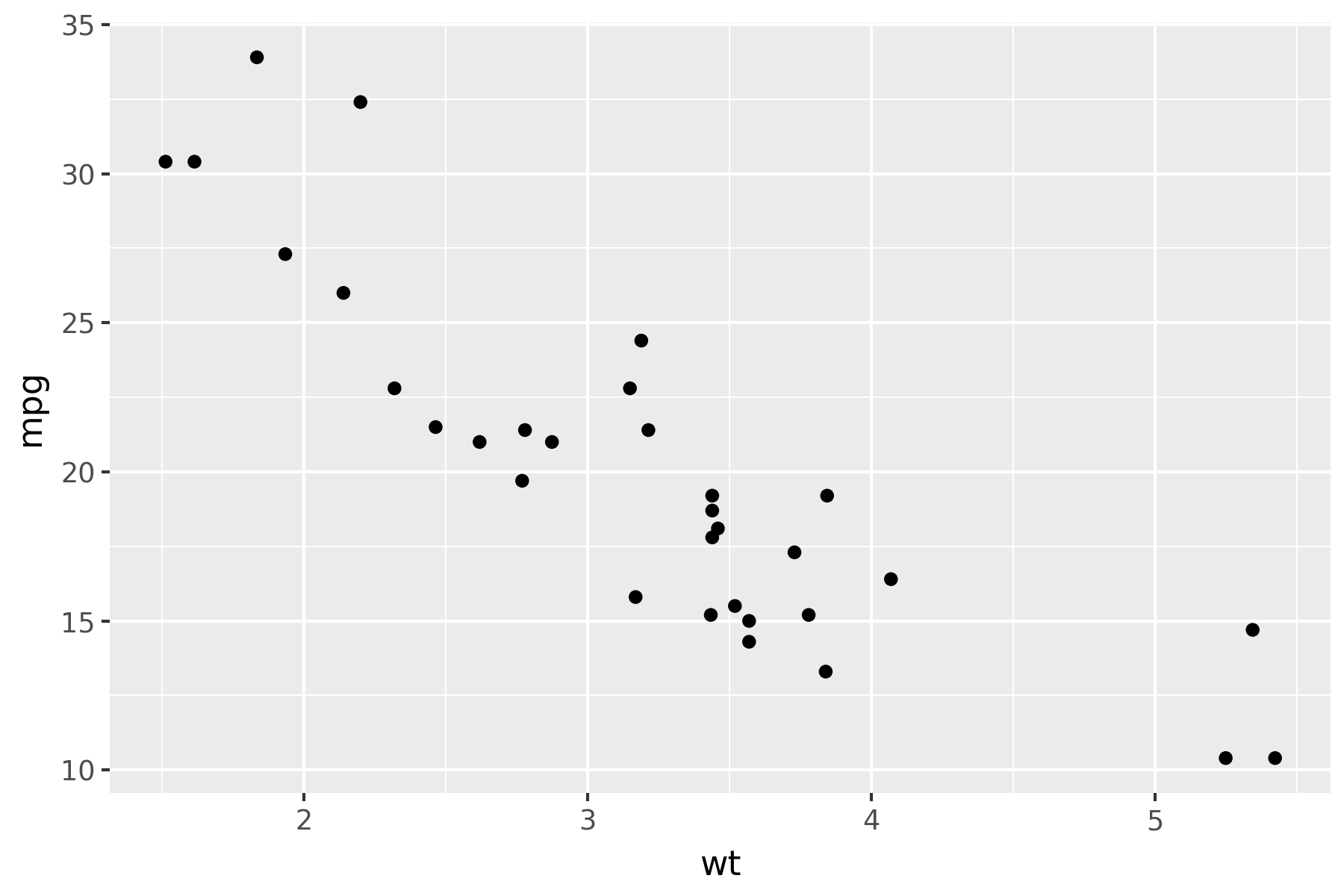
Scatter plot
(
    ggplot(mtcars, aes("wt", "mpg"))
    + geom_point()
)
-
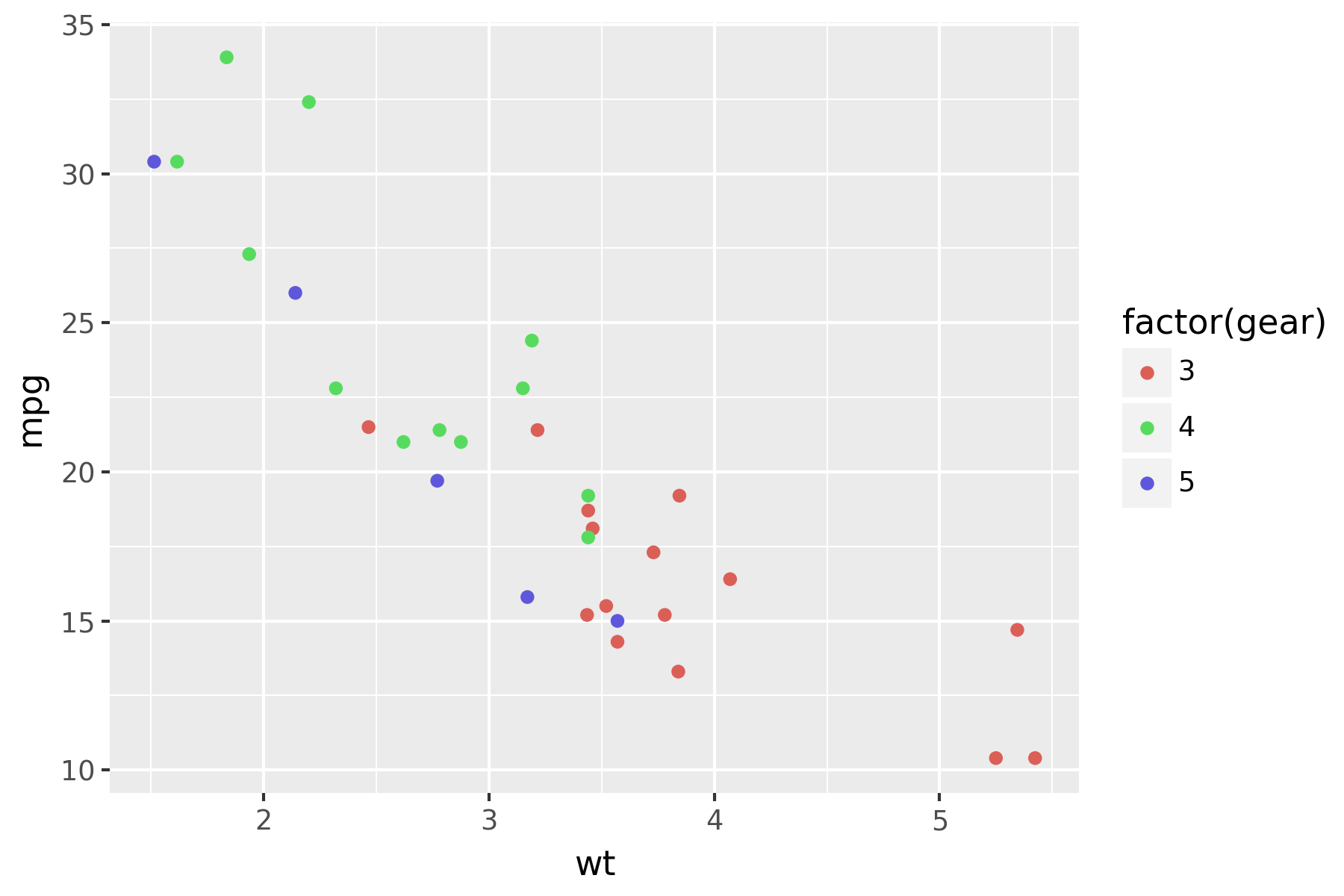
Scatter plot colored according some variable
(
    ggplot(mtcars, aes("wt", "mpg", color="factor(gear)"))
    + geom_point()
)
-
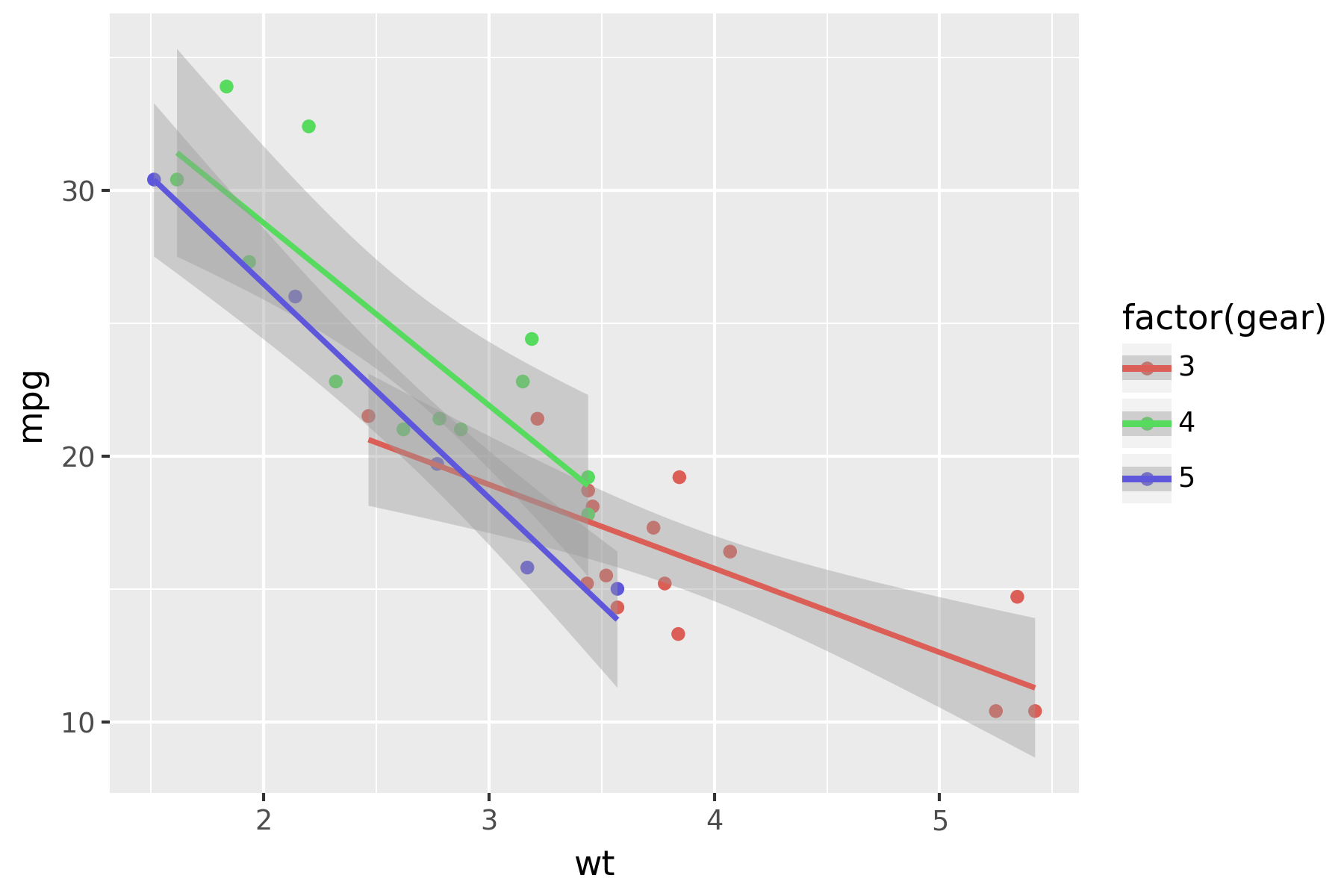
Scatter plot colored according some variable and smoothed with a linear model with confidence intervals.
(
    ggplot(mtcars, aes("wt", "mpg", color="factor(gear)"))
    + geom_point()
    + stat_smooth(method="lm")
)
-
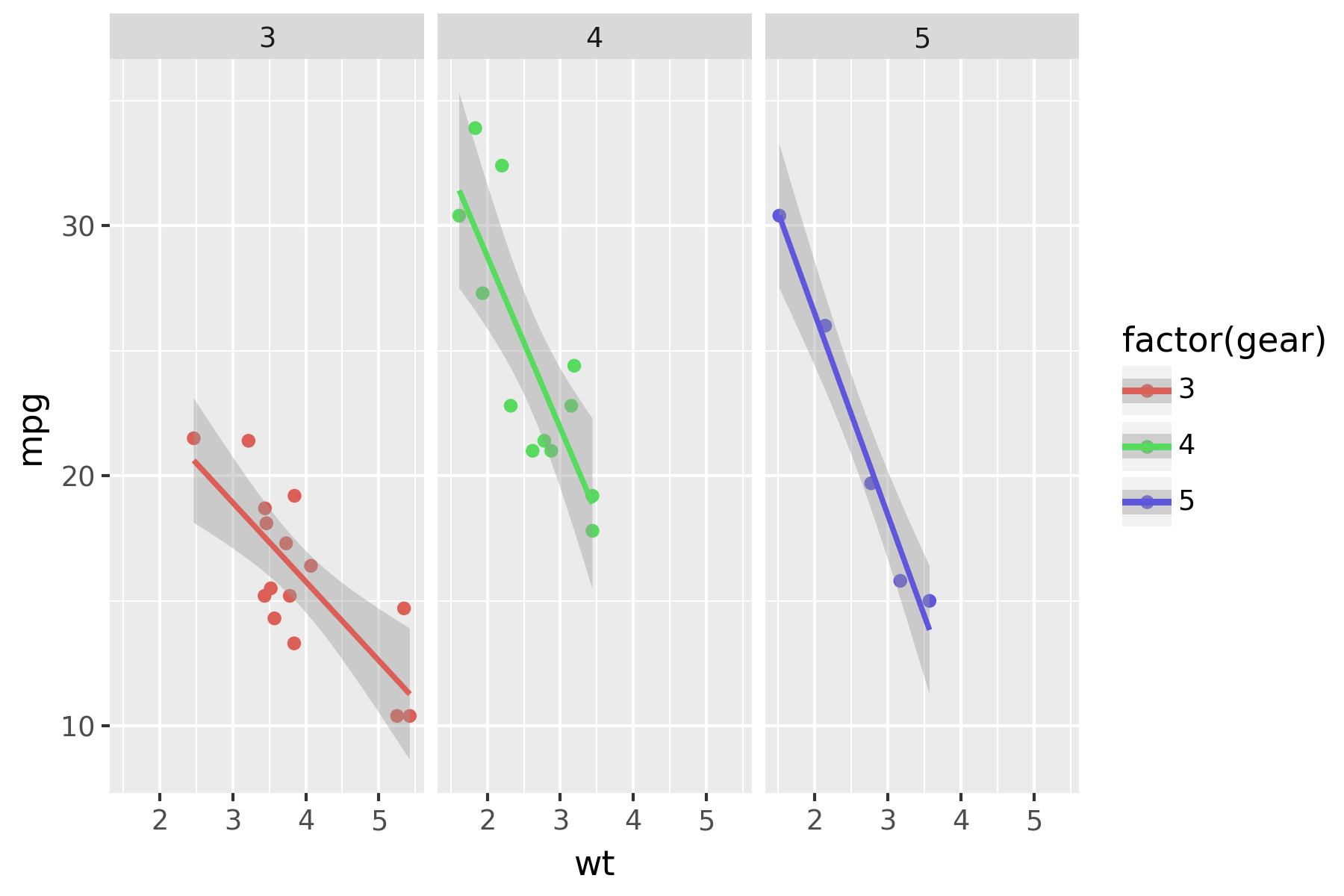
Scatter plot colored according some variable, smoothed with a linear model with confidence intervals and plotted on separate panels.
(
    ggplot(mtcars, aes("wt", "mpg", color="factor(gear)"))
    + geom_point()
    + stat_smooth(method="lm")
    + facet_wrap("gear")
)
-
Adjust the themes
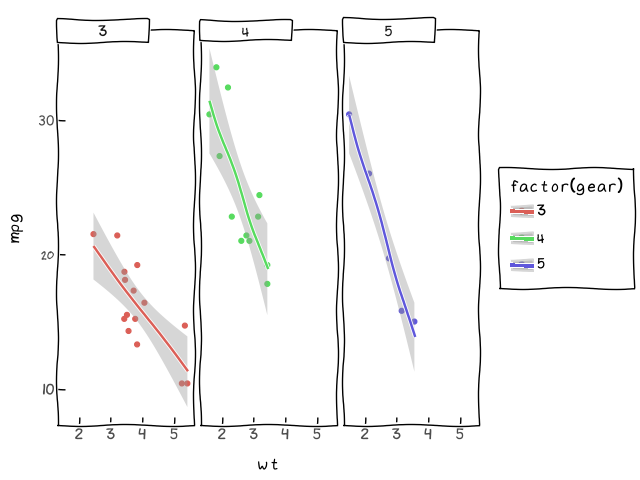
I) Make it playful
(
    ggplot(mtcars, aes("wt", "mpg", color="factor(gear)"))
    + geom_point()
    + stat_smooth(method="lm")
    + facet_wrap("gear")
    + theme_xkcd()
)
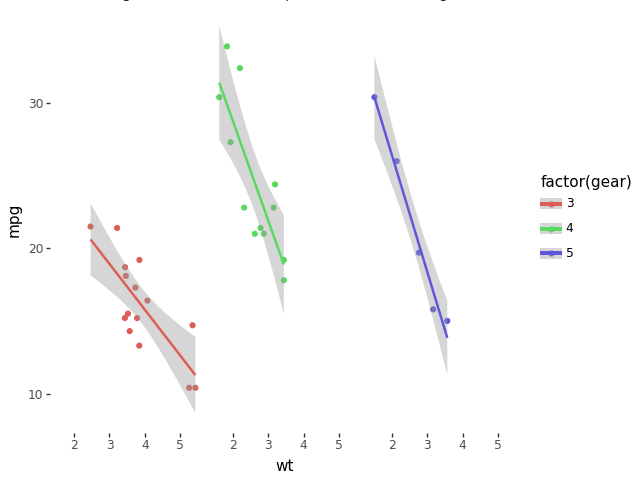
II) Or professional
(
    ggplot(mtcars, aes("wt", "mpg", color="factor(gear)"))
    + geom_point()
    + stat_smooth(method="lm")
    + facet_wrap("gear")
    + theme_tufte()
)
Installation
Official release
# Using pip
$ pip install plotnine             # 1. should be sufficient for most
$ pip install 'plotnine[extra]'    # 2. includes extra/optional packages
$ pip install 'plotnine[test]'     # 3. testing
$ pip install 'plotnine[doc]'      # 4. generating docs
$ pip install 'plotnine[dev]'      # 5. development (making releases)
$ pip install 'plotnine[all]'      # 6. everything

# Or using conda
$ conda install -c conda-forge plotnine

# Or using pixi
$ pixi init name-of-my-project
$ cd name-of-my-project
$ pixi add python plotnine
Development version
$ pip install git+https://github.com/has2k1/plotnine.git
$ brew install oxipng   # Test image optimiser (OR `cargo install oxipng`)
Contributing
Our documentation could use some examples, but we are looking for something a little bit special. We have two criteria:
- Simple looking plots that otherwise require a trick or two.
- Plots that are part of a data analytic narrative. That is, they provide
some form of clarity showing off the
geom,stat, ... at their differential best.
If you come up with something that meets those criteria, we would love to see it. See plotnine-examples.
If you discover a bug checkout the issues if it has not been reported, yet please file an issue.
And if you can fix a bug, your contribution is welcome.
Testing
Plotnine has tests that generate images which are compared to baseline images known to be correct. There may be small differences in the text rendering that throw off the image comparisons, and the tests allow some very small differences.
1 maintainer

Download files
Download the file for your platform. If you're not sure which to choose, learn more about installing packages.
Source Distribution
Built Distribution
Filter files by name, interpreter, ABI, and platform.
If you're not sure about the file name format, learn more about wheel file names.
Copy a direct link to the current filters
File details
Details for the file plotnine-0.16.0a12.tar.gz.
File metadata
- Download URL: plotnine-0.16.0a12.tar.gz
- Upload date:
- Size: 7.5 MB
- Tags: Source
- Uploaded using Trusted Publishing? Yes
- Uploaded via: twine/7.0.0 CPython/3.13.14
File hashes
| Algorithm | Hash digest | |
|---|---|---|
| SHA256 |
e95565d9ae16ed60bfa16bcea2cb3c862e4b3165b8c257b8a96498f39bb8b17d
|
|
| MD5 |
e6385925b1096edc2efd678fbc27f9b2
|
|
| BLAKE2b-256 |
2ee8d28be1fee4b1c7ef05f76bfb5a137ebc9b214f80b06b2771c73903d421e0
|
Provenance
The following attestation bundles were made for plotnine-0.16.0a12.tar.gz:
Publisher:
release.yml on has2k1/plotnine
-
Statement:
-
Statement type:
https://in-toto.io/Statement/v1 -
Predicate type:
https://docs.pypi.org/attestations/publish/v1 -
Subject name:
plotnine-0.16.0a12.tar.gz -
Subject digest:
e95565d9ae16ed60bfa16bcea2cb3c862e4b3165b8c257b8a96498f39bb8b17d - Sigstore transparency entry: 2475605237
- Sigstore integration time:
-
Permalink:
has2k1/plotnine@6836b99d3a979bc8741d73760460f36f7ad76a9c -
Branch / Tag:
refs/tags/v0.16.0a12 - Owner: https://github.com/has2k1
-
Access:
public
-
Token Issuer:
https://token.actions.githubusercontent.com -
Runner Environment:
github-hosted -
Publication workflow:
release.yml@6836b99d3a979bc8741d73760460f36f7ad76a9c -
Trigger Event:
push
-
Statement type:
File details
Details for the file plotnine-0.16.0a12-py3-none-any.whl.
File metadata
- Download URL: plotnine-0.16.0a12-py3-none-any.whl
- Upload date:
- Size: 1.4 MB
- Tags: Python 3
- Uploaded using Trusted Publishing? Yes
- Uploaded via: twine/7.0.0 CPython/3.13.14
File hashes
| Algorithm | Hash digest | |
|---|---|---|
| SHA256 |
97c4bac80d594548068b7ffe0ed9101c1718b5ae2d3bb8e045f885f47d9ec998
|
|
| MD5 |
620ccfcb0946ecc5a5c2aa91247cd84b
|
|
| BLAKE2b-256 |
091ae8b51da0631bec73c6b3e631ce28cc7918aeac9eff1f99b0dafead97d879
|
Provenance
The following attestation bundles were made for plotnine-0.16.0a12-py3-none-any.whl:
Publisher:
release.yml on has2k1/plotnine
-
Statement:
-
Statement type:
https://in-toto.io/Statement/v1 -
Predicate type:
https://docs.pypi.org/attestations/publish/v1 -
Subject name:
plotnine-0.16.0a12-py3-none-any.whl -
Subject digest:
97c4bac80d594548068b7ffe0ed9101c1718b5ae2d3bb8e045f885f47d9ec998 - Sigstore transparency entry: 2475605263
- Sigstore integration time:
-
Permalink:
has2k1/plotnine@6836b99d3a979bc8741d73760460f36f7ad76a9c -
Branch / Tag:
refs/tags/v0.16.0a12 - Owner: https://github.com/has2k1
-
Access:
public
-
Token Issuer:
https://token.actions.githubusercontent.com -
Runner Environment:
github-hosted -
Publication workflow:
release.yml@6836b99d3a979bc8741d73760460f36f7ad76a9c -
Trigger Event:
push
-
Statement type:







