
No project description provided

Project description
Reachy Mini

⚠️ Reachy Mini is still in beta. Expect bugs, some of them we won't fix right away if they are not a priority.
Reachy Mini is an expressive, open-source robot designed for human-robot interaction, creative coding, and AI experimentation. We made it to be affordable, easy to use, hackable and cute, so that you can focus on building cool AI applications!

Versions Lite & Wireless
Reachy Mini's hardware comes in two flavors:
- Reachy Mini lite: where the robot is directly connected to your computer via USB. And the code that controls the robot (the daemon) runs on your computer.
- Reachy Mini wireless: where an Raspberry Pi is embedded in the robot, and the code that controls the robot (the daemon) runs on the Raspberry Pi. You can connect to it via Wi-Fi from your computer (see Wireless Setup).
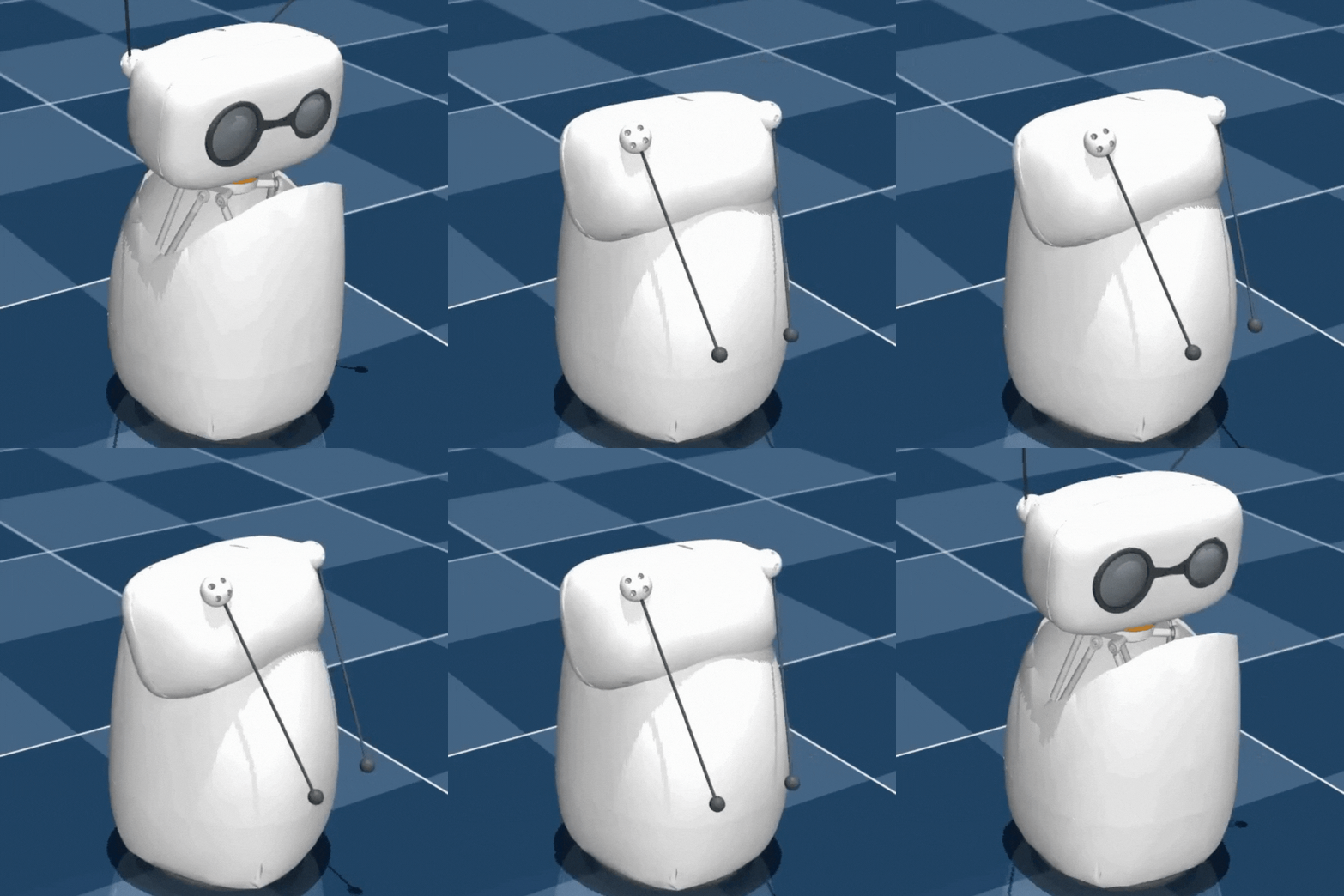
There is also a simulated version of Reachy Mini in MuJoCo that you can use to prototype your applications before deploying them on the real robot. It behaves like the lite version where the daemon runs on your computer.
Assembly guide
📖 Follow our step-by-step Assembly Guide.
Most builders finish in about 3 hours, our current speed record is 43 minutes. The guide walks you through every step with clear visuals so you can assemble Reachy Mini confidently from start to finish. Enjoy the build!
▶️ View the Assembly Video.
Software overview
This repository provides everything you need to control Reachy Mini, both in simulation and on the real robot. It consists of two main parts:
- The 😈 Daemon 😈: A background service that manages communication with the robot's motors and sensors, or with the simulation environment. It should be running before you can control the robot. It can run either for the simulation (MuJoCo) or for the real robot.
- 🐍 SDK & 🕸️ API to control the robot's main features (head, antennas, camera, speakers, microphone, etc.) and connect with your AI experimentation. Depending on your preferences and needs, there is a Python SDK and a HTTP REST API.
Using the Python SDK, making your robot move only require a few lines of code, as illustrated in the example below:
from reachy_mini import ReachyMini
from reachy_mini.utils import create_head_pose

with ReachyMini() as reachy_mini:
    # Move the head up (10mm on z-axis) and roll it 15 degrees
    pose = create_head_pose(z=10, roll=15, degrees=True, mm=True)
    reachy_mini.goto_target(head=pose, duration=2.0)

    # Reset to default pose
    pose = create_head_pose()
    reachy_mini.goto_target(head=pose, duration=2.0)
and using the REST API, reading the current state of the robot:
curl 'http://localhost:8000/api/state/full'
Those two examples above assume that the daemon is already running (either in simulation or on the real robot) locally.
Installation of the daemon and Python SDK
As mentioned above, before being able to use the robot, you need to run the daemon that will handle the communication with the motors.
We support and test on Linux and macOS. It's also working on Windows, but it is less tested at the moment. Do not hesitate to open an issue if you encounter any problem.
The daemon is built in Python, so you need to have Python installed on your computer (versions from 3.10 to 3.13 are supported). We recommend using a virtual environment to avoid dependency conflicts with your other Python projects.
You can install Reachy Mini from the source code or from PyPI.
First, make sure git-lfs is installed on your system:
- On Linux:
sudo apt install git-lfs - On macOS:
brew install git-lfs - On Windows: Follow the instructions here
From PyPI, you can install the package with:
pip install reachy-mini
From the source code, you can install the package with:
git clone https://github.com/pollen-robotics/reachy_mini
pip install -e ./reachy_mini
Note that uv users can directly run the daemon with:
uv run reachy-mini-daemon
The same package provides both the daemon and the Python SDK.
Linux udev rules setup
On Linux systems, you need to set up udev rules to allow non-root access to the Reachy Mini hardware. Create the udev rules file with:
echo 'SUBSYSTEM=="tty", ATTRS{idVendor}=="1a86", ATTRS{idProduct}=="55d3", MODE="0666", GROUP="dialout" #Reachy Mini
SUBSYSTEM=="tty", ATTRS{idVendor}=="38fb", ATTRS{idProduct}=="1001", MODE="0666", GROUP="dialout" #Reachy Mini soundcard' \
| sudo tee /etc/udev/rules.d/99-reachy-mini.rules
After saving the file, refresh the udev rules:
sudo udevadm control --reload-rules && sudo udevadm trigger
Finally, add your current user to the dialout group:
sudo usermod -aG dialout $USER
You may need to log out and log back in for the group changes to take effect.
Run the reachy mini daemon
Before being able to use the robot, you need to run the daemon that will handle the communication with the motors. This daemon can run either in simulation (MuJoCo) or on the real robot.
reachy-mini-daemon
or run it via the Python module:
python -m reachy_mini.daemon.app.main
Additional argument for both simulation and real robot:
--localhost-only: (default behavior). The server will only accept connections from localhost.
or
--no-localhost-only: If set, the server will accept connections from any connection on the local network.
In simulation (MuJoCo)
You first have to install the optional dependency mujoco.
pip install reachy-mini[mujoco]
Then run the daemon with the --sim argument.
reachy-mini-daemon --sim
Additional arguments:
--scene <empty|minimal> : (Default empty). Choose between a basic empty scene, or a scene with a table and some objects.
Note: On OSX in order to run mujoco, you need to use mjpython (see here). So, you should run the daemon with:
mjpython -m reachy_mini.daemon.app.main --sim
For the lite version (connected via USB)
It should automatically detect the serial port of the robot. If it does not, you can specify it manually with the -p option:
reachy-mini-daemon -p <serial_port>
Usage
For more information about the daemon and its options, you can run:
reachy-mini-daemon --help
Dashboard
You can access a simple dashboard to monitor the robot's status at http://localhost:8000/ when the daemon is running. This lets you turn your robot on and off, run some basic movements, and browse spaces for Reachy Mini!

Run the demo & awesome apps
Conversational demo for the Reachy Mini robot combining LLM realtime APIs, vision pipelines, and choreographed motion libraries: reachy_mini_conversation_demo.
You can find more awesome apps and demos for Reachy Mini on Hugging Face spaces!
Using the Python SDK
The API is designed to be simple and intuitive. You can control the robot's features such as the head, antennas, camera, speakers, and microphone. For instance, to move the head of the robot, you can use the goto_target method as shown in the example below:
from reachy_mini import ReachyMini
from reachy_mini.utils import create_head_pose

with ReachyMini() as reachy_mini:
    # Move the head up (10mm on z-axis) and roll it 15 degrees
    pose = create_head_pose(z=10, roll=15, degrees=True, mm=True)
    reachy_mini.goto_target(head=pose, duration=2.0)

    # Reset to default pose
    pose = create_head_pose()
    reachy_mini.goto_target(head=pose, duration=2.0)
For a full description of the SDK, please refer to the Python SDK documentation.
Using the REST API
The daemon also provides a REST API via fastapi that you can use to control the robot and get its state. The API is accessible via HTTP and WebSocket.
By default, the API server runs on http://localhost:8000. The API is documented using OpenAPI, and you can access the documentation at http://localhost:8000/docs when the daemon is running.
More information about the API can be found in the HTTP API documentation.
Share your apps with the commmunity
You can share your github repositories on social media or use this guide to share your app even with users who can't code.
Open source & contribution
This project is actively developed and maintained by the Pollen Robotics team and the Hugging Face team.
We welcome contributions from the community! If you want to report a bug or request a feature, please open an issue on GitHub. If you want to contribute code, please fork the repository and submit a pull request.
3D models
TODO
Contributing
Development tools are available in the optional dependencies.
pip install -e .[dev]
pre-commit install
Your files will be checked before any commit. Checks may also be manually run with
pre-commit run --all-files
Checks are performed by Ruff. You may want to configure your IDE to support it.
Troubleshooting
License
This project is licensed under the Apache 2.0 License - see the LICENSE file for details.
The robot design files are licensed under the TODO license.
Simulation model used
Release history Release notifications | RSS feed


Download files
Download the file for your platform. If you're not sure which to choose, learn more about installing packages.
Source Distribution
Built Distribution
Filter files by name, interpreter, ABI, and platform.
If you're not sure about the file name format, learn more about wheel file names.
Copy a direct link to the current filters
File details
Details for the file reachy_mini-1.2.0.tar.gz.
File metadata
- Download URL: reachy_mini-1.2.0.tar.gz
- Upload date:
- Size: 24.6 MB
- Tags: Source
- Uploaded using Trusted Publishing? Yes
- Uploaded via: twine/6.1.0 CPython/3.13.7
File hashes
| Algorithm | Hash digest | |
|---|---|---|
| SHA256 |
f6691bfd06544471791d846e406a868b77d9ce23021d058b67b45eee952a673f
|
|
| MD5 |
718e2817cbe5b1557085c7fa5f085219
|
|
| BLAKE2b-256 |
a13e5e0405fce49778e3143a6c4d8e2a3500a1e0b38c85df32c773084c74ad5c
|
Provenance
The following attestation bundles were made for reachy_mini-1.2.0.tar.gz:
Publisher:
wheels.yml on pollen-robotics/reachy_mini
-
Statement:
-
Statement type:
https://in-toto.io/Statement/v1 -
Predicate type:
https://docs.pypi.org/attestations/publish/v1 -
Subject name:
reachy_mini-1.2.0.tar.gz -
Subject digest:
f6691bfd06544471791d846e406a868b77d9ce23021d058b67b45eee952a673f - Sigstore transparency entry: 762100195
- Sigstore integration time:
-
Permalink:
pollen-robotics/reachy_mini@8e5c9b16ca03488c467bf2595d3c9090c3763a1c -
Branch / Tag:
refs/tags/v1.2.0 - Owner: https://github.com/pollen-robotics
-
Access:
public
-
Token Issuer:
https://token.actions.githubusercontent.com -
Runner Environment:
github-hosted -
Publication workflow:
wheels.yml@8e5c9b16ca03488c467bf2595d3c9090c3763a1c -
Trigger Event:
release
-
Statement type:
File details
Details for the file reachy_mini-1.2.0-py3-none-any.whl.
File metadata
- Download URL: reachy_mini-1.2.0-py3-none-any.whl
- Upload date:
- Size: 24.7 MB
- Tags: Python 3
- Uploaded using Trusted Publishing? Yes
- Uploaded via: twine/6.1.0 CPython/3.13.7
File hashes
| Algorithm | Hash digest | |
|---|---|---|
| SHA256 |
49262a0e30f79758de81c186b23c1b4c3b2da22ee80361e356d5c8d1f1db570a
|
|
| MD5 |
715832488739474bf699b15d94b0abc1
|
|
| BLAKE2b-256 |
8d1ee8e32199830957bda9bdd769067953baca3ef87d95aa35ca0d0b32859f4a
|
Provenance
The following attestation bundles were made for reachy_mini-1.2.0-py3-none-any.whl:
Publisher:
wheels.yml on pollen-robotics/reachy_mini
-
Statement:
-
Statement type:
https://in-toto.io/Statement/v1 -
Predicate type:
https://docs.pypi.org/attestations/publish/v1 -
Subject name:
reachy_mini-1.2.0-py3-none-any.whl -
Subject digest:
49262a0e30f79758de81c186b23c1b4c3b2da22ee80361e356d5c8d1f1db570a - Sigstore transparency entry: 762100199
- Sigstore integration time:
-
Permalink:
pollen-robotics/reachy_mini@8e5c9b16ca03488c467bf2595d3c9090c3763a1c -
Branch / Tag:
refs/tags/v1.2.0 - Owner: https://github.com/pollen-robotics
-
Access:
public
-
Token Issuer:
https://token.actions.githubusercontent.com -
Runner Environment:
github-hosted -
Publication workflow:
wheels.yml@8e5c9b16ca03488c467bf2595d3c9090c3763a1c -
Trigger Event:
release
-
Statement type:






