
Terminal-based circular plasmid map viewer, sequence editor, and Primer3/Golden Braid primer design workbench
Verified details
These details have been verified by PyPIProject links
GitHub Statistics
Maintainers

Project description
SpliceCraft
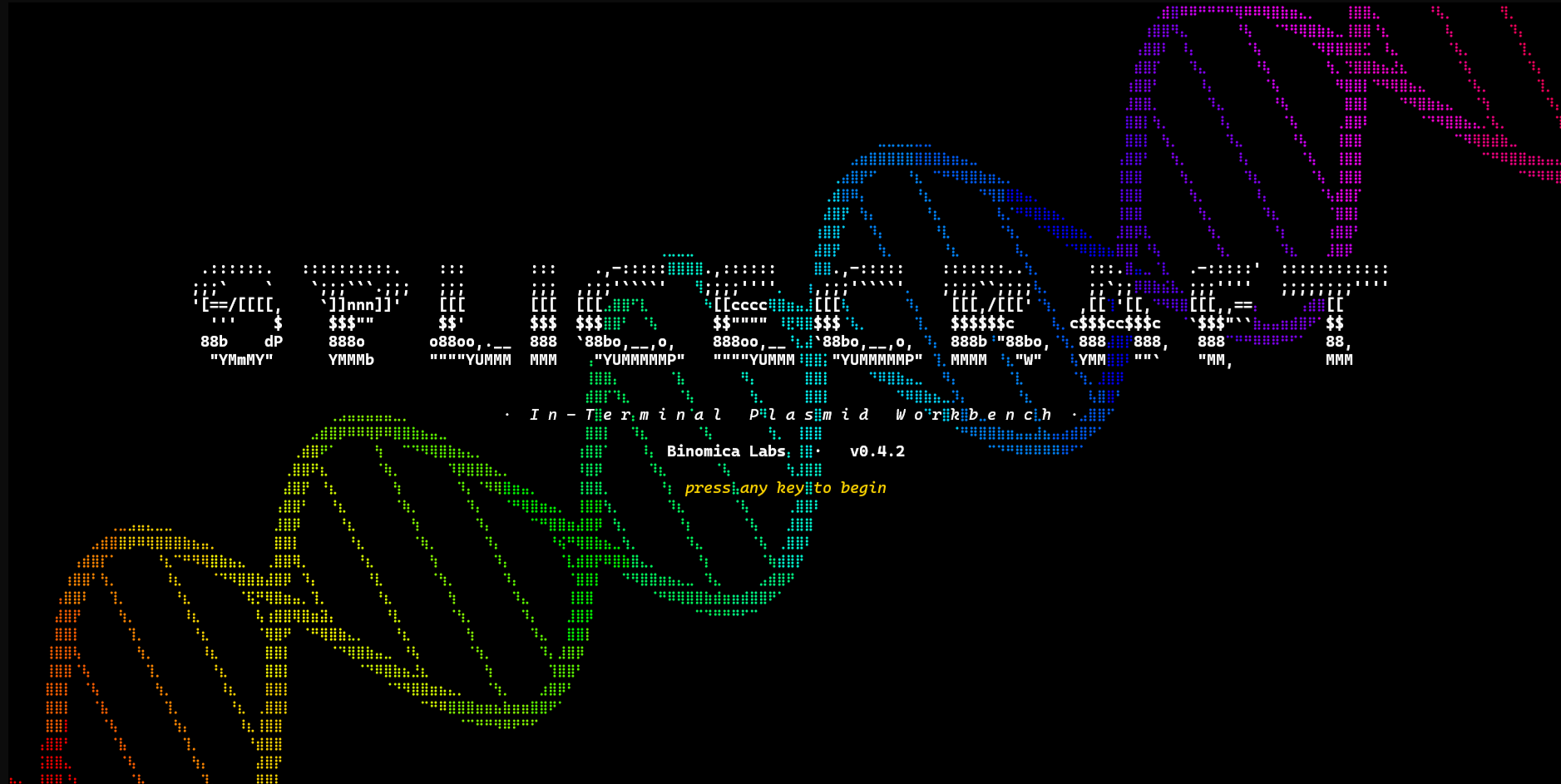







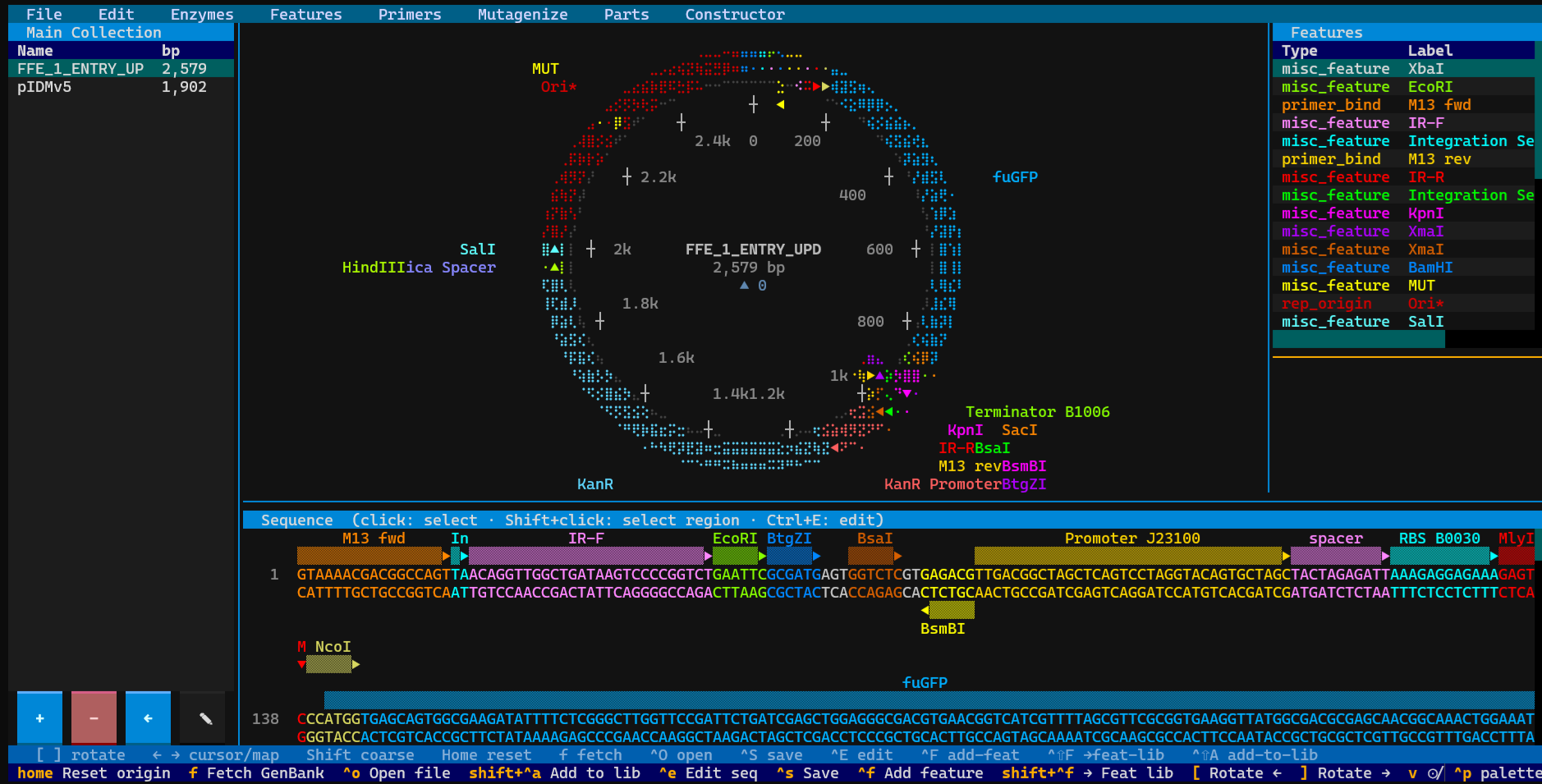
A plasmid workbench you live in. SpliceCraft is a terminal-native viewer, sequence editor, primer + mutagenesis designer, Golden Braid / MoClo cloning workbench, and in-process BLAST / HMMscan engine — all rendered as crisp Unicode braille graphics in any modern terminal.
Built by a practicing bioengineer for daily lab work. Bug reports come from the bench; releases ship from the bench.
Quick start
pipx install splicecraft
splicecraft                      # empty canvas
splicecraft L09137               # fetch pUC19 from NCBI on launch
splicecraft myplasmid.gb         # local GenBank or .dna
Press ? once running for the full keyboard-shortcut reference.
See docs/install.md for pip / uv / conda / source
installs and the user-data directory location.
What it does
- View circular and linear braille-dot maps, per-base sequence panel with two-strand display, AA translation, restriction overlays (200+ NEB enzymes incl. Type IIS).
- Edit in-place with deepcopy undo / redo, feature CRUD, 3-second-debounced crash-recovery autosave.
- Clone through a multi-tab Constructor (Traditional / Gibson / Golden Braid / MoClo / custom grammar) with a 4-source part picker. Every save path — L0 Domesticator, Constructor TU / MOD / L3+, Traditional cloning, Gibson, MoClo — lands as a single complete library entry (payload + overhangs + backbone) carrying every parent L0 / TU feature as its own annotation, so the L0 → TU → MOD provenance chain is browsable from the Library panel.
- Design primers via Primer3 (detection / cloning / GB / generic) with a persistent Designed → Ordered → Validated lifecycle.
- Mutagenize any CDS via SOE-PCR site-directed mutagenesis with edge-case fallback to 2-primer modified-outer PCR.
- Simulate PCR + agarose gels (0.5–4% with the Helling-Goodman- Boyer mobility curve and form corrections).
- Align sequencing runs from the Sequencing toolbar — drop in a
Plasmidsaurus
.zipand walk three numbered sub-tabs: 1. Pick zip (browse and pick the run archive), 2. Pick sample (click the row whose read you want), 3. Pick target + align (pick the library plasmid this sample belongs to, click Align). An optional QC tab shows k-mer / contamination / coverage metrics. On Align: the picked library plasmid loads onto the canvas and the plasmidsaurus virtual plasmid lands as a blue alignment bar on its linear view (origin of the library entry stays the absolute reference; the read is rotated to match). Bar is labelled<row#> <gbk_basename>and persists onto the target's library entry so re-loading restores it. Target auto-tags to linear view for future opens. - Bulk-align a whole results folder — on the 2. Pick sample
tab, click Bulk auto-align all samples to match every sample
against the library by name (Plasmidsaurus filename → library
entry name) with sequence-similarity fallback. A confirm modal
lets you flip each row's action (align / add-as-new / skip) before
committing. Matched samples align onto their library entries;
unmatched samples can be added as new library entries with
provenance (
source: plasmidsaurus:<run>:<sample>). - Verification report — on the 1. Pick zip tab, click View verification report to see every stored sequencing alignment across the active library in one sortable table: status badge (✓ verified / ⚠ near-match / ~ partial / ✗ divergent), identity %, coverage %, SNP and indel counts, source. Click a row to load that plasmid onto the canvas with the cursor positioned at the first variant.
- Library sequencing status badges — the main LibraryPanel now shows a Seq column per entry: at-a-glance ✓ / ⚠ / ~ / ✗ / — so you can see which constructs have been verified, which have variants, and which haven't been sequenced.
- Log experiments from the Experiments toolbar — full-screen
lab-notebook workbench with a split-pane layout: entries list on
the left (Updated · Title with horizontal scroll for long titles)
- full-width markdown
TextAreaeditor on the right. Group entries into named projects (Ctrl+P → Projects… picker: Open / New / Rename / Duplicate / Delete) — projects are to experiments what plasmid collections are to plasmids. In-editor colored cross-references —@<plasmid>(lime),!<action>(purple),&<gel>(orange) — backspace deletes the whole tag, and Ctrl+G or double-click on a tag opens its source modal focused on that entry. Persistentexperiments.json+experiment_projects.json+gels.json, per-entry image attachments (file picker on Linux/WSL · Pillow clipboard grab on Win/Mac), and F7 spellcheck viapyspellcheckerwith a user-maintained custom dictionary.
- full-width markdown
- Save Simulator gels from the
Simulator → Gel → Librarybutton — name + save the current lane layout + agarose %, load it back later, or reference it as&<id>in an Experiments entry. - Compose gene-synthesis fragments from the Synthesis menu
— full-screen workbench with two tabs:
- DNA tab — horizontally-scrolling linear DNA editor
(per-base style: feature stripes + restriction overlay + AA
translation),
5'-/-3'(top) and3'-/-5'(bottom) anti-parallel strand markers, cursor-based typing (A/C/G/T/N only on the keyboard; IUPAC ambiguity codes flow in via Ctrl+R restriction-site picker and feature-library Insert), Ctrl+F highlight → Add Feature modal, and a right-side feature library pane with two action modes: Insert splices the entry's sequence at the cursor and annotates it; Annotate overlays the entry's type / colour onto the current selection without changing DNA. - Protein tab — amino-acid composer with
N-/-Cpolarity markers. Type any of the 20 standard AAs (plus*for stop) and a DNA codon manifests below each residue using the most-frequent codon from the active codon table (top dropdown — picks from any registered codon table including the built-in E. coli K12). Alt+T toggles between codon-translated mode (AA centred over its 3-bp codon) and AA-only mode (just the letters, no DNA below). Right-side protein motif library ships 30 built-in tags (His6, FLAG, HA, Myc, V5, Strep-II, T7), linkers ((GGGGS)x3, EAAAK), protease sites (TEV, PreScission, Thrombin), self-cleaving 2A peptides (P2A, T2A, E2A, F2A), and localisation signals (NLS, NES). Insert splices the motif's AA sequence at the cursor. Saves as a linear DNA library entry with a CDS feature carrying thetranslation=qualifier so round-trip back into the protein tab recovers the exact AA sequence (no codon-table-drift on reload). Document model on save — load a linear plasmid, edit, Save overwrites the same library entry. Save As / Rename / New available from the toolbar. 50 kb cap per DNA fragment; protein cap derived as 50 kb ÷ 3 ≈ 16.6k aa. Save flow guarded by an RLock so concurrent DNA + protein saves can't interleave SeqRecord construction. Clone Fragment button hands the composed fragment off to the Domesticator in one click — auto-saves, loads the saved entry onto the canvas, closes Synthesis, and opens the Parts Bin pre-armed with New Part, so the L0 part lands in the bin without re-selecting anything. Both side panels carry an Edit button: the DNA tab edits the persistent feature library (same store the Features menu uses); the Protein tab edits motifs with copy-on-write so built-in motifs are preserved in code while your changes land inprotein_motifs.json. Motif inserts on the protein tab arrive as pre-colored AA features — each built-in motif has its own distinct color so His6, FLAG, HA, and so on read at a glance both in the side panel and in the dithered ▒-block lane art above the AA strand (mirrors the main sequence panel's feature lanes — strand arrowheads, centred labels, multi-lane stacking on overlap). Round-trips through save as CDS sub-features.
- DNA tab — horizontally-scrolling linear DNA editor
(per-base style: feature stripes + restriction overlay + AA
translation),
- Search your library with in-process BLASTN / BLASTP / HMMscan
(via
pyhmmer— no externalblast+install). - Drive from outside via a 100+ endpoint localhost JSON API
(
splicecraft --agent) and a stdlib-only CLI sidecar (splicecraft-cli). Custom enzymes + enzyme collections expose full CRUD parity (list/get/create/update/delete-custom-enzyme,list/get/create/update/delete-enzyme-collection,get/set-active-enzyme-collection).
Full feature reference: docs/features.md.
Robustness is a feature
- Load-time collision detection across parts bin, plasmid library, and primer library. An exact duplicate (same name + same content) prompts skip (default) or keep as " COPY" so duplicates can coexist with their twin. A name-match with different content prompts three-way keep original (default) / overwrite / cancel the load — never silently clobbers existing data.
- Four-layer JSON safety net per save: atomic write +
.bak+ rotating timestamped backups + daily snapshots + suspicious-shrink guard. - Pre-update snapshots before any pip / pipx / uv subprocess; stored in a sibling directory so a hypothetical recursive-wipe bug in a new version cannot kill recovery.
- 2,600+ tests anchored on 63+ sacred invariants (see
CLAUDE.md), hypothesis property-based fuzzing on biology primitives. - Defence-in-depth size caps on every external input (NCBI / PyPI
/ Kazusa fetch,
.dnahistory packets, JSON saves, agent-API bodies, CLI responses). - Lock-file PID-fsync + stale-PID detection so a SpliceCraft killed on a shared filesystem releases its lock on next launch.
- Master Delete under File → "⚠ Master Delete (wipe all user
data)…" lets you wipe every plasmid, collection, experiment, gel,
primer, part, grammar, codon table, feature, setting, backup,
snapshot, and pre-update recovery copy in one go — true clean
slate. Triple-gated: typed
YES(case-sensitive) to enable the Delete button, then a default-No confirm with a 3-second cool-down on the destructive button. No keyboard shortcut. No agent endpoint. - Entry-vector auto-detection. When you import a folder via Collections → New Collection, SpliceCraft scans every plasmid, identifies acceptors (UPD / α1 / α2 / Ω1 / Ω2 for Golden Braid), and auto-binds them to their roles. Manual review + override via Settings → Entry Vectors. Configured acceptors flip TU classification from the lenient fallback to strict per-acceptor matching with explicit role labels.
- Vector-derived selection markers (no hardcoded antibiotics).
Each TU / MOD save reads the bound entry vector's annotations and
stamps the assembled L1+ part with the actual antibiotic — a
custom α-vector carrying AmpR propagates Ampicillin, not the
canonical pDGB3-α Spectinomycin default (which has been removed
from
_CONSTRUCTOR_BACKBONESentirely). The EntryVectorsModal status line warns on (a) intra-pair mismatch — α1 ≠ α2 or Ω1 ≠ Ω2 markers — and (b) cross-family collision — α and Ω carry the same antibiotic, so iteration cycles wouldn't be distinguishable by selection. A one-shot launch-time migration re-detects markers on every existing parts-bin row whose stored value was the historical Spec / Kan default; manually-edited markers (Carb, Hyg, …) are preserved. - Enzyme collections. Manage named subsets of the master enzyme
catalog (built-in NEB ∪ user-added customs) via
Enzymes → Enzyme collections…. Two-pane layout: master list with
search-by-name-or-site on the left, the active catalog on the
right. Add enzymes with Enter / Space / double-click / Add →. The
active catalog drives the restriction-overlay scan; empty = scan
the full master. Add a custom enzyme via the same modal: name,
site, fwd/rev cut, type, supplier — persisted to
custom_enzymes.jsonand live in every subsequent scan. - Settings dialog. Settings menu collapsed into one
SettingsModal— every toggle, the min-primer-binding numeric, plus buttons launching the grammar / entry-vector / enzyme-collection / restore-from-backup sub-modals.
Full data-safety writeup: docs/data-safety.md.
Security policy: SECURITY.md.
Documentation
| Topic | Where |
|---|---|
| Install methods | docs/install.md |
| First five seconds with pUC19 | docs/getting-started.md |
| Full feature list | docs/features.md |
| Keybindings + menus | docs/keybindings.md |
| Data safety + backups | docs/data-safety.md |
| Agent API (HTTP) | docs/agent-api.md |
| CLI sidecar | docs/cli.md |
| Architecture | docs/architecture.md |
| Sacred invariants | CLAUDE.md |
| Contributing | CONTRIBUTING.md |
| Security policy | SECURITY.md |
| v1.0.0 acceptance gate | V1_GATE.md |
| Changelog | CHANGELOG.md |
| Release checklist | RELEASE_CHECKLIST.md |
Tests
python3 -m pytest -n auto -q                  # full suite (~5–6 min on 8 cores)
python3 -m pytest tests/test_dna_sanity.py    # biology correctness only (< 2 s)
python3 -m pytest tests/test_perf_regression.py  # perf gates (~3 s)
All tests run offline against synthetic SeqRecords and monkeypatched
data paths; the autouse _protect_user_data fixture in
tests/conftest.py guarantees no test can write to real user files.
Maintenance
SpliceCraft is actively maintained. The maintainer is a practicing bioengineer running real cloning workflows in it daily; releases typically go out the same week a problem surfaces at the bench. Issues and PRs welcome at github.com/Binomica-Labs/SpliceCraft/issues.
See CONTRIBUTING.md before opening a non-trivial
PR — it walks through the sacred invariants, the test cadence, and
the security-sensitive code surfaces.
License
MIT
Project details
Verified details
These details have been verified by PyPIProject links
GitHub Statistics
Maintainers
Release history Release notifications | RSS feed


Download files
Download the file for your platform. If you're not sure which to choose, learn more about installing packages.
Source Distribution
Built Distribution
Filter files by name, interpreter, ABI, and platform.
If you're not sure about the file name format, learn more about wheel file names.
Copy a direct link to the current filters
File details
Details for the file splicecraft-0.9.25.tar.gz.
File metadata
- Download URL: splicecraft-0.9.25.tar.gz
- Upload date:
- Size: 2.4 MB
- Tags: Source
- Uploaded using Trusted Publishing? Yes
- Uploaded via: twine/6.1.0 CPython/3.13.12
File hashes
| Algorithm | Hash digest | |
|---|---|---|
| SHA256 |
326aac3edf205a03e97adf875f86bbd39e5f0aa9581371e2348ac7b60e40da72
|
|
| MD5 |
c4a6403f5da0068fa80069ff06afcbd9
|
|
| BLAKE2b-256 |
65ed9399c38e43164f46e2ce607fed4f5940ca1079dde4cda61a228cbf2b2f68
|
Provenance
The following attestation bundles were made for splicecraft-0.9.25.tar.gz:
Publisher:
publish.yml on Binomica-Labs/SpliceCraft
-
Statement:
-
Statement type:
https://in-toto.io/Statement/v1 -
Predicate type:
https://docs.pypi.org/attestations/publish/v1 -
Subject name:
splicecraft-0.9.25.tar.gz -
Subject digest:
326aac3edf205a03e97adf875f86bbd39e5f0aa9581371e2348ac7b60e40da72 - Sigstore transparency entry: 1631152730
- Sigstore integration time:
-
Permalink:
Binomica-Labs/SpliceCraft@eefaadc04b5e326ea80d12b1e8625b58980d94cb -
Branch / Tag:
refs/tags/v0.9.25 - Owner: https://github.com/Binomica-Labs
-
Access:
public
-
Token Issuer:
https://token.actions.githubusercontent.com -
Runner Environment:
github-hosted -
Publication workflow:
publish.yml@eefaadc04b5e326ea80d12b1e8625b58980d94cb -
Trigger Event:
push
-
Statement type:
File details
Details for the file splicecraft-0.9.25-py3-none-any.whl.
File metadata
- Download URL: splicecraft-0.9.25-py3-none-any.whl
- Upload date:
- Size: 1.2 MB
- Tags: Python 3
- Uploaded using Trusted Publishing? Yes
- Uploaded via: twine/6.1.0 CPython/3.13.12
File hashes
| Algorithm | Hash digest | |
|---|---|---|
| SHA256 |
8672fab2893a0a676689d27d4d31f89d733fe3d5c1cc5a074a6f194505523384
|
|
| MD5 |
445ebbf28e5276844a1f0bd9722bf23d
|
|
| BLAKE2b-256 |
12805969ac1a5165a6027d253c80947fd59882b38790f33d3e9675459eeeb977
|
Provenance
The following attestation bundles were made for splicecraft-0.9.25-py3-none-any.whl:
Publisher:
publish.yml on Binomica-Labs/SpliceCraft
-
Statement:
-
Statement type:
https://in-toto.io/Statement/v1 -
Predicate type:
https://docs.pypi.org/attestations/publish/v1 -
Subject name:
splicecraft-0.9.25-py3-none-any.whl -
Subject digest:
8672fab2893a0a676689d27d4d31f89d733fe3d5c1cc5a074a6f194505523384 - Sigstore transparency entry: 1631152777
- Sigstore integration time:
-
Permalink:
Binomica-Labs/SpliceCraft@eefaadc04b5e326ea80d12b1e8625b58980d94cb -
Branch / Tag:
refs/tags/v0.9.25 - Owner: https://github.com/Binomica-Labs
-
Access:
public
-
Token Issuer:
https://token.actions.githubusercontent.com -
Runner Environment:
github-hosted -
Publication workflow:
publish.yml@eefaadc04b5e326ea80d12b1e8625b58980d94cb -
Trigger Event:
push
-
Statement type:






