
This release is a pre-release and may not be stable for production use.





What is Upsonic?
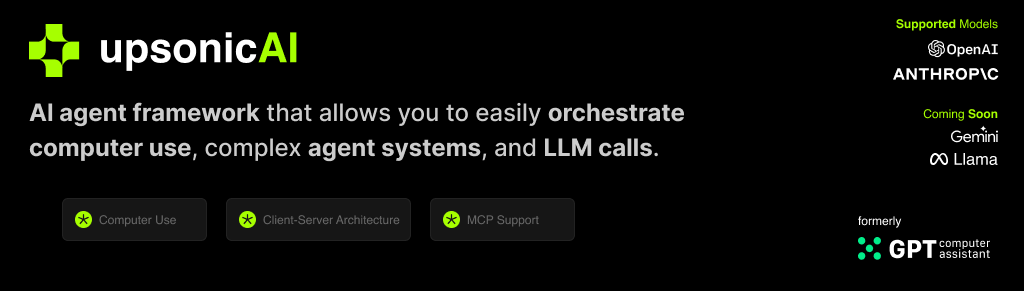
Upsonic offers a cutting-edge enterprise-ready framework where you can orchestrate LLM calls, agents, and computer use to complete tasks cost-effectively. It provides more reliable systems, scalability, and a task-oriented structure that you need while completing real-world cases.
Key features:
- Production-Ready Scalability: Deploy seamlessly on AWS, GCP, or locally using Docker.
- Task-Centric Design: Focus on practical task execution, with options for:
- Basic tasks via LLM calls.
- Advanced tasks with V1 agents.
- Complex automation using V2 agents with MCP integration.
- MCP Server Support: Utilize multi-client processing for high-performance tasks.
- Tool-Calling Server: Exception-secure tool management with robust server API interactions.
- Computer Use Integration: Execute human-like tasks using Anthropic’s ‘Computer Use’ capabilities.
- Easily adding tools: You can add your custom tools and MCP tools with a single line of code.
- Client-server arthitecture: Production ready stateless enterprise ready system
🛠️ Getting Started
Prerequisites
- Python 3.10 or higher
- Access to OpenAI or Anthropic API keys (Azure and Bedrock Supported)
Installation
pip install 'upsonic[server]'==0.35.0a1737117468
Creating a Client
Create a client to manage tools and tasks:
from upsonic import UpsonicClient, ObjectResponse, Task, AgentConfiguration
from upsonic.client.tools import Search

# Create an Upsonic client instance
client = UpsonicClient("devserver")

client.set_config("OPENAI_API_KEY", "YOUR_API_KEY")
client.default_llm_model = "gpt-4o"
Defining a Task
1) Description
The task is based on the description. We have a mechanism to automatically generate sub-tasks from a high-level task description. For example, a task to track AI industry developments might be described as: "Research latest news in Anthropic and OpenAI." This will be turned into smaller, more manageable tasks ("Make a Google search for Anthropic and OpenAI," "Read the blogs," "Read the official descriptions of Anthropic and OpenAI").
# Define a new Task
description = "Research latest news in Anthropic and OpenAI"
2) Response Format
The output is essential for deploying an AI agent across apps or as a service. In Upsonic, we use Pydantic BaseClass as input for the task system. This allows you to configure the output exactly how you want it, such as a list of news with title, body, and URL. You can create a flexible yet robust output mechanism that improves interoperability between the agent and your app.
# Example ObjectResponse usage
class News(ObjectResponse):
    title: str
    body: str
    url: str

class response_format(ObjectResponse):
    news_list: list[News]
3) Tool Integration
Our Framework officially supports Model Context Protocol (MCP) and custom tools. You can use hundreds of MCP servers at https://glama.ai/mcp/servers or https://smithery.ai/ We also support Python functions inside a class as a tool. You can easily generate your integrations with that.
@client.mcp()
class hackernews_mcp:
    command = "uvx"
    args = ["mcp-hn"]

@client.tool()
class MyTools:
    def our_server_status():
        return True

tools = [Search, MyTools] # GitHub
4) Task Defination
After defining these terms, you are ready to generate your first task. This structure is a key component of the Upsonic task-oriented structure. Once you define a task, you can run it with agents or directly via an LLM call to obtain the result over the Task object. The automatic sub-task mechanism is also essential for enhancing quality and precision.
This simplicity is a hallmark of Upsonic.
task1 = Task(description=description, response_format=response_format, tools=tools)
Defining an Agent
Agents are the standard way to configure an LLM for your employees to work on your requests. It is essential to consider the goals and context of tasks. In Upsonic, we have an automatic characterization mechanism that enriches the given information by researchers agents working on Upsonic. For example, a Product Manager Agent can be configured with job title, company URL, and company objectives. Representing agents as roles like it supports practical agents aligned with their unique objectives.
product_manager_agent = AgentConfiguration(
    job_title="Product Manager",
    company_url="https://upsonic.ai",
    company_objective="To build AI Agent framework that helps people get things done",
)
Running Tasks
Define the task and the agent, then combine them and run. The Upsonic Server will prepare and run the task. This standard method simplifies the use of agents in your SaaS applications or your new vertical AI agents.
client.agent(product_manager_agent, task1)

print(task1.response)
Features (Beta)
Only One LLM Call
LLMs have always been intelligent. We know exactly when to call an agent or an LLM. This creates a smooth transition from LLM to agent systems. The call method works like an agent, based on tasks and optimizing cost and latency for your requirements. Focus on the task. Don't waste time with complex architectures.
client.call(task1)
Memory
Humans have an incredible capacity for context length, which reflects their comprehensive context awareness and consistently produces superior results. In Upsonic, our memory system adeptly handles complex workflows, delivering highly personalized outcomes. It seamlessly remembers prior tasks and preferences, ensuring optimal performance. You can confidently set up memory settings within AgentConfiguration, leveraging the agent_id system. Agents, each with their distinct personality, are uniquely identified by their ID, ensuring precise and efficient execution.
agent_id_ = "product_manager_agent"

product_manager_agent = AgentConfiguration(
    agent_id_=agent_id_
    ...
    memory=True
)
Knowledge Base
The Knowledge Base provides private or public content to your agent to ensure accurate and context-aware tasks. For example, you can provide a PDF and URL to the agent. The Knowledge Base seamlessly integrates with the Task System, requiring these sources.
from upsonic import KnowledgeBase

my_knowledge_base = KnowledgeBase(files=["sample.pdf", "<https://upsonic.ai>"])

task1 = Task(
    ...
    context[my_knowledge_base]
)
Connecting Task Outputs
Chaining tasks is essential for complex workflows where one task's output informs the next. You can assign a task to another as context for performing the job. This will prepare the response of task 1 for task 2.
task1 = Task(
    ...
)

task2 = Task(
    ...
    context[task1]
)
Be an Human
Agent and characterization are based on LLM itself. We are trying to characterize the developer, PM, and marketing. Sometimes, we need to give a human name. This is required for tasks like sending personalized messages or outreach. For these requirements, we have name and contact settings in AgentConfiguration. The agent will feel like a human as you specify.
product_manager_agent = AgentConfiguration(
    ...
    name="John Walk"
    contact="john@upsonic.ai"
)
Multi Agent
Distribute tasks effectively across agents with our automated task distribution mechanism. This tool matches tasks based on the relationship between agent and task, ensuring collaborative problem-solving across agents and tasks.
client.multi_agent([agent1, agent2], [task1, task2])
Reliable Computer Use
Dockerized Server Deploy
Refrection (Soon)
Verifiers (Soon)
1 maintainer

Release files for upsonic 0.35.0a1737195981
For a detailed explanation of source distributions (sdists) and built distributions (wheels), please see the package formats documentation.
Source distribution (sdist)
| File | Size | Uploaded | |
|---|---|---|---|
| upsonic-0.35.0a1737195981.tar.gz | 179.0 kB | Details |
Built distribution (wheel)
| File | Interpreter | ABI | Platform | Reset |
|---|---|---|---|---|
| upsonic-0.35.0a1737195981-py3-none-any.whl | Python 3 | none | any | Details |
Total release size: 238.7 kB
Release files / upsonic-0.35.0a1737195981.tar.gz
| Download URL | upsonic-0.35.0a1737195981.tar.gz |
|---|---|
| Size | 179.0 kB |
| Tags | Source |
|
SHA-256 checksum How to use checksums |
f7c426d919f7a89770b351cfdd61fc416c714b62565dfc37a1076c7be710c2b3
|
|
BLAKE2b-256 checksum How to use checksums |
697bfc7fd65fea48c22d3283c131490080b52de6fb3a1f0a12a8e5879f928d5c
|
| Upload date | |
|
Uploaded using Trusted Publishing? What is trusted publishing? |
No |
| Uploaded via |
uv/0.5.21
|
Release files / upsonic-0.35.0a1737195981-py3-none-any.whl
| Download URL | upsonic-0.35.0a1737195981-py3-none-any.whl |
|---|---|
| Size | 59.7 kB |
| Tags | Python 3 |
|
SHA-256 checksum How to use checksums |
b76c30aa06388f82b6e4d8994e19f0848303207b73114624ede55775dd5ebd5d
|
|
BLAKE2b-256 checksum How to use checksums |
ee441442349261e7720cde12e1162bb3bf5f9e61b37d7aaf0662993c37cce7e5
|
| Upload date | |
|
Uploaded using Trusted Publishing? What is trusted publishing? |
No |
| Uploaded via |
uv/0.5.21
|














