
VimLM - LLM-powered Vim assistant

Project description
VimLM - Vim Language Model Assistant for privacy-conscious developers
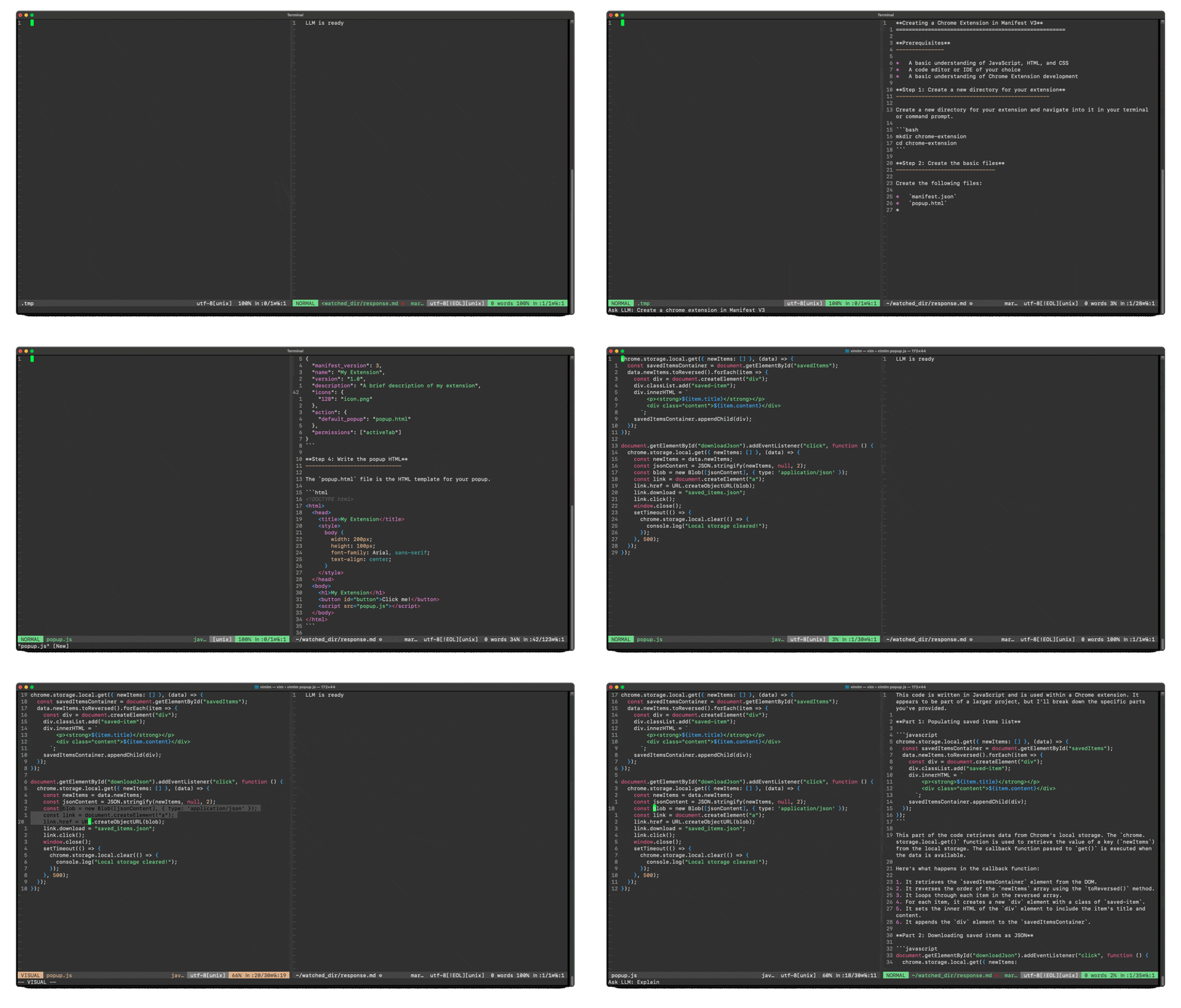
An LLM-powered coding companion for Vim, inspired by GitHub Copilot/Cursor. Integrates contextual code understanding, summarization, and AI assistance directly into your Vim workflow.
Features
- Real-Time Interaction with local LLMs: Runs fully offline with local models (default: uncensored Llama-3.2-3B).
- Integration with Vim's Native Workflow: Simple Vim keybindings for quick access and split-window interface for non-intrusive responses.
- Context-Awareness Beyond Single Files: Inline support for external documents and project files for richer, more informed responses.
- Conversational AI Assistance: Goes beyond simple code suggestions-explains reasoning, provides alternative solutions, and allows interactive follow-ups.
- Versatile Use Cases: Not just for coding-use it for documentation lookup, general Q&A, or even casual (uncensored) conversations.
Installation
pip install vimlm
Usage
- Start Vim with VimLM:
vimlm
or
vimlm your_file.js
-
From Normal Mode:
Ctrl-l: Send current line + file context- Example prompt: "Regex for removing html tags in item.content"
-
From Visual Mode:
- Select text →
Ctrl-l: Send selection + file context - Example prompt: "Convert this to async/await syntax"
- Select text →
-
Add Context: Use
!@#$to include additional files/folders:!@#$(no path): Current folder!@#$ ~/scrap/jph00/hypermedia-applications.summ.md: Specific folder!@#$ ~/wtm/utils.py: Specific file- Example prompt: "AJAX-ify this app !@#$ ~/scrap/jph00/hypermedia-applications.summ.md"
-
Follow-Up: After initial response:
Ctrl-r: Continue thread- Example follow-up: "In Manifest V3"
Key Bindings
| Binding | Mode | Action |
|---|---|---|
Ctrl-l |
Normal/Visual | Send current file + selection to LLM |
Ctrl-r |
Normal | Continue conversation |
Esc |
Prompt | Cancel input |
Release history Release notifications | RSS feed


Download files
Download the file for your platform. If you're not sure which to choose, learn more about installing packages.
Source Distribution
Built Distribution
Filter files by name, interpreter, ABI, and platform.
If you're not sure about the file name format, learn more about wheel file names.
Copy a direct link to the current filters
File details
Details for the file vimlm-0.0.4.tar.gz.
File metadata
- Download URL: vimlm-0.0.4.tar.gz
- Upload date:
- Size: 10.3 kB
- Tags: Source
- Uploaded using Trusted Publishing? No
- Uploaded via: twine/6.1.0 CPython/3.12.8
File hashes
| Algorithm | Hash digest | |
|---|---|---|
| SHA256 |
1f38a233b5bfc3c0d905147e4c946c88b6c41904a42dea1614145873da2d8182
|
|
| MD5 |
a9dae3d0b37dee8f9ae019a72ae0800f
|
|
| BLAKE2b-256 |
e1c7ef649ba75b1a55749fbbc4aad546e9107e543c248d82ae220b539ae6e8e7
|
File details
Details for the file vimlm-0.0.4-py3-none-any.whl.
File metadata
- Download URL: vimlm-0.0.4-py3-none-any.whl
- Upload date:
- Size: 10.9 kB
- Tags: Python 3
- Uploaded using Trusted Publishing? No
- Uploaded via: twine/6.1.0 CPython/3.12.8
File hashes
| Algorithm | Hash digest | |
|---|---|---|
| SHA256 |
fb6670caeee0d9b1b3edb10ed2e79613668007ec1da68fd54bd0be4238e53ef3
|
|
| MD5 |
f146d605aa0dd9409872a9f1ecc43e09
|
|
| BLAKE2b-256 |
237a66d45c3b1daaad08dde806ea4edd71857ea3ba85fa74244a76676001adeb
|






