
AniWorld Downloader v4
AniWorld Downloader is a cross-platform app for finding, streaming, and downloading anime, movies, series, and manga. It has a browser-based Web UI, an interactive terminal menu, and a direct CLI for scripts and headless setups.
It runs on Windows, macOS, Linux, and Docker.










Demo
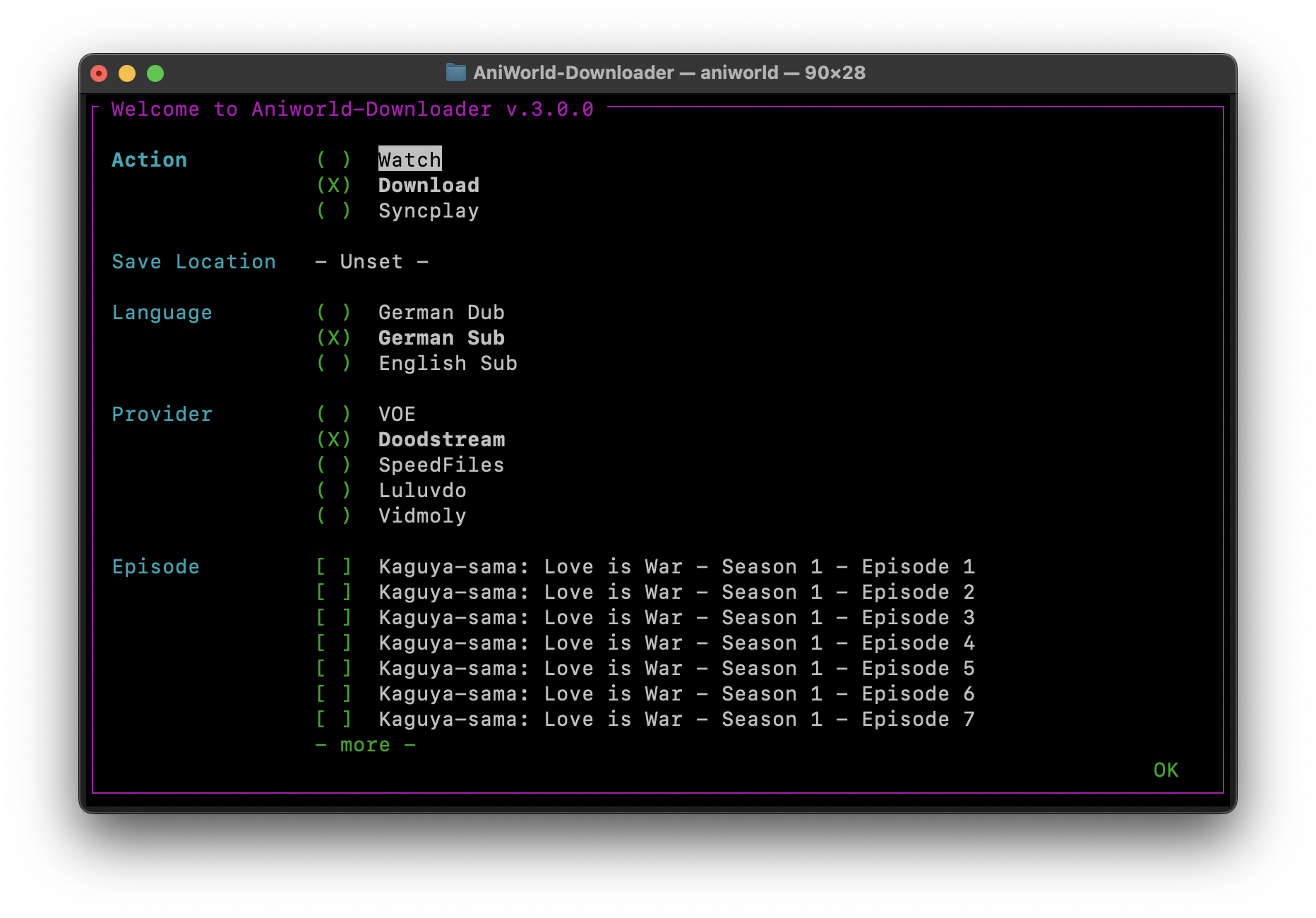
https://github.com/user-attachments/assets/d65c4a5c-827a-45d7-a904-78977fd9aef4
Quick Start
Python 3.10 or newer is required for the PyPI install.
pip install -U aniworld
aniworld -w
That starts the Web UI at http://localhost:8080. Prefer the terminal menu instead? Just run:
aniworld
The stable release is the right choice for most people. To try the latest commit:
pip install --upgrade git+https://github.com/phoenixthrush/AniWorld-Downloader.git@models
Standalone builds for Windows, macOS, and Linux are attached to GitHub Releases.
Downloads need FFmpeg. Watching needs mpv, IINA, or Syncplay depending on the action you choose. Portable dependencies can be installed automatically on Windows; macOS and Linux usually use their normal system packages.
Full guides and troubleshooting live in the documentation.
What It Can Do
- Download a full series, one season, or a few selected episodes
- Stream through mpv, IINA, or Syncplay
- Search several catalogues from one Web UI
- Queue downloads and keep an eye on their progress
- Keep series current with Auto-Sync
- Watch for planned releases and download them when they appear
- Choose German Dub, English Dub, English Sub, or German Sub when available
- Fall back to another stream hoster when the selected one fails
- Combine video and audio streams into a clean MKV or MP4 file
- Skip intros and outros with AniSkip
- Organize downloads with custom paths and naming templates
- Manage a library from the Web UI
- Protect the Web UI with local accounts or OIDC SSO
- Accept download requests through the optional Discord bot
- Run locally, in Docker, or as a standalone build
Supported Sites
| Site | Content | Notes |
|---|---|---|
| AniWorld | Anime and anime movies | Main focus |
| SerienStream | Series | Main focus |
| MegaKino | Movies and series | Supported |
| FilmPalast | Movies | Supported |
| Cineby | Movies and series | Supported, but German tracks can be unreliable upstream |
| MangaFire | Manga | JPG and CBZ downloads |
| Hanime | Adult animation | Disabled by default, enable it in Settings |
| Kinox | Movies and series | Disabled by default because downloads often require a manual captcha |
| BurningSeries | Series | Disabled by default because access depends on region and reCAPTCHA |
For AniWorld and SerienStream, the downloader currently prioritizes VOE, Vidmoly, Vidoza, and Doodstream. Availability changes often because these are third-party services. A hoster working today can have a bad day tomorrow, so fallback order matters.
Using the CLI
Pass a URL directly to download it:
aniworld "https://aniworld.to/anime/stream/example/staffel-1/episode-1"
Choose a language and provider without opening the menu:
aniworld --no-menu --language "German Dub" --provider VOE \
  "https://aniworld.to/anime/stream/example/staffel-1/episode-1"
Useful starting points:
aniworld --help
aniworld --examples
aniworld --version
Configuration is stored in ~/.aniworld/.env by default. Set ANIWORLD_INSTALL_FOLDER to relocate the app data, including its configuration and database. The complete list of settings and their defaults is in src/aniworld/.env.example.
Docker
The included Compose file runs the Web UI on port 8080, keeps app data in a named volume, and saves downloads in ./Downloads.
mkdir -p Downloads
docker compose up -d
Open http://localhost:8080 when the container is ready.
docker compose logs -f
docker compose down
To build the image locally instead of using the published image, change docker-compose.yaml to use build: ., then run:
docker compose up -d --build
The comments in docker-compose.yaml cover authentication, OIDC, language, provider, naming, and other common settings.
Optional Features
The normal install already includes the terminal and Web UI dependencies. SSO and the Discord bot are optional:
pip install "aniworld[sso]"
pip install "aniworld[discord]"

# Everything optional
pip install "aniworld[all]"
For local development:
git clone https://github.com/phoenixthrush/AniWorld-Downloader.git
cd AniWorld-Downloader
pip install -e ".[all]"
Contributing
Bug reports, fixes, provider updates, documentation improvements, and new ideas are welcome. Before opening an issue, have a quick look through the existing ones so useful context stays in one place.
When reporting a bug, please include:
- Your operating system
- How you installed AniWorld Downloader
- The app and Python versions
- The command you ran
- The relevant log output
Pull requests should stay focused and explain the behavior they change. There is no need to dress it up. A clear description and a reproducible test are worth much more.
Contributors

-
Lulu (since Sep 14, 2024)
-
Tmaster055 (since Oct 21, 2024)


Credits
AniWorld Downloader leans on some excellent open-source projects:
- mpv for playback
- IINA for a native macOS player built on mpv
- Syncplay for synchronized watch sessions
- Anime4K for real-time upscaling
- AniSkip for opening and ending timestamps
- flag-icons for the language flags
- new-domain-check for tracking MegaKino domain changes
- fake-useragent for realistic user-agent data
Other Cool Projects
- Jellyfin AniWorld Downloader by SiroxCW, a Jellyfin plugin for browsing and downloading AniWorld content inside your media server
- AniBridge by Zzackllack, a small FastAPI bridge between supported catalogues and automation tools
Support
For bugs, setup trouble, or feature requests, open a GitHub issue. It keeps the answer searchable for the next person who runs into the same thing.
You can also join the Discord server or email contact@phoenixthrush.com.
If the project has been useful, leaving a star is a simple way to help people find it.
Legal Disclaimer
AniWorld Downloader is a client-side tool. It does not host, upload, store, or distribute media on behalf of third-party sites.
You are responsible for how you use it and for following the laws and terms that apply where you live. The project is provided "as is". Its maintainers are not responsible for third-party content, external links, or the availability, accuracy, legality, or reliability of outside services.
Questions about content hosted by another service should be directed to that service.
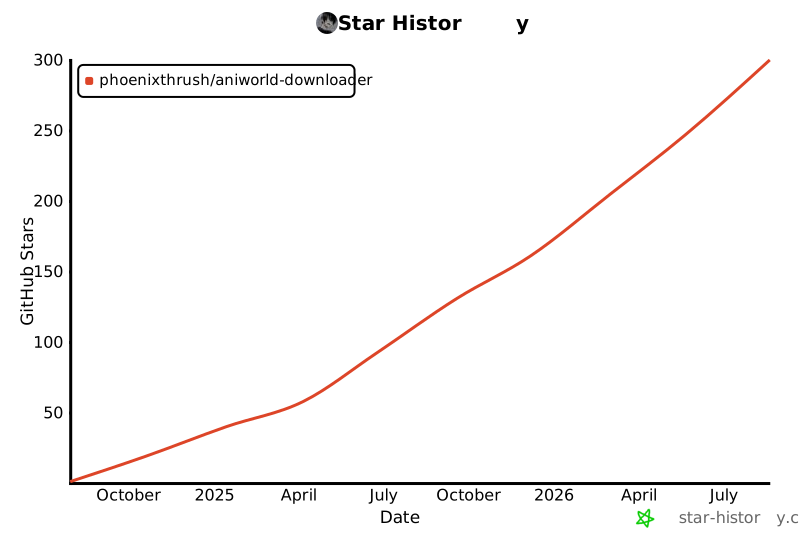
Star History
License
AniWorld Downloader is available under the MIT License.
1 maintainer

Download files
Download the file for your platform. If you're not sure which to choose, learn more about installing packages.
Source Distribution
Built Distribution
Filter files by name, interpreter, ABI, and platform.
If you're not sure about the file name format, learn more about wheel file names.
Copy a direct link to the current filters
File details
Details for the file aniworld-4.8.5.tar.gz.
File metadata
- Download URL: aniworld-4.8.5.tar.gz
- Upload date:
- Size: 1.5 MB
- Tags: Source
- Uploaded using Trusted Publishing? Yes
- Uploaded via:
twine/6.1.0 CPython/3.13.14
File hashes
| Algorithm | Hash digest | |
|---|---|---|
| SHA256 |
f83cf9df9c79eb5d870155ccfe6900022c7b389404920d56ed15ebfebc57c9ed
|
|
| MD5 |
d6a76ac185ecc8807a59c2d9f0b14362
|
|
| BLAKE2b-256 |
3ebcd1b5b536e12bdb1acb975a26071b39ce877107c57b76c3d1f90be254ecee
|
Provenance
The following attestation bundles were made for aniworld-4.8.5.tar.gz:
Publisher:
publish.yaml on phoenixthrush/AniWorld-Downloader
-
Statement:
-
Statement type:
https://in-toto.io/Statement/v1 -
Predicate type:
https://docs.pypi.org/attestations/publish/v1 -
Subject name:
aniworld-4.8.5.tar.gz -
Subject digest:
f83cf9df9c79eb5d870155ccfe6900022c7b389404920d56ed15ebfebc57c9ed - Sigstore transparency entry: 2212303192
- Sigstore integration time:
-
Permalink:
phoenixthrush/AniWorld-Downloader@4abb82a58d25f209a07c8ecc642b28077d8cd5a5 -
Branch / Tag:
refs/tags/v.4.8.5 - Owner: https://github.com/phoenixthrush
-
Access:
public
-
Token Issuer:
https://token.actions.githubusercontent.com -
Runner Environment:
github-hosted -
Publication workflow:
publish.yaml@4abb82a58d25f209a07c8ecc642b28077d8cd5a5 -
Trigger Event:
release
-
Statement type:
File details
Details for the file aniworld-4.8.5-py3-none-any.whl.
File metadata
- Download URL: aniworld-4.8.5-py3-none-any.whl
- Upload date:
- Size: 1.5 MB
- Tags: Python 3
- Uploaded using Trusted Publishing? Yes
- Uploaded via:
twine/6.1.0 CPython/3.13.14
File hashes
| Algorithm | Hash digest | |
|---|---|---|
| SHA256 |
3eb0bbba1ccb41b3c6132174c3857d9bfedb5f54317224454681bdbd7b7da283
|
|
| MD5 |
2f210c7f2bf9bcd229ae1eff5100179a
|
|
| BLAKE2b-256 |
81a402aa511c400f01105049787cd0270434cf13c79ededfea7a2ffb9857393e
|
Provenance
The following attestation bundles were made for aniworld-4.8.5-py3-none-any.whl:
Publisher:
publish.yaml on phoenixthrush/AniWorld-Downloader
-
Statement:
-
Statement type:
https://in-toto.io/Statement/v1 -
Predicate type:
https://docs.pypi.org/attestations/publish/v1 -
Subject name:
aniworld-4.8.5-py3-none-any.whl -
Subject digest:
3eb0bbba1ccb41b3c6132174c3857d9bfedb5f54317224454681bdbd7b7da283 - Sigstore transparency entry: 2212303226
- Sigstore integration time:
-
Permalink:
phoenixthrush/AniWorld-Downloader@4abb82a58d25f209a07c8ecc642b28077d8cd5a5 -
Branch / Tag:
refs/tags/v.4.8.5 - Owner: https://github.com/phoenixthrush
-
Access:
public
-
Token Issuer:
https://token.actions.githubusercontent.com -
Runner Environment:
github-hosted -
Publication workflow:
publish.yaml@4abb82a58d25f209a07c8ecc642b28077d8cd5a5 -
Trigger Event:
release
-
Statement type:







