
AniWorld Downloader v5
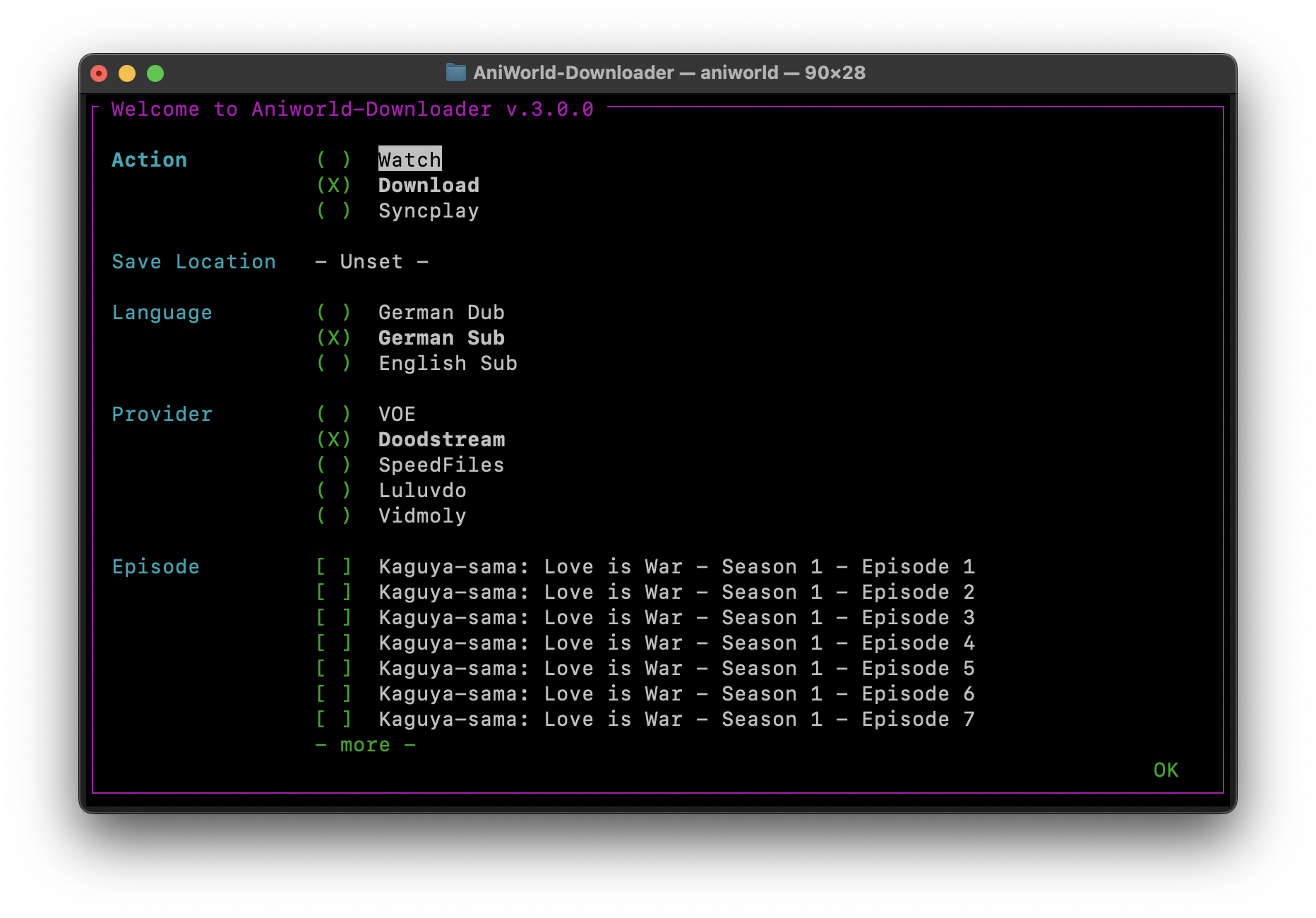
AniWorld Downloader is a cross-platform app for finding, streaming, and downloading anime, movies, series, and manga. It has a browser-based Web UI, an interactive terminal menu, and a direct CLI for scripts and headless setups.
It runs on Windows, macOS, Linux, and Docker.










Demo
https://github.com/user-attachments/assets/d65c4a5c-827a-45d7-a904-78977fd9aef4
Quick Start
Python 3.10 or newer is required for the PyPI install.
pip install -U aniworld
aniworld -w
That starts the Web UI at http://localhost:8080. Prefer the terminal menu instead? Just run:
aniworld
The stable release is the right choice for most people. To try the latest commit:
pip install --upgrade git+https://github.com/phoenixthrush/AniWorld-Downloader.git@models
Standalone builds for Windows, macOS, and Linux are attached to GitHub Releases.
Downloads need FFmpeg. Watching needs mpv, IINA, or Syncplay depending on the action you choose. Portable dependencies can be installed automatically on Windows; macOS and Linux usually use their normal system packages.
Full guides and troubleshooting live in the documentation.
What It Can Do
- Download a full series, one season, or a few selected episodes
- Stream through mpv, IINA, or Syncplay
- Search several catalogues from one Web UI
- Queue downloads and keep an eye on their progress
- Keep series current with Auto-Sync
- Watch for planned releases and download them when they appear
- Choose German Dub, English Dub, English Sub, or German Sub when available
- Fall back to another stream hoster when the selected one fails
- Combine video and audio streams into a clean MKV or MP4 file
- Skip intros and outros with AniSkip
- Organize downloads with custom paths and naming templates
- Manage a library from the Web UI
- Drive it from scripts through the JSON API with scoped API keys
- Restyle the whole UI with custom CSS and a background shader
- Protect the Web UI with local accounts or OIDC SSO
- Accept download requests through the optional Discord bot
- Run locally, in Docker, or as a standalone build
Supported Sites
| Site | Content | Notes |
|---|---|---|
| AniWorld | Anime and anime movies | Main focus |
| SerienStream | Series | Main focus |
| MegaKino | Movies and series | Supported |
| FilmPalast | Movies | Supported |
| Cineby | Movies and series | Supported, but German tracks can be unreliable upstream |
| MangaFire | Manga | JPG and CBZ downloads |
| Hanime | Adult animation | Disabled by default, enable it in Settings |
| Kinox | Movies and series | Disabled by default because downloads often require a manual captcha |
| BurningSeries | Series | Disabled by default because access depends on region and reCAPTCHA |
Stream Providers
| Provider | Status | Last Checked |
|---|---|---|
| VOE | Working | 07/26 |
| Filemoon | Working | 07/26 |
| Vidmoly | Untested | XX/XX |
| Vidoza | Untested | XX/XX |
| Doodstream | Untested | XX/XX |
| MegaKino | Broken | 07/26 |
Availability depends on the selected site and episode. When a provider fails, the downloader can try the others in your configured fallback order. These are third-party services, so availability can change without warning.
Using the CLI
Pass a URL directly to download it:
aniworld "https://aniworld.to/anime/stream/example/staffel-1/episode-1"
Choose a language and provider without opening the menu:
aniworld --no-menu --language "German Dub" --provider VOE \
  "https://aniworld.to/anime/stream/example/staffel-1/episode-1"
Useful starting points:
aniworld --help
aniworld --examples
aniworld --version
Configuration is stored in ~/.aniworld/.env by default. Set ANIWORLD_INSTALL_FOLDER to relocate the app data, including its configuration and database. The complete list of settings and their defaults is in src/aniworld/.env.example.
Docker
The included Compose file runs the Web UI on port 8080, keeps app data in a named volume, and saves downloads in ./Downloads.
mkdir -p Downloads
docker compose up -d
Open http://localhost:8080 when the container is ready.
docker compose logs -f
docker compose down
To build the image locally instead of using the published image, change docker-compose.yaml to use build: ., then run:
docker compose up -d --build
The comments in docker-compose.yaml cover authentication, OIDC, the Discord bot, Auto-Sync, the captcha solver, language, provider, naming, and the other common settings. The complete list, including the options that rarely need touching, is in src/aniworld/.env.example.
Most settings changed in the Web UI apply immediately but are gone after docker compose down, because they only live in the running container. The settings page marks those sections with resets after restart. Put them in the Compose environment: block, or keep a full .env on the host and mount it in:
env_file:
  - ./.env
The named volume holds the database (users, API keys, custom paths, Auto-Sync exclusions), your .env, and the custom.css a theme is saved to, so keep it if you care about any of those.
API
Everything the Web UI does is available as JSON. Create a key in Settings → API Keys, then send it as X-API-Key:
curl -H "X-API-Key: awd_yourkey" http://localhost:8080/api/queue
Keys come in three scopes: read (search and browse), read and download (also queue and cancel), and full access (also settings and library deletion). A key can never create or manage other keys.
GET /api/queue without parameters returns the whole queue, as it always has. Add any of limit, offset, status, q or sort and you get one page instead, along with total and per-status counts; paged rows leave out the episodes list, which is the largest field and the one the UI never shows.
curl -H "X-API-Key: awd_yourkey" "http://localhost:8080/api/queue?status=failed&limit=25&sort=newest"
The full endpoint list, with examples, is on the settings page itself under Endpoints and examples, so it always matches the version you are running.
Theming
The Web UI can be restyled from Settings → Appearance. The stylesheet is global, so it applies to everyone using the instance, and it survives restarts. It is stored as custom.css next to your .env, which means you can also edit it by hand or mount it into a container.
Paste CSS straight in, or pull in a published theme with one line:
@import url('https://cdn.jsdelivr.net/gh/you/your-theme@main/theme.css');
The import may sit anywhere in the box; it gets moved to the top on save, because CSS only honours @import before any other rule.
The URL has to be served as
text/css. Browsers refuse to apply a stylesheet sent astext/plain, and they do it silently, with nothing in the console. That rules out pastebin.com, raw.githubusercontent.com and gist.githubusercontent.com, which all sendtext/plainwithnosniff.For a file in a GitHub repo, jsDelivr serves the same content with the right type. Swap the host and put
@before the branch:https://raw.githubusercontent.com/user/repo/main/theme.css ✗ ignored https://cdn.jsdelivr.net/gh/user/repo@main/theme.css ✓ worksThe settings page warns you if you paste one of the known-bad hosts, and offers the jsDelivr rewrite.
Writing a theme
Almost the entire interface is built from CSS variables, so a theme is usually just a list of values rather than a fight with class names. That also means it keeps working when the markup changes.
:root {
  --bg: #f5f6f8;
  --surface: #ffffff;
  --text: #3f4652;
  --accent: #e11d48;
}
Two files in themes/ are the starting point:
| File | What it is |
|---|---|
themes/template.css |
Every variable, its default, and a note on what it affects. Copy it and edit. |
themes/light.css |
A complete light theme, built only from those variables. Fork it or use it as is. |
The variables are a shortcut, not a limit. Custom CSS is ordinary CSS, so animated backdrops, pseudo-element layers and backdrop filters all work. The notes at the bottom of template.css cover the four things about this app's markup you need to know before layering effects onto it.
Surfaces and state
Two empty layers sit behind the page for themes to paint on, so you never have to take over a pseudo-element the app might want back:
.theme-layer[data-layer="1"] { background: radial-gradient(...); }  /* furthest back */
.theme-layer[data-layer="2"] { background: url("data:image/svg+xml,...."); }
And <body> carries the app's state, which is sturdier than matching internal class names:
| Attribute | Values |
|---|---|
data-page |
index, library, autosync, settings |
data-site |
aniworld, sto, megakino, … |
data-queue |
active, idle (plus data-queue-count) |
data-modal |
open, closed |
body[data-queue="active"] .theme-layer[data-layer="2"] { opacity: 0.6; }
Background shader
Settings → Appearance also accepts a GLSL fragment shader, painted on a canvas behind everything:
void main() {
  vec2 uv = gl_FragCoord.xy / u_resolution;
  fragColor = vec4(uv, 0.5 + 0.5 * sin(u_time), 1.0);
}
You get u_resolution, u_time and fragColor. It is compiled in your browser before saving, so a mistake comes back as a GLSL error with a line number rather than a black screen.
Only GLSL is accepted, never JavaScript. A fragment shader runs on the GPU with no access to the DOM, cookies, the network or the filesystem, so the worst a hostile one can do is look wrong. That is deliberate: themes are global and can be imported from a remote host, so allowing scripts would turn a theme URL into code execution in every user's session.
It is capped at half a megapixel, paused when the tab is hidden, frozen under prefers-reduced-motion, dropped if it fails to compile, and skipped entirely by ?nocss=1.
Good to know
- The sign-in screen is never themed. Custom CSS is not loaded on the login or first-run setup pages, so a theme cannot restyle the form people type their password into.
- Locked yourself out? If a theme hides the settings page, open
/settings?nocss=1to load it without custom CSS and clear the box. - Imports are fetched by the browser. Each visitor's browser loads the URL itself, so the host it sits on sees their IP and can change the theme whenever it likes. Only import URLs you trust.
- Changing the theme needs an admin account when authentication is on.
Optional Features
The normal install already includes the terminal and Web UI dependencies. SSO and the Discord bot are optional:
pip install "aniworld[sso]"
pip install "aniworld[discord]"

# Everything optional
pip install "aniworld[all]"
For local development:
git clone https://github.com/phoenixthrush/AniWorld-Downloader.git
cd AniWorld-Downloader
pip install -e ".[all]"
Contributing
Bug reports, fixes, provider updates, documentation improvements, and new ideas are welcome. Before opening an issue, have a quick look through the existing ones so useful context stays in one place.
When reporting a bug, please include:
- Your operating system
- How you installed AniWorld Downloader
- The app and Python versions
- The command you ran
- The relevant log output
Pull requests should stay focused and explain the behavior they change. There is no need to dress it up. A clear description and a reproducible test are worth much more.
There is a test suite, run on every push. It covers everything except the stream providers, which are left out on purpose because they depend on live third-party sites:
pip install -e ".[test]"
pytest
Contributors

-
Lulu (since Sep 14, 2024)
-
Tmaster055 (since Oct 21, 2024)
-
Sirox (since May 13, 2025)


Credits
AniWorld Downloader leans on some excellent open-source projects:
- mpv for playback
- IINA for a native macOS player built on mpv
- Syncplay for synchronized watch sessions
- Anime4K for real-time upscaling
- AniSkip for opening and ending timestamps
- flag-icons for the language flags
- new-domain-check for tracking MegaKino domain changes
- fake-useragent for realistic user-agent data
Other Cool Projects
- Jellyfin-AniWorld-Downloader by SiroxCW, a Jellyfin plugin for browsing and downloading AniWorld content inside your media server
- AniSeerr by Yezun-hikari, a bridge connecting Seerr with AniWorld-Downloader for requests
- AniBridge by Zzackllack, a small FastAPI bridge between supported catalogues and automation tools
- AniLoader by WimWamWom, a standalone web-based fork of AniWorld-Downloader
Support
For bugs, setup trouble, or feature requests, open a GitHub issue. It keeps the answer searchable for the next person who runs into the same thing.
You can also join the Discord server or email contact@phoenixthrush.com.
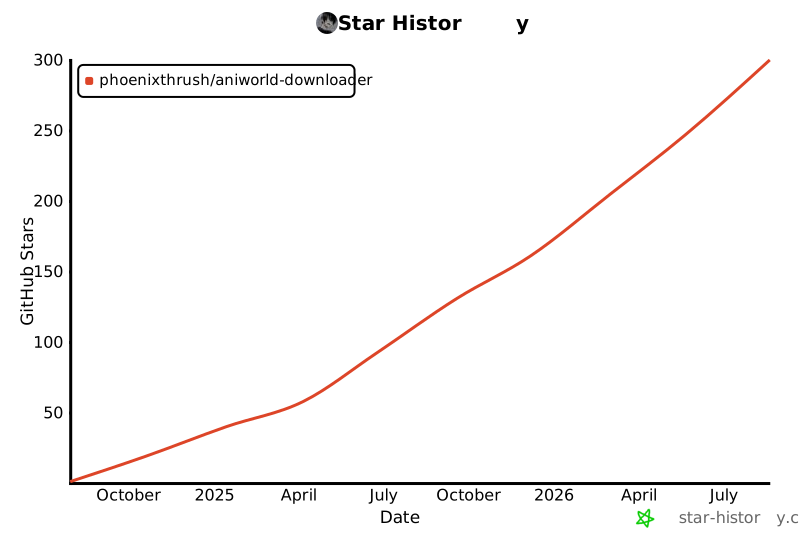
If the project has been useful, leaving a star is a simple way to help people find it.
Legal Disclaimer
AniWorld Downloader is a client-side tool. It does not host, upload, store, or distribute media on behalf of third-party sites.
You are responsible for how you use it and for following the laws and terms that apply where you live. The project is provided "as is". Its maintainers are not responsible for third-party content, external links, or the availability, accuracy, legality, or reliability of outside services.
Questions about content hosted by another service should be directed to that service.
Star History
License
AniWorld Downloader is available under the MIT License.
1 maintainer

Download files
Download the file for your platform. If you're not sure which to choose, learn more about installing packages.
Source Distribution
Built Distribution
Filter files by name, interpreter, ABI, and platform.
If you're not sure about the file name format, learn more about wheel file names.
Copy a direct link to the current filters
File details
Details for the file aniworld-5.0.0.tar.gz.
File metadata
- Download URL: aniworld-5.0.0.tar.gz
- Upload date:
- Size: 1.5 MB
- Tags: Source
- Uploaded using Trusted Publishing? Yes
- Uploaded via:
twine/7.0.0 CPython/3.13.14
File hashes
| Algorithm | Hash digest | |
|---|---|---|
| SHA256 |
a061d1ce50c8346693b3b771ec0ee654cf3bd9c3288dbe7bf59507bea82e91c5
|
|
| MD5 |
d19238bc6a1254a4cded1d59facce7fb
|
|
| BLAKE2b-256 |
530f9884620096bfa4d0adc6198fc17d82efc424ecfefcac0deebcfa4df9ebaa
|
Provenance
The following attestation bundles were made for aniworld-5.0.0.tar.gz:
Publisher:
publish.yaml on phoenixthrush/AniWorld-Downloader
-
Statement:
-
Statement type:
https://in-toto.io/Statement/v1 -
Predicate type:
https://docs.pypi.org/attestations/publish/v1 -
Subject name:
aniworld-5.0.0.tar.gz -
Subject digest:
a061d1ce50c8346693b3b771ec0ee654cf3bd9c3288dbe7bf59507bea82e91c5 - Sigstore transparency entry: 2423963012
- Sigstore integration time:
-
Permalink:
phoenixthrush/AniWorld-Downloader@ff319864aac5a67ea5cff61a20c16ea1883cc450 -
Branch / Tag:
refs/tags/v.5.0.0 - Owner: https://github.com/phoenixthrush
-
Access:
public
-
Token Issuer:
https://token.actions.githubusercontent.com -
Runner Environment:
github-hosted -
Publication workflow:
publish.yaml@ff319864aac5a67ea5cff61a20c16ea1883cc450 -
Trigger Event:
release
-
Statement type:
File details
Details for the file aniworld-5.0.0-py3-none-any.whl.
File metadata
- Download URL: aniworld-5.0.0-py3-none-any.whl
- Upload date:
- Size: 1.5 MB
- Tags: Python 3
- Uploaded using Trusted Publishing? Yes
- Uploaded via:
twine/7.0.0 CPython/3.13.14
File hashes
| Algorithm | Hash digest | |
|---|---|---|
| SHA256 |
e35b2fcb237796653d56f9273a4ecc68d8dbd35d43f5312cce0415edfb9f5e5d
|
|
| MD5 |
68d8ae40b4a8119ba765c8370f6f3515
|
|
| BLAKE2b-256 |
fd13b2285c195613e48ed228ca5130ed1a5c35fc1efa47a2a9900d7cfe396018
|
Provenance
The following attestation bundles were made for aniworld-5.0.0-py3-none-any.whl:
Publisher:
publish.yaml on phoenixthrush/AniWorld-Downloader
-
Statement:
-
Statement type:
https://in-toto.io/Statement/v1 -
Predicate type:
https://docs.pypi.org/attestations/publish/v1 -
Subject name:
aniworld-5.0.0-py3-none-any.whl -
Subject digest:
e35b2fcb237796653d56f9273a4ecc68d8dbd35d43f5312cce0415edfb9f5e5d - Sigstore transparency entry: 2423963375
- Sigstore integration time:
-
Permalink:
phoenixthrush/AniWorld-Downloader@ff319864aac5a67ea5cff61a20c16ea1883cc450 -
Branch / Tag:
refs/tags/v.5.0.0 - Owner: https://github.com/phoenixthrush
-
Access:
public
-
Token Issuer:
https://token.actions.githubusercontent.com -
Runner Environment:
github-hosted -
Publication workflow:
publish.yaml@ff319864aac5a67ea5cff61a20c16ea1883cc450 -
Trigger Event:
release
-
Statement type:







