
Create AWS Palace FEM Models from GDSII layout files
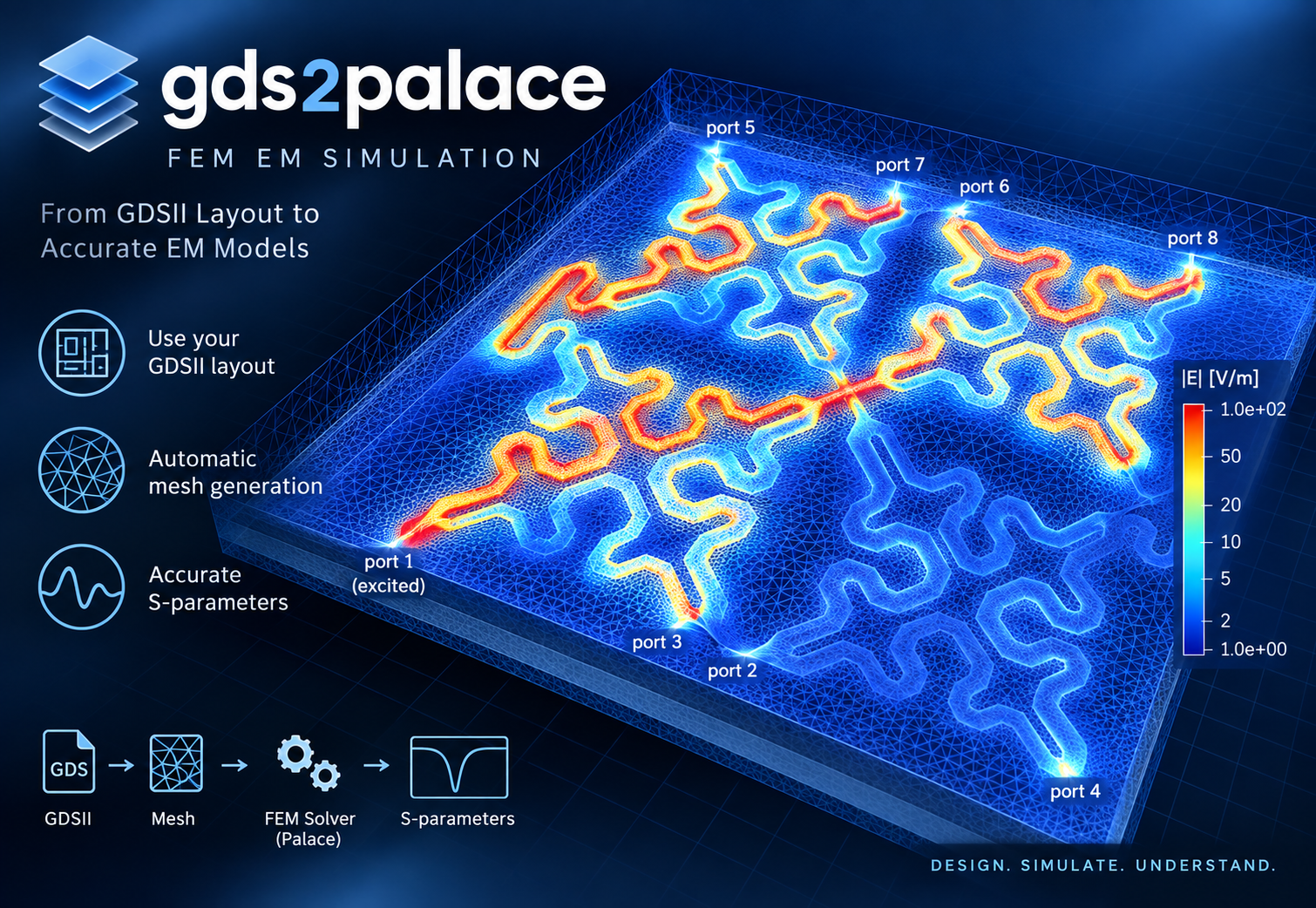
The files provided here enable RFIC FEM simulation using AWS Palace from GDSII layouts created in IHP SG13G2 RFIC technology.
Palace, is an open-source, parallel finite element code for full-wave 3D electromagnetic simulations. It can be scaled from single computer to large high performance simulation clusters and cloud-based computing.
https://awslabs.github.io/palace/stable/
In addition to AWS Palace, gds2palace can also generate models for Elmer FEM, as an additional workflow option for EM (S-parameter) simulation as well as steady-state thermal simulation. See CHANGES.md for this and other recent additions.
The gds2palace workflow in this repository is pre-configured for GDSII layout files in the IHP SG13G2 Open PDK. Special thanks to IHP and the public funded German project FMD-QNC (16ME0831) https://www.elektronikforschung.de/projekte/fmd-qnc for financial support, which has contributed to this work.
Install
pip install gds2palace
Full documentation, installation guide, and usage walkthrough: https://github.com/VolkerMuehlhaus/gds2palace_ihp_sg13g2
Recent changes
22 November-2026
gds2palace 0.12.0
New: tube ports, for via ports that stand for a conductor with a cross section
A via port shape drawn with an area now gives a tube port: the four side walls of the shape's bounding box, as one Palace multielement port with the given Z0. This is meant for ports that stand for a real conductor, e.g. the copper pillars between two chips that are simulated as two separate models and joined at the pillars. The port current flows on the outline of the drawn shape, as it does on the conductor. In a test with a chip on an interposer, joined by 50 µm copper pillars (a line through two ground-signal-ground pillar groups, 0 to 100 GHz), each half model ended at a PEC sheet at half pillar height and a port stood for each half signal pillar. The two half models joined at these ports differed from the model of the whole assembly by at most 0.012 in |S| with tube ports and by 0.032 with single sheet ports of the same width.
Changed behaviour: a via port shape with an area
Via ports are drawn as lines, and those are unchanged: one vertical sheet. A shape counts as a line when its short side is at most 10 % of its long side. A shape with more area gave one sheet along its xmin or ymin edge before, and gives a tube port now. All via ports of the shipped examples are lines. combine_snp leaves tube ports as they are in the _deembedded file: the port's inductance belongs to the conductor that it stands for. The walls of a tube port are marked "tube": true in port_information.json. Tube ports are for Palace only, like other multielement ports. combine_extend_snp.py is version 1.7.
New example: two stacked chips split at the copper pillars
more_examples/chiplet_split_at_pillars simulates a die flip-chip mounted on an interposer, from the public example layouts of IHP OpenIntM4TM2, as two models cut at half pillar height: tube ports on the signal pillars to a PEC cut plane, the results joined with scikit-rf. With one 50 Ω GSG port at each end of the line, the joined 2-port agrees with the one-model reference within 0.03 in |S| up to 100 GHz, mostly a 1.9° phase difference in S21 at 100 GHz. The example also shows how to read two GDS files into one model (mirrored, with a layer number offset) and a stackup with absolute z values for both chips.
gds2palace 0.11.1
Port walls: smaller error of a reference plane shift
The calibration standards are solved at nine frequencies from fstop/100 to fstop, instead of fstop/20, fstop/5 and fstop. The port and the line are interpolated between these frequencies, and with three of them, this was the largest error of a reference plane shift: a line over a thin ground plane changes its inductance towards low frequency. The line's inductance and capacitance are now also taken from the three points between fstop/100 and fstop/20, when they agree with the point at fstop/20; otherwise combine_snp prints a note and uses them for the resistance only, as before. In a zero-length thru test (a TopMetal2 line between two port walls, both reference planes shifted to its middle, 0 to 50 GHz), the remaining S11 went from -44 dB to -58 dB for an 880 µm line, and the same for a pair of coupled lines. The standards take longer to solve (ten instead of four frequencies). Results of models with port walls change slightly; standards solved before are solved again. combine_extend_snp.py is version 1.6. The test is described in more_examples/calibrated_boxwall_ports, section "Sanity check: a zero-length thru".
Fix
A model without air on all four side walls (air_around 0 on xmin, xmax, ymin and ymax, e.g. [0, 0, 0, 0, 200, 200], or two port walls and 0 on the other two sides) lost the air above or below the stack: the dielectrics cut the airbox into two volumes, only one of them got the air material, and Palace removed the elements of the other without an error. The simulation boundary on that side was then at the top or bottom of the stack. Both volumes now get the air material.
19 November-2026
gds2palace 0.11.0
Changed dependency: gdstk instead of gdspy
The GDSII reader uses gdstk instead of gdspy, which is no longer maintained and whose polygon fracturing could hang. pip install gds2palace installs gdstk. The results are the same: every layer of the shipped examples reads with the same area as before, and their model files are unchanged. The examples that build layouts with gdspy (inductor_synthesis_no_external_library, the pcLab examples) need pip install gdspy. The mirror/offset options of read_gds() now also move paths; before, only polygons moved.
Changed behaviour: the cell read without a cell name
With cellname="" (or a name not in the file), read_gds() reads the design cell: the top-level cell with the largest bounding box, never KLayout's $$$CONTEXT_INFO$$$. Before, it read the first top-level cell, which depends on the order in the file and was $$$CONTEXT_INFO$$$ in some KLayout files. gds_prepare_for_EM 1.8, gds2openEMS, setupEM and the MCP server use the same rule (select_design_cell()).
Fix
Via array merging (merge_polygon_size > 0) no longer cuts strips out of merged vias. A via array around an opening, e.g. a guard ring of contacts, came out cut open: shrinking back after merging opened the slit that encodes the hole, and, for large arrays, the lines along which the merged shape was split into pieces. The same for derived layers with a negative Oversize. None of the shipped examples is affected.
15 November-2026
gds2palace 0.10.7
Changed behaviour: the frequencies that replace DC
With fstart = 0, gds2palace simulates two low frequency points instead of 0 Hz, and combine_snp extrapolates the 0 Hz point of the _dc file from them. These points were always 10 MHz and 20 MHz. For a mesh finer than 0.5 um (refined_cellsize or any refined_cellsize_override value) they now move up: the first one is 5 MHz*um divided by the smallest cell size, rounded up to a full MHz, the second one twice that (25 and 50 MHz at 0.2 um, 100 and 200 MHz at 0.05 um). Models with cell sizes of 0.5 um and more keep 10 and 20 MHz. Reason: on such a fine mesh the solver breaks down at low frequency, in all Palace versions tested (0.17 to 0.19): Palace could stop with SuperLUSolver: Found a singular matrix, or the solver did not converge. When the point is raised, the console message Start frequency changed from DC to ... GHz! gets a second line that says why. A low fstart or fpoint that you set yourself is not changed. See the FAQ, "Why can't I simulate at 0 Hz, and how is DC handled?".
Fix
The _dc Touchstone file written by combine_snp (combine_extend_snp.py 1.5) keeps all simulated frequency points now and only adds the 0 Hz point in front. Before, a result with the two low frequency points of fstart = 0 was resampled to a uniform frequency grid: the simulated points, among them the two low ones, were replaced by interpolated values at slightly different frequencies (e.g. 0.4902 GHz steps instead of 0.5 GHz). The 0 Hz value itself is unchanged. For the smooth results checked, the interpolated S-parameters were within 0.004 of the simulated ones. The file is no longer uniformly spaced when the sweep starts at 0 Hz.
Full history: CHANGES.md
Note: the gds2palace PyPI package itself only requires:
- gdstk
- gmsh
- numpy
- shapely>=2.0
(Other Python modules mentioned above are only needed to run the example/model scripts in this repository, not to use the installed package.)
1 maintainer

Metadata
1 maintainer
Release files for gds2palace 0.12.0
For a detailed explanation of source distributions (sdists) and built distributions (wheels), please see the package formats documentation.
Source distribution (sdist)
| File | Size | Uploaded | Provenance | Actions |
|---|---|---|---|---|
| gds2palace-0.12.0.tar.gz | 187.1 kB | Without provenance | Details for gds2palace-0.12.0.tar.gz |
Built distribution (wheel)
| File | Interpreter | ABI | Platform | Actions Reset |
|---|---|---|---|---|
| gds2palace-0.12.0-py3-none-any.whl | Python 3 | none | any | Details for gds2palace-0.12.0-py3-none-any.whl |
Total release size: 353.8 kB
Release files / gds2palace-0.12.0.tar.gz
| Download URL | gds2palace-0.12.0.tar.gz |
|---|---|
| Size | 187.1 kB |
| Tags | Source |
|
SHA-256 checksum How to use checksums |
5a584a6acc80609d1475f93c139a297c74daaf121e420ac143daa63e740895cb
|
|
BLAKE2b-256 checksum How to use checksums |
390a00cd8518961c283da76ee51a84e3531551aeaf84985899f16b53f471f9ce
|
| Upload date | |
|
Uploaded using Trusted Publishing? What is trusted publishing? |
No |
| Uploaded via |
twine/7.0.0 CPython/3.13.14
|
Release files / gds2palace-0.12.0-py3-none-any.whl
| Download URL | gds2palace-0.12.0-py3-none-any.whl |
|---|---|
| Size | 166.7 kB |
| Tags | Python 3 |
|
SHA-256 checksum How to use checksums |
b9fda7b3136b6f5062dc470ff75dafe516949aae54bd4373ff29a1e592fa95b7
|
|
BLAKE2b-256 checksum How to use checksums |
282aaa91ffc649d8839c2a56ae9510c3f9ad322ea6f0b30685a0411faf3bc9c4
|
| Upload date | |
|
Uploaded using Trusted Publishing? What is trusted publishing? |
No |
| Uploaded via |
twine/7.0.0 CPython/3.13.14
|
Security for gds2palace 0.12.0
Provenance
Provenance describes where a file came from. On PyPI, provenance is shared via attestations, which provide a verifiable record of the build or publishing details. View details, limitations and caveats.
No provenance found
None of the files in this release were uploaded with provenance metadata.
A note on package security
PyPI is a repository for distributing packages, not a service for auditing them. While third-party security researchers and our staff do their best to detect and remove malicious packages, PyPI cannot guarantee the quality, security or suitability of any given package.
To learn more about protecting yourself from malicious actors, visit our package security documentation.














