
Create AWS Palace FEM Models from GDSII layout files
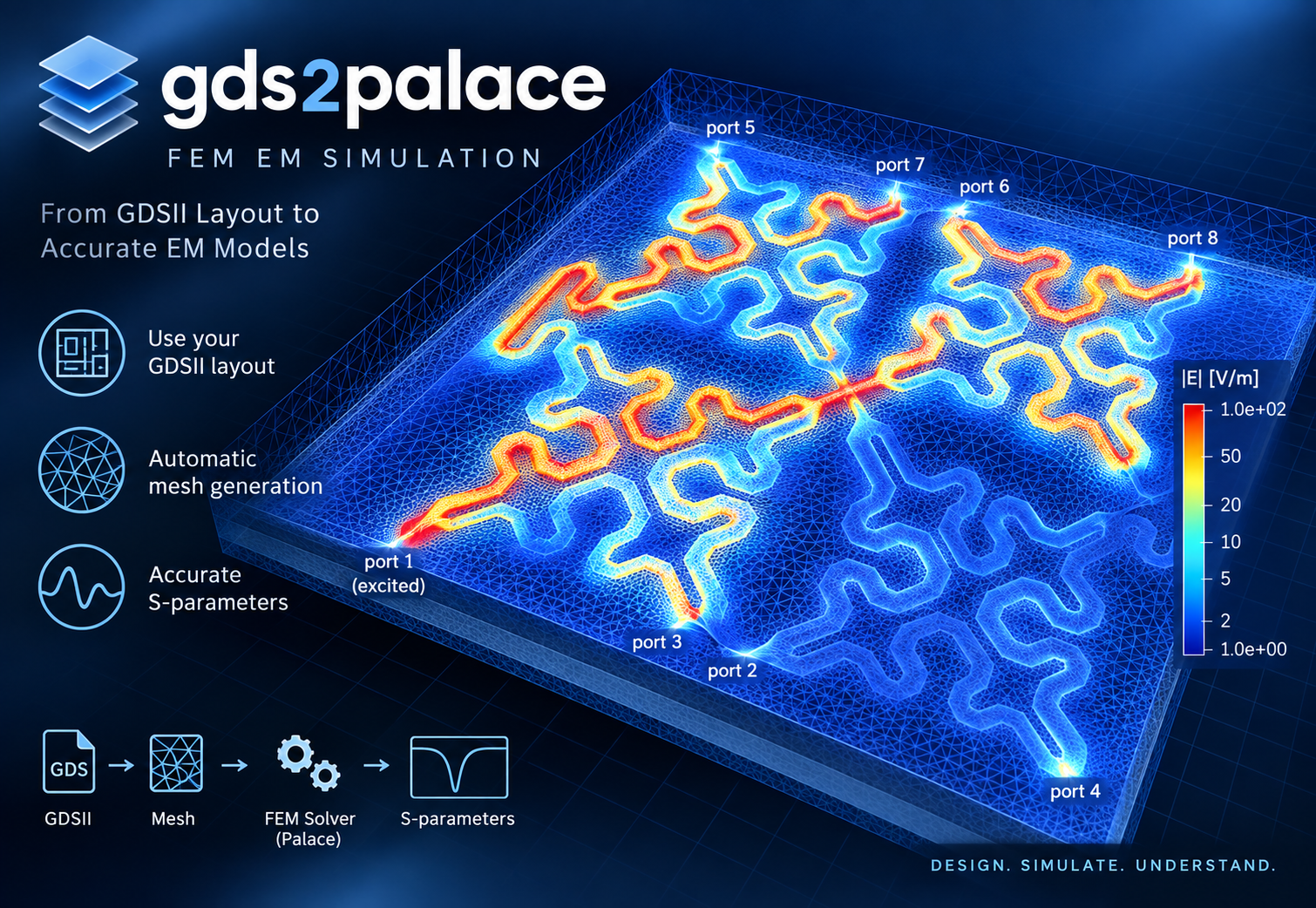
The files provided here enable RFIC FEM simulation using AWS Palace from GDSII layouts created in IHP SG13G2 RFIC technology.
Palace, is an open-source, parallel finite element code for full-wave 3D electromagnetic simulations. It can be scaled from single computer to large high performance simulation clusters and cloud-based computing.
https://awslabs.github.io/palace/stable/
In addition to AWS Palace, gds2palace can also generate models for Elmer FEM, as an additional workflow option for EM (S-parameter) simulation as well as steady-state thermal simulation. See CHANGES.md for this and other recent additions.
The gds2palace workflow in this repository is pre-configured for GDSII layout files in the IHP SG13G2 Open PDK. Special thanks to IHP and the public funded German project FMD-QNC (16ME0831) https://www.elektronikforschung.de/projekte/fmd-qnc for financial support, which has contributed to this work.
Install
pip install gds2palace
Full documentation, installation guide, and usage walkthrough: https://github.com/VolkerMuehlhaus/gds2palace_ihp_sg13g2
Recent changes
13 November-2026
gds2palace 0.10.5
Fix
Port walls with a conformal passivation stackup (SG13G2_FEM_200um_passi3D.xml): the passivation around TopMetal2 is a derived layer grown by 0.6 µm, and where a line ends at the layout edge (a region cut out of a larger layout, e.g. by the KLayout plug-in) it reached 0.6 µm past the edge. The port wall was then placed there, away from the ports, and stopped with "port wall ... has no port". The layout edge of port walls, wall extensions and PEC walls at the layout edge is now the drawn one, and derived layers are cut there on those sides. Models without such a wall are unchanged.
12 November-2026
gds2palace 0.10.4
Changes
Tests on the shipped examples: python -m pytest tests runs the scripts in workflow/ and selected ones from more_examples/ and compares the GDS reader output and the gmsh model with the layout and the stackup. python -m pytest tests -m examples also meshes the models and compares the model files with stored records. See tests/README.md. Both run on GitHub for every push and pull request.
Without a display (Linux with neither DISPLAY nor WAYLAND_DISPLAY set, e.g. over ssh, in a container or a batch job), the model is built without the gmsh window, as with settings['no_gui'] = True, and a line in the output says so. Before, such a script stopped with "Can't open display" unless it set no_gui. This also covers scripts exported from setupEM.
combine_extend_snp.py (combine_snp) has --help and --version, and takes the folder to search as an optional argument (default: the current folder). Before, any option was ignored and the conversion ran.
Fix
Repair of polygons with cutouts: a splitting step that could stall model generation without a message is no longer used. A polygon that cannot be repaired without it is left as read, with the existing warning.
Documentation
User's guide, chapter "Dielectric loss modelling": redone with conductor_model = 'solve_inside_skin' and Palace 0.19.0, against the measured 880 µm and 2580 µm lines, including the line's attenuation from the two lengths. The earlier agreement up to 40 GHz came from the surface model's extra loss in the Metal1 ground plane; with the right conductor loss, a SiO2 loss tangent of about 0.015 explains most of the measured line loss from 20 to 110 GHz. The supplied stackups stay lossless. New section on the loss of the silicon substrate. Chapter "Conductor loss modelling" and the appendix no longer describe conductors as always hollow; the appendix describes the PEC material and how dielectrics and semiconductors are written to Palace (loss tangent or conductivity), and its stackup example uses PEC sheets for SUBGND and BACKSIDEGND (the old one, a sheet with a conductor material, stops with an error). Sheets need a resistor or PEC material.
12 November-2026
gds2palace 0.10.3
Fix
A metal strip that reaches into a cutout could be missing in the model. It happened when the GDSII file encodes the cutout with its connecting slit along the cutout edge, past the root of the strip, as KLayout can write it. Example: a ground plane with a slot and a feed strip into the slot.
Full history: CHANGES.md
Note: the gds2palace PyPI package itself only requires:
- gdspy>1.6.0
- gmsh
- numpy
- shapely>=2.0
(Other Python modules mentioned above are only needed to run the example/model scripts in this repository, not to use the installed package.)
1 maintainer

Metadata
1 maintainer
Release files for gds2palace 0.10.5
For a detailed explanation of source distributions (sdists) and built distributions (wheels), please see the package formats documentation.
Source distribution (sdist)
| File | Size | Uploaded | Provenance | Actions |
|---|---|---|---|---|
| gds2palace-0.10.5.tar.gz | 172.9 kB | Without provenance | Details for gds2palace-0.10.5.tar.gz |
Built distribution (wheel)
| File | Interpreter | ABI | Platform | Actions Reset |
|---|---|---|---|---|
| gds2palace-0.10.5-py3-none-any.whl | Python 3 | none | any | Details for gds2palace-0.10.5-py3-none-any.whl |
Total release size: 332.9 kB
Release files / gds2palace-0.10.5.tar.gz
| Download URL | gds2palace-0.10.5.tar.gz |
|---|---|
| Size | 172.9 kB |
| Tags | Source |
|
SHA-256 checksum How to use checksums |
5a1d43bcc4a04c27626fc3db8efd31e0595e238777edff329bdb457eafd03f5a
|
|
BLAKE2b-256 checksum How to use checksums |
6052832b4c1c0bea20098fd665ef2939de42a0faa612c5bc24a9a674678f8872
|
| Upload date | |
|
Uploaded using Trusted Publishing? What is trusted publishing? |
No |
| Uploaded via |
twine/6.2.0 CPython/3.13.14
|
Release files / gds2palace-0.10.5-py3-none-any.whl
| Download URL | gds2palace-0.10.5-py3-none-any.whl |
|---|---|
| Size | 160.0 kB |
| Tags | Python 3 |
|
SHA-256 checksum How to use checksums |
4d203c3cc6bfdafadd987546b0ed13282942c13e44b36adefcbb73a0aef5534c
|
|
BLAKE2b-256 checksum How to use checksums |
80a6af7f6cc4485d7ab687daf960264489ea63cb353113f5986618c54c154ee6
|
| Upload date | |
|
Uploaded using Trusted Publishing? What is trusted publishing? |
No |
| Uploaded via |
twine/6.2.0 CPython/3.13.14
|
Security for gds2palace 0.10.5
Provenance
Provenance describes where a file came from. On PyPI, provenance is shared via attestations, which provide a verifiable record of the build or publishing details. View details, limitations and caveats.
No provenance found
None of the files in this release were uploaded with provenance metadata.
A note on package security
PyPI is a repository for distributing packages, not a service for auditing them. While third-party security researchers and our staff do their best to detect and remove malicious packages, PyPI cannot guarantee the quality, security or suitability of any given package.
To learn more about protecting yourself from malicious actors, visit our package security documentation.














