
Robotics-AI Training in Hyperrealistic Game Environments


Project description
Lucky Robots
Robotics-AI Training in Hyperrealistic Game Environments (sound on!)
https://github.com/lucky-robots/lucky-robots/assets/203507/6c29b881-2ff6-4734-ad33-71c09ad75b62
Lucky Robots: Where robots come for a boot camp, like going to a spa day! 🤖💆♂️ We use the fancy Unreal Engine 5.3, Open3D and YoloV8 to create a lavish, virtual 5-star resort experience for our metal buddies so they're absolutely pumped before they meet the real world. Our training framework? More like a robotic paradise with zero robot mishaps. "Gentle" methods? We're practically the robot whisperers here, you won't see humans with metal sticks around. That's why it's "Lucky Robots" because every robot leaves our sessions feeling like they just won the jackpot – all without a scratch! 🎰🤣
Joking aside, whether you're an AI/ML Developer, aspiring to design the next Roomba, or interested in delving into robotics, there's no need to invest thousands of dollars in a physical robot and attempt to train it in your living space. With Lucky, you can master the art of training your robot, simulate its behavior with up to 90% accuracy, and then reach out to the robot's manufacturer to launch your new company.
Remember, no robots were emotionally or physically harmed in our ultra-luxurious training process. Thus, Lucky Robots!
Cheers to happy, and more importantly, unbruised robots! 🍀🤖🎉
(Note for the repository: Our Unreal repo got too big for GitHub (250GB+!), so we moved it to a local Perforce server. Major bummer for collab, we know. 😞 We're setting up read-only FTP access to the files. In the meantime, co-founder of Github is working on something at void.dev that should help with this. Hopefully we can try it out soon! If you need access or have ideas to work around this, give me a shout. I'll hook you up with FTP access for now.)
** WHAT WE ARE WORKING ON NEXT **
- [DONE] Camera Poses coming from Unreal (to have faster AI training)
- [DONE] Depth map provided by Unreal (We tried MiDAS and DepthAnything they work great but not 100%. We're certain this problem will be solved soon and we will simulate this in the meanwhile)
- [WIP] Fully integrate with ConceptGraphs Ali Welcome to our team! 🚀🚀🚀
- Adding a simple map (eg. VoxelNExt) to our stack so we can navigate while mapping
- Real-time ConceptGraph'ing...
** UPDATE 3/19 FIRST LUCKY WORLD UBUNTU BUILD IS COMPLETE: https://drive.google.com/drive/folders/15iYXzqFNEg1b2E6Ft1ErwynqBMaa0oOa
** UPDATE 3/6 **
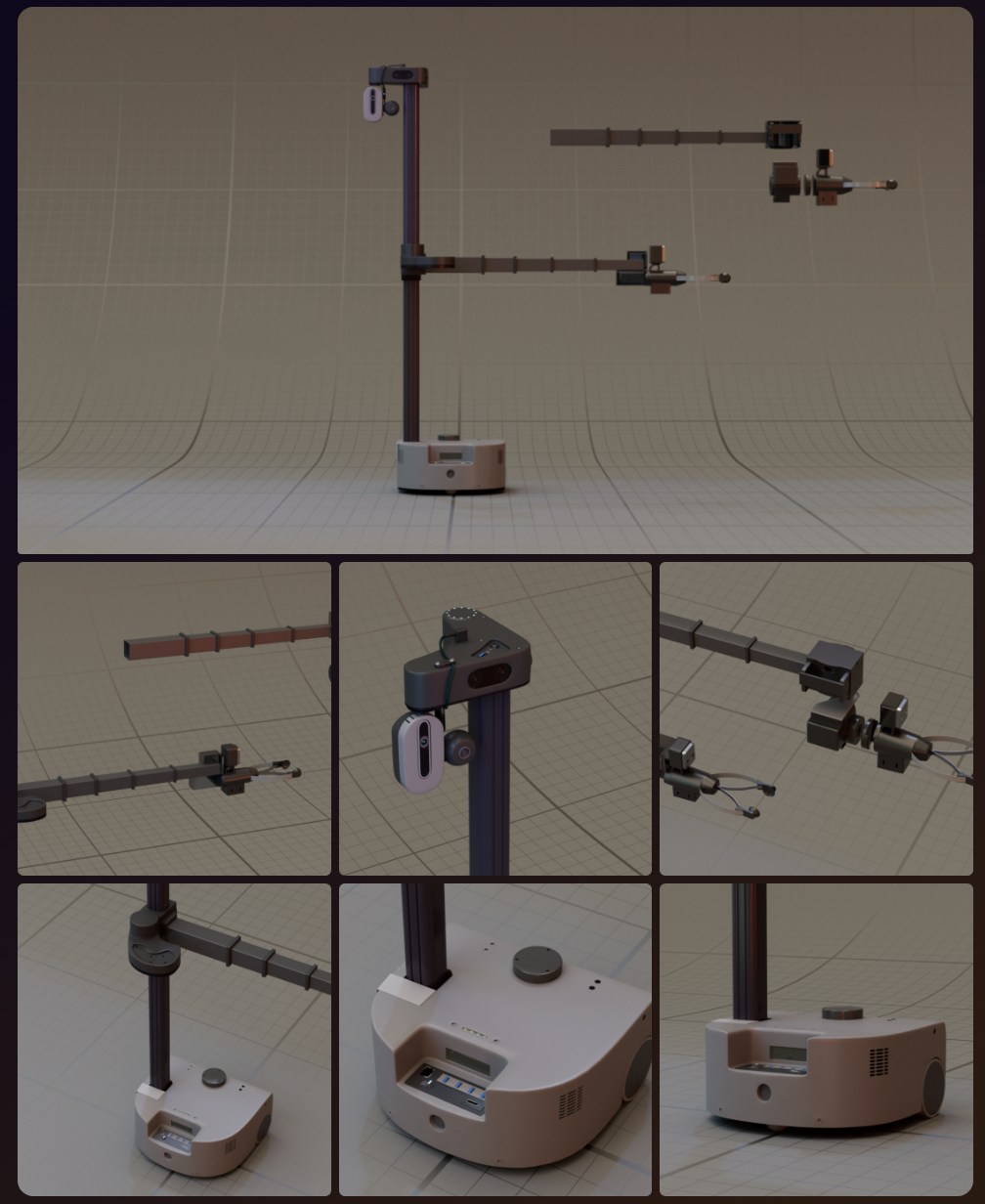
We have designed Stretch 3 Robot and working on adding this robot to our world
** UPDATE 1/6 **
WE GOT OUR FIRST TEST LINUX BUILD (NOT THE ACTUAL WORLD, THAT'S BEING BUILT) (TESTED ON UBUNTU 22.04)
https://drive.google.com/file/d/1_OCMwn8awKZHBfCfc9op00y6TvetI18U/view?usp=sharing
** UPDATE 2/15 **
Luck-e World second release is out (Windows only - we're working on Linux build next)!
** UPDATE 2/8 **
We are now writing prompts against the 3d environment we have reconstructed using point clouds...
https://github.com/lucky-robots/lucky-robots/assets/203507/a93c9f19-2891-40e1-8598-717ad13efba6
** UPDATE 2/6 **
Lucky first release: https://drive.google.com/file/d/1qIbkez1VGU1WcIpqk8UuXTbSTMV7VC3R/view?amp;usp=embed_facebook
Now you can run the simulation on your Windows Machine, and run your AI models against it. If you run into issues, please submit an issue.
** UPDATE 1/15 **
Luck-e is starting to understand the world around us and navigate accordingly!
https://github.com/lucky-robots/lucky-robots/assets/203507/4e56bbc5-92da-4754-92f4-989b9cb86b6f
** UPDATE 1/13 **
We are able to construct a 3d world using single camera @niconielsen32 (This is not a 3d room generated by a game engine, this is what we generate from what we're seeing through a camera in the game!)
https://github.com/lucky-robots/lucky-robots/assets/203507/f2fd19ee-b40a-4fef-bd30-72c56d0f9ead
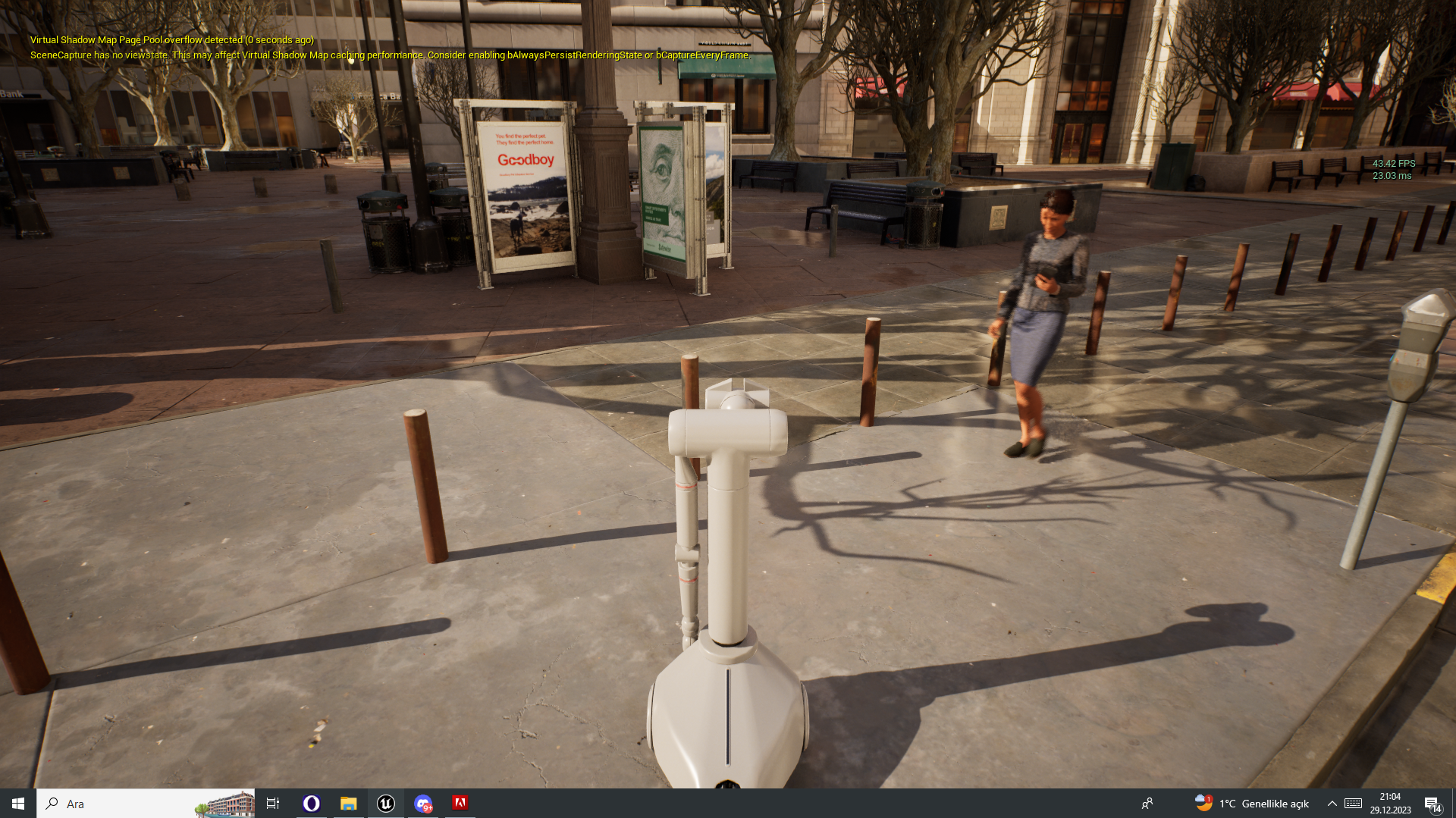
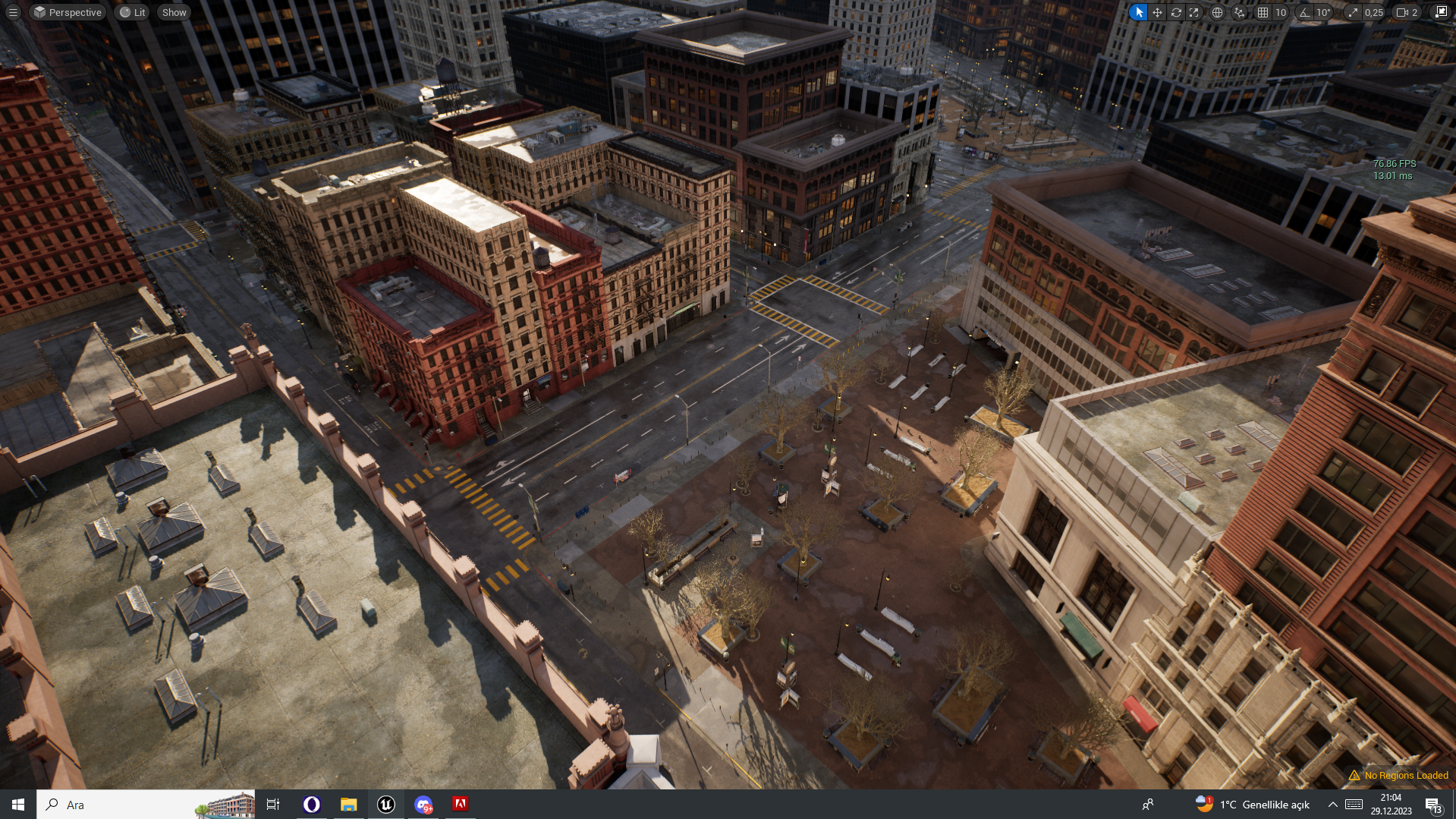
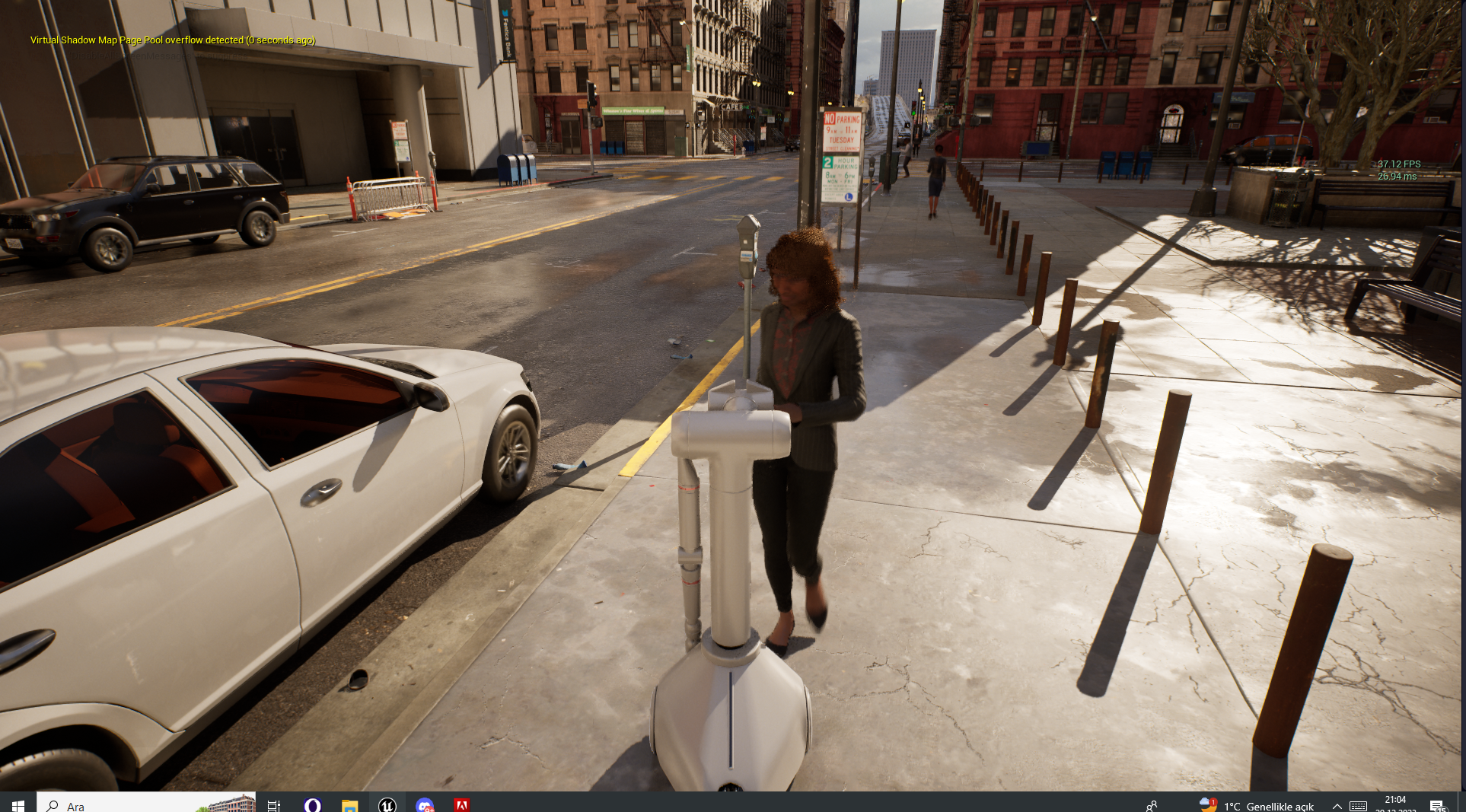
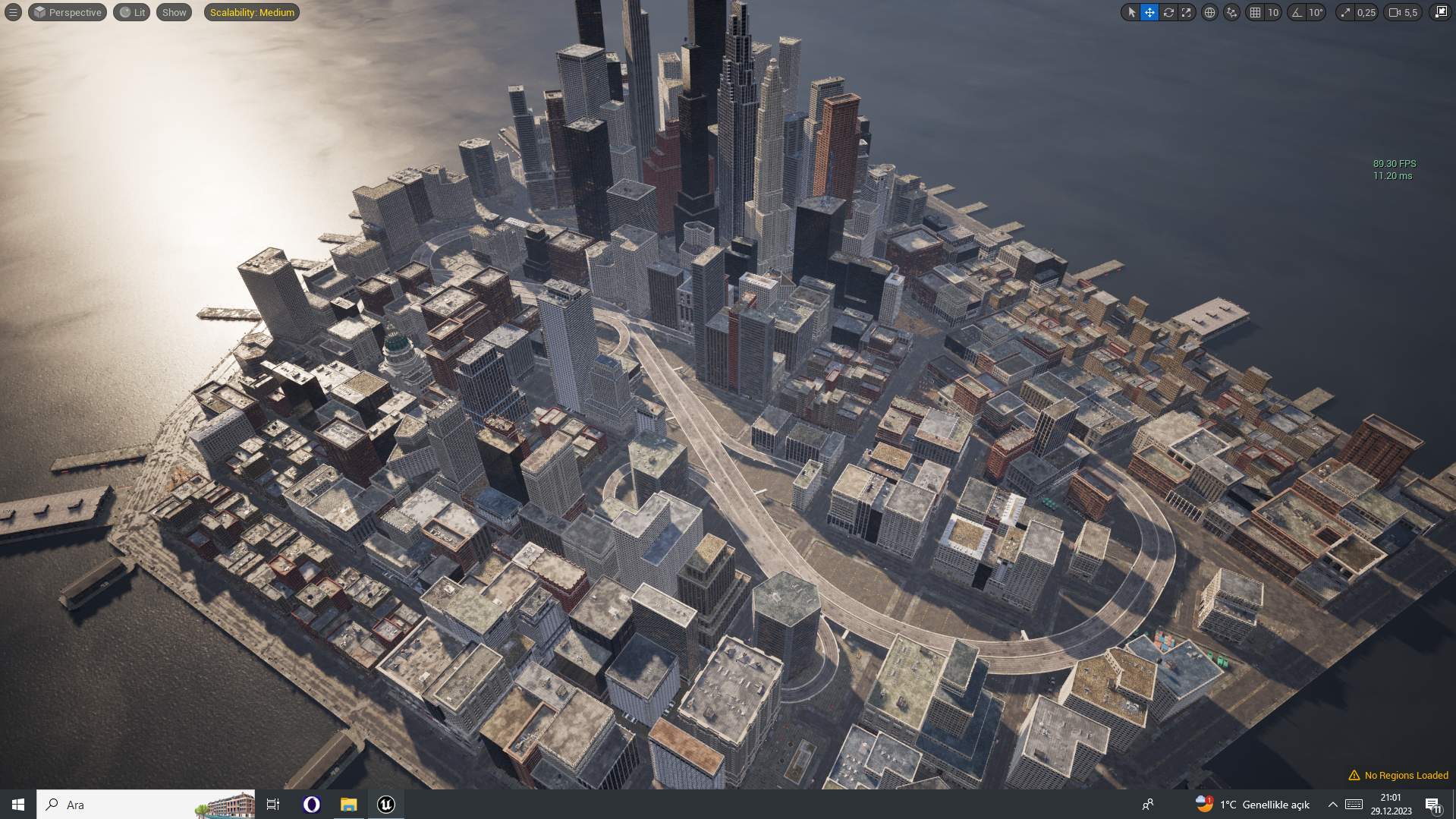
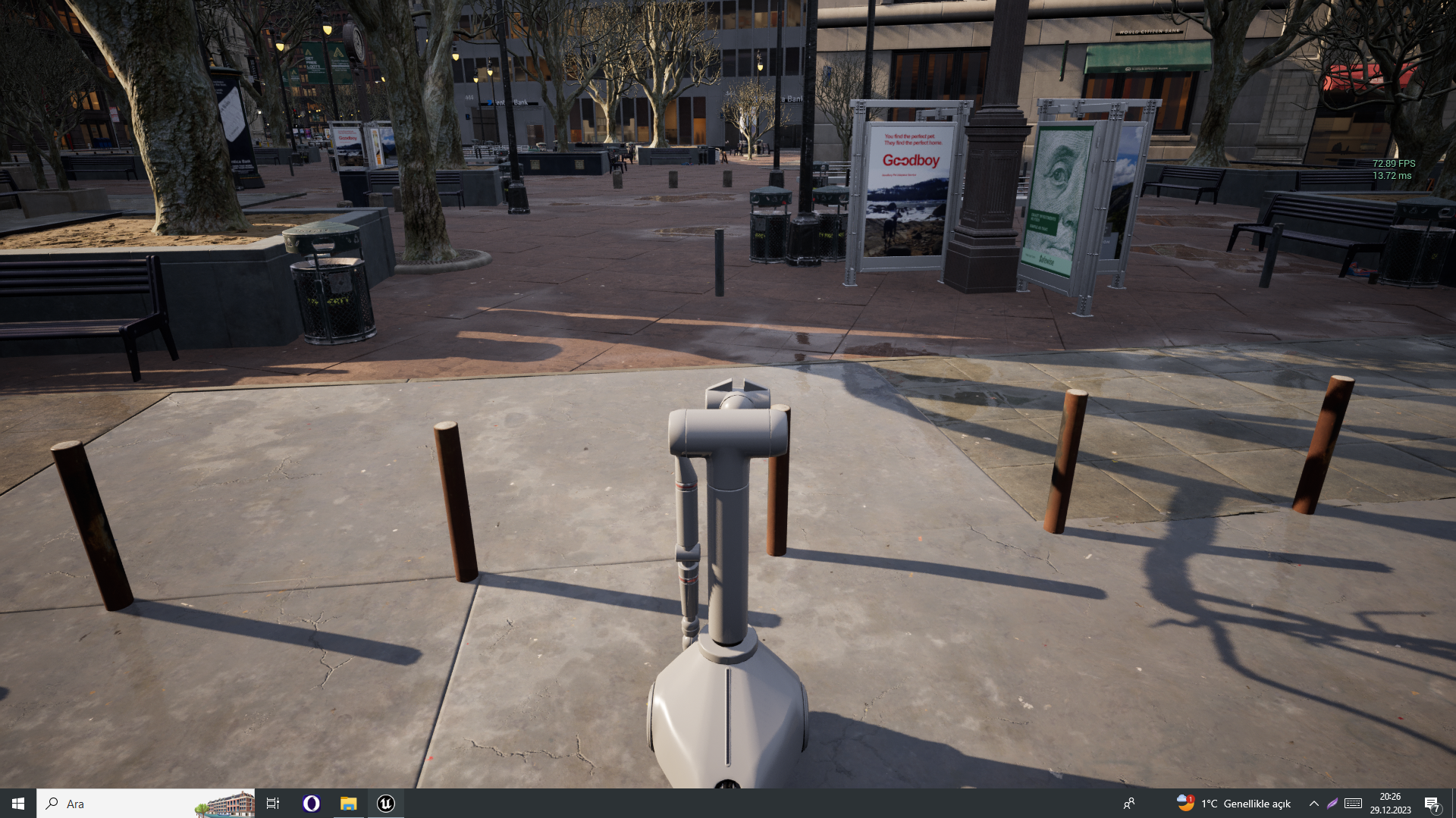
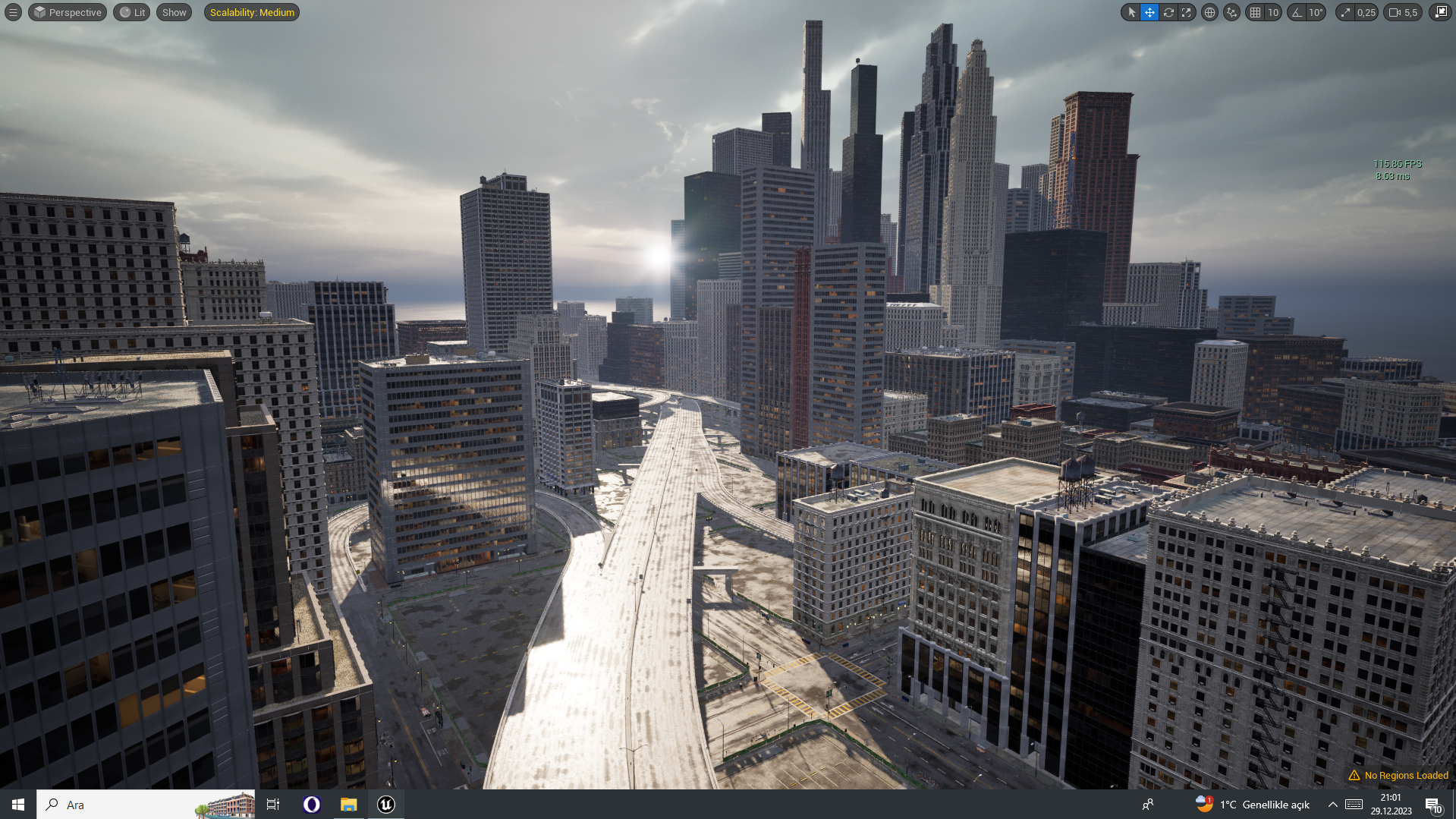
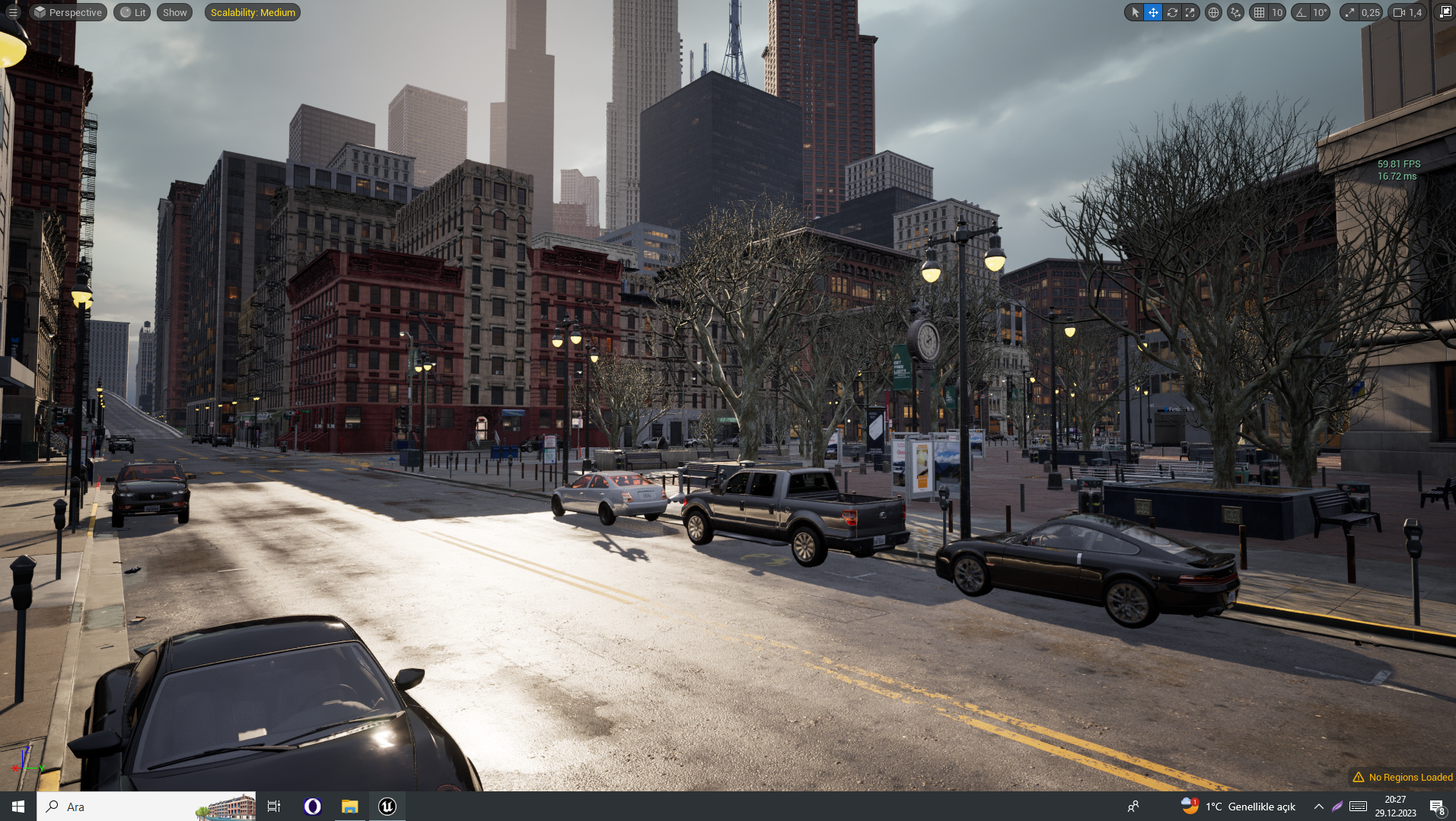
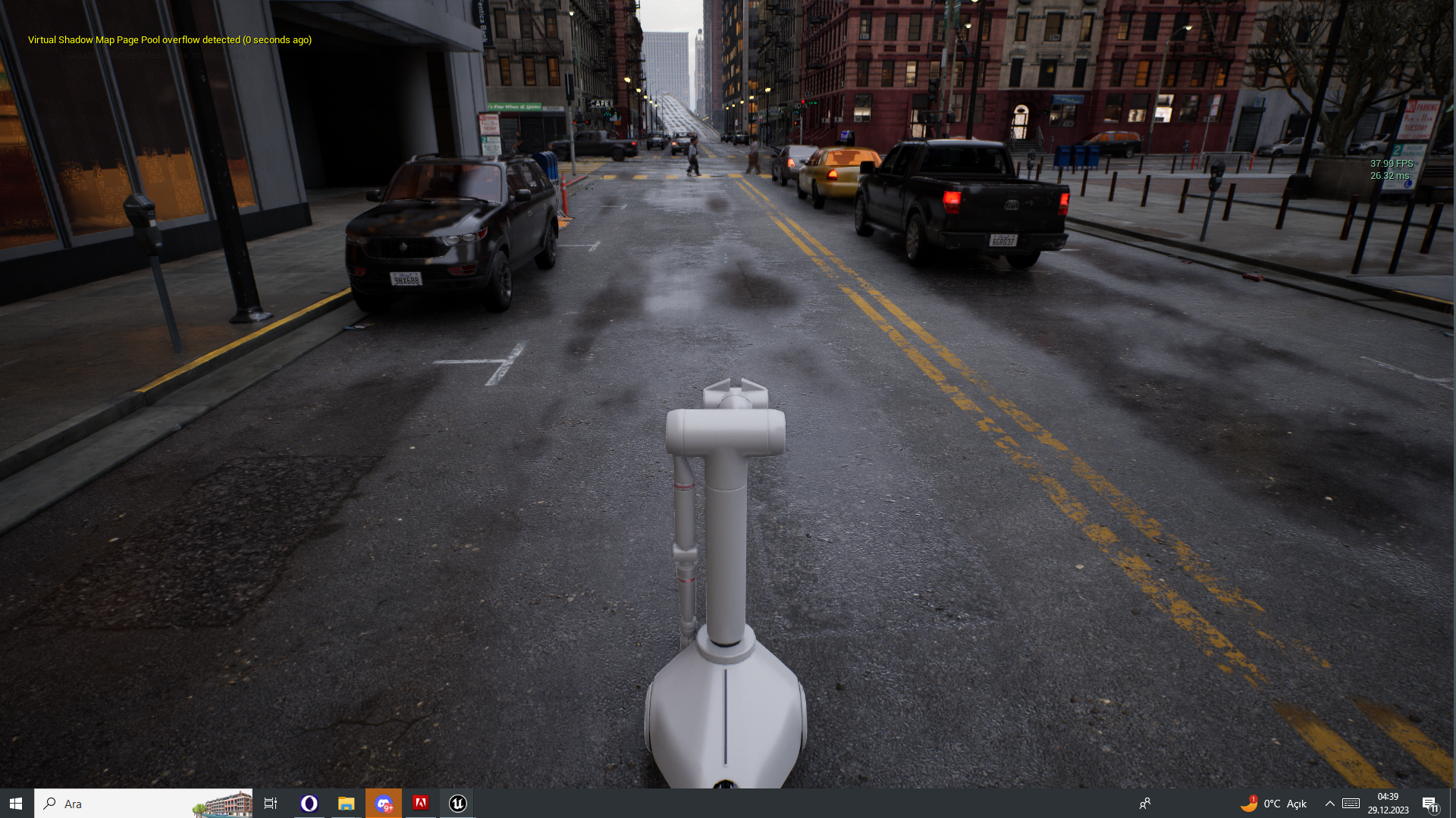
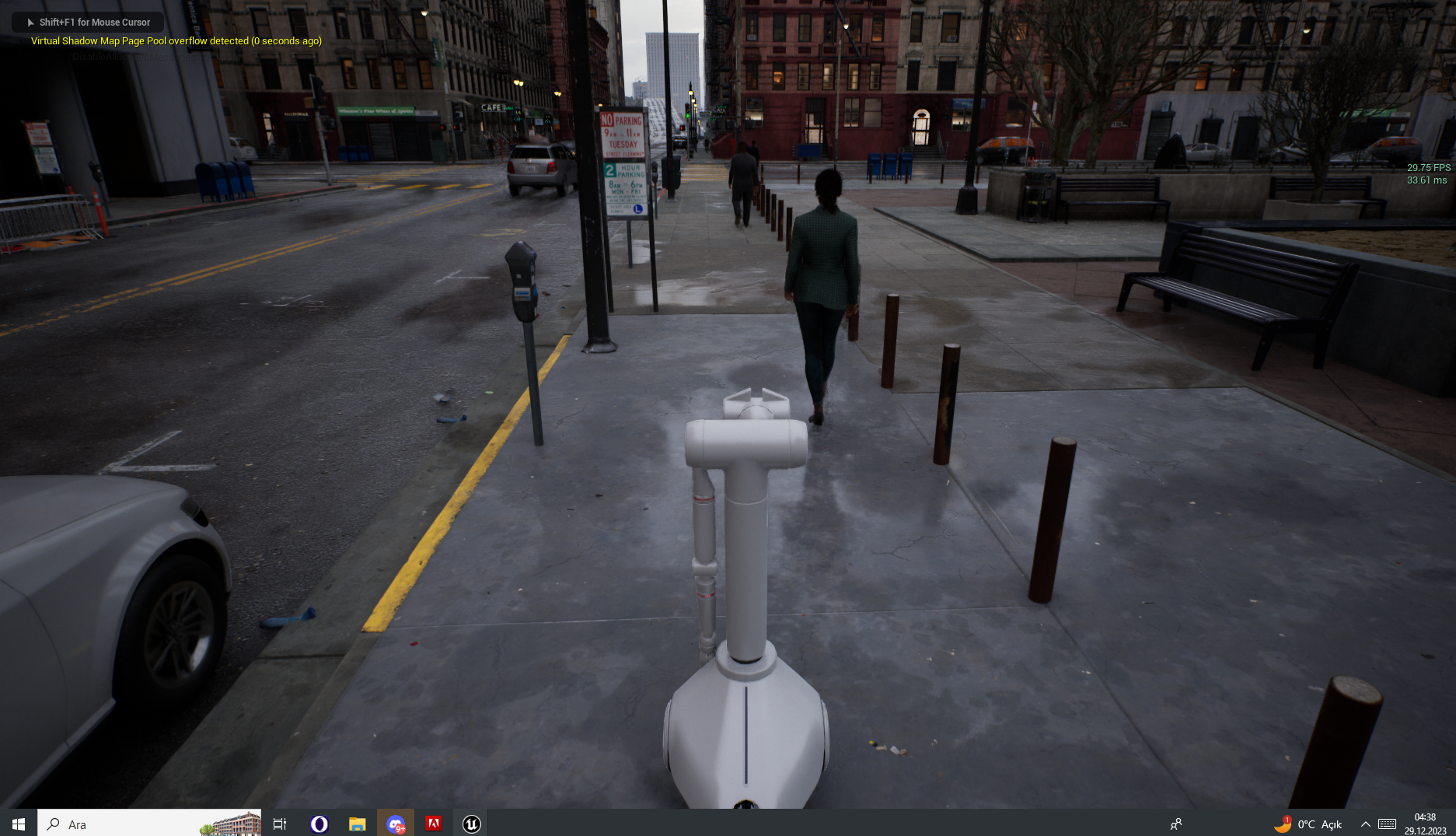
** UPDATE 12/29 ** We are now flying! Look at these environments, can you tell they're not real?
** UPDATE 12/27 **
Lucky now has a drone - like the Mars Rover! When it's activated camera feed switches to it automatically!
https://github.com/lucky-robots/lucky-robots/assets/203507/29103a5a-a209-4d49-acd1-adad88e5b590
** UPDATE 5/12 **
Completed our first depth map using Midas monocular depth estimation model
https://github.com/lucky-robots/lucky-robots/assets/203507/647a5c32-297a-4157-b72b-afeacdaae48a
https://user-images.githubusercontent.com/203507/276747207-b4db8da0-a14e-4f41-a6a0-ef3e2ea7a31c.mp4
Table of Contents
Features
- Realistic Training Environments: Train your robots in various scenarios and terrains crafted meticulously in Unreal Engine.
- Python Integration: The framework integrates seamlessly with Python 3.10, enabling developers to write training algorithms and robot control scripts in Python.
- Safety First: No physical wear and tear on robots during training. Virtual training ensures that our robotic friends remain in tip-top condition.
- Modular Design: Easily extend and modify the framework to suit your specific requirements or add new training environments.
Requirements
- Unreal Engine 5.2
- Python 3.10
- Modern GPU and CPU for optimal performance
Installation
-
Clone the Repository
git clone https://github.com/lucky-robots/lucky-robots.git
cd lucky-robots
-
Setup Python Environment
Ensure you have Python 3.10 installed. Set up a virtual environment:
# Windows Powershell python -m venv lr_venv .\lr_venv\Scripts\activate.ps1 pip install -r requirements.txt -
Setup PixelStreaming
- Run
setup.batlocated inResources\SignalingWebServer\platform_scripts\cmd
- Run
-
Launch Unreal Project
Open the provided
controllable_pawn.uprojectfile in Unreal Engine 5.2 and let it compile the necessary assets and plugins.
Usage
-
Start Unreal Simulation
- Run
.\run_pixel_streaming_server.ps1 - Inside Unreal Editor you have a big green Play button. before you click that, there is a three dot icon next to it that says "Change Play Mode and Play Settings"
- Click that and then tick "Standalone Game"
- Launch the game by clicking that Play button and play the simulation scenario you wish to train your robot in.
- Then you can browse to http://127.0.0.1/?StreamerId=LeftCamera and to http://127.0.0.1/?StreamerId=RightCamera to see what your robot is seeing (optional).
- Run
-
Run Python Training Script
With the simulation running, execute your Python script to interface with the Unreal simulation and start training your robot.
python main.py
Support
For any queries, issues, or feature requests, please refer to our issues page.
Contributing
We welcome contributions! Please read our contributing guide to learn about our development process, how to propose bugfixes and improvements, and how to build and test your changes to Lucky Robots.
Join our team?
Absolutely! Ideally contribute a few PRs and let us know!
License
Lucky Robots Training Framework is released under the MIT License.
Happy training! Remember, be kind to robots. 🤖💚
Release history Release notifications | RSS feed


Download files
Download the file for your platform. If you're not sure which to choose, learn more about installing packages.
Source Distribution
Built Distribution
Filter files by name, interpreter, ABI, and platform.
If you're not sure about the file name format, learn more about wheel file names.
Copy a direct link to the current filters
File details
Details for the file luckyrobots-0.1.35.tar.gz.
File metadata
- Download URL: luckyrobots-0.1.35.tar.gz
- Upload date:
- Size: 20.5 kB
- Tags: Source
- Uploaded using Trusted Publishing? No
- Uploaded via: twine/5.1.1 CPython/3.11.9
File hashes
| Algorithm | Hash digest | |
|---|---|---|
| SHA256 |
2b218edd73d96c06402b195741f87dc7aa8d8fa9485ddf8474483d3093ac9a3c
|
|
| MD5 |
065814fe13955aff5d68616c0b0ba69e
|
|
| BLAKE2b-256 |
eaaf57168e581e5e45c44317701373194a3c2d62228689ba93606212c8d2cb88
|
File details
Details for the file luckyrobots-0.1.35-py3-none-any.whl.
File metadata
- Download URL: luckyrobots-0.1.35-py3-none-any.whl
- Upload date:
- Size: 18.4 kB
- Tags: Python 3
- Uploaded using Trusted Publishing? No
- Uploaded via: twine/5.1.1 CPython/3.11.9
File hashes
| Algorithm | Hash digest | |
|---|---|---|
| SHA256 |
8abf3e9567dda85b6ecb1226969a1261bfadb2e5d5fe08a5631e29cc13c72140
|
|
| MD5 |
d53b1eca9e743baf720f582ea295de13
|
|
| BLAKE2b-256 |
ef9358595e580a9945505b00cab29597aae340c81fe48760512e3b4933fa3043
|






