
Robotics-AI Training in Hyperrealistic Game Environments


Project description

Infinite synthetic data generation for embodied AI






https://github.com/user-attachments/assets/0ab2953d-b188-4af7-a225-71decdd2378c
Why Lucky Robots?
Our vision for accessible robotics was born out of trying to teach our kids how to train robots for simple tasks like picking and placing objects. We quickly discovered that existing simulators were either restricted to those with academic affiliations, prohibitively complex, or simply insufficient for modern robotic learning... so we decided to create something better.
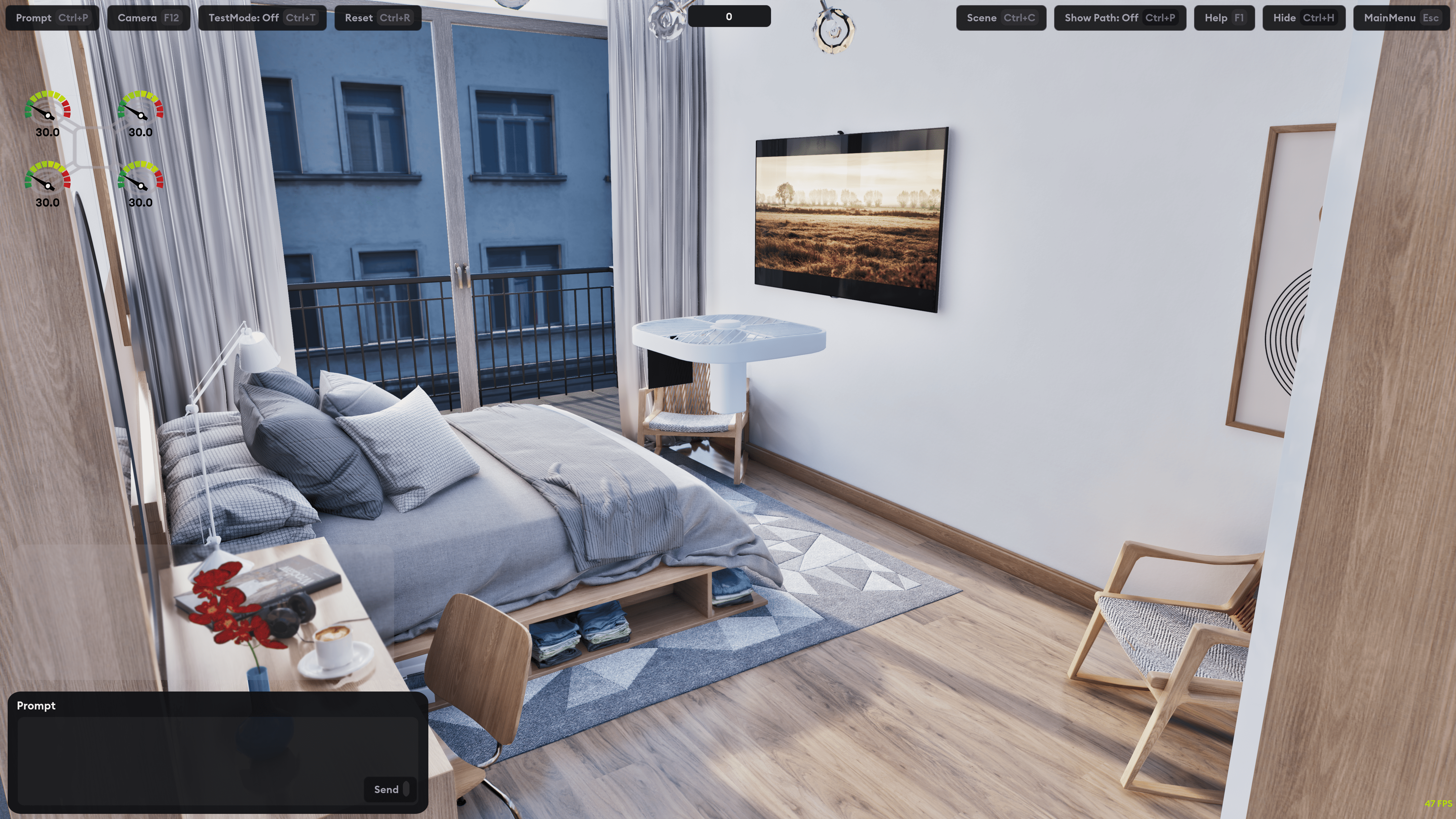
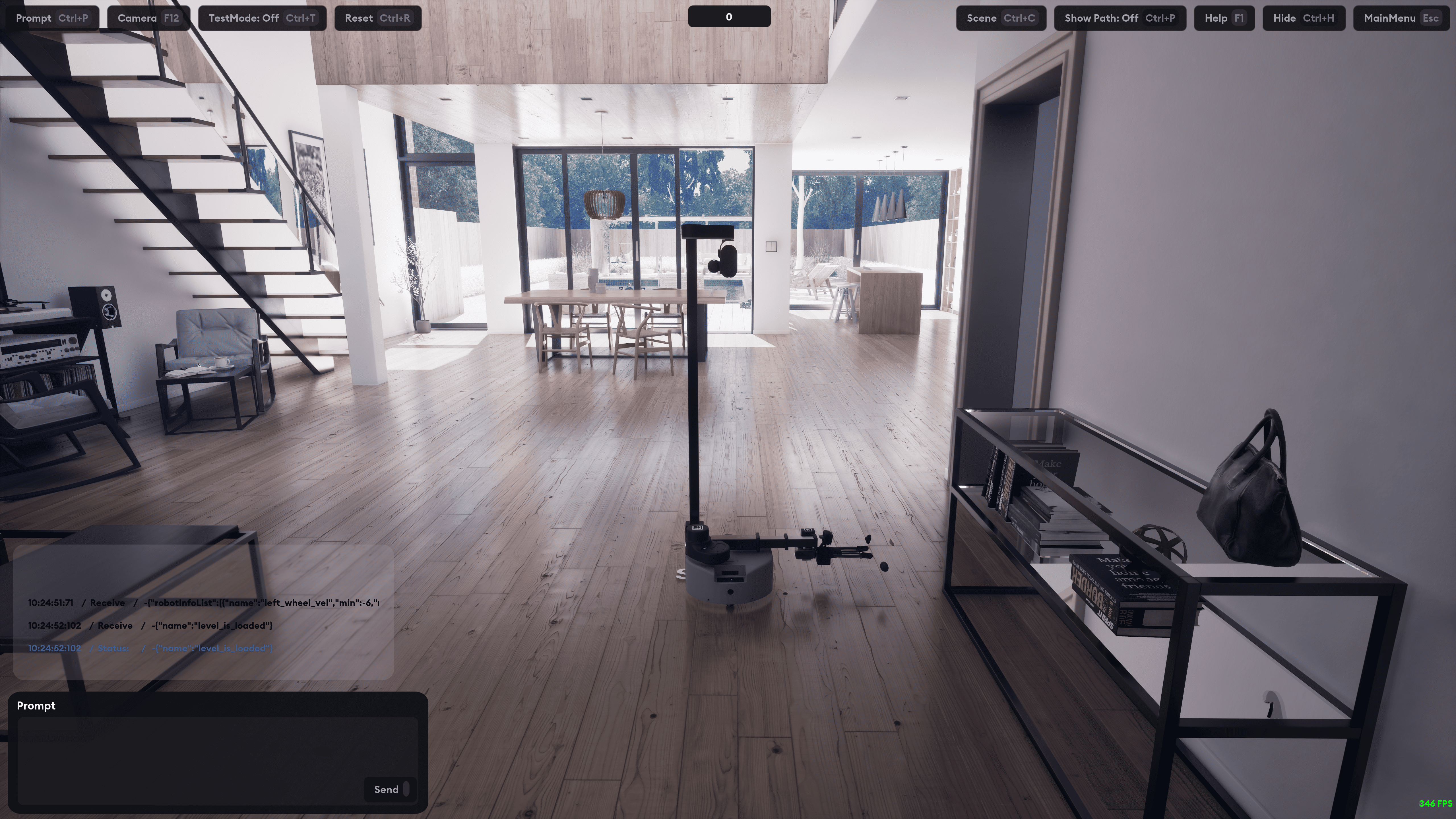
We built Lucky Robots to democratize robotic learning. Our platform pairs an intuitive Python API with Lucky World, our state-of-the-art simulator that levarages UE5's hyperrealistic rendering and MuJoCo's precise physics. This combination makes professional-grade robotic simulation accessible to everyone, with no need for specialized hardware or a PhD-level understanding.
Whether you're a parent inspiring the next generation, a researcher pushing the boundaries of science, or an industry professional developing cutting-edge applications, Lucky Robots was built for you.
Getting Started
To start building with Lucky Robots:
- Clone the repository
git clone https://github.com/luckyrobots/luckyrobots.git
cd luckyrobots/examples
- Create your environment and install
conda create -n lr python=3.8
conda activate lr
pip install luckyrobots  # or use uv for faster installation
- Run any of the following examples
python basic_usage.py
python yolo_example.py
python yolo_mac_example.py
python vlm_gpt.py
This will automatically download our simulation binary and run it for you.
Event Listeners
Lucky Robots provides several event listeners to interact with the simulated robot and receive updates on its state:
-
@lr.on("robot_output"): Receives robot output, including RGB and depth images, and coordinates.
Example output:
{
    "body_pos": {"Time": "1720752411", "rx": "-0.745724", "ry": "0.430001", "rz": "0.007442", "tx": "410.410786", "ty": "292.086556", "tz": "0.190011", "file_path": "/.../4_body_pos.txt"},
    "depth_cam1": {"file_path": "/.../4_depth_cam1.jpg"},
    "depth_cam2": {"file_path": "/.../4_depth_cam2.jpg"},
    "hand_cam": {"Time": "1720752411", "rx": "-59.724758", "ry": "-89.132507", "rz": "59.738461", "tx": "425.359645", "ty": "285.063092", "tz": "19.006545", "file_path": "/.../4_hand_cam.txt"},
    "head_cam": {"Time": "1720752411", "rx": "-0.749195", "ry": "0.433544", "rz": "0.010893", "tx": "419.352843", "ty": "292.814832", "tz": "59.460736", "file_path": "/.../4_head_cam.txt"},
    "rgb_cam1": {"file_path": "/.../4_rgb_cam1.jpg"},
    "rgb_cam2": {"file_path": "/.../4_rgb_cam2.jpg"}
}
-
@lr.on("message"): Decodes messages from the robot to understand its internal state.
-
@lr.on("start"): Triggered when the robot starts, allowing for initialization tasks.
-
@lr.on("tasks"): Manages the robot's task list.
-
@lr.on("task_complete"): Triggered when the robot completes a task.
-
@lr.on("batch_complete"): Triggered when the robot completes a batch of tasks.
-
@lr.on("hit_count"): Tracks the robot's collisions.
Controlling the Robot
To control the robot, send commands using the lr.send_message() function:
commands = [["W 3600 1"]] # This makes the main wheels turn 10 times.
For multiple commands and to know when a particular one ends, assign an ID field to your command:
commands = [[{"id": 1234, "code": "W 18000 1"}]]
If you want to send a whole set of instructions, add multiple command lists. Each command list will wait until the previous command list finishes. Commands inside one list are executed simultaneously, allowing smoother movements like the robot lifting its arms while moving forward or turning its head while placing an object.
commands = [["W 1800 1","a 30"],["a 0", "W 1800 1"]]
Commands in one list will override previous commands if they conflict. For instance, if you instruct your robot to turn its wheels 20 times, and on the 5th turn, you instruct it again to turn 3 times, the robot will travel a total of 8 revolutions and stop.
To know when a particular batch of commands finishes, give it an ID and listen for that ID:
commands = [
    ["RESET"],
    {"commands": [{"id": 123456, "code": "W 5650 1"}, {"id": 123457, "code": "a 30 1"}], "batchID": "123456"},
    ["A 0 1", "W 18000 1"]
]
lr.send_message(commands)
Moving the Robots
Forward/Backward
[DIRECTION] [DISTANCE] [SPEED]Example:W 50 1[DIRECTION]: W is forward, S is backward[DISTANCE]: Travel distance in centimeters[SPEED]: Speed at which motor will react - km/h- Send via API:
lr.send_message([["W 50 1"]])
Left/Right
[DIRECTION] [DEGREE]Example:A 30[DIRECTION]: A is left, D is right[DEGREE]: Spin Rotation in degrees- Send via API:
lr.send_message([["A 30"]])
Reset
RESET: Resets all positions and rotations to the zero pose- Send via API:
lr.send_message([["RESET"]])
Stretch v1
-
[JOINT][DISTANCE]Example:EX1 30EX1 10(extend 1st joint 10cm outwards)EX2 -10(extend 2nd joint 10cm inwards)EX3 10(extend 3rd joint 10cm outwards)EX4 10(extend 4th joint 10cm outwards)- Or:
lr.send_message([["EX1 10"]]),lr.send_message([["EX2 -10"]]), etc.
-
U 10(Up) - Or:lr.send_message([["U 10"]]) -
U -10(Down) - Or:lr.send_message([["U -10"]]) -
Gripper:
G 5orG -10- Or:lr.send_message([["G 5"]])orlr.send_message([["G -10"]]) -
Hand Cam Angle:
R1 10- Or:lr.send_message([["R1 10"]])R2 -30(turn cam) - Or:lr.send_message([["R2 -30"]])
Luck-e v3
-
[JOINT][DEGREE]Example:EX1 30EX1 20(1st rotate the joint 20 degrees)EX2 -10(2nd rotate the joint -10 degrees)EX3 10(3rd rotate the joint 10 degrees)EX4 10(4th rotate the joint 10 degrees)- Or:
lr.send_message([["EX1 20"]]),lr.send_message([["EX2 -10"]]), etc.
-
U 10(Up) - Or:lr.send_message([["U 10"]]) -
U -10(Down) - Or:lr.send_message([["U -10"]]) -
Gripper:
G 5orG -10- Or:lr.send_message([["G 5"]])orlr.send_message([["G -10"]]) -
Hand Cam Angle:
R 10- Or:lr.send_message([["R 10"]])
Starting the Robot
To start the robot simulation with custom options:
lr.start(binary_path, sendBinaryData=False)
Set sendBinaryData=True to include file contents in the robot_output object.
What's Next?
- Drones
- VLA demo
- 3D scene reconstruction
- (your idea?)
Contributing
Contributions are welcome! Check out our contribution guidelines to get started.
Join our team?
Absolutely! Show us a few cool things and/or contribute a few PRs - let us know!
License
This project is licensed under the MIT License - see the LICENSE file for details.
Release history Release notifications | RSS feed


Download files
Download the file for your platform. If you're not sure which to choose, learn more about installing packages.
Source Distribution
Built Distribution
Filter files by name, interpreter, ABI, and platform.
If you're not sure about the file name format, learn more about wheel file names.
Copy a direct link to the current filters
File details
Details for the file luckyrobots-0.1.47.tar.gz.
File metadata
- Download URL: luckyrobots-0.1.47.tar.gz
- Upload date:
- Size: 5.3 MB
- Tags: Source
- Uploaded using Trusted Publishing? No
- Uploaded via: twine/6.1.0 CPython/3.13.2
File hashes
| Algorithm | Hash digest | |
|---|---|---|
| SHA256 |
a1bcf53ea57cd1318ebdd1eed9505bf6aa772692e9f8e82bc528ef8290ea7310
|
|
| MD5 |
1b303b8b579e1a93899ea0672df13509
|
|
| BLAKE2b-256 |
9ebdbdf4a8bf008de71d97beb2f4a206db46863bd605d736a57e992921ab44e1
|
File details
Details for the file luckyrobots-0.1.47-py3-none-any.whl.
File metadata
- Download URL: luckyrobots-0.1.47-py3-none-any.whl
- Upload date:
- Size: 49.7 kB
- Tags: Python 3
- Uploaded using Trusted Publishing? No
- Uploaded via: twine/6.1.0 CPython/3.13.2
File hashes
| Algorithm | Hash digest | |
|---|---|---|
| SHA256 |
c6f1fd1c8533821f77647c2bc4cc42c5483518482001a763d037180b15bead9c
|
|
| MD5 |
324e4439abfa2947411b52b7bc852362
|
|
| BLAKE2b-256 |
af7c5707aad121d2b89c1ee39b349a55f31f37020defbcecc007a4b5c3022b72
|






