
Robotics-AI Training in Hyperrealistic Game Environments


Project description
Lucky Robots
Robotics-AI Training in Hyperrealistic Game Environments (sound on!)
https://github.com/lucky-robots/lucky-robots/assets/203507/6c29b881-2ff6-4734-ad33-71c09ad75b62
Lucky Robots: Where robots come for a boot camp, like going to a spa day! 🤖💆♂️ We use the fancy Unreal Engine 5.5 to create a lavish, virtual 5-star resort experience for our metal buddies so they're absolutely pumped before they meet the real world. Our training framework? More like a robotic paradise with zero robot mishaps. "Gentle" methods? We're practically the robot whisperers here, you won't see humans with metal sticks around. That's why it's "Lucky Robots" because every robot leaves our sessions feeling like they just won the jackpot – all without a scratch! 🎰🤣
Jokes aside, if you're an AI/ML Developer, aspiring to develop an AI model for humanoids, SO-100s, or any robot, there's no need to invest thousands of dollars in a physical robot and attempt to train it in your garage. With Lucky, you can create any amount of synthetic, robot-complete data, run it through your AI pipeline and get your robot to do the thing you want it to do.
Cheers to happy, and more importantly, unbruised robots! 🍀🤖🎉
Our project is fully open source; to access our Unreal Repository where you can build it from the source visit: https://luckyrobots.com/luckyrobots/luckyworld
Getting Started
To begin using Lucky Robots:
- if you want to run the examples in this repository: (optional)
   git clone https://github.com/luckyrobots/luckyrobots.git
   cd luckyrobots/examples
- Use your fav package manager (optional)
   conda create -n lr
   conda activate lr
- Install the package using pip:
pip install luckyrobots
- Run one of the following
   python basic_usage.py
   python yolo_example.py
   python yolo_mac_example.py
It will download the binary and will run it for you.
Event Listeners
Lucky Robots provides several event listeners to interact with the simulated robot and receive updates on its state:
-
@lr.on("robot_output"): Receives robot output, including RGB and depth images, and coordinates.
Example output:
{
    "body_pos": {"Time": "1720752411", "rx": "-0.745724", "ry": "0.430001", "rz": "0.007442", "tx": "410.410786", "ty": "292.086556", "tz": "0.190011", "file_path": "/.../4_body_pos.txt"},
    "depth_cam1": {"file_path": "/.../4_depth_cam1.jpg"},
    "depth_cam2": {"file_path": "/.../4_depth_cam2.jpg"},
    "hand_cam": {"Time": "1720752411", "rx": "-59.724758", "ry": "-89.132507", "rz": "59.738461", "tx": "425.359645", "ty": "285.063092", "tz": "19.006545", "file_path": "/.../4_hand_cam.txt"},
    "head_cam": {"Time": "1720752411", "rx": "-0.749195", "ry": "0.433544", "rz": "0.010893", "tx": "419.352843", "ty": "292.814832", "tz": "59.460736", "file_path": "/.../4_head_cam.txt"},
    "rgb_cam1": {"file_path": "/.../4_rgb_cam1.jpg"},
    "rgb_cam2": {"file_path": "/.../4_rgb_cam2.jpg"}
}
-
@lr.on("message"): Decodes messages from the robot to understand its internal state.
-
@lr.on("start"): Triggered when the robot starts, allowing for initialization tasks.
-
@lr.on("tasks"): Manages the robot's task list.
-
@lr.on("task_complete"): Triggered when the robot completes a task.
-
@lr.on("batch_complete"): Triggered when the robot completes a batch of tasks.
-
@lr.on("hit_count"): Tracks the robot's collisions.
Controlling the Robot
To control the robot, send commands using the lr.send_message() function. For example, to make the robot's main wheels turn 10 times:
commands = [["W 3600 1"]] # This makes the main wheels turn 10 times.
For multiple commands and to know when a particular one ends, assign an ID field to your command:
commands = [[{"id": 1234, "code": "W 18000 1"}]]
If you want to send a whole set of instructions, add multiple arrays. Each array will wait until the previous array finishes. Commands inside one array are executed simultaneously, allowing smoother movements like the robot lifting its arms while moving forward or turning its head while placing an object.
commands = [["W 1800 1","a 30"],["a 0", "W 1800 1"]]
Commands in one list will override previous commands if they conflict. For instance, if you instruct your robot to turn its wheels 20 times, and on the 5th turn, you instruct it again to turn 3 times, the robot will travel a total of 8 revolutions and stop.
To know when a particular batch finishes, give it an ID and listen for that ID:
commands = [
    ["RESET"],
    {"commands": [{"id": 123456, "code": "W 5650 1"}, {"id": 123457, "code": "a 30 1"}], "batchID": "123456"},
    ["A 0 1", "W 18000 1"]
]
lr.send_message(commands)
MOVING THE ROBOTS
FORWARD - BACKWARD
[DIRECTION] [DISTANCE] [SPEED]Example:W 50 1[DIRECTION]: W is forward, S is backward[DISTANCE]: Travel distance in centimeters[SPEED]: Speed at which motor will react - km/h- Send via API:
lr.send_message([["W 50 1"]])
LEFT - RIGHT
[DIRECTION] [DEGREE]Example:A 30[DIRECTION]: A is left, D is right[DEGREE]: Spin Rotation in degrees- Or:
lr.send_message([["A 30"]])
RESET
RESET: Resets all positions and rotations to the zero pose- Or:
lr.send_message([["RESET"]])
STRETCH-3
-
[JOINT][DISTANCE]Example:EX1 30EX1 10(extend 1st joint 10cm outwards)EX2 -10(extend 2nd joint 10cm inwards)EX3 10(extend 3rd joint 10cm outwards)EX4 10(extend 4th joint 10cm outwards)- Or:
lr.send_message([["EX1 10"]]),lr.send_message([["EX2 -10"]]), etc.
-
U 10(Up) - Or:lr.send_message([["U 10"]]) -
U -10(Down) - Or:lr.send_message([["U -10"]]) -
Gripper:
G 5orG -10- Or:lr.send_message([["G 5"]])orlr.send_message([["G -10"]]) -
Hand Cam Angle:
R1 10- Or:lr.send_message([["R1 10"]])R2 -30(turn cam) - Or:lr.send_message([["R2 -30"]])
LUCKY ROBOT-3
-
[JOINT][DEGREE]Example:EX1 30EX1 20(1st rotate the joint 20 degrees)EX2 -10(2nd rotate the joint -10 degrees)EX3 10(3rd rotate the joint 10 degrees)EX4 10(4th rotate the joint 10 degrees)- Or:
lr.send_message([["EX1 20"]]),lr.send_message([["EX2 -10"]]), etc.
-
U 10(Up) - Or:lr.send_message([["U 10"]]) -
U -10(Down) - Or:lr.send_message([["U -10"]]) -
Gripper:
G 5orG -10- Or:lr.send_message([["G 5"]])orlr.send_message([["G -10"]]) -
Hand Cam Angle:
R 10- Or:lr.send_message([["R 10"]])
Starting the Robot
To start the robot simulation, use:
lr.start(binary_path, sendBinaryData=False)
** WHAT WE ARE WORKING ON NEXT **
- Releasing our first basic end to end model
- Drone!!!
- Scan your own room
- Import URDFs
- (your idea?)
brief history of the project
** UPDATE 3/19/24 FIRST LUCKY WORLD UBUNTU BUILD IS COMPLETE: https://drive.google.com/drive/folders/15iYXzqFNEg1b2E6Ft1ErwynqBMaa0oOa
** UPDATE 3/6/24 **
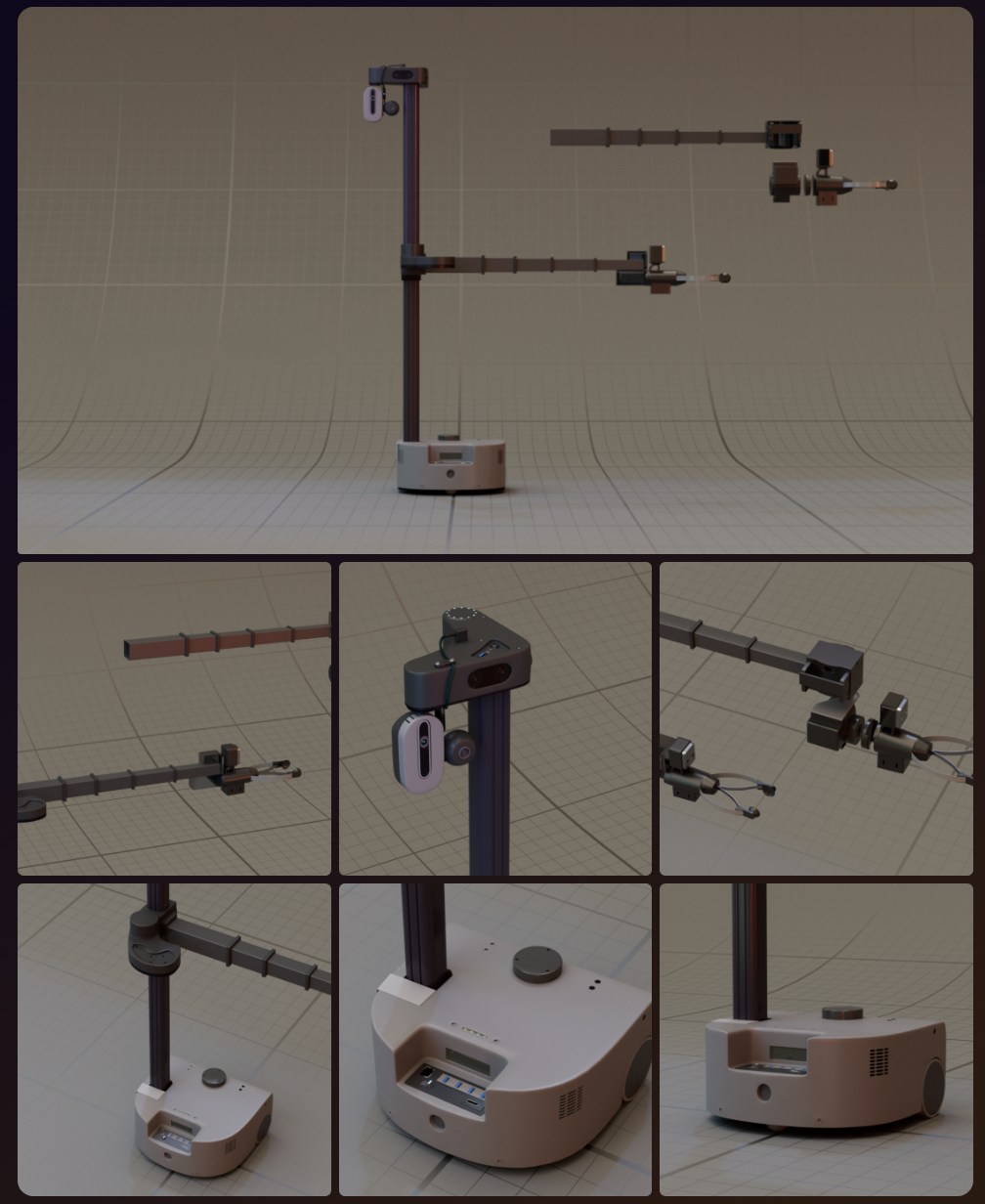
We have designed Stretch 3 Robot and working on adding this robot to our world
** UPDATE 1/6/24 **
WE GOT OUR FIRST TEST LINUX BUILD (NOT THE ACTUAL WORLD, THAT'S BEING BUILT) (TESTED ON UBUNTU 22.04)
https://drive.google.com/file/d/1_OCMwn8awKZHBfCfc9op00y6TvetI18U/view?usp=sharing
** UPDATE 2/15/24 **
Luck-e World second release is out (Windows only - we're working on Linux build next)!
** UPDATE 2/8/24 **
We are now writing prompts against the 3d environment we have reconstructed using point clouds...
https://github.com/lucky-robots/lucky-robots/assets/203507/a93c9f19-2891-40e1-8598-717ad13efba6
** UPDATE 2/6/24 **
Lucky first release: https://drive.google.com/file/d/1qIbkez1VGU1WcIpqk8UuXTbSTMV7VC3R/view?amp;usp=embed_facebook
Now you can run the simulation on your Windows Machine, and run your AI models against it. If you run into issues, please submit an issue.
** UPDATE 1/15/24 **
Luck-e is starting to understand the world around us and navigate accordingly!
https://github.com/lucky-robots/lucky-robots/assets/203507/4e56bbc5-92da-4754-92f4-989b9cb86b6f
** UPDATE 1/13/24 **
We are able to construct a 3d world using single camera @niconielsen32 (This is not a 3d room generated by a game engine, this is what we generate from what we're seeing through a camera in the game!)
https://github.com/lucky-robots/lucky-robots/assets/203507/f2fd19ee-b40a-4fef-bd30-72c56d0f9ead
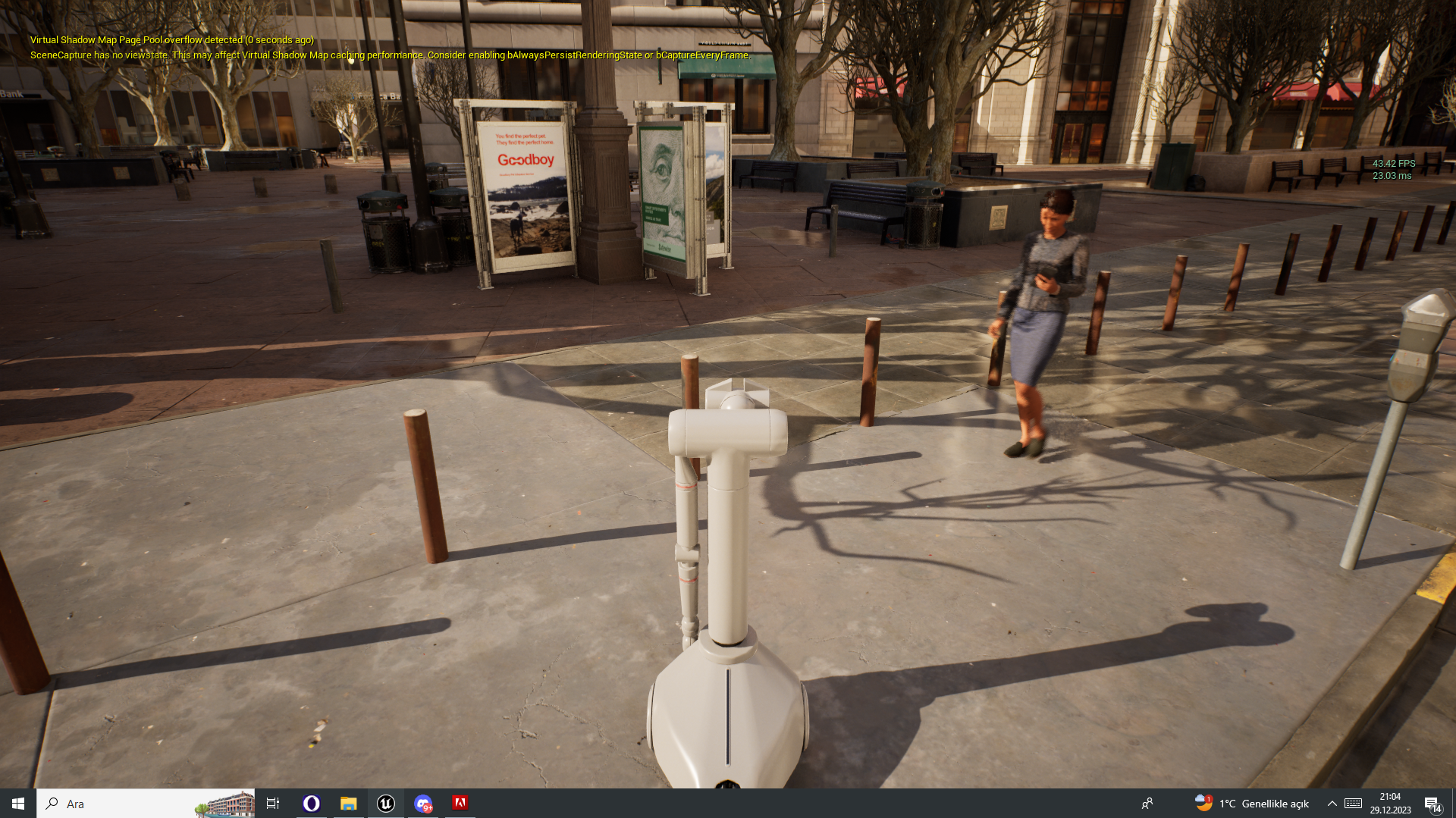
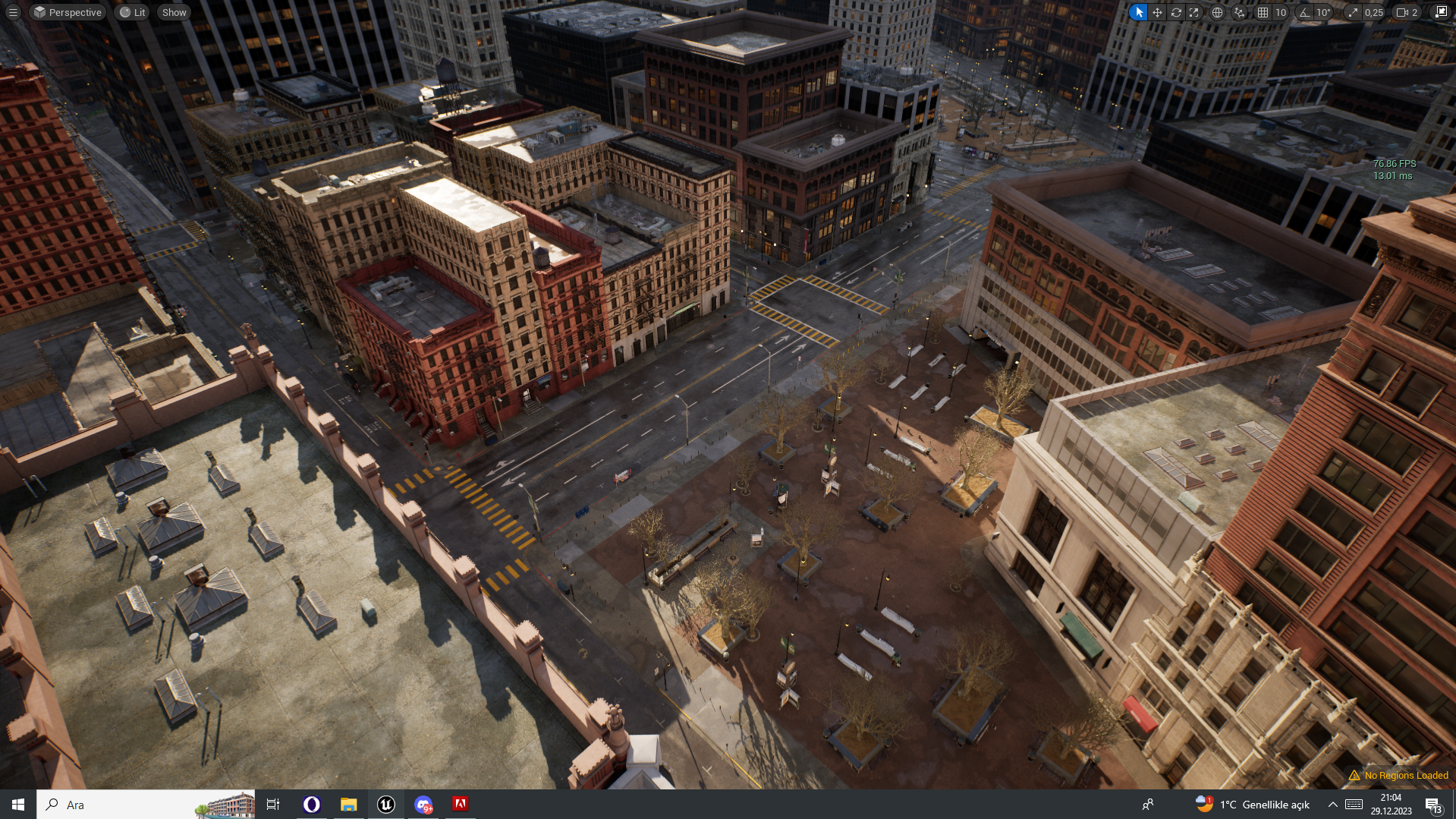
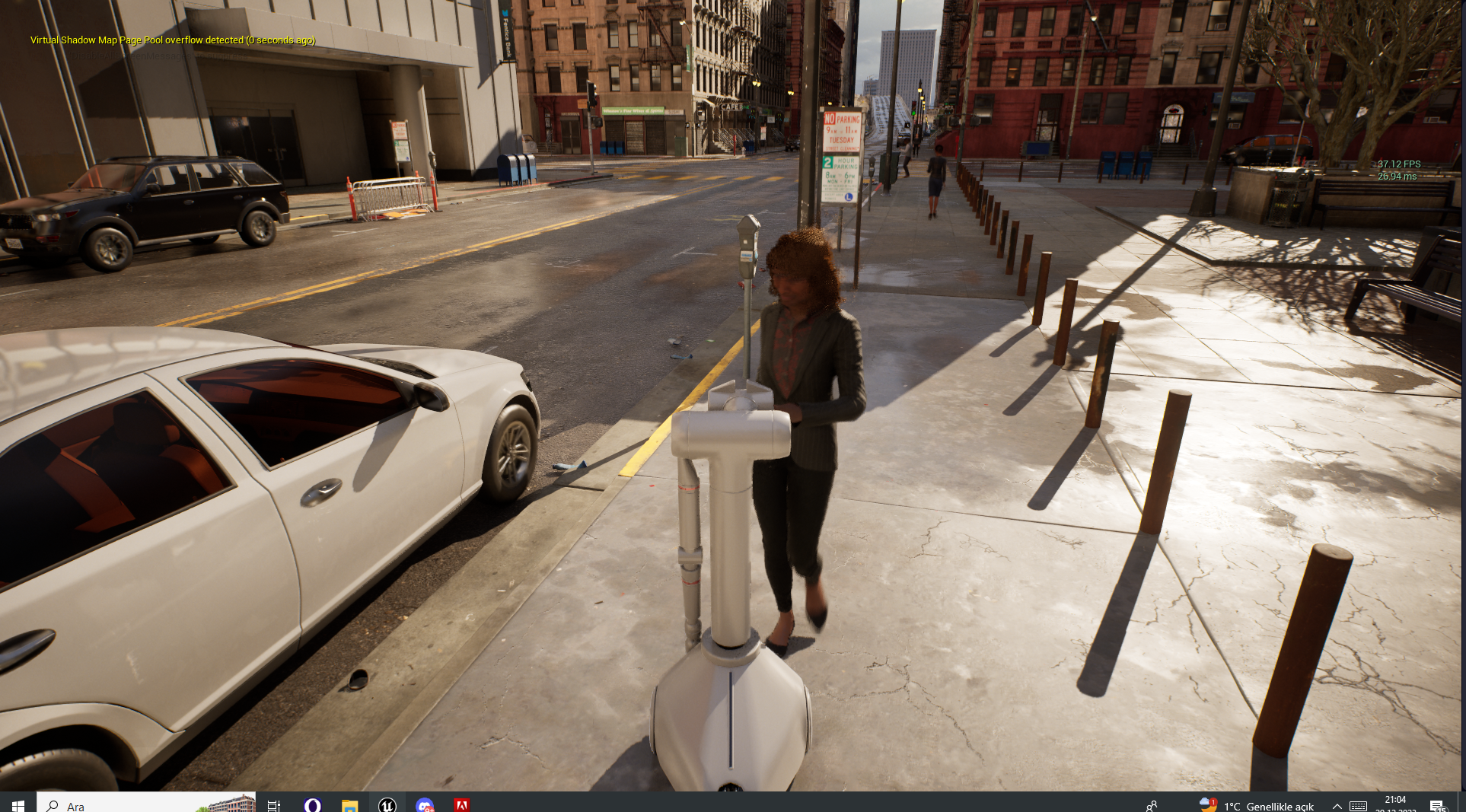
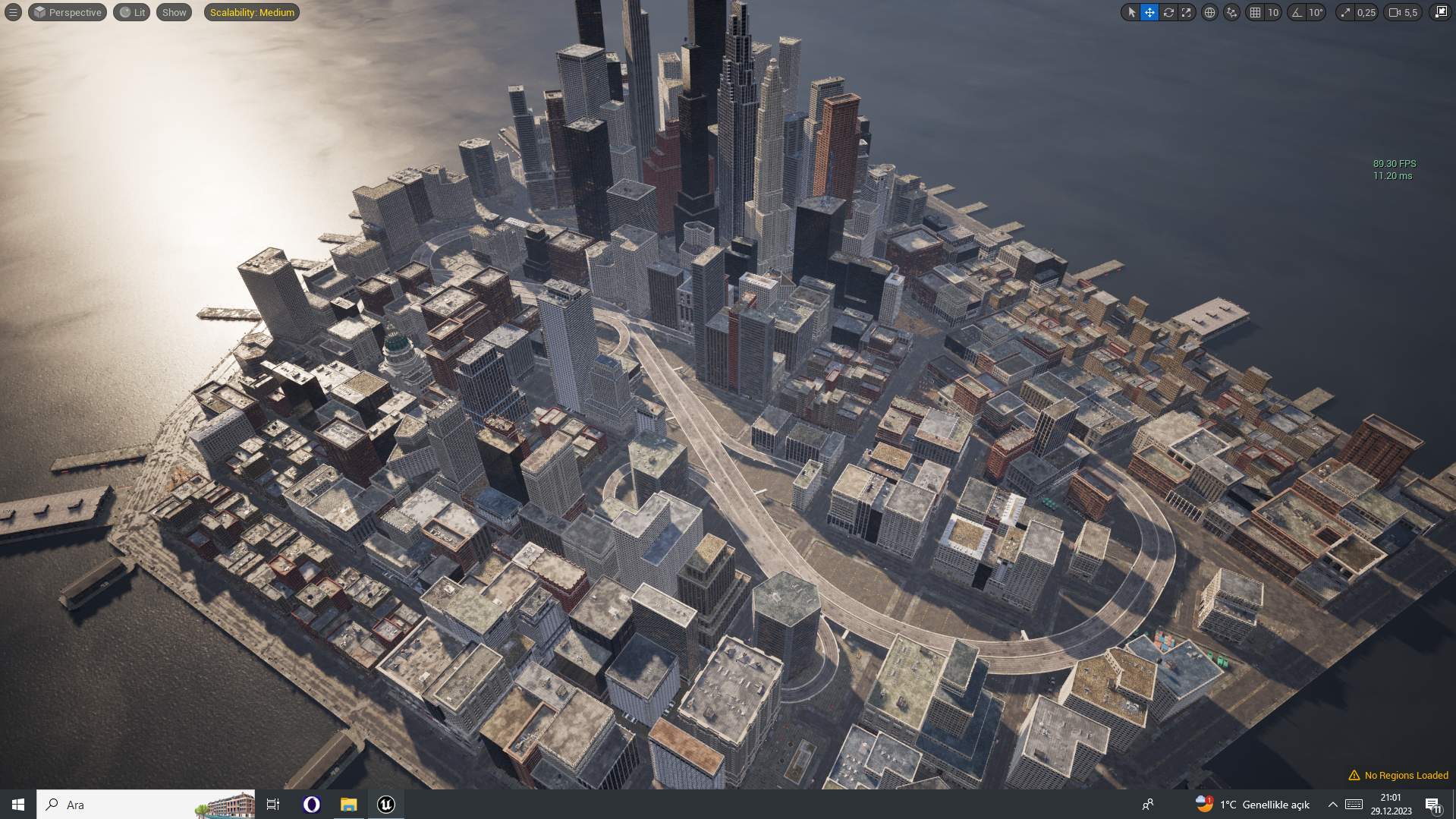
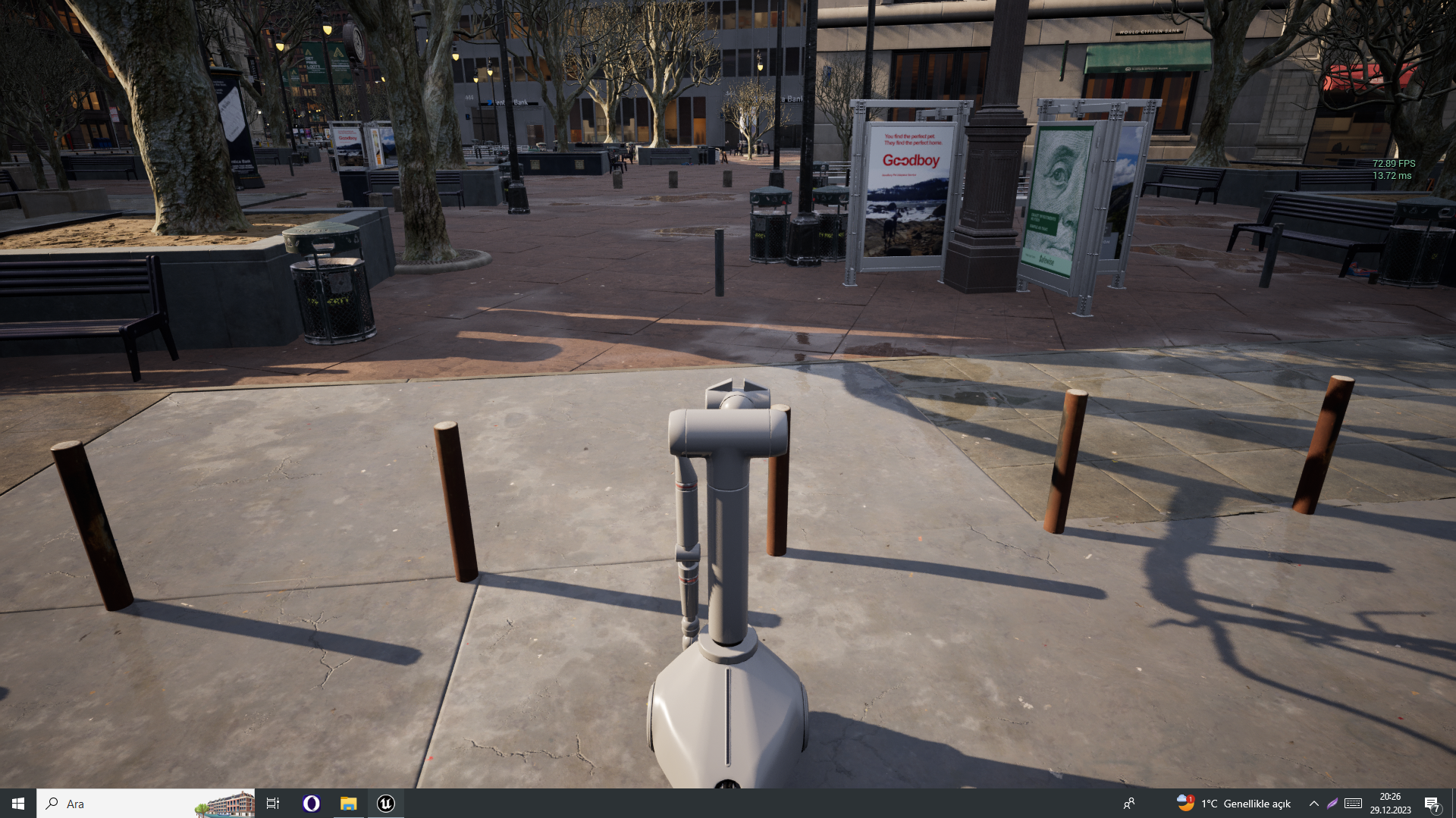
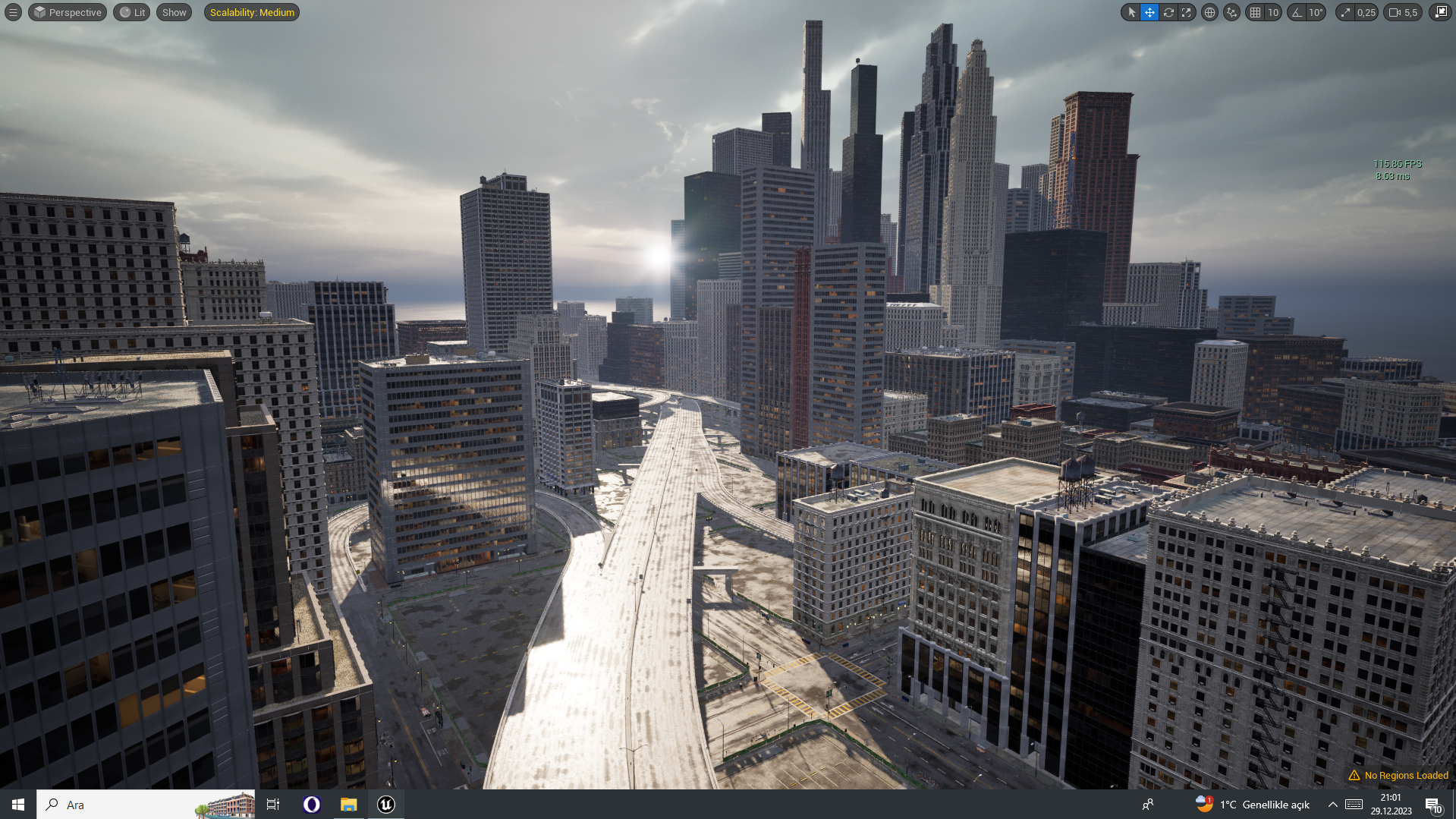
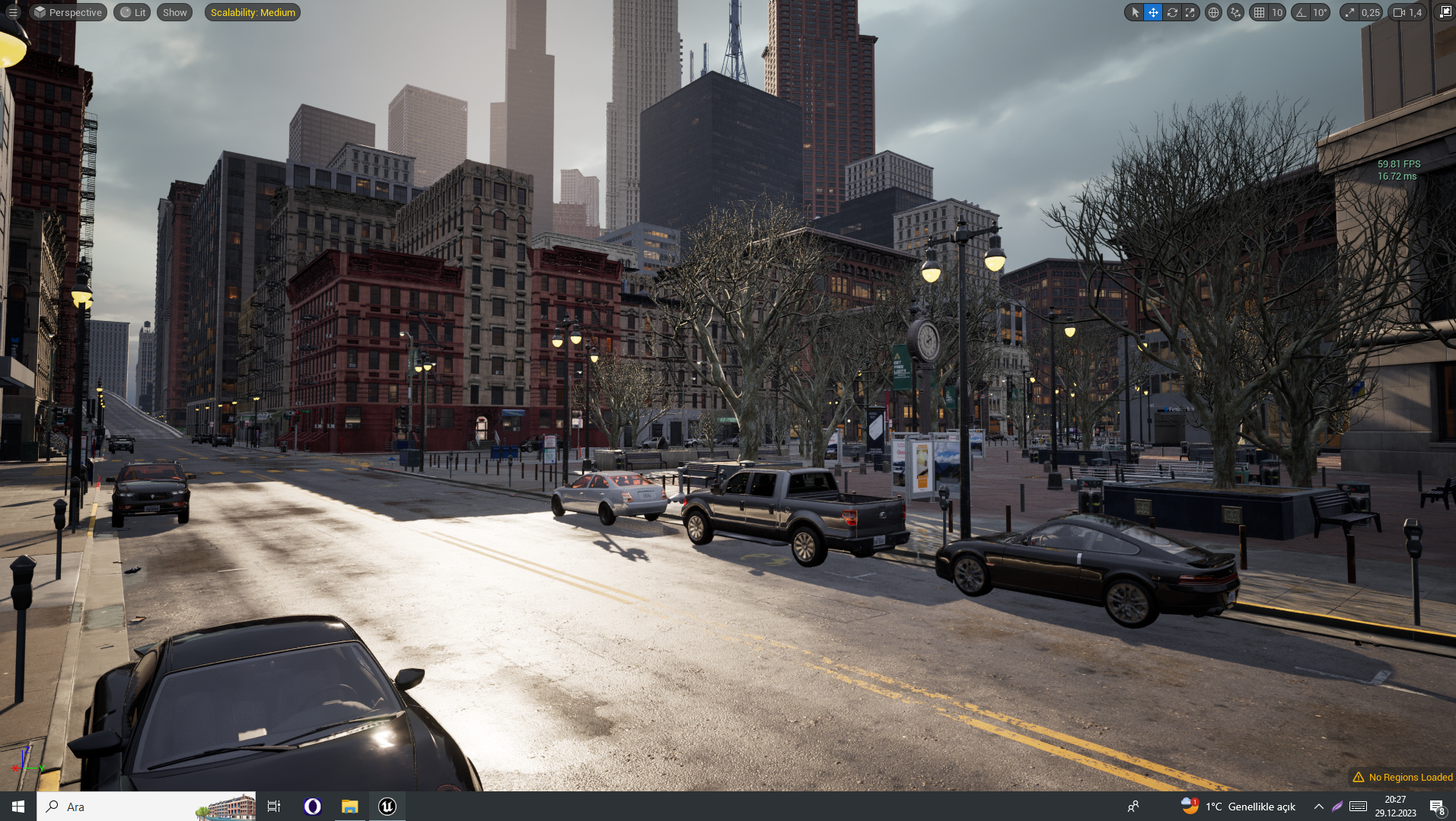
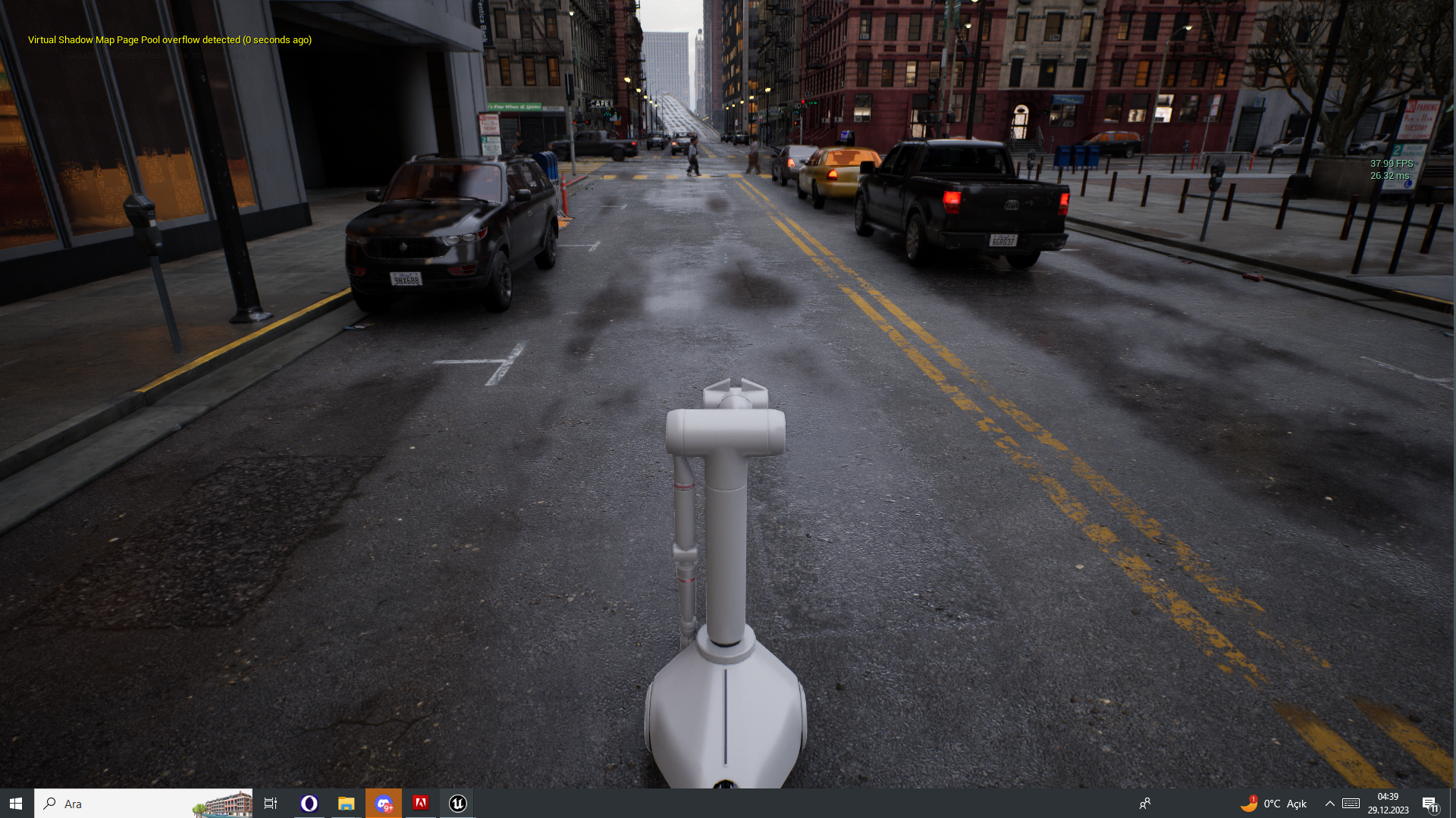
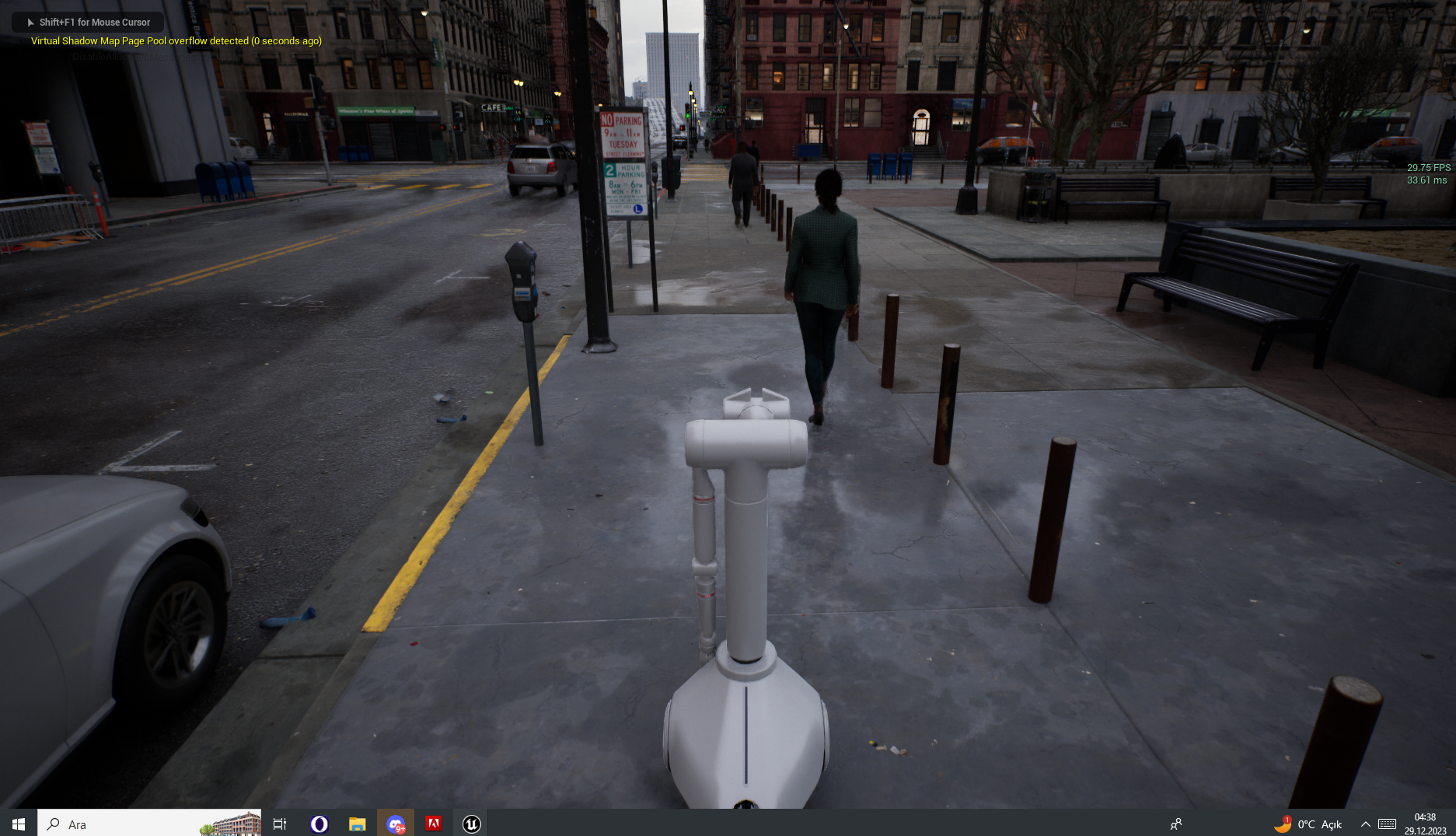
** UPDATE 12/29/23 ** We are now flying! Look at these environments, can you tell they're not real?
** UPDATE 12/27/23 **
Lucky now has a drone - like the Mars Rover! When it's activated camera feed switches to it automatically!
https://github.com/lucky-robots/lucky-robots/assets/203507/29103a5a-a209-4d49-acd1-adad88e5b590
** UPDATE 12/5/23 **
Completed our first depth map using Midas monocular depth estimation model
https://github.com/lucky-robots/lucky-robots/assets/203507/647a5c32-297a-4157-b72b-afeacdaae48a
https://user-images.githubusercontent.com/203507/276747207-b4db8da0-a14e-4f41-a6a0-ef3e2ea7a31c.mp4
Table of Contents
Features
- Realistic Training Environments: Train your robots in various scenarios and terrains crafted meticulously in Unreal Engine.
- Python Integration: The framework integrates seamlessly with Python 3.10, enabling developers to write training algorithms and robot control scripts in Python.
- Safety First: No physical wear and tear on robots during training. Virtual training ensures that our robotic friends remain in tip-top condition.
- Modular Design: Easily extend and modify the framework to suit your specific requirements or add new training environments.
Support
For any queries, issues, or feature requests, please refer to our issues page.
Contributing
We welcome contributions! Please read our contributing guide to learn about our development process, how to propose bugfixes and improvements, and how to build and test your changes to Lucky Robots.
Join our team?
Absolutely! Show us a few cool things and/or contribute a few PRs -- let us know!
License
Lucky Robots Training Framework is released under the MIT License.
Happy training! Remember, be kind to robots. 🤖💚
Release history Release notifications | RSS feed


Download files
Download the file for your platform. If you're not sure which to choose, learn more about installing packages.
Source Distribution
Built Distribution
Filter files by name, interpreter, ABI, and platform.
If you're not sure about the file name format, learn more about wheel file names.
Copy a direct link to the current filters
File details
Details for the file luckyrobots-0.1.42.tar.gz.
File metadata
- Download URL: luckyrobots-0.1.42.tar.gz
- Upload date:
- Size: 22.7 kB
- Tags: Source
- Uploaded using Trusted Publishing? No
- Uploaded via: twine/6.1.0 CPython/3.12.9
File hashes
| Algorithm | Hash digest | |
|---|---|---|
| SHA256 |
51f72f84d14bd147f4f2cd4eff8abe216238ab8357f13d038964fc5aa0387cc4
|
|
| MD5 |
22b994e21d33567ebe8a4fbc8f87691c
|
|
| BLAKE2b-256 |
dbd00a99c860062a707873a462cda45316eda5ccf41c841bb289393670415dfd
|
File details
Details for the file luckyrobots-0.1.42-py3-none-any.whl.
File metadata
- Download URL: luckyrobots-0.1.42-py3-none-any.whl
- Upload date:
- Size: 20.5 kB
- Tags: Python 3
- Uploaded using Trusted Publishing? No
- Uploaded via: twine/6.1.0 CPython/3.12.9
File hashes
| Algorithm | Hash digest | |
|---|---|---|
| SHA256 |
4fef4657bed6a48b8e2f5a947b117102b639dc702c1d3ff52d4def2bdd7cf9f3
|
|
| MD5 |
e865dca96ad8a49ac438bcf0fab5d79f
|
|
| BLAKE2b-256 |
583cb04789eeb3199c8af5e63457f5d839dd8fbf96ded2755f8b43c131ac0092
|






