
Robotics-AI Training in Hyperrealistic Game Environments


Project description

Infinite synthetic data generation for embodied AI






https://github.com/user-attachments/assets/0ab2953d-b188-4af7-a225-71decdd2378c
Lucky Robots
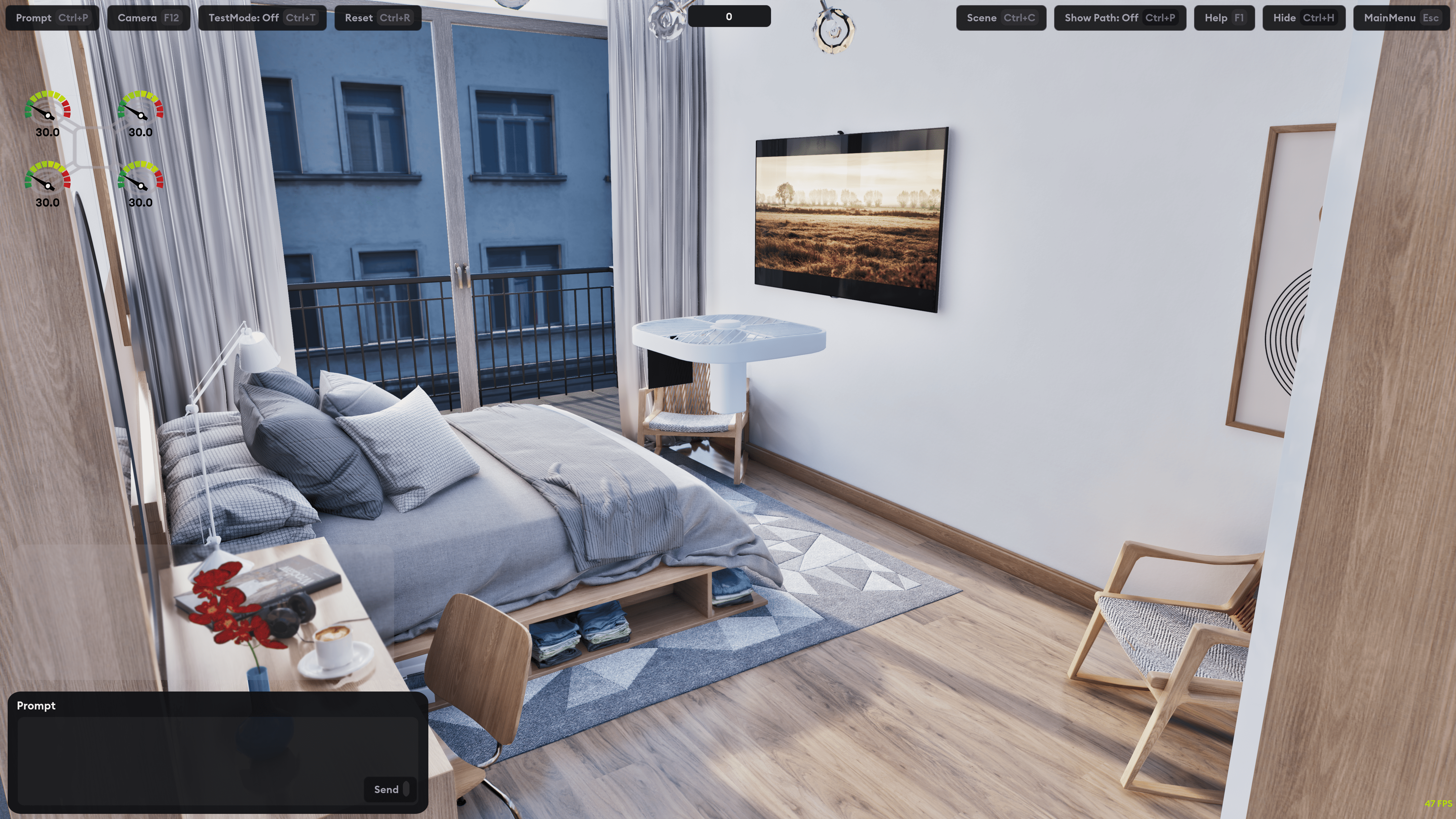
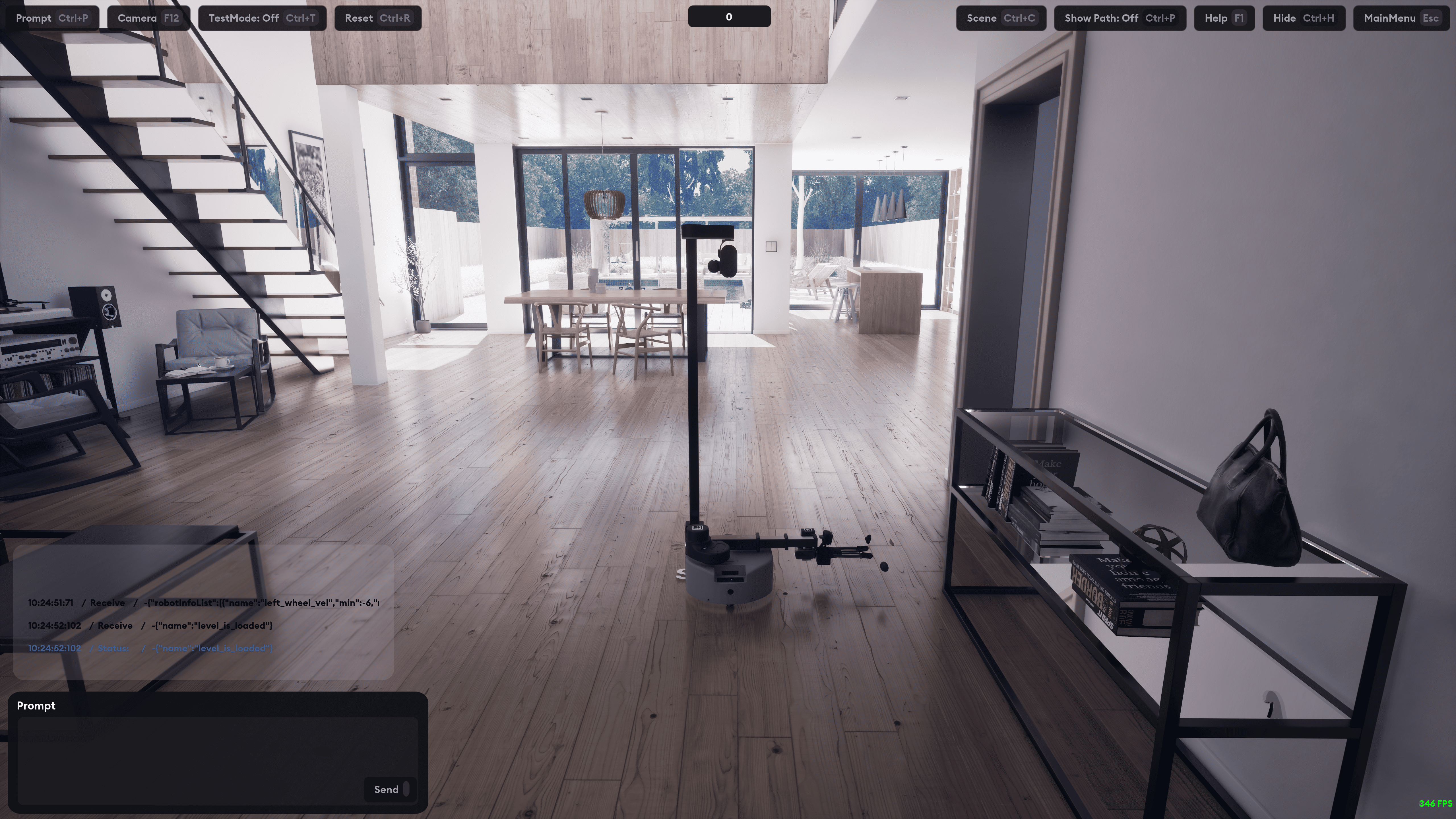
Hyperrealistic robotics simulation framework with Python API for embodied AI training and testing.
Quick Start
-
Download LuckyEngine from our releases page and set the path:
# Set environment variable (choose one method):

# Method 1: Set LUCKYENGINE_PATH directly to the executable
export LUCKYENGINE_PATH=/path/to/LuckyEngine      # Linux/Mac
export LUCKYENGINE_PATH=/path/to/LuckyEngine.exe  # Windows

# Method 2: Set LUCKYENGINE_HOME to the directory containing the executable
export LUCKYENGINE_HOME=/path/to/luckyengine/directory
-
Install
pip install luckyrobots
-
Run Example
git clone https://github.com/luckyrobots/luckyrobots.git
cd luckyrobots/examples
python controller.py --skip-launch  # If LuckyEngine is already running
Basic Usage
Low-level client (direct gRPC)
from luckyrobots import LuckyEngineClient

client = LuckyEngineClient(host="127.0.0.1", port=50051, robot_name="unitreego2")
client.wait_for_server()

# RL step: send action, get observation
obs = client.step(actions=[0.0] * 12)
print(f"Observation: {obs.observation[:5]}...")

# Or separately:
client.send_control(controls=[0.1, 0.2, -0.1, ...])
obs = client.get_observation()
joints = client.get_joint_state()
High-level session (manages engine lifecycle)
from luckyrobots import Session

with Session() as session:
    session.start(scene="velocity", robot="unitreego2", task="locomotion")
    obs = session.step(actions=[0.0] * 12)
    obs = session.reset()
API Overview
Core Classes
LuckyEngineClient - Low-level gRPC client
wait_for_server(timeout)- Wait for LuckyEngine connectionstep(actions)- Send actions + physics step + get observation (single RPC)get_observation()- Get RL observation vectorget_joint_state()- Get joint positions/velocitiessend_control(controls)- Send actuator commandsget_agent_schema()- Get observation/action names and sizesreset_agent()- Reset agent stateset_simulation_mode(mode)- Set timing: "fast", "realtime", "deterministic"benchmark(duration, method)- Benchmark RPC latency
Session - Managed session (launches + connects to LuckyEngine)
start(scene, robot, task)- Launch engine and connectconnect(robot=)- Connect to already-running enginestep(actions)- RL stepreset()- Reset agentclose()- Disconnect and stop engine
Models
from luckyrobots import ObservationResponse

# ObservationResponse - returned by step() and get_observation()
obs.observation      # List[float] - flat RL observation vector
obs.actions          # List[float] - last applied actions
obs.timestamp_ms     # int - wall-clock timestamp
obs.frame_number     # int - monotonic counter
obs["name"]          # Named access (if schema fetched)
obs.to_dict()        # Convert to name->value dict
System Identification (optional)
Calibrate MuJoCo model parameters to match real robot behavior.
pip install luckyrobots[sysid]
CLI
# Collect trajectory data from the engine
luckyrobots sysid collect --robot unitreego2 --signal chirp --duration 15 -o traj.npz

# Identify model parameters
luckyrobots sysid identify traj.npz -m go2.xml --preset go2:motor -o result.json

# Apply calibrated parameters to create a new model
luckyrobots sysid apply result.json -m go2.xml -o go2_calibrated.xml

# List available parameter presets
luckyrobots sysid presets
Python API
from luckyrobots.sysid import identify, apply_params, TrajectoryData, load_preset, chirp

# Generate excitation signal
ctrl = chirp(duration=15.0, dt=0.02, amplitude=0.3, num_joints=12)

# Load recorded trajectory
traj = TrajectoryData.load("trajectory.npz")

# Identify parameters
specs = load_preset("go2", "motor")  # armature, damping, frictionloss per joint
result = identify("go2.xml", traj, specs)

# Apply to MuJoCo XML
apply_params("go2.xml", result, "go2_calibrated.xml")
Available Robots & Environments
Robots
- unitreego2: Unitree Go2 quadruped (12 joints)
- so100: 6-DOF manipulator with gripper
- stretch_v1: Mobile manipulator
Scenes
- velocity: Velocity control training
- kitchen: Residential kitchen environment
Tasks
- locomotion: Walking/movement
- pickandplace: Object manipulation
Development
Setup with uv (recommended)
# Clone and enter repo
git clone https://github.com/luckyrobots/luckyrobots.git
cd luckyrobots

# Install uv if you haven't
curl -LsSf https://astral.sh/uv/install.sh | sh

# Create venv and install deps
uv sync

# Run tests
uv run pytest

# Run example
uv run python examples/controller.py --skip-launch
Setup with pip
git clone https://github.com/luckyrobots/luckyrobots.git
cd luckyrobots
pip install -e ".[dev]"
Regenerating gRPC Stubs
The Python gRPC stubs are in src/luckyrobots/grpc/generated/ and are
generated from protos in src/luckyrobots/grpc/proto/.
python -m grpc_tools.protoc \
  -I "src/luckyrobots/grpc/proto" \
  --python_out="src/luckyrobots/grpc/generated" \
  --grpc_python_out="src/luckyrobots/grpc/generated" \
  src/luckyrobots/grpc/proto/*.proto
Project Structure
src/luckyrobots/
├── client.py            # LuckyEngineClient — low-level gRPC client
├── session.py           # Session — managed engine lifecycle
├── debug.py             # Draw helpers (velocity arrows, lines)
├── sim_contract.py      # Simulation contract → protobuf builder
├── utils.py             # Shared utilities
├── models/              # Data classes
│   ├── observation.py   # ObservationResponse
│   └── benchmark.py     # BenchmarkResult, FPS
├── engine/              # Engine process management
├── grpc/                # gRPC internals
│   ├── generated/       # Protobuf stubs
│   └── proto/           # .proto files
├── config/              # Robot configurations (robots.yaml)
└── sysid/               # System identification (optional)
    ├── trajectory.py    # TrajectoryData (save/load recordings)
    ├── parameters.py    # ParamSpec, get/set MuJoCo params, presets
    ├── sysid.py         # identify() optimizer + SysIdResult
    ├── calibrate.py     # apply_params() to MuJoCo XML
    ├── collector.py     # Collector ABC + EngineCollector
    ├── excitation.py    # Signal generators (chirp, multisine, random_steps)
    └── cli.py           # luckyrobots sysid CLI
Contributing
- Fork the repository
- Create a feature branch
- Make changes and add tests
- Run
uv run ruff check .anduv run ruff format . - Submit a pull request
Architecture
Lucky Robots uses gRPC for communication:
- LuckyEngine: Physics + rendering backend (Unreal Engine + MuJoCo)
- Python client: Connects via gRPC (default
127.0.0.1:50051)
gRPC Services
| Service | Status | Description |
|---|---|---|
| MujocoService | ✅ Working | Joint state, controls |
| AgentService | ✅ Working | Observations, reset |
| SceneService | 🚧 Placeholder | Scene inspection |
| TelemetryService | 🚧 Placeholder | Telemetry streaming |
| CameraService | 🚧 Placeholder | Camera frames |
| ViewportService | 🚧 Placeholder | Viewport pixels |
License
MIT License - see LICENSE file.
Support
- Issues: GitHub Issues
- Discussions: GitHub Discussions
- Discord: Community Server
Release history Release notifications | RSS feed


Download files
Download the file for your platform. If you're not sure which to choose, learn more about installing packages.
Source Distribution
Built Distribution
Filter files by name, interpreter, ABI, and platform.
If you're not sure about the file name format, learn more about wheel file names.
Copy a direct link to the current filters
File details
Details for the file luckyrobots-0.1.81.tar.gz.
File metadata
- Download URL: luckyrobots-0.1.81.tar.gz
- Upload date:
- Size: 43.6 kB
- Tags: Source
- Uploaded using Trusted Publishing? No
- Uploaded via: uv/0.8.24
File hashes
| Algorithm | Hash digest | |
|---|---|---|
| SHA256 |
749ff2a7f4596247a0448d5b0b2835b9f417d84d2bd8dfdecc3734a928c94892
|
|
| MD5 |
d2adb7775422d2a18ea1af95f2cb2ebb
|
|
| BLAKE2b-256 |
f8348fc0b489a90dead959594455386d8c6fcba84d33e3b05e778aeb396b1128
|
File details
Details for the file luckyrobots-0.1.81-py3-none-any.whl.
File metadata
- Download URL: luckyrobots-0.1.81-py3-none-any.whl
- Upload date:
- Size: 73.2 kB
- Tags: Python 3
- Uploaded using Trusted Publishing? No
- Uploaded via: uv/0.8.24
File hashes
| Algorithm | Hash digest | |
|---|---|---|
| SHA256 |
b1ddd0671e80db56d7de96bd23c41af6ead617a374be11cda6be701273403188
|
|
| MD5 |
31debe8459078f784e3fe6ac8d871b47
|
|
| BLAKE2b-256 |
334c0405ad1f2f08cc87c0de2f2f9725f3b5249520e7e7821dabfc53e9389d43
|






