
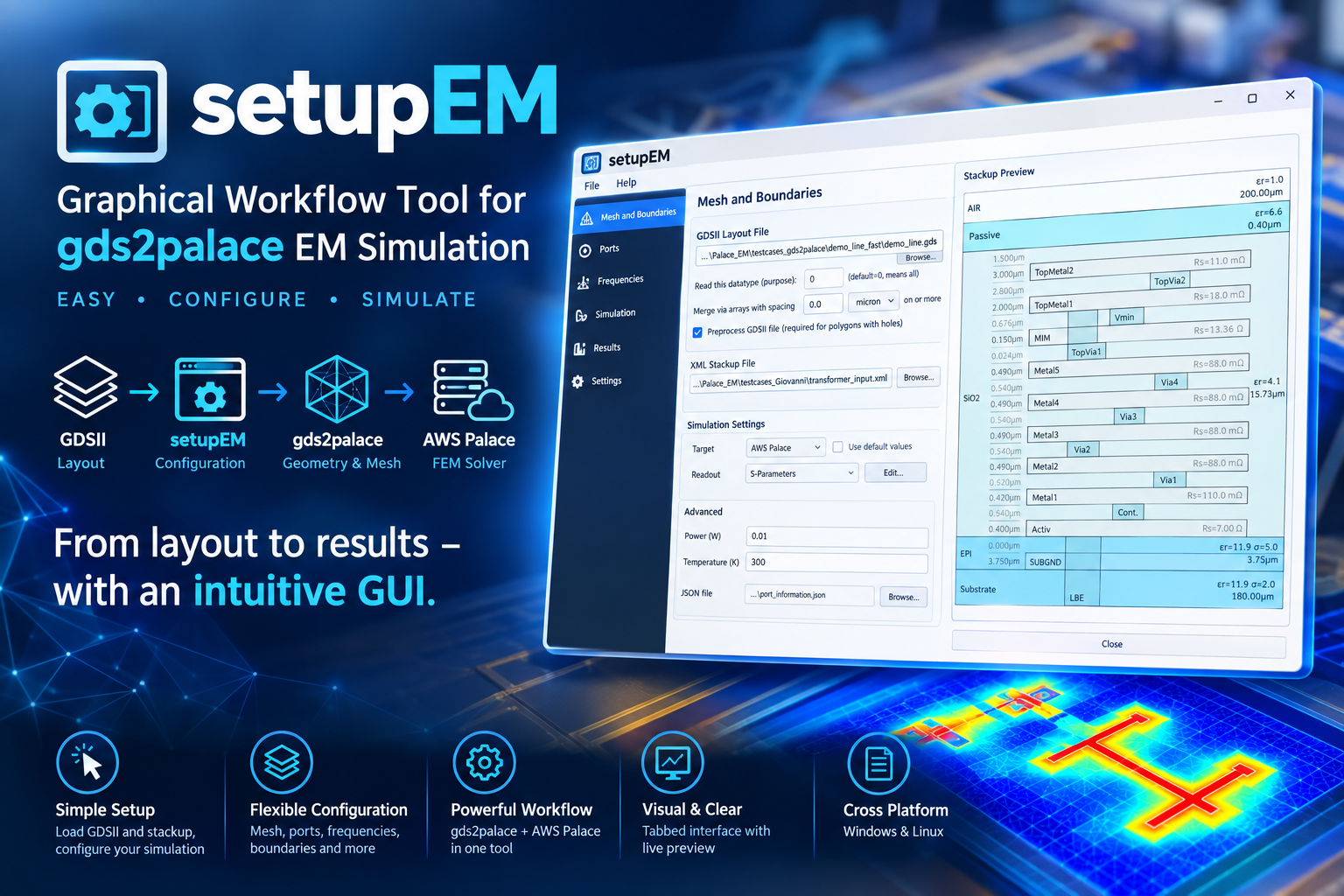
Python GUI for gds2palace
Install
pip install setupEM
Full documentation, installation guide, and usage walkthrough: https://github.com/VolkerMuehlhaus/setupEM
Recent changes
What's New - November 10, 2026 (setupEM 0.18.0)
De-embedded results shown: View S-Parameters lists the _deembedded files from the start and opens with the raw result and its _deembedded result together. Model Fit fits the calibrated result (_dc_deembedded, else _deembedded) of a model with port walls or a moved reference plane; the raw result still holds the uncalibrated gap ports.
Port wall fixes: a model script edited in place now gives back its port wall extension, reference plane shift and de-embedding length (they were written but not read, so the next session started with 0). Two port walls no longer make 0 the default oversize and air (the other sides became overrides and the default fields changed nothing); a default field that sets no side any more is greyed out. The status line under the log names the solve of a port wall run (calibration standard k/n, reused, or the model). The Port walls status says OK or the warnings only; the layout preview draws an extended feed and its length, a symbol per box side, and labels without the side names.
Split regions: a .simcfg from the KLayout plug-in's Export All of a split region (several EM region boxes) opens as a set of pieces. The Models list shows the pieces (and an unticked full check model). The settings (frequencies, mesh, solver, boundaries) are those of the whole region, shared by all pieces; a piece's box sides follow from the region's (a cut is a port wall, a stretch of a port wall without the piece's ports is PEC at the layout edge) and are locked; a piece can have its own mesh settings (Mesh tab, "Own mesh settings for p2"). Start Simulation runs the pieces without a gmsh window and does not mesh a piece again whose mesh is current; View S-Parameters shows the joined result first, and Model Fit fits it. The port wall extension and reference plane shift are the region's, on its outer sides only (none on a cut). An export written on another machine opens with its model folders, layouts and stackup found here. Start Simulation creates and runs the ticked pieces one after another and joins their results at the cuts (join_pieces.py, also python -m setupEM.join_pieces <name>.simcfg) into <name>_deembedded.sNp of the whole region. A piece whose layout fingerprint, settings and gds2palace version are unchanged since its last run is reused (piece.key in its model folder); Run unchanged pieces too overrides. Create Model keeps a settings file's own keys of the layout tool (piece name, fingerprint) when it rewrites the file.
The calibration standards of a port wall are no longer listed as models of their own in Models on the Create Model tab (they share the model's _data folder and its run_sim solves them before the model); Start Simulation ran run_sim once per listed row, and Preview stopped after the first standard with the model itself unbuilt. For a script that creates several models, the question about results of a previous simulation is now asked once before the first model starts, not between two models.
Port walls: calibrated ports at the layout edge (needs gds2palace 0.10.0). Mesh and Boundaries > Advanced... offers Port wall for xmin, xmax, ymin and ymax: PEC at the layout edge, oversize and air 0 and locked, written as 'PORTWALL' in settings['boundary']. The Ports tab gets a De-embedding column (calibrated at a port wall, or the estimated port inductance), locks the direction of ports on a port wall, and a Port walls group with Check port walls (reads the layout, no meshing): per port wall its ports, ground at the cut, D, the standards' lengths, the valid frequency range, warnings or the error, and the Reference plane shift (settings['reference_plane_shift']). A port on an edge that is not a port wall gets the question whether to make that side one. Create Model runs the check when a port wall is set and stops on an error. An Extension (µm) per port wall (auto or a length, settings['port_wall_extension']) moves the port wall outward. The Ports tab runs the check by itself when a port wall has no result yet; the panel splits with the port list by a divider; warnings show with an icon and the start of their text. The layout preview shows the reference plane, where the uniform feed ends, and an extension, and fits the view to the layout and its box. setupEM and setupThermal keep the window's size and position (and the Ports tab's divider) from one session to the next. A via port on a port wall is listed as "via port used as a gap port on
The dielectric oversize can be set per side (xmin, xmax, ymin, ymax): in setupEM with Advanced... next to Boundary conditions, in setupThermal with Advanced... next to the oversize. It is written to the model script as a list settings['margin'] = [xmin, xmax, ymin, ymax], and read from there and from settings files. Needs gds2palace 0.10.0. A negative oversize is no longer accepted.
Bundled IHP stackups (from gds2palace 0.10.0): heat source target layers HEAT_TRANSISTOR and HEAT_RESISTOR, for thermal models. Nothing is drawn on them, so EM models are unchanged.
What's New - November 5, 2026 (setupEM 0.17.0)
setupThermal works with the thermal export of the KLayout plug-in klayout_em_export (one heat source per transistor and resistor, with the schematic instance names from LVS in <layout>_thermalmap.json):
- Load powers... below the Thermal Sources + Boundaries list sets the powers from a file of your circuit simulation, by instance name. Needs gds2palace with
util_thermal_map. - The list names the device of each heat source (instance and pcell) and the region outline. Heat source layers above 299 count as present in the layout.
- The export's placeholder boundary (constant temperature on the region outline, no target layer) is listed as "region outline: choose the target layer"; Create Model refuses a boundary without a target layer.
- Temperature per device: after a run, the log lists the average and peak temperature of each heat source and their rise above the fixed temperature, and
<model>_temperatures.csvnext to the model script has the same per instance. Command line:python -m setupEM.thermal_results <model>.tsimcfg.
Changes:
- Create Model also writes the settings file,
<model>.simcfg/<model>.tsimcfgnext to the model script (as Save Config would), so that a layout tool's next export keeps your settings and the KLayout plug-in finds the layout's stackup, datatypes and thermal objects. It overwrites only a settings file of the same application. Opening a.simcfgthat Create Model wrote with a script continues that script without asking. - The Mesh tab's "Mesh refinement at metal edges" is now "Mesh size at heat sources", which is what it sets in a thermal model (metal edges are not refined there).
Fixes:
- ElmerSolver no longer hangs at start on a Linux desktop where an X display does not accept connections ("Authorization required, but no authorization protocol specified"): setupThermal starts it with hwloc's OpenGL plug-in off (
HWLOC_COMPONENTS=-gl, unless you set that variable).
What's New - October 31, 2026 (setupEM 0.16.0)
After a new export from the layout tool (setupEM): a layout tool such as the KLayout plug-in klayout_em_export writes the GDSII file and a .simcfg, and writes both again when the layout changes. The settings you made in setupEM since are only in your model script, because Create Model writes the script, not the .simcfg. setupEM now takes from such a .simcfg only the ports, GDSII file, stackup, cell and purpose, and keeps everything else as in the script:
- Opening a
.simcfgwhen a model script for the same GDSII file exists next to it asks whether to Continue with the script (edit it in place, ports and layout settings from the.simcfg) or Start from the config. - Loading a
.simcfgwhile editing a script in place lists the ports and layout settings that differ and asks whether to Update the script from it or Open it as a new model. Before, loading it ended editing in place and replaced all settings. - While editing a script in place, the bar below the menu points out a newer
.simcfgof the same GDSII file with other ports or layout settings, with Update from it.
Load Config, Import from *.py model and Edit *.py model in place start in the folder of the model you are working on (the config or script loaded last, else the GDSII file). Before, they started in the folder setupEM was launched from, e.g. KLayout's when the KLayout plug-in opened setupEM.
setupEM 0.16.0 needs gds2palace 0.9.3 or later: a layout with several shapes on one port layer (e.g. a transistor terminal on several fingers, from the KLayout plug-in) makes one port with several elements there; older gds2palace versions used only the last shape.
Fixes:
scripts/combine_extend_snp.pyis the same as gds2palace's again. It had missed three fixes made there in September: the port impedance lookup for AMR iterations, the missing.sNpextension for a model name that contains a dot, and Touchstone output after an interrupted Palace run.- On Linux with GNOME (Wayland), the mouse cursor no longer keeps spinning for about 10 seconds after setupEM starts. setupEM briefly opened three invisible windows while building the Input Files tab, and GNOME waited for them to finish starting.
- Via ports with direction
-Zkeep their from and to layers. Before, loading a.simcfgdropped them, and Create Model wrote such a port as an in-plane port. - An incomplete port (direction and layers that don't fit, e.g. from a
.simcfgwritten by another tool) gives a warning in the Ports tab. Before, gds2palace exited and setupEM closed. A lowercasezcounts as a via port too. combine_extend_snp(Touchstone output after a Palace run) handles ports with several elements (several shapes on one port layer, gds2palace 0.9.3): one Z0 per port in the option line, and the elements' port inductances combined in parallel for de-embedding. Before, the last element overwrote the others.
Full history: CHANGES.md
Note: the setupEM PyPI package itself requires:
- gds2palace>=0.10.0
- gds_prepare_for_EM>=1.6.0
- PySide6
- shiboken6
- scipy
- requests
- scikit-rf
- matplotlib
- numpy
- gdspy
- meshio
- pyvista
- pyvistaqt
(Other Python modules mentioned above are only needed to run standalone helper scripts in this repository, not to use the installed package.)
1 maintainer

Metadata
1 maintainer
Release files for setupEM 0.18.0
For a detailed explanation of source distributions (sdists) and built distributions (wheels), please see the package formats documentation.
Source distribution (sdist)
| File | Size | Uploaded | Provenance | Actions |
|---|---|---|---|---|
| setupem-0.18.0.tar.gz | 469.5 kB | Without provenance | Details for setupem-0.18.0.tar.gz |
Built distribution (wheel)
| File | Interpreter | ABI | Platform | Actions Reset |
|---|---|---|---|---|
| setupem-0.18.0-py3-none-any.whl | Python 3 | none | any | Details for setupem-0.18.0-py3-none-any.whl |
Total release size: 907.9 kB
Release files / setupem-0.18.0.tar.gz
| Download URL | setupem-0.18.0.tar.gz |
|---|---|
| Size | 469.5 kB |
| Tags | Source |
|
SHA-256 checksum How to use checksums |
38496fb42f8d26595776ef4b673babf2a9c76c28f6741e2d2c489e559c7b0462
|
|
BLAKE2b-256 checksum How to use checksums |
cb29ba7e425f2a98ae9b3a4c6f3fc96007961cec80dda5376ae338a2775e6223
|
| Upload date | |
|
Uploaded using Trusted Publishing? What is trusted publishing? |
No |
| Uploaded via |
twine/7.0.0 CPython/3.13.14
|
Release files / setupem-0.18.0-py3-none-any.whl
| Download URL | setupem-0.18.0-py3-none-any.whl |
|---|---|
| Size | 438.4 kB |
| Tags | Python 3 |
|
SHA-256 checksum How to use checksums |
7fc38101c6cf422a7d7a19fe539e1f0a72f96fb3552c8b06f4a7b73e7fc4b75a
|
|
BLAKE2b-256 checksum How to use checksums |
a75fc40b31f9eafd060b14e334b3f7bdd56f6bc78a6783fba78ad932fdeaecce
|
| Upload date | |
|
Uploaded using Trusted Publishing? What is trusted publishing? |
No |
| Uploaded via |
twine/7.0.0 CPython/3.13.14
|
Security for setupEM 0.18.0
Provenance
Provenance describes where a file came from. On PyPI, provenance is shared via attestations, which provide a verifiable record of the build or publishing details. View details, limitations and caveats.
No provenance found
None of the files in this release were uploaded with provenance metadata.
A note on package security
PyPI is a repository for distributing packages, not a service for auditing them. While third-party security researchers and our staff do their best to detect and remove malicious packages, PyPI cannot guarantee the quality, security or suitability of any given package.
To learn more about protecting yourself from malicious actors, visit our package security documentation.














