
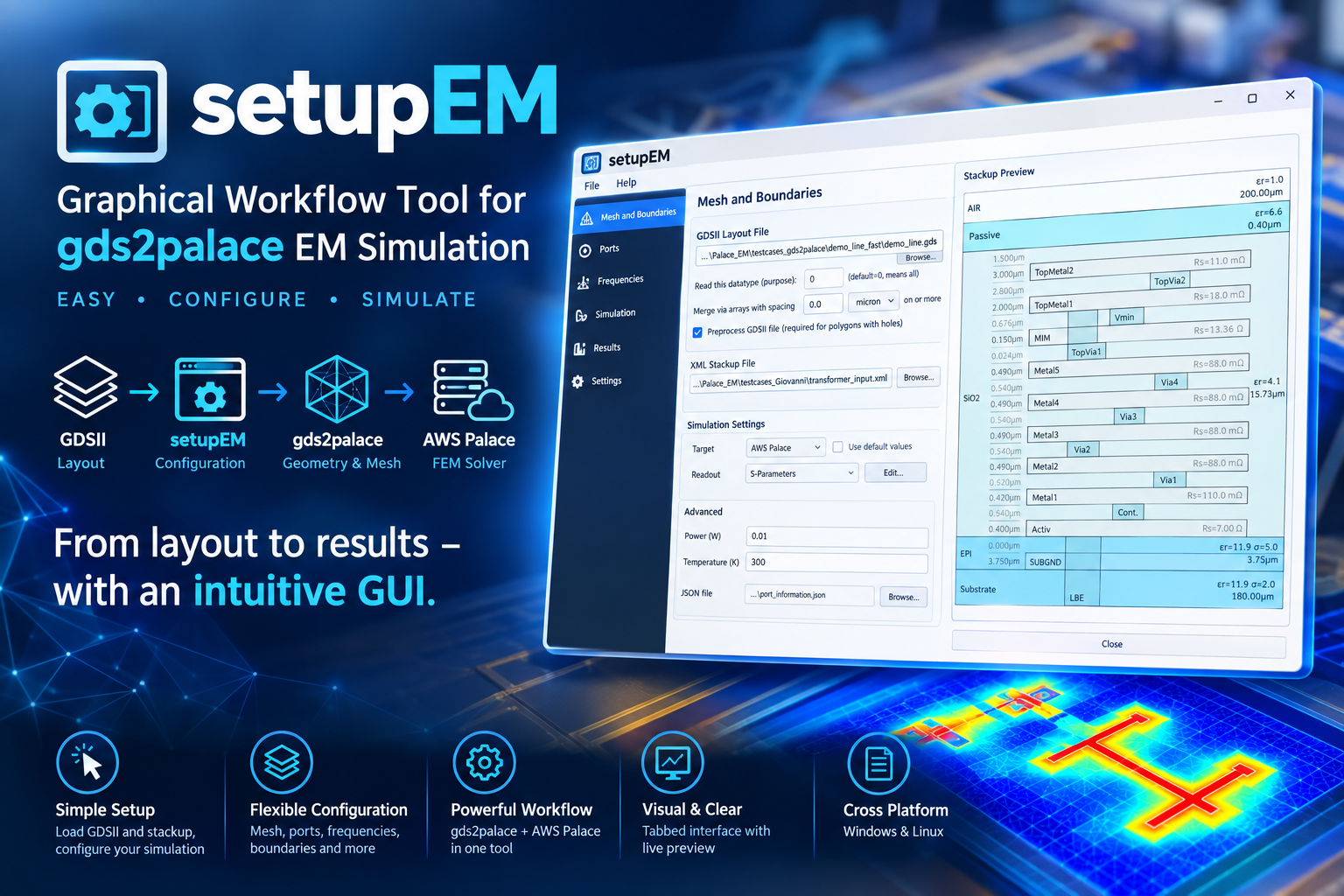
Python GUI for gds2palace
Install
pip install setupEM
Full documentation, installation guide, and usage walkthrough: https://github.com/VolkerMuehlhaus/setupEM
Recent changes
What's New - November 19, 2026 (setupEM 0.19.0)
Needs gds2palace 0.11 and gds_prepare_for_EM 1.8 or newer (pip install updates them). setupEM, gds2palace and gds_prepare_for_EM read layouts with gdstk now instead of gdspy, which is no longer maintained (its polygon fracturing could hang); gdspy is no longer installed with setupEM.
The cell read when the Cellname box says "(default)". gds2palace 0.11 reads the design cell then: the top-level cell with the largest bounding box, never KLayout's $$$CONTEXT_INFO$$$. Before, it read the first top-level cell, which depends on the order in the file (for some KLayout files $$$CONTEXT_INFO$$$). The box now names that cell, e.g. "(default: T582_BEOL_D1_300u)", so you see which cell the model and the layout preview use; it is still saved as an empty cell name. Tools > Simplify GDS takes the same cell (gds_prepare_for_EM 1.8).
Tools > Simplify GDS gets gds_prepare_for_EM 1.8: merged vias are complete (before, rings of vias came out cut open and large via fields lost strips along their fracture lines), circuit blocks whose wiring is drawn as paths are no longer deleted as seal rings, and large layouts are much faster.
What's New - November 16, 2026 (setupEM 0.18.4)
File > Save (Ctrl+S) saves the settings file you opened. Opened from a .simcfg (e.g. the KLayout plug-in's export, with Open in setupEM), Ctrl+S did nothing: the action existed only for a script edited in place, and changes such as a port wall extension were lost without a question when setupEM was closed. Now:
- Ctrl+S saves into the
.simcfg/.tsimcfgthe model was opened from (the menu names it). Its other entries, e.g. the plug-in's link to the model script, are kept. A script edited in place and a piece of a split region are saved as before; a new model asks for a file name. - Closing setupEM, opening another file or File > New asks "Save the changes to ...?" when the settings changed since the file was opened or saved.
What's New - November 15, 2026 (setupEM 0.18.3)
Needs gds2palace 0.10.7 or newer (pip install updates it).
combine_extend_snp.py 1.5 (combine_snp, in scripts/), the same file as in gds2palace 0.10.7:
- The
_dcTouchstone file keeps all simulated frequency points and adds only the 0 Hz point in front. Before, a result with the two low frequency points of a sweep from 0 Hz was resampled to a uniform frequency grid, so the simulated points, among them the two low ones, were replaced by interpolated values. The 0 Hz value itself is unchanged. - Port walls (from gds2palace 0.10.6): the line resistance of the standards is taken from the model's lowest frequency, so R and Q of models with port walls are right also below fstop/20.
Sweep from 0 Hz, the frequencies that replace DC (a gds2palace 0.10.7 change, nothing to set in setupEM): with start frequency 0, gds2palace simulates two low frequency points instead of 0 Hz. These were always 10 MHz and 20 MHz. With a mesh finer than 0.5 µm (refined cellsize or a per-layer override), gds2palace 0.10.7 moves them up, to 5 MHz·µm divided by the smallest cell size and twice that (e.g. 25 and 50 MHz at 0.2 µm), because on such a fine mesh Palace could stop with "SuperLUSolver: Found a singular matrix" at 10 MHz. Models with cell sizes of 0.5 µm and more keep 10 and 20 MHz. The user's guide section on DC handling says this now.
Citation: CITATION.cff and a "How to cite" section in the README; GitHub's Cite this repository button gives APA and BibTeX entries.
Internal: the model script writer of setupEM and setupThermal is now a module without Qt (script_writer.py, issue #52). The written scripts are unchanged; tests/test_script_writer.py checks 8 recorded scripts against both the GUI and the writer.
Full history: CHANGES.md
Note: the setupEM PyPI package itself requires:
- gds2palace>=0.11.0
- gds_prepare_for_EM>=1.8.0
- PySide6
- shiboken6
- scipy
- requests
- scikit-rf
- matplotlib
- numpy
- gdstk
- meshio
- pyvista
- pyvistaqt
(Other Python modules mentioned above are only needed to run standalone helper scripts in this repository, not to use the installed package.)
1 maintainer

Metadata
1 maintainer
Release files for setupEM 0.19.0
For a detailed explanation of source distributions (sdists) and built distributions (wheels), please see the package formats documentation.
Source distribution (sdist)
| File | Size | Uploaded | Provenance | Actions |
|---|---|---|---|---|
| setupem-0.19.0.tar.gz | 484.6 kB | Without provenance | Details for setupem-0.19.0.tar.gz |
Built distribution (wheel)
| File | Interpreter | ABI | Platform | Actions Reset |
|---|---|---|---|---|
| setupem-0.19.0-py3-none-any.whl | Python 3 | none | any | Details for setupem-0.19.0-py3-none-any.whl |
Total release size: 931.9 kB
Release files / setupem-0.19.0.tar.gz
| Download URL | setupem-0.19.0.tar.gz |
|---|---|
| Size | 484.6 kB |
| Tags | Source |
|
SHA-256 checksum How to use checksums |
624233a1f28bf984d71e651d89b62eb1fbb0d90b475032a734936a1301b1b9ef
|
|
BLAKE2b-256 checksum How to use checksums |
cc30f2fe0ba4eb5ee2892e4c1e0cf404616d840b1f4c7647172f759185771992
|
| Upload date | |
|
Uploaded using Trusted Publishing? What is trusted publishing? |
No |
| Uploaded via |
twine/7.0.0 CPython/3.13.14
|
Release files / setupem-0.19.0-py3-none-any.whl
| Download URL | setupem-0.19.0-py3-none-any.whl |
|---|---|
| Size | 447.3 kB |
| Tags | Python 3 |
|
SHA-256 checksum How to use checksums |
1790cb4f490a60c829585ea8ca7b6fdccecc4b782817d34da2fb7811c97cf14c
|
|
BLAKE2b-256 checksum How to use checksums |
bbc8c29616075b5f0fbd7be989dfc79dd6602735a08b5832a37b071745cf4a84
|
| Upload date | |
|
Uploaded using Trusted Publishing? What is trusted publishing? |
No |
| Uploaded via |
twine/7.0.0 CPython/3.13.14
|
Security for setupEM 0.19.0
Provenance
Provenance describes where a file came from. On PyPI, provenance is shared via attestations, which provide a verifiable record of the build or publishing details. View details, limitations and caveats.
No provenance found
None of the files in this release were uploaded with provenance metadata.
A note on package security
PyPI is a repository for distributing packages, not a service for auditing them. While third-party security researchers and our staff do their best to detect and remove malicious packages, PyPI cannot guarantee the quality, security or suitability of any given package.
To learn more about protecting yourself from malicious actors, visit our package security documentation.














