
Shell and coding agent on claude and chatgpt

Project description
Shell and Coding agent for Claude and Chatgpt
- Claude - An MCP server on claude desktop for autonomous shell and coding agent. (mac only)
- Chatgpt - Allows custom gpt to talk to your shell via a relay server. (linux or mac)
⚠️ Warning: do not allow BashCommand tool without reviewing the command, it may result in data loss.




Updates
-
[29 Dec 2024] Syntax checking on file writing and edits is now stable. Made
initializetool call useful; sending smart repo structure to claude if any repo is referenced. Large file handling is also now improved. -
[9 Dec 2024] Vscode extension to paste context on Claude app
-
[01 Dec 2024] Removed author hosted relay server for chatgpt.
-
[26 Nov 2024] Introduced claude desktop support through mcp
🚀 Highlights
- ⚡ Create, Execute, Iterate: Ask claude to keep running compiler checks till all errors are fixed, or ask it to keep checking for the status of a long running command till it's done.
- ⚡ Large file edit: Supports large file incremental edits to avoid token limit issues. Faster than full file write.
- ⚡ Syntax checking on edits: Reports feedback to the LLM if its edits have any syntax errors, so that it can redo it.
- ⚡ Interactive Command Handling: Supports interactive commands using arrow keys, interrupt, and ansi escape sequences.
- ⚡ File protections:
- The AI needs to read a file at least once before it's allowed to edit or rewrite it. This avoids accidental overwrites.
- Avoids context filling up while reading very large files. Files get chunked based on token length.
- On initialisation the provided workspace's directory structure is returned after selecting important files (based on .gitignore as well as a statistical approach)
- File edit based on search-replace tries to find correct search block if it has multiple matches based on previous search blocks. Fails otherwise (for correctness).
- File edit has spacing tolerant matching, with warning on issues like indentation mismatch. If there's no match, the closest match is returned to the AI to fix its mistakes.
- Using Aider-like search and replace, which has better performance than tool call based search and replace.
- ⚡ Shell optimisations:
- Only one command is allowed to be run at a time, simplifying management and avoiding rogue processes. There's only single shell instance at any point of time.
- Current working directory is always returned after any shell command to prevent AI from getting lost.
- Command polling exits after a quick timeout to avoid slow feedback. However, status checking has wait tolerance based on fresh output streaming from a command. Both of these approach combined provides a good shell interaction experience.
Top use cases examples
- Solve problem X using python, create and run test cases and fix any issues. Do it in a temporary directory
- Find instances of code with X behavior in my repository
- Git clone https://github.com/my/repo in my home directory, then understand the project, set up the environment and build
- Create a golang htmx tailwind webapp, then open browser to see if it works (use with puppeteer mcp)
- Edit or update a large file
- In a separate branch create feature Y, then use github cli to create a PR to original branch
- Command X is failing in Y directory, please run and fix issues
- Using X virtual environment run Y command
- Using cli tools, create build and test an android app. Finally run it using emulator for me to use
- Fix all mypy issues in my repo at X path.
- Using 'screen' run my server in background instead, then run another api server in bg, finally run the frontend build. Keep checking logs for any issues in all three
- Create repo wide unittest cases. Keep iterating through files and creating cases. Also keep running the tests after each update. Do not modify original code.
Claude setup (using mcp)
First install uv using homebrew brew install uv
(Important: use homebrew to install uv. Otherwise make sure uv is present in a global location like /usr/bin/)
Then update claude_desktop_config.json (~/Library/Application Support/Claude/claude_desktop_config.json)
{
  "mcpServers": {
    "wcgw": {
      "command": "uv",
      "args": [
        "tool",
        "run",
        "--from",
        "wcgw@latest",
        "--python",
        "3.12",
        "wcgw_mcp"
      ]
    }
  }
}
Then restart claude app.
If there's an error in setting up
- If there's an error like "uv ENOENT", make sure
uvis installed. Then run 'which uv' in the terminal, and use its output in place of "uv" in the configuration. - If there's still an issue, check that
uv tool run --from wcgw@latest --python 3.12 wcgw_mcpruns in your terminal. It should have no output and shouldn't exit. - Debug the mcp server using
npx @modelcontextprotocol/inspector@0.1.7 uv tool run --from wcgw@latest --python 3.12 wcgw_mcp
Alternative configuration using smithery (npx required)

You need to first install uv using homebrew. brew install uv
Then to configure wcgw for Claude Desktop automatically via Smithery:
npx -y @smithery/cli install wcgw --client claude
Usage
Wait for a few seconds. You should be able to see this icon if everything goes right.

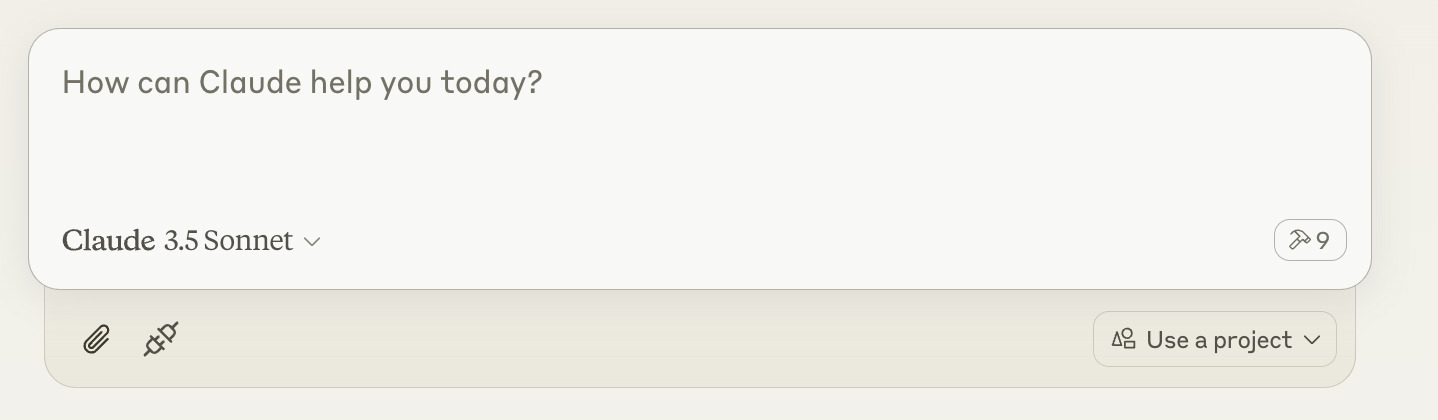
Then ask claude to execute shell commands, read files, edit files, run your code, etc.
[Optional] Vs code extension
https://marketplace.visualstudio.com/items?itemName=AmanRusia.wcgw
Commands:
- Select a text and press
cmd+'and then enter instructions. This will switch the app to Claude and paste a text containing your instructions, file path, workspace dir, and the selected text.
Chatgpt Setup
Read here: https://github.com/rusiaaman/wcgw/blob/main/openai.md
Examples
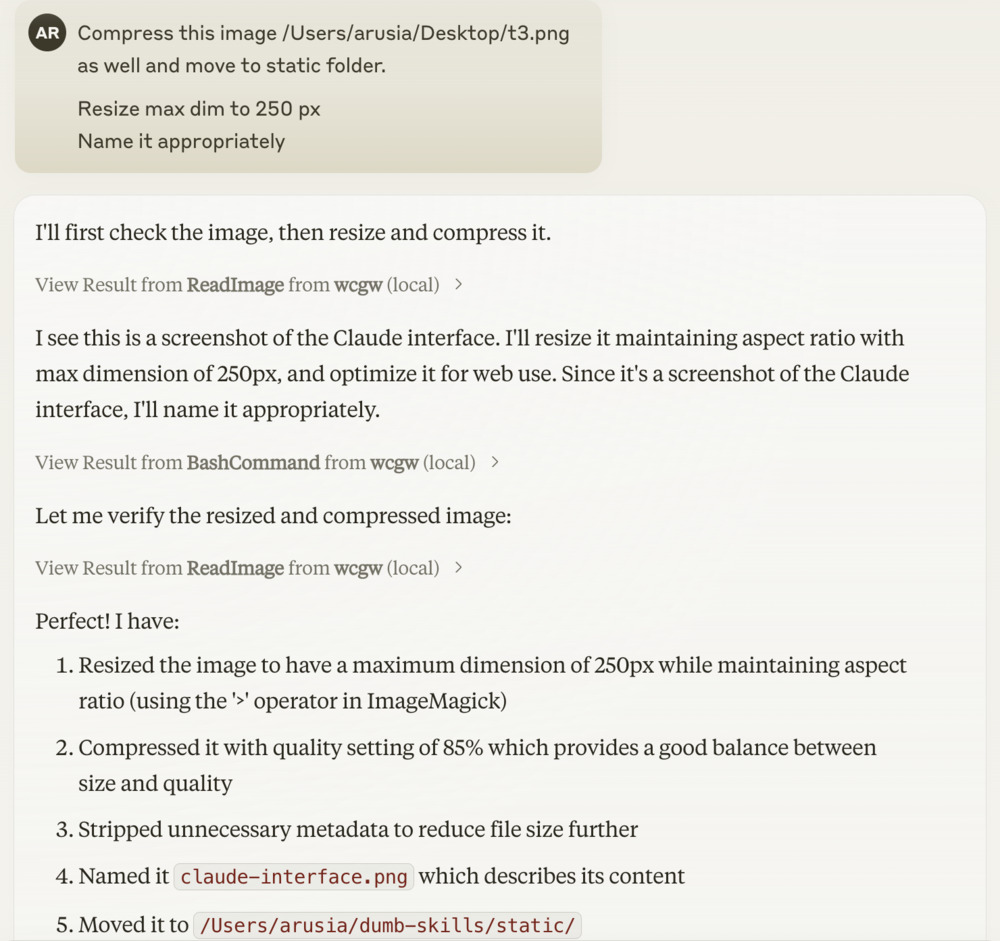
[Optional] Local shell access with openai API key or anthropic API key
Openai
Add OPENAI_API_KEY and OPENAI_ORG_ID env variables.
Then run
uvx --from wcgw@latest wcgw_local --limit 0.1 # Cost limit $0.1
You can now directly write messages or press enter key to open vim for multiline message and text pasting.
Anthropic
Add ANTHROPIC_API_KEY env variable.
Then run
uvx --from wcgw@latest wcgw_local --claude
You can now directly write messages or press enter key to open vim for multiline message and text pasting.
Release history Release notifications | RSS feed


Download files
Download the file for your platform. If you're not sure which to choose, learn more about installing packages.
Source Distribution
Built Distribution
Filter files by name, interpreter, ABI, and platform.
If you're not sure about the file name format, learn more about wheel file names.
Copy a direct link to the current filters
File details
Details for the file wcgw-2.7.1.tar.gz.
File metadata
- Download URL: wcgw-2.7.1.tar.gz
- Upload date:
- Size: 1.3 MB
- Tags: Source
- Uploaded using Trusted Publishing? No
- Uploaded via: twine/6.0.1 CPython/3.9.21
File hashes
| Algorithm | Hash digest | |
|---|---|---|
| SHA256 |
04b5b02d1eaa2a673a504d5f322c522d8e38c224f9a3cd9e6d20d4e6fd164049
|
|
| MD5 |
b0707f9b265b4faeb5fd350abfaa22d1
|
|
| BLAKE2b-256 |
6baa0019814dd1bb678477afe0433e83b57f19ece85ea704abdd0bea586013d3
|
File details
Details for the file wcgw-2.7.1-py3-none-any.whl.
File metadata
- Download URL: wcgw-2.7.1-py3-none-any.whl
- Upload date:
- Size: 650.3 kB
- Tags: Python 3
- Uploaded using Trusted Publishing? No
- Uploaded via: twine/6.0.1 CPython/3.9.21
File hashes
| Algorithm | Hash digest | |
|---|---|---|
| SHA256 |
bc879c77b5f86f8ed0b0f4db87fc3dd0ac6caf74142de2e2a50b899006064ee9
|
|
| MD5 |
6a449e8ed1d3859179ab5e22da03b3ea
|
|
| BLAKE2b-256 |
88798783436fab32a6a8bbec85f5bf60f13068ab10ff76b551e7f95fc9e07e26
|






