
AniWorld Downloader v5
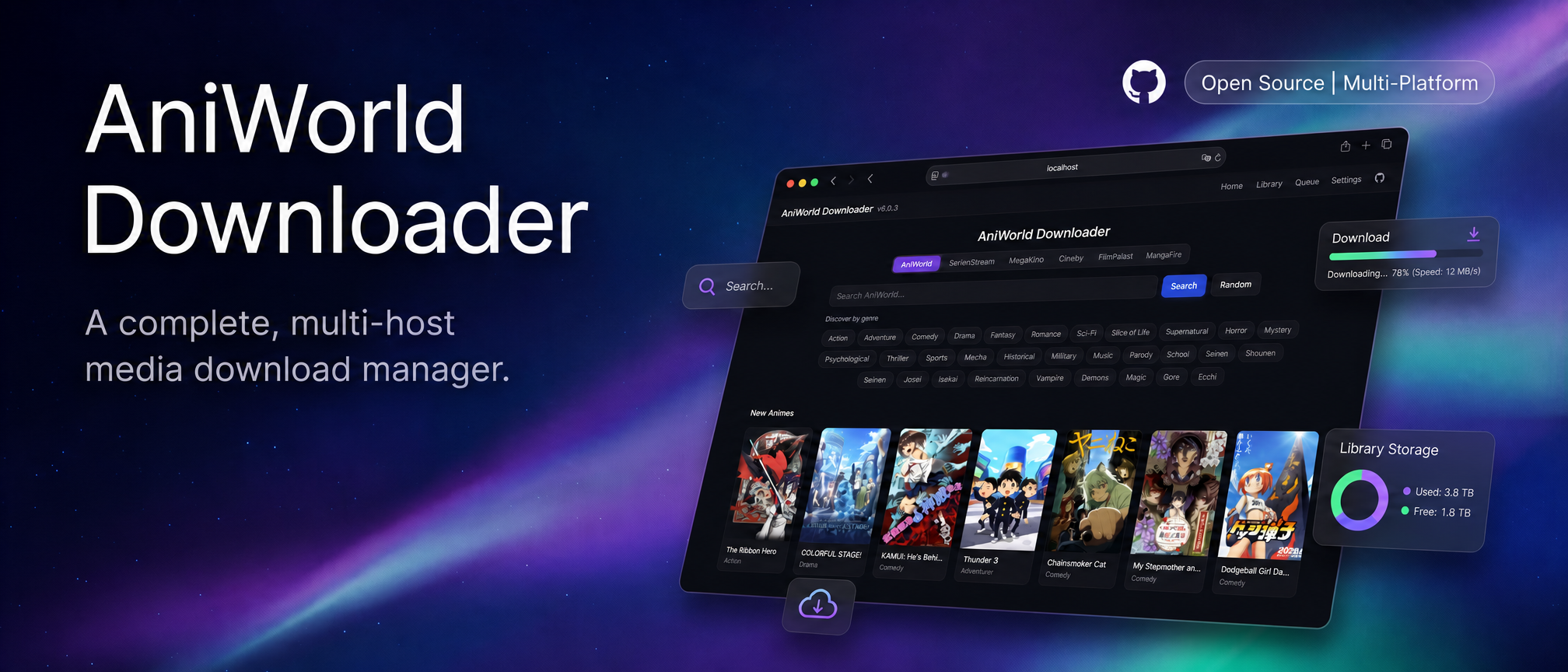





Find, download, and watch anime, movies, and series, or save manga chapters to read later. AniWorld Downloader brings supported sites together in a browser-based Web UI, with an interactive terminal menu and a CLI for scripts and automation.
It runs on Windows, macOS, and Linux, with Docker and standalone builds available too. Free and open source, with no ads, tracking, or paid-only features.
Getting started · Supported sites · Docker · Documentation · Python examples
https://github.com/user-attachments/assets/d65c4a5c-827a-45d7-a904-78977fd9aef4
Quick Start
With Python 3.11 or newer installed:
python -m pip install -U aniworld
aniworld -w
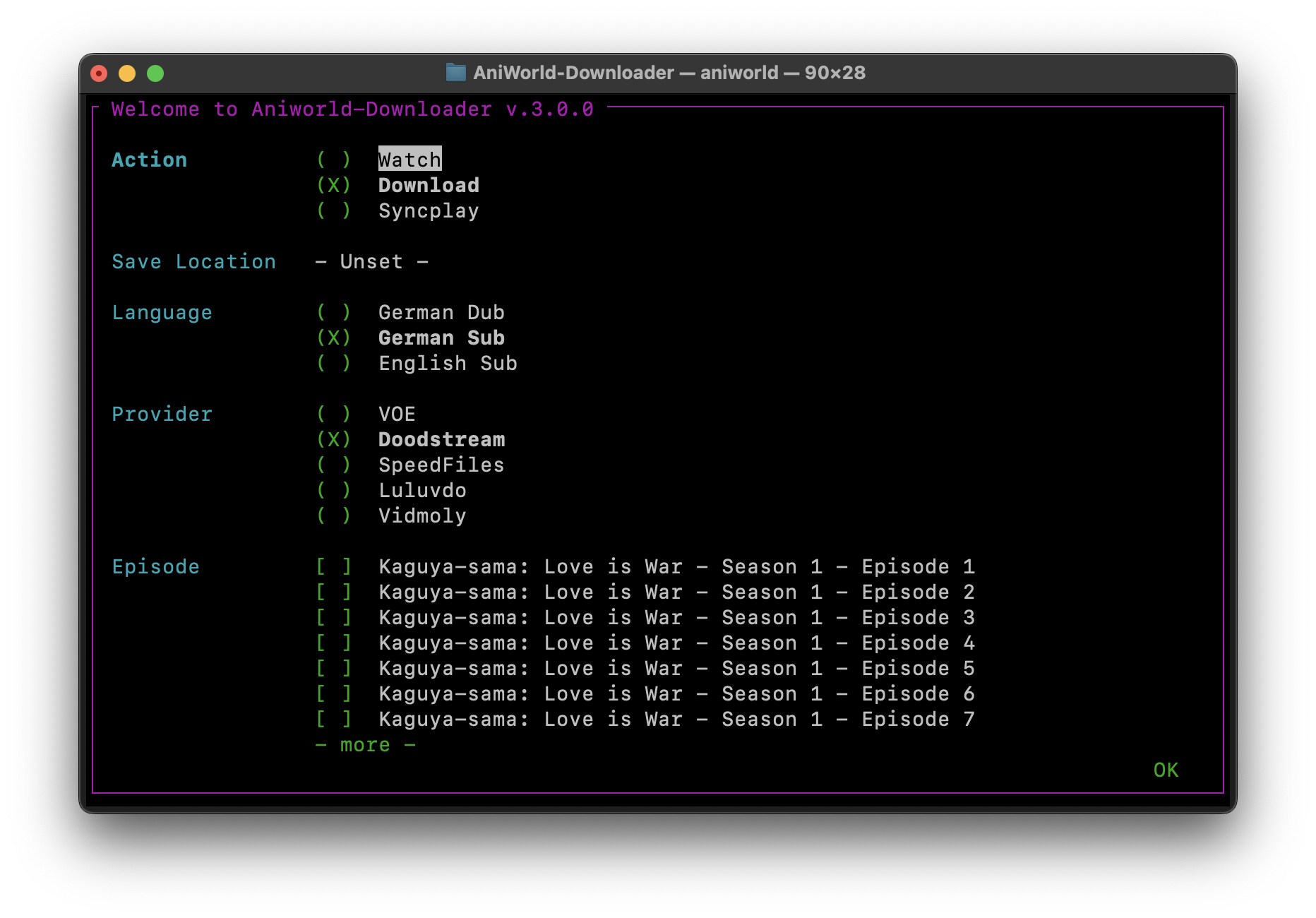
Open localhost:8080 to use the Web UI. To start the interactive terminal menu instead:
aniworld
To install the latest development version from the models branch:
pip install --upgrade git+https://github.com/phoenixthrush/AniWorld-Downloader.git@models
Video downloads need FFmpeg. Watching uses mpv, or IINA on macOS. Synchronized playback requires Syncplay and mpv. The app can offer portable FFmpeg, mpv, and Syncplay installation on Windows, and player installation through supported package managers on macOS/Linux. Install FFmpeg yourself on macOS/Linux; unattended deployments should provide the required tools in advance.
Prefer another installation method? Use Docker or download a standalone build from GitHub Releases. See the documentation for platform-specific setup and troubleshooting.
Features
- Download individual episodes, whole seasons or series, movies, and manga chapters.
- Search supported sites, track your download queue, and browse your library in the Web UI.
- Schedule Auto-Sync checks for AniWorld titles already downloaded to your library.
- Choose available audio and subtitle languages, with fallback to other stream hosters.
- Customize supported naming templates and output formats, including MKV/MP4 for video and JPG/CBZ/EPUB for manga; naming support varies by backend.
- Watch through external players, with AniSkip and Anime4K support where applicable.
The Web UI also supports local accounts, optional OIDC SSO, custom CSS, and background shaders. SSO alongside local login requires both --web-auth and --web-sso; --web-force-sso enables SSO-only authentication. A JSON API and optional Discord request bot let you connect it to other tools. Features and language availability vary by site.
For CAPTCHA browser visibility, manual solving, timeouts, and debug logs, see CAPTCHA configuration.
Supported Sites
AniWorld and SerienStream are the main focus of the project.
See the supported sites documentation for live-check details and IP/VPN differences.
| Site | Content | Status | Notes |
|---|---|---|---|
| AniWorld | Anime and anime movies | Stream URLs resolved | VOE, Doodstream, and Filemoon samples passed; Vidmoly failed |
| SerienStream | Series | Stream URLs resolved | Both dub presets resolved VOE; CAPTCHA handling can block access |
| MegaKino | Movies and series | Stream URLs resolved | Sampled title's VOE link passed; a separate MegaKino hoster sample also passed |
| Filmo | Movies | Stream URLs resolved | VOE samples passed |
| Moflix | Movies and series | Stream URLs resolved | MoflixClick and Vidara samples passed; verification can block title discovery |
| MangaFire | Manga | Chapter/page URLs resolved | Two sample titles; archive creation and image downloads were not tested |
| FilmPalast | Movies | Stream URL resolved | VOE sample passed; some requests returned no extractable source |
| Hanime | Adult animation | Stream URL resolved | Trending feed can return HTTP 403 or require a CAPTCHA |
| HentaiTV | Adult animation | Stream and poster URLs resolved | Optional Web UI tab; disabled by default |
| AnimeIDHentai | Adult animation | Stream and poster URLs resolved; content unverified | Returned stream filename differed from the selected title; CLI/Python only |
| HentaiHaven | Adult animation | Stream and poster URLs resolved | Optional Web UI tab; disabled by default |
| Kinox | Movies and series | Blocked by verification CAPTCHA | Disabled by default |
| BurningSeries | Series | Stream mirrors returned VPN warning pages | No usable mirror for the sample; stopped at the first blocked hoster |
"Disabled by default" refers to Web UI visibility; direct CLI URLs remain accepted. Hanime (hanime.tv), HentaiTV (hentai.tv) and HentaiHaven (hentaihaven.xxx) have optional Web UI tabs, enabled with ANIWORLD_ENABLE_HTV=1, ANIWORLD_ENABLE_HENTAITV=1 and ANIWORLD_ENABLE_HENTAIHAVEN=1. AnimeIDHentai (animeidhentai.com) supports direct CLI URLs and Python use. See adult-site usage for examples.
Stream Hosters
Sites list the titles; stream hosters provide the video links.
| Hoster | Stream extraction | Preview extraction |
|---|---|---|
| VOE | Fresh source-site samples passed; saved standalone sample returned HTTP 404 | All tested previews failed |
| Filemoon | Fresh AniWorld samples passed; saved standalone sample was inconsistent | Not implemented |
| Doodstream | Samples passed | Not implemented |
| MegaKino | Sample passed | Not implemented |
| Gupload | Not checked: no saved embed or discovered sample | Not implemented |
| MoflixClick | Moflix sample passed; no saved standalone embed | Not implemented |
| Vidara | Moflix sample passed; Kinox remained CAPTCHA-blocked | Not implemented |
| Vidmoly | Samples failed: no extractable script content | Samples failed |
| Vidoza | Sample URL returned HTTP 404 | Sample URL returned HTTP 404 |
If a hoster fails, the downloader can try others in your configured fallback order, provided the title offers them in the selected language. It does not automatically switch languages. A failed or missing sample does not establish that a hoster has shut down. See live provider checks to repeat these checks.
CLI Usage
Replace SUPPORTED_URL with an episode, season, series, movie, or chapter URL from a supported site:
aniworld "SUPPORTED_URL"
To choose a language and provider without opening the menu:
aniworld --no-menu --language "German Dub" --provider VOE "https://aniworld.to/anime/stream/example/staffel-1/episode-1"
For all options, more examples, or your installed version:
aniworld --help
aniworld --examples
aniworld --version
Docker
Save docker-compose.yaml in a folder on your machine. From that folder, create the download directory and start the app:
mkdir -p Downloads
docker compose up -d
Open localhost:8080 when the container is ready. The image includes FFmpeg, Chromium for captcha handling, and the EPUB extra. Chromium setup runs only when an operation needs a browser and reuses an existing installation.
The terminal menu in the Docker image offers only Download and uses your configured download folder.
- Downloads are saved to
./Downloadson your machine. - The
aniworld-datavolume keeps the database,.env, and custom themes across container recreation. - Use
docker compose logs -fto view logs anddocker compose downto stop the app.
To update the image and restart:
docker compose pull
docker compose up -d
The Compose file includes configuration examples. Set persistent options in its environment: block, or load a host .env file using env_file. Settings marked resets after restart in the Web UI only affect the running process.
Configuration and Integrations
Configuration lives in ~/.aniworld/.env by default. Set ANIWORLD_INSTALL_FOLDER to change the app data directory. See src/aniworld/.env.example for available settings and defaults.
Many settings can be changed in the Web UI. Those marked resets after restart must also be set in your .env or deployment environment to persist. Saved themes, database records, and Discord bot settings are stored separately and survive restarts when the app data is retained.
Optional features: the standard installation includes the Web UI and terminal dependencies. Install an extra for EPUB output, OIDC login, or Discord requests:
python -m pip install "aniworld[epub]"
python -m pip install "aniworld[sso]"
python -m pip install "aniworld[discord]"
Use "aniworld[all]" to install all three extras. Docker builds include them; the standalone build workflow includes the EPUB extra.
API: search, manage the queue, and access library and settings operations through JSON endpoints. Create a key in Settings → API Keys, then send it with your requests:
curl -H "X-API-Key: YOUR_API_KEY" http://localhost:8080/api/queue
Keys have read, read-and-download, or full-access permissions. They cannot manage other API keys. The settings page includes an endpoint reference with examples.
Appearance: use Settings → Appearance for custom CSS and background shaders. The themes/ directory contains a light theme and a documented CSS template. For community themes and installation instructions, see aniworld-themes by SiroxCW. To recover from a theme that hides controls, open /settings?nocss=1.
Python: all public site models are available from aniworld or aniworld.models. Search and genre functions share aniworld.search; see Genre Search for supported filters and site limits. The examples/ directory demonstrates models, metadata, downloads, and genre queries.
Contributing
Bug reports, fixes, provider updates, and documentation improvements are welcome. Please check existing issues first. For a bug report, include your operating system, installation method, app and Python versions, the command or steps you used, and relevant logs.
To work on the current development branch:
git clone --branch models https://github.com/phoenixthrush/AniWorld-Downloader.git
cd AniWorld-Downloader
python -m pip install -e ".[all,test]"
pytest
Automated tests run offline. See the testing guide for automated tests and live provider checks. CI also runs Ruff checks. Keep pull requests focused and explain what changed and how you tested it.
Contributors
Thank you to everyone who reports issues, shares ideas, and contributes code.

Credits
AniWorld Downloader uses mpv, IINA, Syncplay, Anime4K, AniSkip, flag-icons, new-domain-check, and fake-useragent.
Other Cool Projects
- Jellyfin-AniWorld-Downloader by SiroxCW — browse and download AniWorld content from Jellyfin.
- aniworld-themes by SiroxCW — community themes and background shaders for the Web UI.
- AniSeerr by Yezun-hikari — connect Seerr requests to AniWorld Downloader.
- AniBridge by Zzackllack — connect supported catalogues to automation tools through FastAPI.
- AniLoader by WimWamWom — a web-based download manager with automation.
Support and Community
For help, check the documentation, open a GitHub issue, or join us on Discord. You can also reach me at contact@phoenixthrush.com.
If the project has been useful, a star, a contribution, or a donation is always appreciated. Thanks for being part of it. <3
Legal Disclaimer
AniWorld Downloader is a client-side tool that saves downloads to locations you choose. It does not operate a media-hosting service for third-party sites.
You are responsible for how you use it and for following the laws and terms that apply where you live. The project is provided "as is". Its maintainers are not responsible for third-party content, external links, or the availability, accuracy, legality, or reliability of outside services.
Questions about content hosted by another service should be directed to that service.
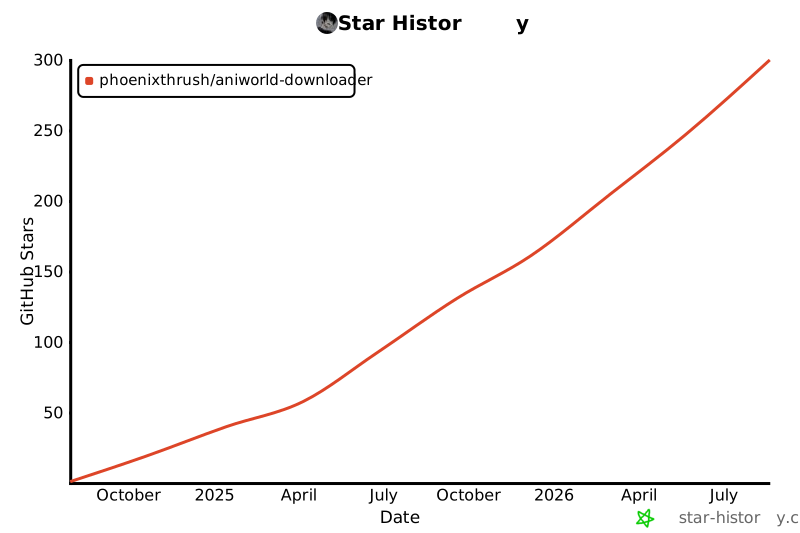
Star History
License
AniWorld Downloader is available under the MIT License.
1 maintainer

Metadata
1 maintainer
Release files for aniworld 5.4.1
For a detailed explanation of source distributions (sdists) and built distributions (wheels), please see the package formats documentation.
Source distribution (sdist)
| File | Size | Uploaded | Provenance | Actions |
|---|---|---|---|---|
| aniworld-5.4.1.tar.gz | 1.7 MB | With provenance | Details for aniworld-5.4.1.tar.gz |
Built distribution (wheel)
| File | Interpreter | ABI | Platform | Actions Reset |
|---|---|---|---|---|
| aniworld-5.4.1-py3-none-any.whl | Python 3 | none | any | Details for aniworld-5.4.1-py3-none-any.whl |
Total release size: 3.3 MB
Release files / aniworld-5.4.1.tar.gz
| Download URL | aniworld-5.4.1.tar.gz |
|---|---|
| Size | 1.7 MB |
| Tags | Source |
|
SHA-256 checksum How to use checksums |
dead8474b14e8652c49b9107734f6ca5fec26c3d26ed97c80f07ad0ce154d812
|
|
BLAKE2b-256 checksum How to use checksums |
5566894c838f8755a0ae5d8f9759a60011f089ab8182b9f1ad44128ef9e9a456
|
| Upload date | |
|
Uploaded using Trusted Publishing? What is trusted publishing? |
Yes |
| Uploaded via |
twine/7.0.0 CPython/3.13.16
|
Provenance
Provenance describes where a file came from. On PyPI, provenance is shared via attestations, which provide a verifiable record of the build or publishing details. View details, limitations and caveats.


PyPI Publish Attestation
PyPI verified that this artifact, at this checksum, originated from the publisher listed below.
Signed by GitHub Actions, verified by PyPI on Oct 29, 2026.
Transparency logRelease files / aniworld-5.4.1-py3-none-any.whl
| Download URL | aniworld-5.4.1-py3-none-any.whl |
|---|---|
| Size | 1.6 MB |
| Tags | Python 3 |
|
SHA-256 checksum How to use checksums |
f0bbf2e33a299ded1bbcd16e4f9933168857b71cda06f0a1bfbbcd7878e3cf33
|
|
BLAKE2b-256 checksum How to use checksums |
005d9342cc4aa05dd0e67a631baa65ef1844eb02a632d6f4ed04f721015e084f
|
| Upload date | |
|
Uploaded using Trusted Publishing? What is trusted publishing? |
Yes |
| Uploaded via |
twine/7.0.0 CPython/3.13.16
|
Provenance
Provenance describes where a file came from. On PyPI, provenance is shared via attestations, which provide a verifiable record of the build or publishing details. View details, limitations and caveats.
PyPI Publish Attestation
PyPI verified that this artifact, at this checksum, originated from the publisher listed below.
Signed by GitHub Actions, verified by PyPI on Oct 29, 2026.
Transparency logSecurity for aniworld 5.4.1
Provenance
Provenance describes where a file came from. On PyPI, provenance is shared via attestations, which provide a verifiable record of the build or publishing details. View details, limitations and caveats.
Full provenance
Both files in this release have been uploaded with provenance metadata.
Attestation for aniworld-5.4.1.tar.gz
PyPI Publish Attestation
PyPI verified that this artifact, at this checksum, originated from the publisher listed below.
Signed by GitHub Actions, verified by PyPI on Oct 29, 2026.
Transparency logA note on package security
PyPI is a repository for distributing packages, not a service for auditing them. While third-party security researchers and our staff do their best to detect and remove malicious packages, PyPI cannot guarantee the quality, security or suitability of any given package.
To learn more about protecting yourself from malicious actors, visit our package security documentation.














