
linecast
Weather, tides, the sun, the moon, and maps, drawn for the terminal. The Old Farmer's Almanac meets Minitel.


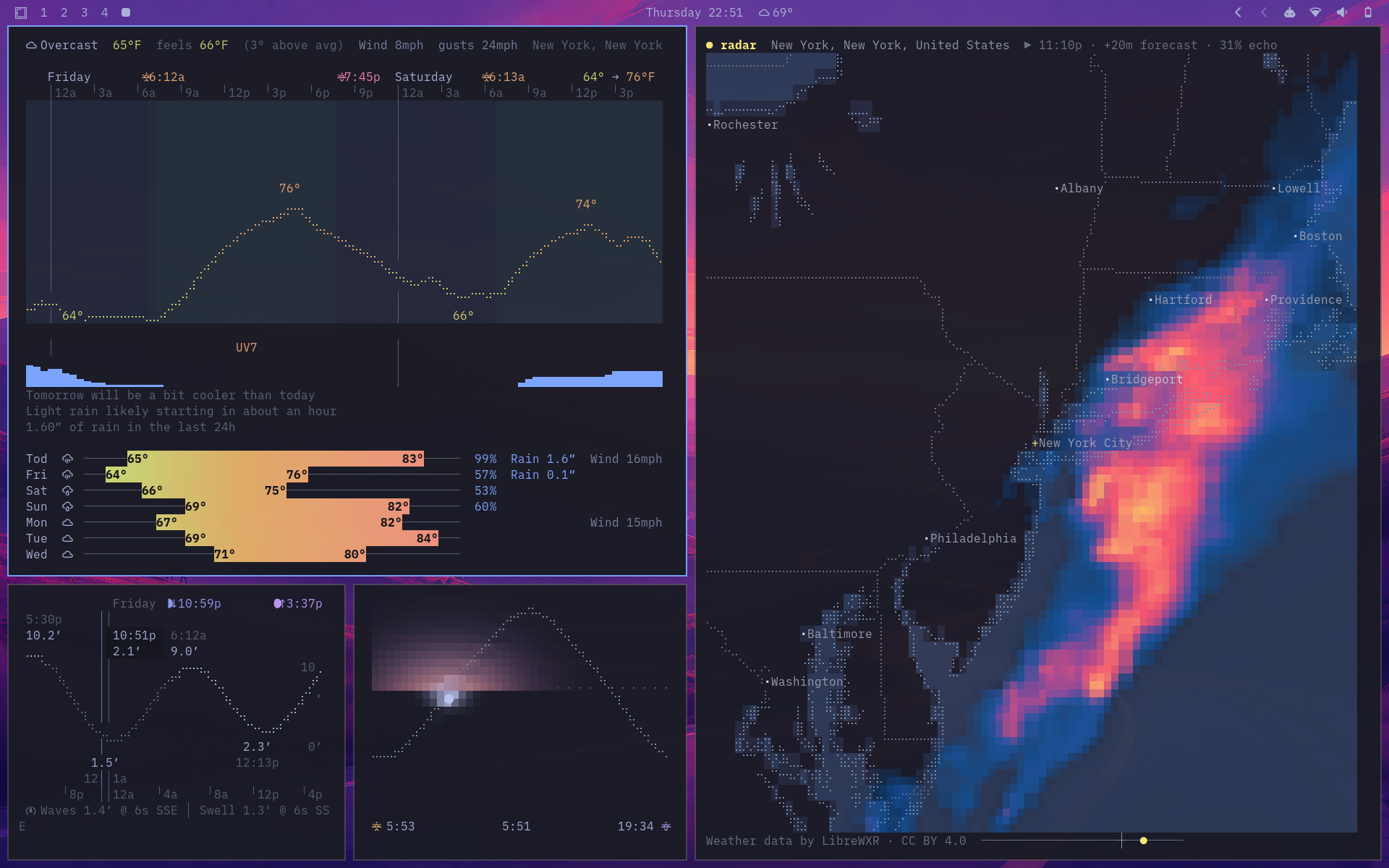
linecast turns free public data into six live, mouse-friendly terminal apps. It is pure Python, has no dependencies, adapts to your terminal theme, and needs no account or API key for its core experience.
| Command | What it shows |
|---|---|
weather |
Current conditions, an hourly braille temperature curve, seven-day forecast, air quality, comparisons, and official alerts |
sunshine |
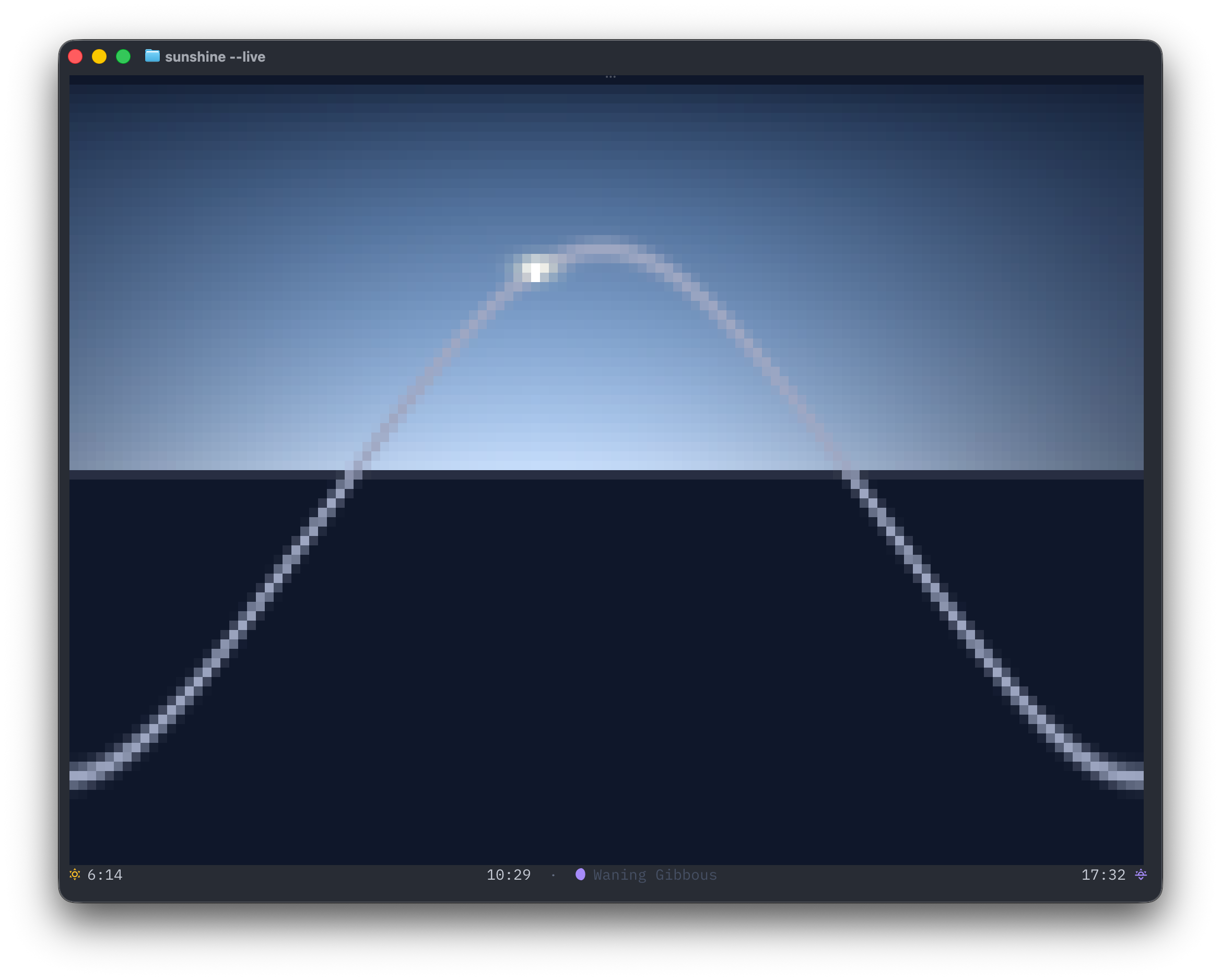
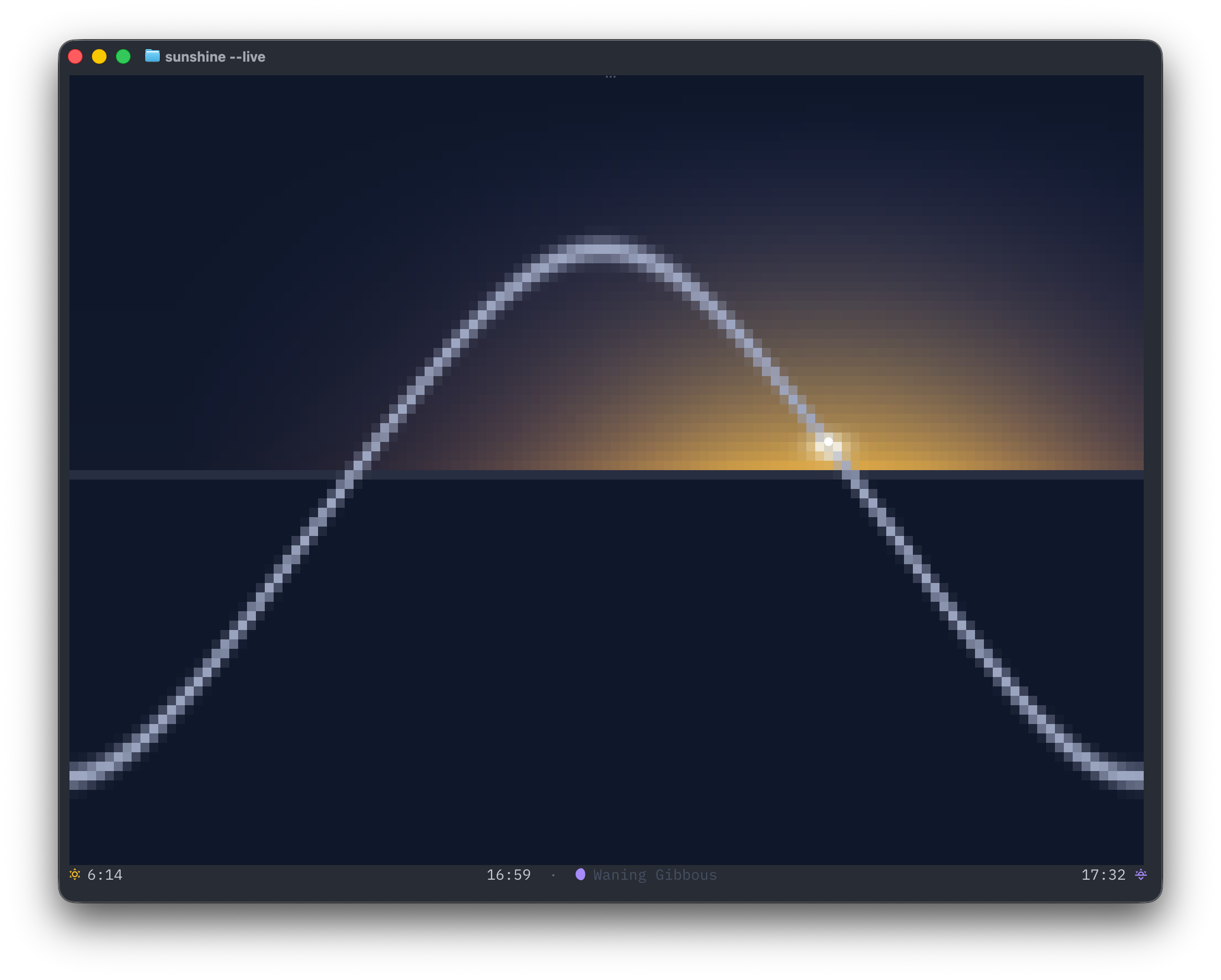
The Sun moving across its daily arc, with sky gradients, day length, and moon phase |
moon |
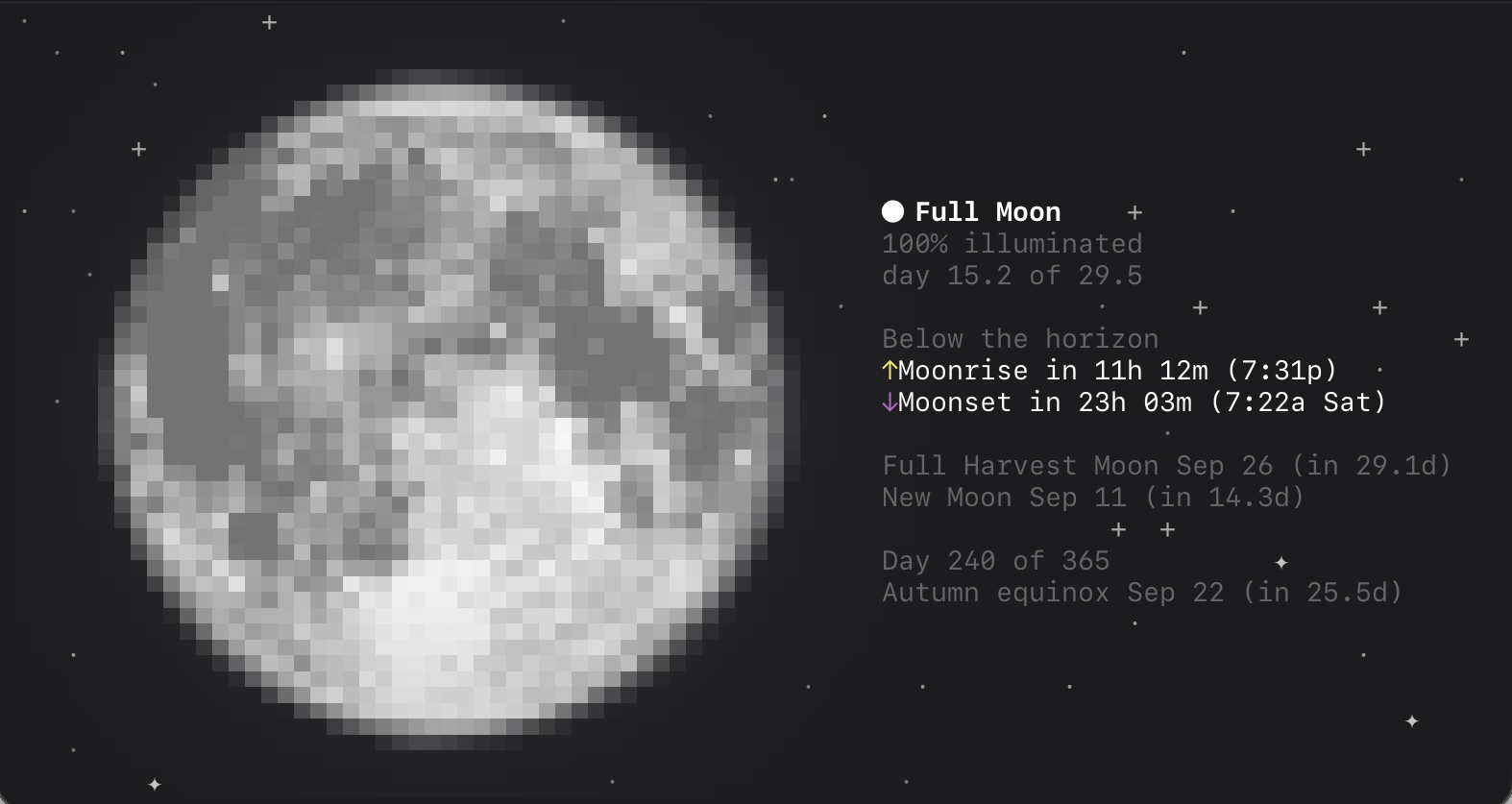
A shaded lunar disc, illumination, altitude, rise and set times, and the next full and new moons |
tides |
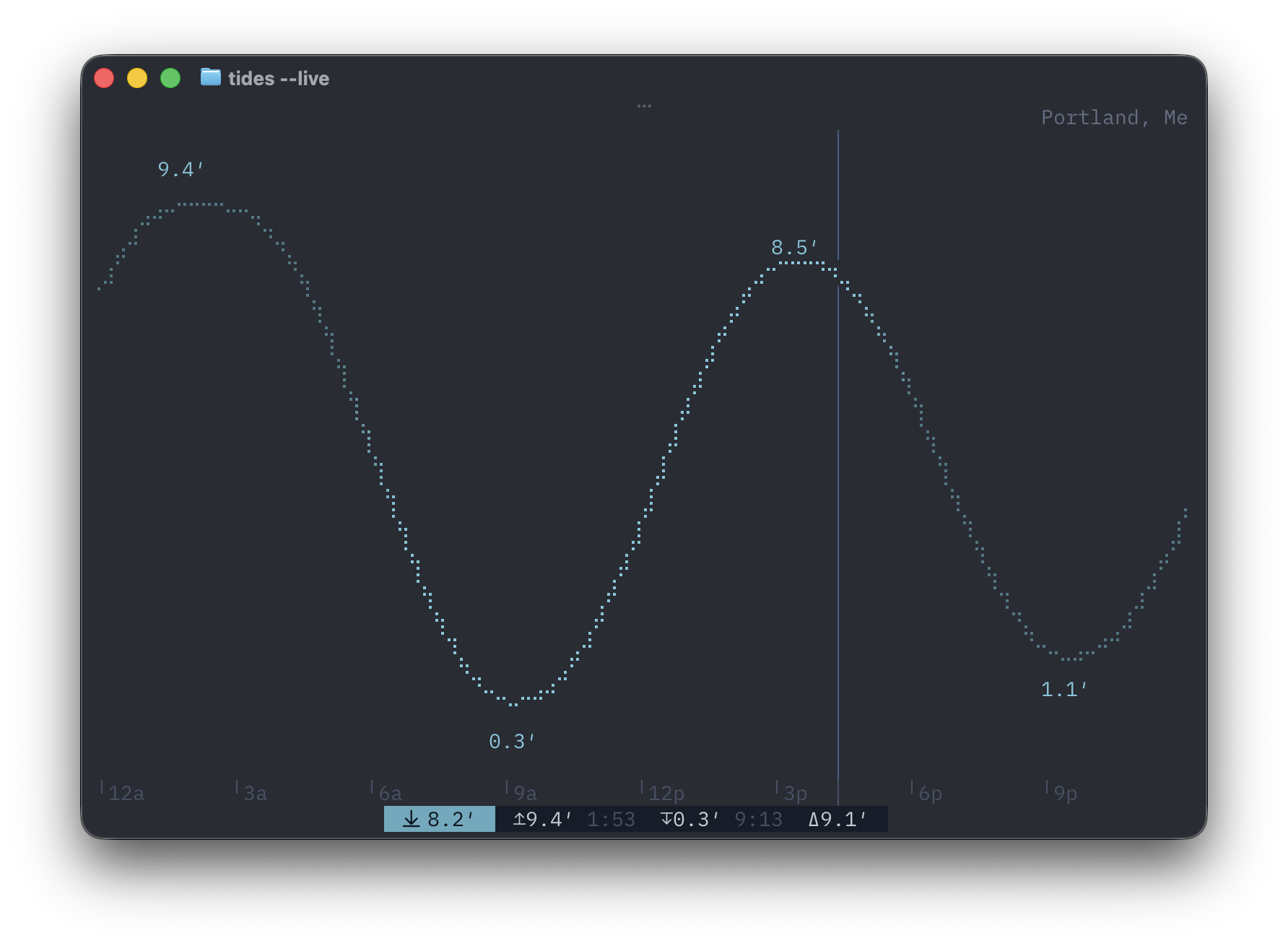
A sunlight-shaded tide curve, current water level, and high and low times |
radar |
Animated worldwide radar or satellite imagery, warning polygons, temperature, and wind |
maps |
Detailed vector streets, terrain and bathymetry, a spinnable globe with live daylight and clouds, place search, and directions |
Quick try
Run linecast immediately with uv, without installing it:
uvx linecast weather
Or with nothing but curl — get.sh uses whatever the machine has, down to plain python3:
curl -sL https://raw.githubusercontent.com/ashuttl/linecast/main/get.sh | sh
It opens weather in live mode; name another tool with sh -s sunshine, or pass flags with sh -s -- --metric. When nothing else is available, the script keeps a small private environment for linecast in your cache directory and checks for a newer release once a day.
Install
With uv:
uv tool install linecast
Or use Homebrew:
brew tap ashuttl/linecast
brew install linecast
On Arch, there is a community-maintained AUR package:
yay -S linecast
pipx install linecast and pip install linecast work too. linecast requires Python 3.10+ on macOS or Linux.
Take it outside
weather
sunshine
moon
tides
radar
maps
Every command finds your approximate location from your IP address and opens in live mode when run in a terminal. Drag or scroll where it makes sense; each app shows its keyboard controls along the bottom.
Pass a place name or coordinates to go somewhere else:
weather --location "Québec"
radar --location 41.88,-87.63
maps --view terrain --location "Innsbruck"
maps --to "Portland Head Light" --profile bike
Use --print for one static frame. When output is piped, linecast does this automatically. Weather, sunshine, moon, and tides also offer --json and compact --oneline output for status bars.
If a short command name conflicts with something already on your system, everything also lives under the linecast namespace:
linecast weather --metric
linecast radar --theme rainbow
linecast maps --view terrain
A closer look
Weather
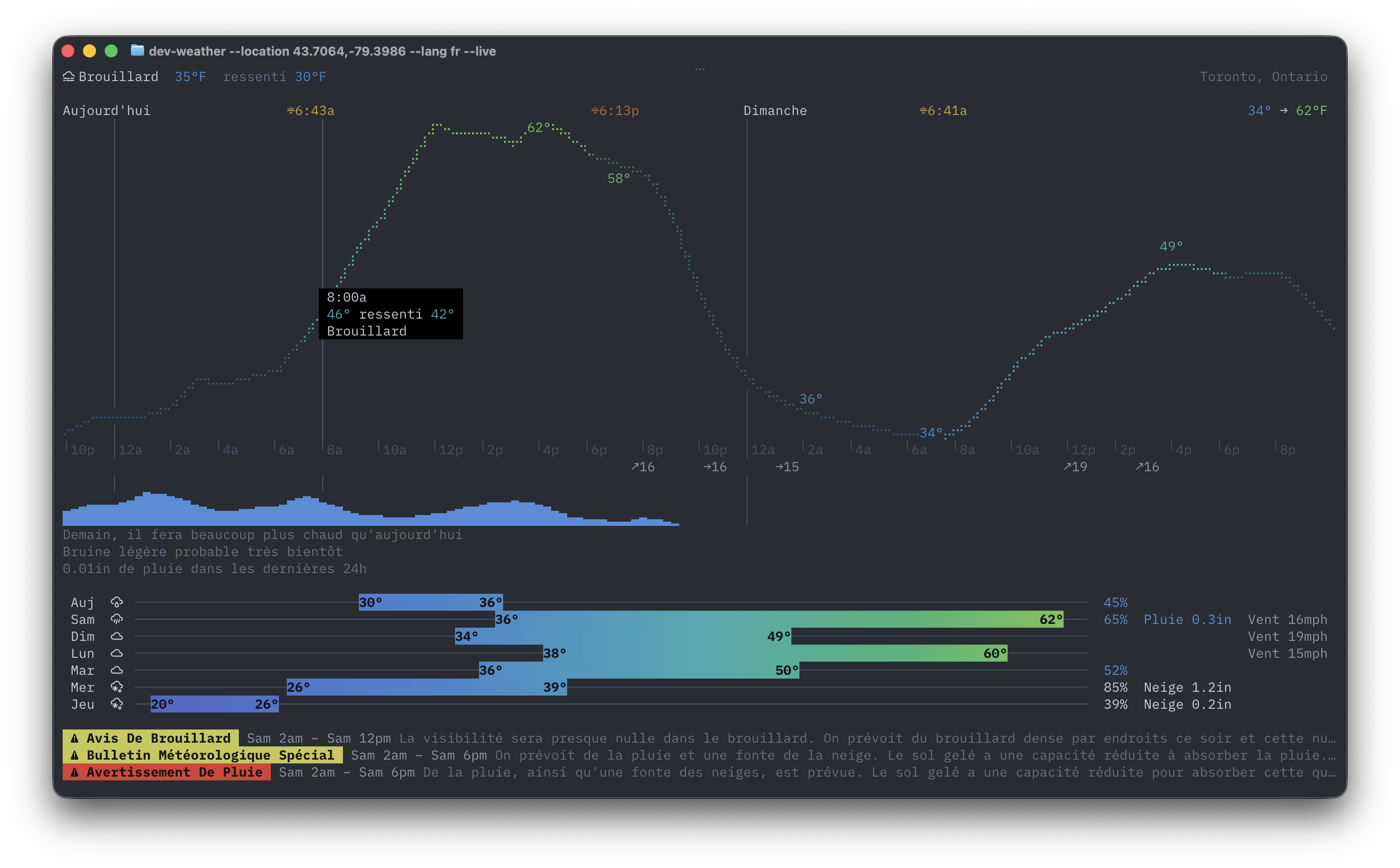
The weather dashboard combines current conditions, daylight-shaded hourly temperatures, precipitation, daily ranges, air quality, and natural-language comparisons. Official alerts are available across 36 countries and open to their full detail in live mode.
Sunshine and Moon
sunshine is inspired by the Apple Watch Solar face. The arc and sky move through dawn, day, dusk, and night; day length includes its change from yesterday.
moon draws the current phase with its real terminator, mare shading, halo, and orientation for your hemisphere, then tells you what the Moon is doing next. Try moon --oneline for a status bar.
Tides
The tide chart scrolls across several days and annotates exact highs, lows, and the current predicted water level. Coverage comes from NOAA in the US, the Canadian Hydrographic Service, Queensland Open Data, and the Hong Kong Observatory; anywhere else, the chart falls back to Open-Meteo's global tide model, so nearly any coastline works out of the box. An optional TideCheck key adds more named stations. Run tides --nearby to list the closest stations, or tides --station <id or name> to pin one.
Radar
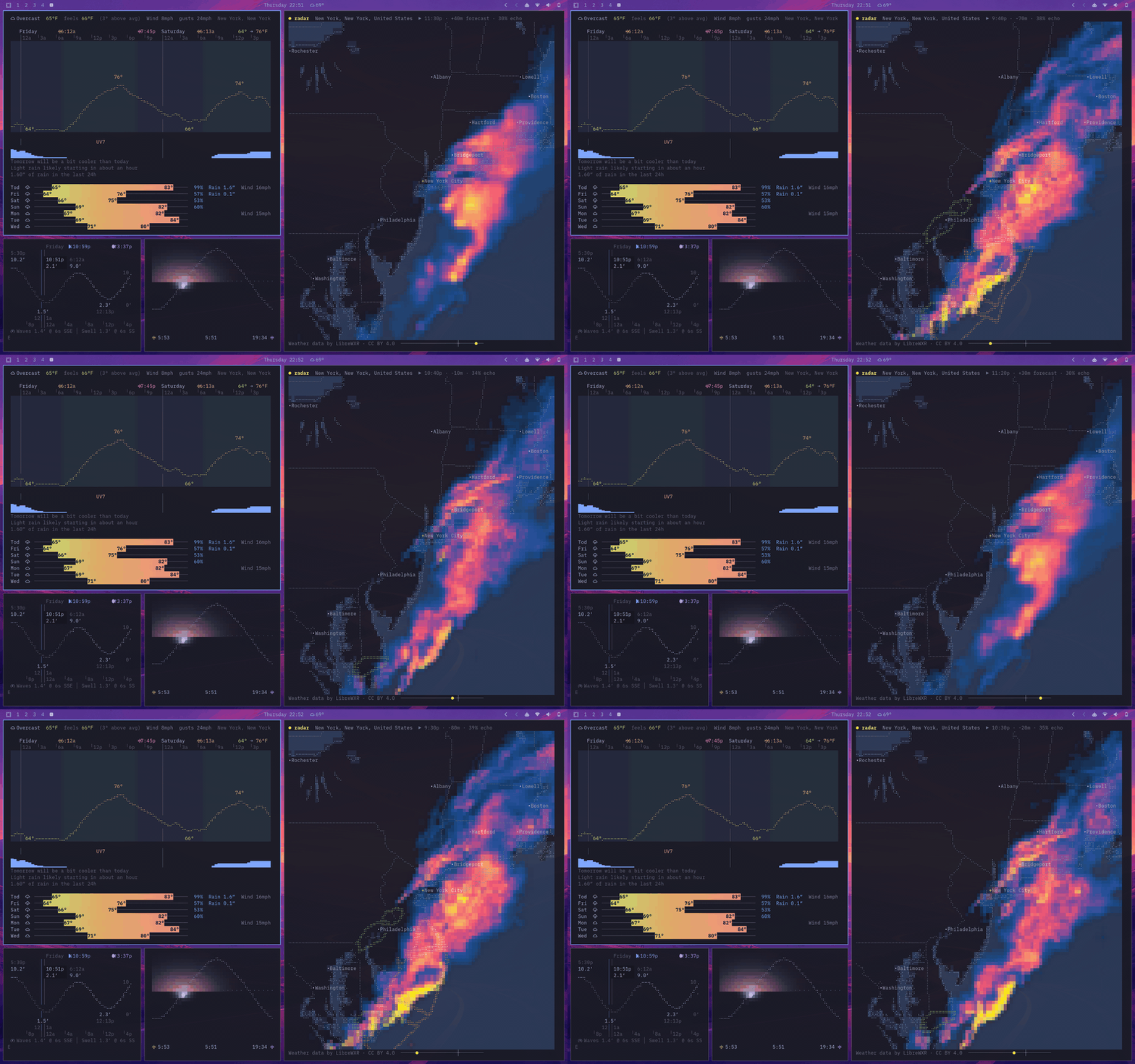
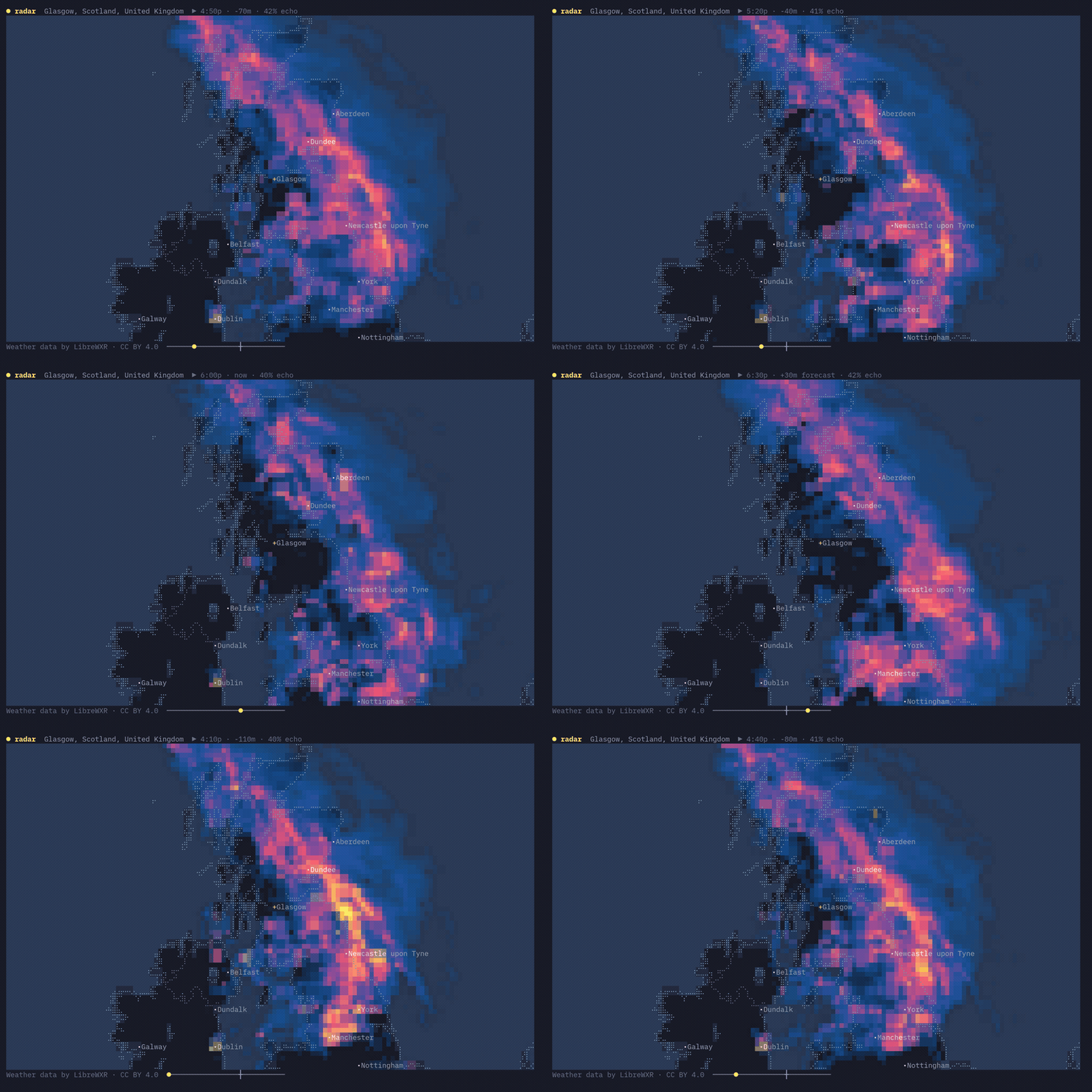
Radar animates recent observations and an hour of forecast over a braille basemap. Real radar is only available where a public radar network publishes an open composite: the United States and Canada, Europe, Japan, Taiwan, Malaysia, and the Philippines. Elsewhere — Australia, New Zealand, South America, most of Asia and Africa — LibreWXR fills in with a precipitation model instead. Model data looks smoother and blockier than radar, and the footer says so when that is what you are seeing. On top of the frames, linecast draws US warning polygons that follow the timeline, optional temperature and wind layers, and hourly infrared satellite imagery.
The default theme uses colors from your terminal's color scheme to draw rain radar data on the map. If your theme is monochrome, the radar data will be too. In addition to the default theme, there are a handful of other local themes — dusk, ember, ink, and marangai — and you can also choose from LibreWXR's server-rendered themes. Press t to switch.
radar --theme dusk
radar --layers temp,wind
radar --layer satellite
Maps
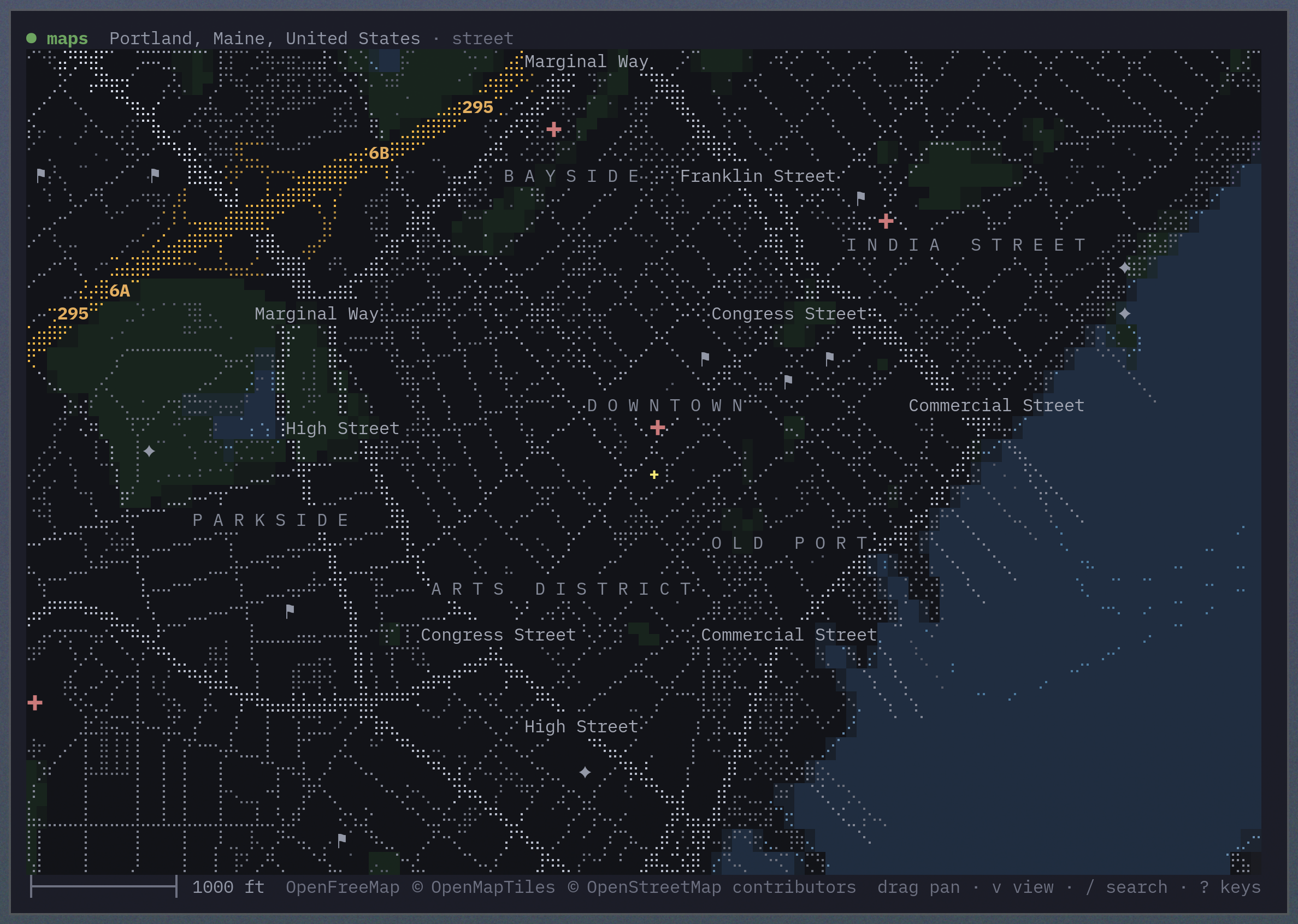
Street view renders OpenFreeMap vector tiles as solid water, land, parks, and buildings under a braille road network. Hover a feature to name and highlight it; search with /, ask for directions with d, or switch views with v. Directions open as a small panel: labelled from, to, and mode fields — each showing the key that edits it, and all clickable — above the turn-by-turn steps. Arrow (or click) through the maneuvers and the map flies along the route.
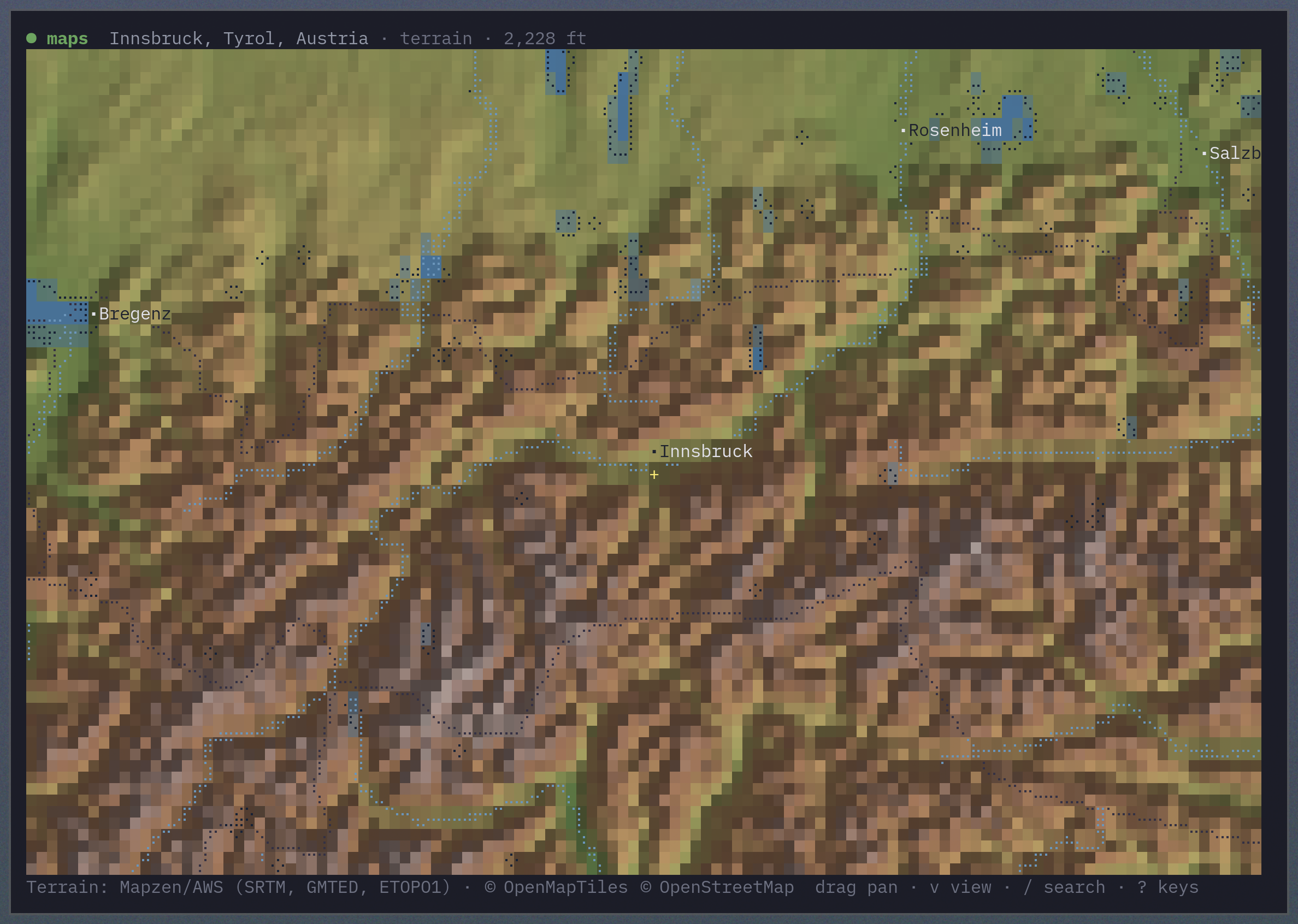
Terrain view turns global elevation into hillshade and a hypsometric ramp, from deep ocean trenches through lowland green to alpine white. Coastlines, borders, water, and cities are drawn over it in braille.
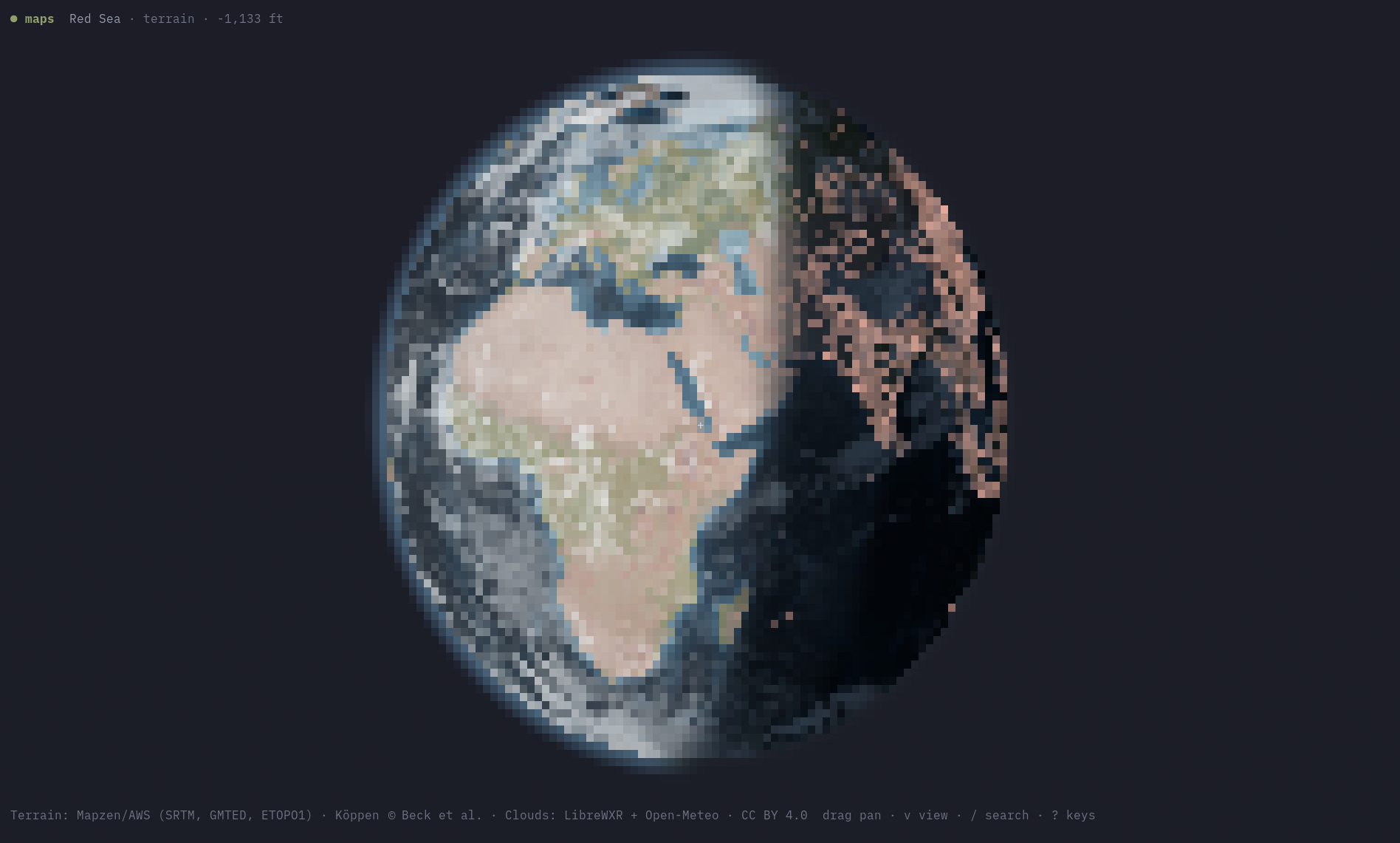
Zoom all the way out and either view becomes an orthographic globe you can rotate by dragging — or set spinning with r. Two keys switch on the sky as it is right now: s shades the planet into actual daylight, with a creeping terminator and cities glowing on the night side, and c lays the current global cloud cover over it from live satellite imagery. maps --view now opens straight to the full picture.
Everything is a single key — ? shows this list in the app:
| Keys | |
|---|---|
| drag · wheel · hover | pan, zoom at the pointer, identify what's under the cursor |
+ - |
zoom (a held key coasts; only the view you stop on fetches) |
n |
back to the start view |
v l |
street ↔ terrain · toggle labels & lines |
s c |
daylight and night city lights · live cloud cover |
r |
spin the globe |
/ |
search places and addresses |
d o p |
directions · set the origin · cycle travel mode |
q |
quit |
maps --location "Portland, Maine" --zoom 0.01
maps --view terrain --location 60.4,5.3 --zoom 8
maps --view now
maps --from "Gorham, Maine" --to "Portland Head Light" --profile foot
Make it yours
Location
Save one location for every command:
linecast location set "Portland, Maine"
linecast location set 44.54,-68.42
linecast location
linecast location auto
linecast location search fayette
The setting lives in ~/.config/linecast/config.json. A command's --location flag or WEATHER_LOCATION takes precedence. Times follow the location: point sunshine or moon somewhere across an ocean and sunrise, sunset, moonrise, and moonset come back in that place's local clock.
Units
Imperial is the default; save metric (or pin imperial) for every command:
linecast units metric
linecast units imperial
linecast units
linecast units auto
This also lives in config.json. A command's --metric, --celsius, or --fahrenheit flag, or the WEATHER_UNITS / TIDES_UNITS variables, take precedence.
Language
Use --lang or LINECAST_LANG to localize the interface. Seventeen languages are supported:
English, French, Spanish, German, Italian, Portuguese, Dutch, Polish, Norwegian, Swedish, Icelandic, Danish, Finnish, Japanese, Korean, Chinese, and Indonesian
weather --lang fr
radar --lang zh
Colour and icons
linecast queries the terminal palette so its colours belong in your theme. Set LINECAST_COLOR to truecolor, 256, 16, or none to override colour detection, or use the standard NO_COLOR variable. A Nerd Font gives the best icon rendering; --emoji or LINECAST_ICONS=emoji uses standard emoji instead.
Shell completion
# Bash
source <(linecast completion bash)

# Zsh
source <(linecast completion zsh)

# Fish
linecast completion fish | source

# Nushell
linecast completion nu | save -f ~/.config/nushell/completions/linecast_completions.nu
# in config.nu:
use ~/.config/nushell/completions/linecast_completions.nu *
Completion covers both linecast <command> and the standalone commands.
When something looks wrong
linecast doctor
linecast doctor --offline
linecast doctor --json
linecast doctor shows which build is running, where the settings file and the cache are and whether the cache can be written, what the terminal advertised, which units, location and language are in force and where each came from, the environment variables linecast reads (an API key, token, or location shows as "(set)", never its value; a proxy or a URL override loses its userinfo and query), and one line per provider saying whether the host answered. --offline skips the probes and --json prints the same report as one object, which is the thing to paste into a bug report.
The six view commands and linecast doctor take --debug. It prints, on stderr, one line for each fallback taken along the way: a provider that did not answer, a cache file that could not be read, a tile that would not decode, and what was shown instead. URLs, including ones quoted by an exception, appear as scheme, host and path only. A background task that fails under a live view is reported in one line after the view closes; with --debug the traceback is printed in full with URLs redacted the same way.
Environment variables
| Variable | Description |
|---|---|
WEATHER_LOCATION |
Default location for location-aware commands, as lat,lng or a place name; overrides the saved location |
WEATHER_UNITS |
metric or imperial; overrides the saved units |
TIDE_STATION |
Default tide station ID |
TIDES_UNITS |
metric or imperial for tide heights; overrides the saved units |
LINECAST_TIDECHECK_KEY |
Optional TideCheck API key for global tide coverage |
LINECAST_LANG |
UI language code: en, fr, es, de, it, pt, nl, pl, no, sv, is, da, fi, ja, ko, zh, or id |
LINECAST_RADAR_THEME |
Default radar colour theme |
LINECAST_LIBREWXR_URL |
Base URL of a self-hosted LibreWXR instance |
LINECAST_ICONS |
emoji to use standard emoji instead of Nerd Font icons |
LINECAST_COLOR |
auto, truecolor, 256, 16, or none |
LINECAST_THEME |
auto (default), or classic / legacy / off for the fixed palette |
LINECAST_THEME_TIMEOUT_MS |
Terminal palette query timeout in milliseconds (default 100) |
LINECAST_THEME_POLL |
Seconds between re-reading the terminal palette in live views, so a theme switch re-inks the view in place (default 2; 0 disables) |
LINECAST_THEME_WATCH |
A file whose modification marks a desktop theme change, prompting an immediate re-read (default: Omarchy's current-theme marker; empty disables) |
LINECAST_CACHE_DIR |
Directory for cached data, used exactly as given |
LINECAST_CONFIG_DIR |
Directory for config.json, used exactly as given |
NO_COLOR |
Any non-empty value disables ANSI colours |
CLICOLOR / CLICOLOR_FORCE |
CLICOLOR=0 disables colour; a non-zero CLICOLOR_FORCE keeps it on when output is not a terminal |
Cached data lives in ~/.cache/linecast on Linux and in
~/Library/Caches/linecast on macOS; on a Mac where an older
~/.cache/linecast is already there and the new directory is not, the
older one stays in use. Setting XDG_CACHE_HOME moves it to
$XDG_CACHE_HOME/linecast on either platform, and LINECAST_CACHE_DIR
overrides both. The settings file is ~/.config/linecast/config.json
on every platform (or under $XDG_CONFIG_HOME; LINECAST_CONFIG_DIR
overrides both).
Data sources and coverage
- Weather — Open-Meteo for forecasts, geocoding, and air quality. Alerts come from the US National Weather Service, Environment Canada, China Meteorological Administration, DWD via Bright Sky, Hong Kong Observatory, Met Éireann, Japan Meteorological Agency, MET Norway, and MeteoAlarm.
- Sunshine and Moon — computed locally from astronomical equations.
- Tides — NOAA CO-OPS, Canadian Hydrographic Service, Queensland Open Data, Hong Kong Observatory, Open-Meteo's tide model as a global fallback, and optionally TideCheck.
- Radar — LibreWXR, with NEXRAD via Iowa Environmental Mesonet and RainViewer as fallbacks; warning polygons come from the US National Weather Service via IEM. The basemap is derived from Natural Earth.
- Maps — terrain from AWS/Mapzen elevation tiles; streets and inland water from OpenFreeMap (© OpenMapTiles © OpenStreetMap contributors); search from Photon and Nominatim; directions from FOSSGIS OSRM (© OpenStreetMap contributors); globe cloud cover from LibreWXR (CC BY 4.0) satellite imagery; terrain colour picks its ramp from a vendored Köppen-Geiger climate grid (Beck et al. 2023, CC BY 4.0).
Contributing
Pull requests are welcome. CONTRIBUTING.md says how to run the suite and what a change should look like, and ARCHITECTURE.md is the map of the code.
Lineage
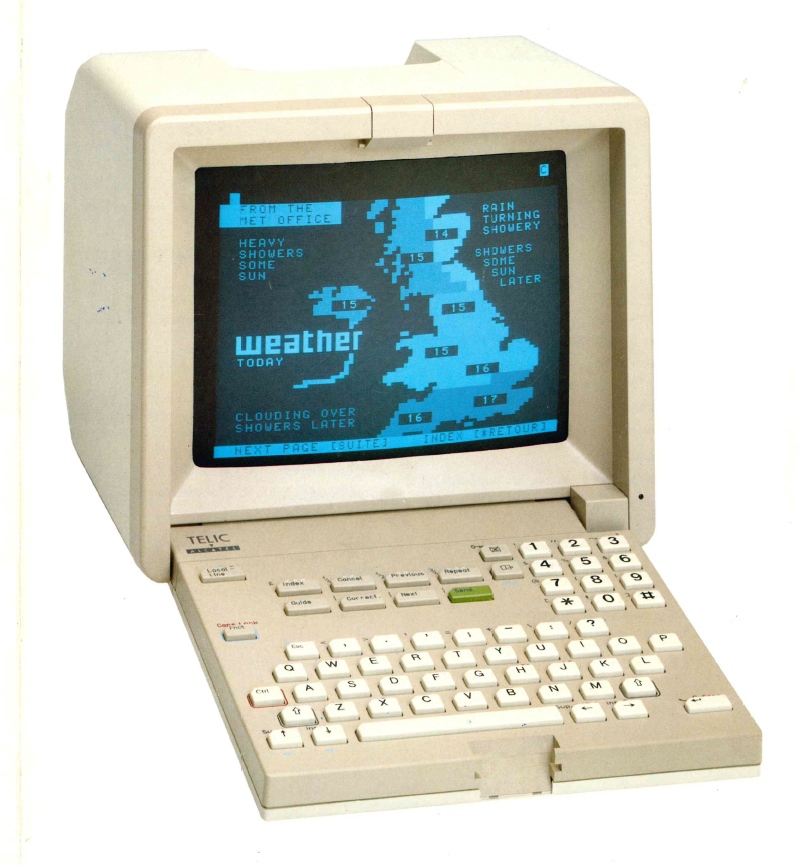
Prior art.
A Telic-Alcatel videotex terminal draws the weather, sometime in the 1980s. Photograph from the collection at minitel-alcatel.fr.
License
1 maintainer

Download files
Download the file for your platform. If you're not sure which to choose, learn more about installing packages.
Source Distribution
Built Distribution
Filter files by name, interpreter, ABI, and platform.
If you're not sure about the file name format, learn more about wheel file names.
Copy a direct link to the current filters
File details
Details for the file linecast-1.17.0.tar.gz.
File metadata
- Download URL: linecast-1.17.0.tar.gz
- Upload date:
- Size: 5.1 MB
- Tags: Source
- Uploaded using Trusted Publishing? Yes
- Uploaded via:
twine/7.0.0 CPython/3.13.14
File hashes
| Algorithm | Hash digest | |
|---|---|---|
| SHA256 |
a79dd92da0a5ea449042e6d00cd40b514536407f3c23d830e7310178204b9785
|
|
| MD5 |
5ba5b74a8c58ade68e192c2c4e549295
|
|
| BLAKE2b-256 |
fd4d735c78d2aa99fad1c9587264c5ca043cd9b08c56011eb0e3115cae173d44
|
Provenance
The following attestation bundles were made for linecast-1.17.0.tar.gz:
Publisher:
publish.yml on ashuttl/linecast
-
Statement:
-
Statement type:
https://in-toto.io/Statement/v1 -
Predicate type:
https://docs.pypi.org/attestations/publish/v1 -
Subject name:
linecast-1.17.0.tar.gz -
Subject digest:
a79dd92da0a5ea449042e6d00cd40b514536407f3c23d830e7310178204b9785 - Sigstore transparency entry: 2583253349
- Sigstore integration time:
-
Permalink:
ashuttl/linecast@38c91394032fdd06b1c759d56cb120ec0824182f -
Branch / Tag:
refs/tags/v1.17.0 - Owner: https://github.com/ashuttl
-
Access:
public
-
Token Issuer:
https://token.actions.githubusercontent.com -
Runner Environment:
github-hosted -
Publication workflow:
publish.yml@38c91394032fdd06b1c759d56cb120ec0824182f -
Trigger Event:
push
-
Statement type:
File details
Details for the file linecast-1.17.0-py3-none-any.whl.
File metadata
- Download URL: linecast-1.17.0-py3-none-any.whl
- Upload date:
- Size: 4.9 MB
- Tags: Python 3
- Uploaded using Trusted Publishing? Yes
- Uploaded via:
twine/7.0.0 CPython/3.13.14
File hashes
| Algorithm | Hash digest | |
|---|---|---|
| SHA256 |
0c146dd3db9dec9e861a4e84188d06c1b28a4ce3cf85027ec037a95057e81041
|
|
| MD5 |
92921e710b08b75de70468b532b7784a
|
|
| BLAKE2b-256 |
b2c5ec135da00d78459dd156b9a0d52e467a51cac9752bc06134e0277f1d62d2
|
Provenance
The following attestation bundles were made for linecast-1.17.0-py3-none-any.whl:
Publisher:
publish.yml on ashuttl/linecast
-
Statement:
-
Statement type:
https://in-toto.io/Statement/v1 -
Predicate type:
https://docs.pypi.org/attestations/publish/v1 -
Subject name:
linecast-1.17.0-py3-none-any.whl -
Subject digest:
0c146dd3db9dec9e861a4e84188d06c1b28a4ce3cf85027ec037a95057e81041 - Sigstore transparency entry: 2583253382
- Sigstore integration time:
-
Permalink:
ashuttl/linecast@38c91394032fdd06b1c759d56cb120ec0824182f -
Branch / Tag:
refs/tags/v1.17.0 - Owner: https://github.com/ashuttl
-
Access:
public
-
Token Issuer:
https://token.actions.githubusercontent.com -
Runner Environment:
github-hosted -
Publication workflow:
publish.yml@38c91394032fdd06b1c759d56cb120ec0824182f -
Trigger Event:
push
-
Statement type:














