
linecast
Terminal weather, radar, solar arc, and tide visualizations. Pure Python, zero dependencies.
All data comes from free public APIs with no keys required.
Commands
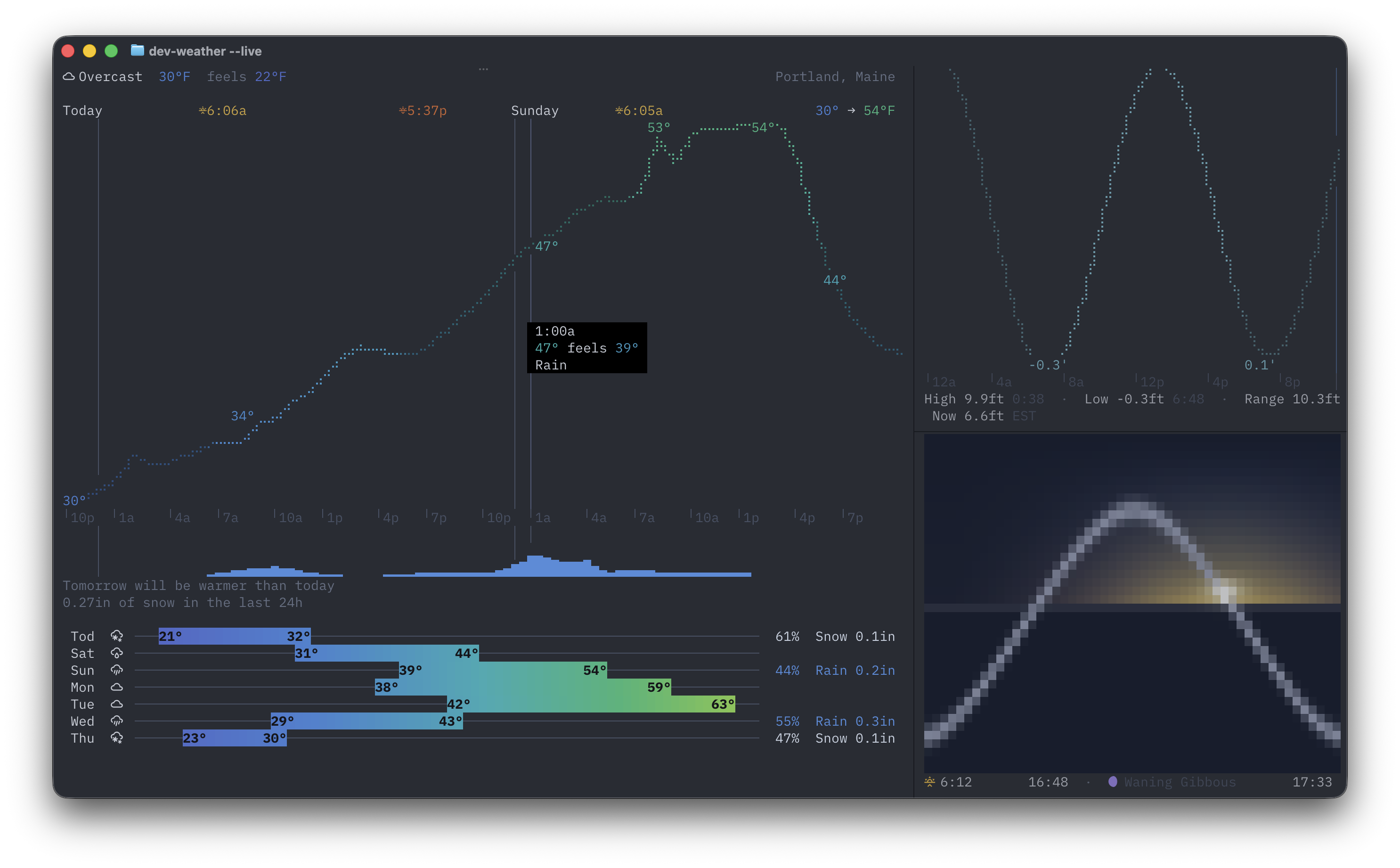
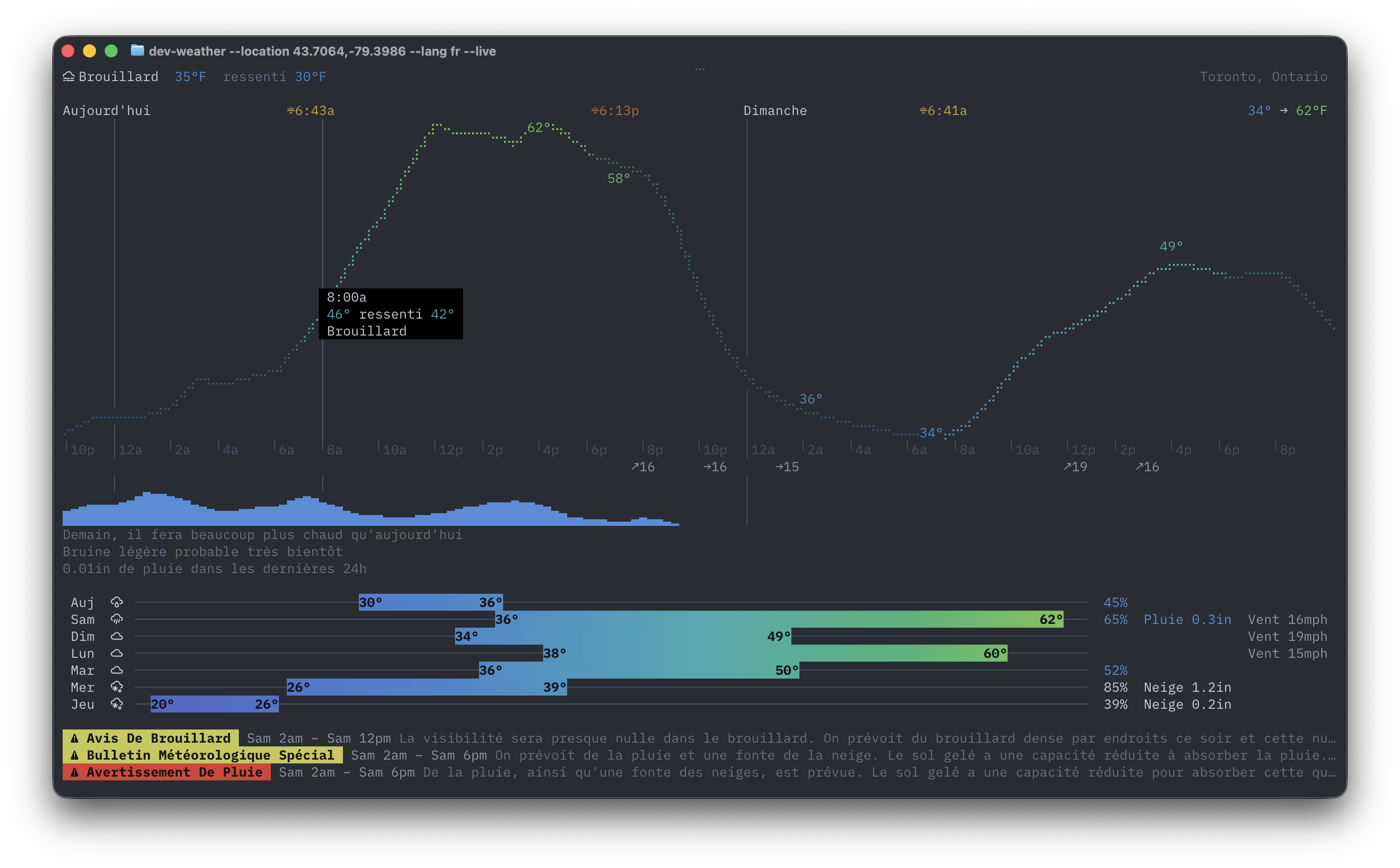
weather — Current conditions, hourly braille temperature curve, 7-day forecast with color range bars, precipitation sparkline, natural language comparisons, and weather alerts for 36 countries. Available in 16 languages.
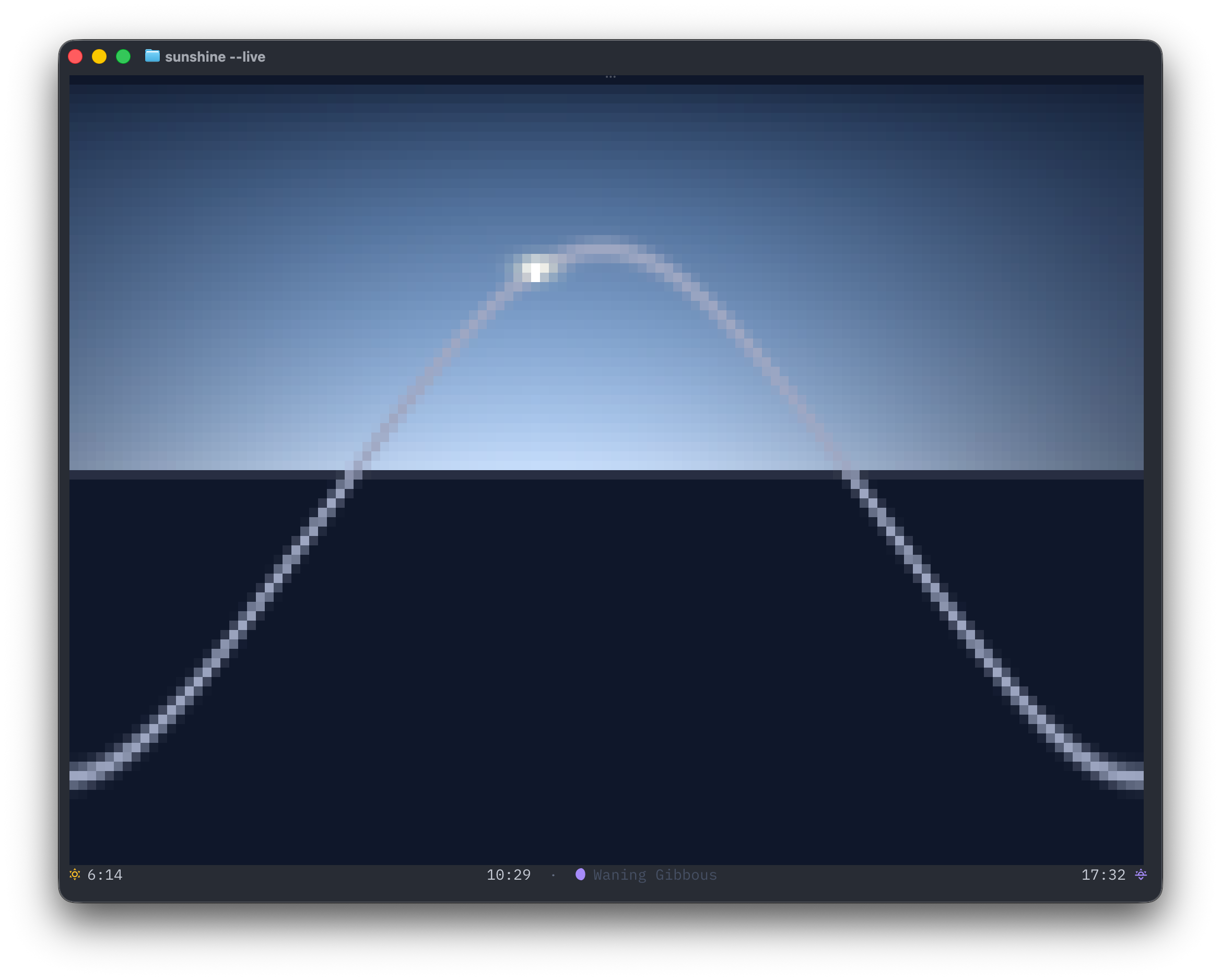
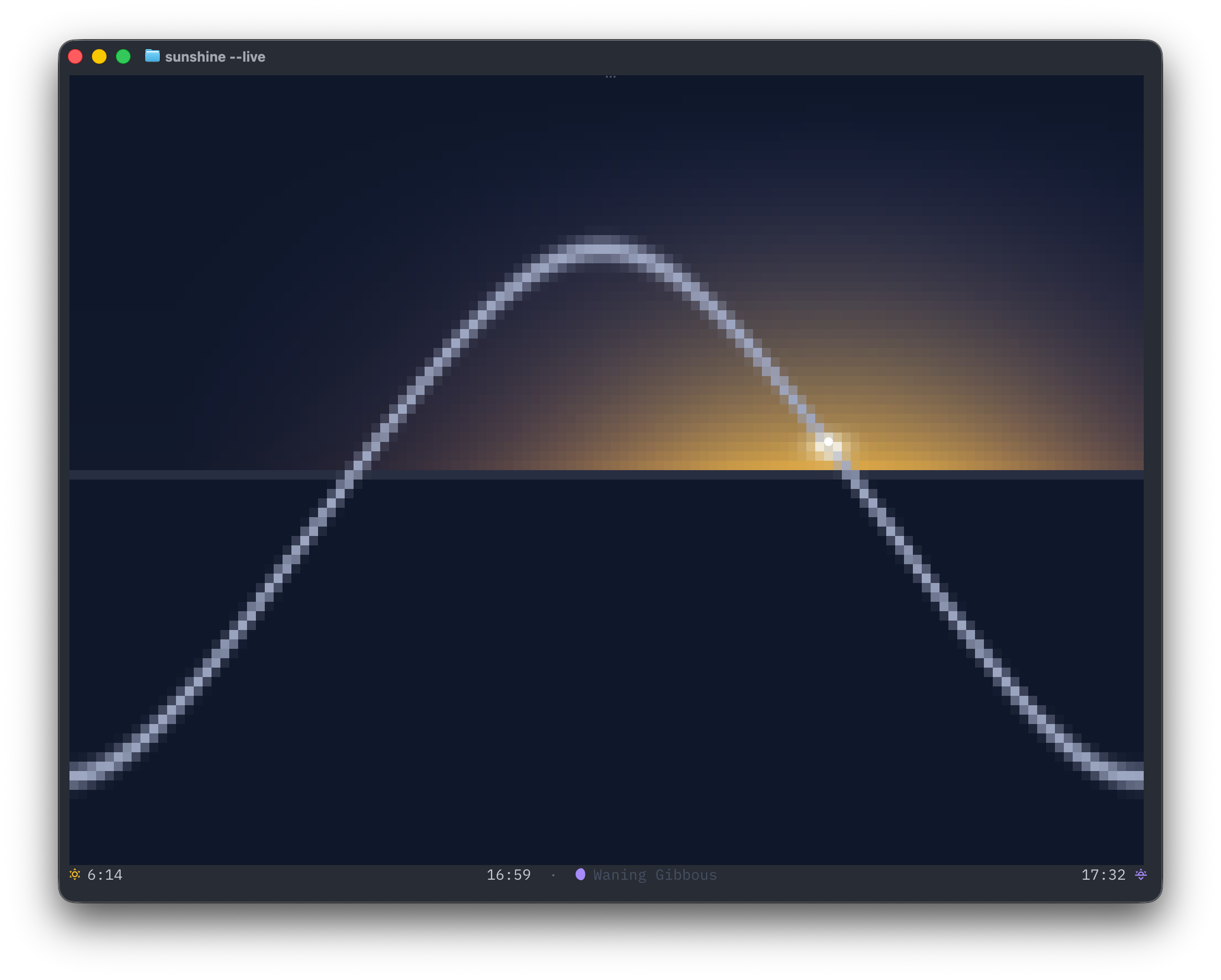
sunshine — Solar arc inspired by the Apple Watch Solar Graph face. Shows the sun's position on its daily arc with sky color gradients, day length with daily delta, and moon phase.
moon — Current phase and illuminated fraction, whether the Moon is up right now (with altitude), the next moonrise and moonset, and the dates of the next full and new moons. --oneline lists the next rise/set chronologically — a leading ↓ means the Moon is up.
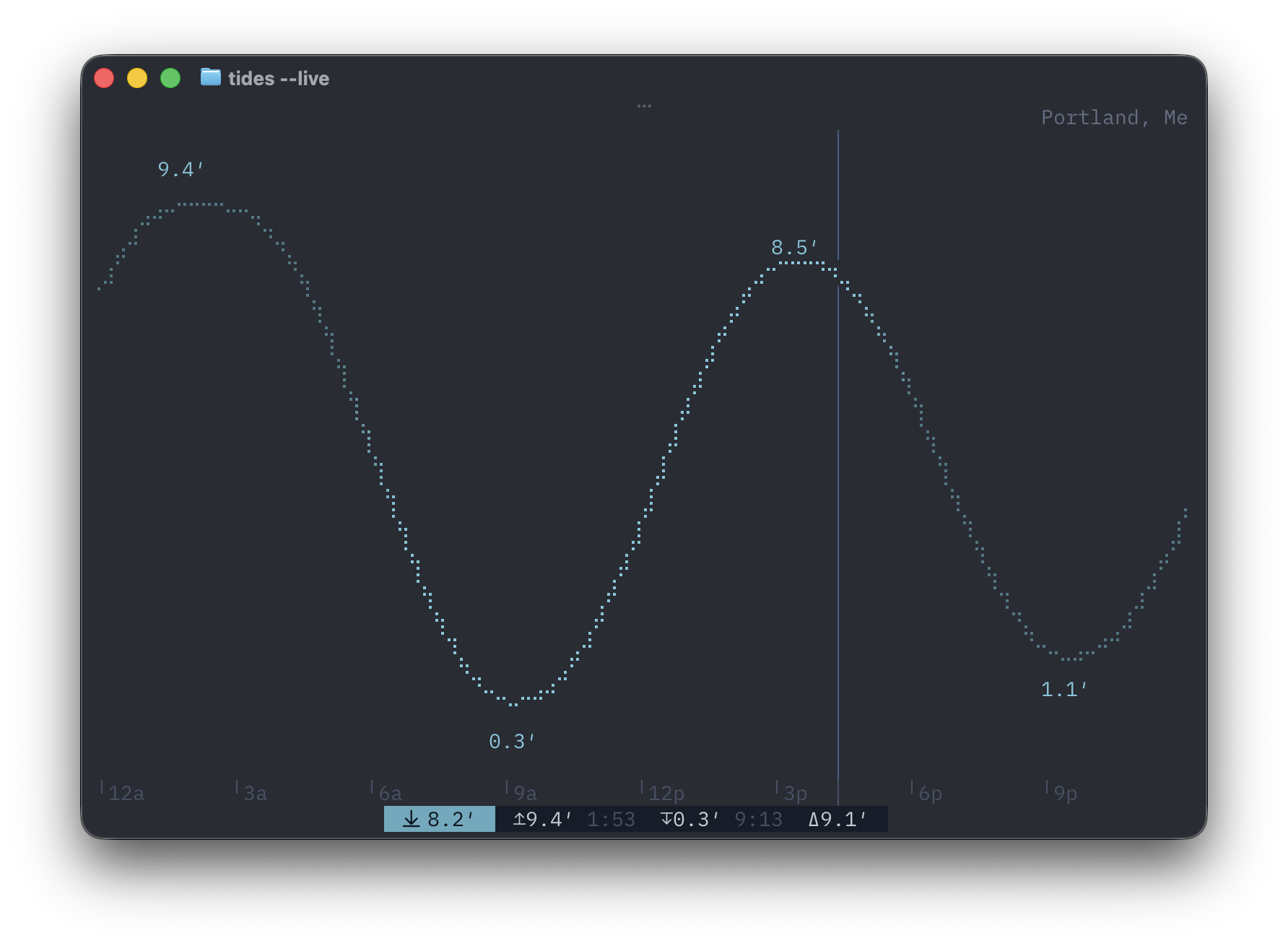
tides — NOAA tide predictions rendered as a sunlight-shaded braille chart with scrollable multi-day window, current water level, high/low extremes with timestamps, and mouse hover tooltips.
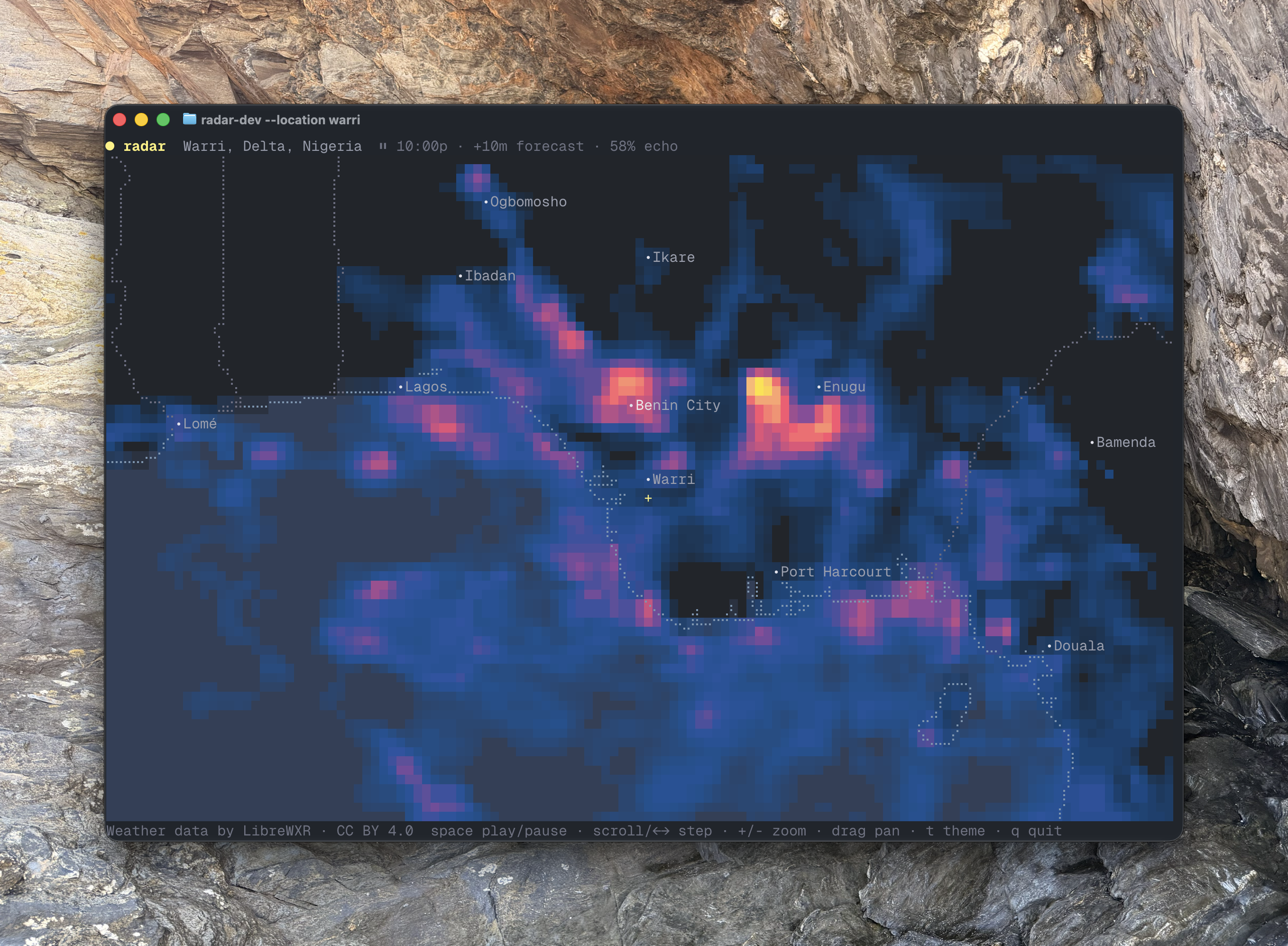
radar — Animated weather radar over a braille basemap. Powered by LibreWXR worldwide: real radar composites for North America (NOAA MRMS incl. Alaska/Hawaii, Environment Canada), Europe (OPERA, 24 countries), Japan, Taiwan and more, with model-derived precipitation filling the gaps everywhere else, 60 minutes of forecast frames, and 13 colour themes (Dark Sky by default; --theme rainbow, or press t in live mode to pick from a menu). Falls back automatically to NEXRAD via Iowa Environmental Mesonet (US) or RainViewer (global). Drag to pan anywhere in the world; the header names wherever you land ("23 mi NE of Boston" near shore, "Gulf of Maine" once offshore) from an offline Natural Earth index, and a crosshair marks the view centre. In the US, storm-based warning polygons (tornado red, severe thunderstorm yellow, flash flood green, marine orange, snow squall violet, emergencies magenta) are outlined over the echoes and rewind in sync with the radar timeline. Optional condition layers (--layers temp,wind, or press c/w in live mode) add a temperature tint beneath the geography and neutral wind arrows whose contrast tracks the speed — invisible in calm air, full text contrast in storm-force wind — sampled from Open-Meteo and time-synced to the displayed frame; rewinding the radar rewinds them too.
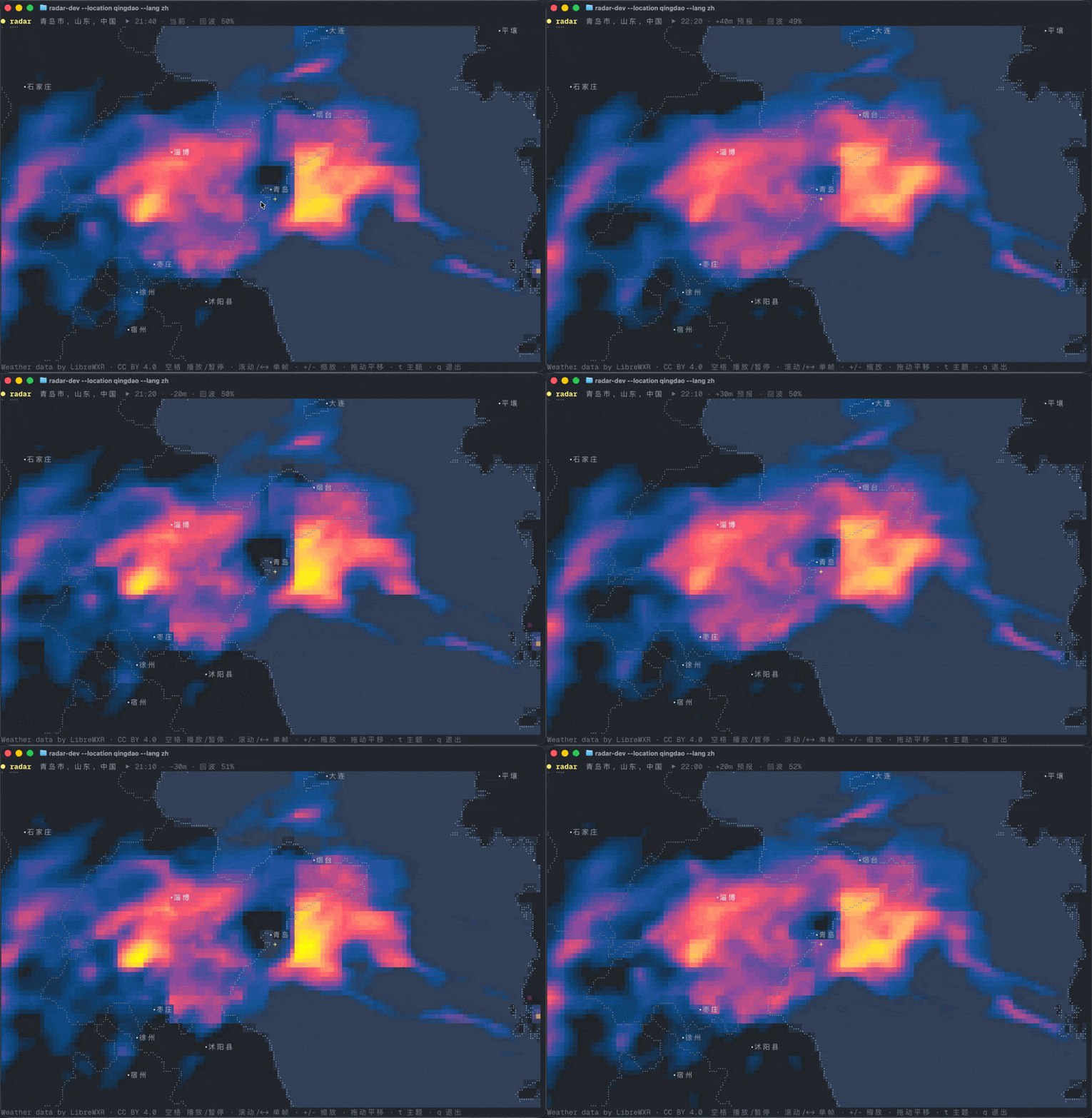
Like the rest of linecast, radar speaks all 16 languages — here looping the forecast over Qingdao with --lang zh:
maps — Terrain and bathymetry, no weather at all. Hillshaded elevation from the AWS/Mapzen terrain tiles (SRTM, GMTED, ETOPO1) painted as a hypsometric ramp — lowland green through alpine white above sea level, deepening bathymetric blues below it — with the coastlines, borders, and city labels rendered in braille over the fill. Drag to pan, +/- to zoom, hover to read the elevation under the pointer.
All six launch in full-screen live mode by default when run in a terminal (auto-refreshing, with keyboard navigation). Use --print for a single static snapshot printed to stdout. When piped, --print behavior is automatic.
Install
pip install linecast
Or with a Homebrew tap:
brew tap ashuttl/linecast
brew install linecast
Usage
weather                          # current location via IP geolocation
weather --location "new york"    # search by place name (uses top result)
weather --location 44.54,-68.42  # specific coordinates
weather --search québec          # find coordinates by city name
weather --metric                 # metric units (°C, km/h, mm)
weather --celsius                # celsius only (wind/precip stay imperial)
weather --metric --fahrenheit    # °F with km/h and mm
weather --lang fr                # UI in French (also covers alert text when available)
# other language codes: es, de, it, pt, nl, pl, no, sv, is, da, fi, ja, ko, zh
weather --print                  # single static snapshot (no live mode)
sunshine                         # solar arc (live by default)
sunshine --print                 # static snapshot
sunshine --classic-colors        # use fixed-color (theme agnostic) sunshine gradient/palette

moon                             # phase, illumination, next rise/set (live by default)
moon --oneline                   # compact line for status bars

tides                            # nearest NOAA station (live by default)
tides --station "Bar Harbor"     # search by station name (uses nearest match)
tides --station 8413320          # specific station ID
tides --search "portland maine"  # find stations by name/state, nearest first
tides --metric                   # heights in meters instead of feet
tides --lang fr                  # UI in French
tides --print                    # static snapshot

radar                            # current location via IP geolocation
radar --location "chicago"       # search by place name
radar --location 41.88,-87.63    # specific coordinates
radar --search denver            # find coordinates by city name
radar --zoom 12                  # zoom out (degrees of latitude shown, default 6)
radar --theme rainbow            # colour theme (or press t in live mode)
radar --layers temp,wind         # temperature tint + wind arrows (or press c/w)
radar --print                    # static snapshot

maps                             # terrain around the current location
maps --location "Innsbruck"      # the Alps
maps --location 60.4,5.3 --zoom 8  # Norwegian fjords and the North Sea trench
maps --print                     # static snapshot
Setting a location
All commands detect your location from your IP address by default. To use a fixed location instead:
linecast location set "Portland, Maine"   # search by place name (uses top result)
linecast location set 44.54,-68.42        # specific coordinates
linecast location                         # show the current setting
linecast location auto                    # go back to IP geolocation
linecast location search fayette          # list matching places
The saved location applies to every command and is stored in
~/.config/linecast/config.json. It is resolved to coordinates once, when you
set it. A --location flag or the WEATHER_LOCATION environment variable
takes precedence over it.
Language support
Use --lang or set LINECAST_LANG to switch the full UI into another language. This covers weather descriptions, day names, natural language comparisons, precipitation forecasts, and alert timing. Non-English languages also use 24-hour time.
Supported: English, French, Spanish, German, Italian, Portuguese, Dutch, Polish, Norwegian, Swedish, Icelandic, Danish, Finnish, Japanese, Korean, Chinese
All commands are also available under the linecast namespace if the short names conflict with other tools on your system:
linecast weather
linecast sunshine --print
linecast tides --station 8413320
linecast radar --theme rainbow
Shell completion
Generate shell completion from the CLI:
# Bash
source <(linecast completion bash)

# Zsh
source <(linecast completion zsh)

# Fish
linecast completion fish | source
This installs completions for both linecast <command> and standalone weather, tides, sunshine, and radar.
Weather alerts
Alerts are sourced automatically based on location from eight providers covering 36 countries:
- US — National Weather Service
- Canada — Environment and Climate Change Canada
- China — China Meteorological Administration
- Germany — Deutscher Wetterdienst (via BrightSky)
- Ireland — Met Éireann
- Japan — Japan Meteorological Agency
- Norway — MET Norway
- 29 European countries — MeteoAlarm (Austria, Belgium, Bulgaria, Croatia, Cyprus, Czechia, Denmark, Estonia, Finland, France, Greece, Hungary, Iceland, Italy, Latvia, Lithuania, Luxembourg, Malta, Netherlands, Poland, Portugal, Romania, Serbia, Slovakia, Slovenia, Spain, Sweden, Switzerland, UK)
Alert text comes from each national weather service in its native language. When available, alerts are served in your --lang preference.
Environment variables
| Variable | Description |
|---|---|
WEATHER_LOCATION |
Default lat,lng for weather and radar (e.g., 44.54,-68.42); overrides a saved linecast location |
TIDE_STATION |
Default NOAA station ID for tides (e.g., 8413320) |
LINECAST_RADAR_THEME |
Default radar colour theme (same values as radar --theme; default dark-sky) |
LINECAST_LIBREWXR_URL |
Base URL of a self-hosted LibreWXR instance for radar tiles (default https://api.librewxr.net) |
TIDES_UNITS |
Set to metric for tide heights in meters (same as --metric) |
LINECAST_LANG |
UI language, including alerts when available: en, fr, es, de, it, pt, nl, pl, no, sv, is, da, fi, ja, ko, zh |
WEATHER_UNITS |
Set to metric for Celsius, km/h, and mm (same as --metric) |
LINECAST_ICONS |
Set to emoji to use standard emoji instead of Nerd Font icons |
LINECAST_COLOR |
Color mode: auto (default), truecolor, 256, 16, or none |
LINECAST_THEME |
Theme input mode: auto (default) to query terminal colors, or classic / legacy / off for pre-theme palette behavior |
LINECAST_THEME_TIMEOUT_MS |
OSC theme query timeout in milliseconds (default 100) |
NO_COLOR |
Any non-empty value disables ANSI colors (standard convention) |
Requirements
- Python 3.10+
- A terminal with ANSI color support (
truecolorlooks best; weather remains usable in low/no color) - A Nerd Font for best icon rendering (optional — use
--emojifor standard emoji fallback) - macOS or Linux (uses
termiosfor live mode)
Data sources
- Weather — Open-Meteo (forecast, geocoding, air quality); alerts from the US NWS, Environment Canada, Bright Sky (DWD), MET Norway, and Met Éireann
- Tides — NOAA CO-OPS (US), Canadian Hydrographic Service, Queensland Open Data (AU), and TideCheck
- Sunshine — computed locally from NOAA's solar position equations (no API)
- Radar — global radar, forecast frames and colour themes by LibreWXR (data CC BY 4.0; aggregates NOAA MRMS, Environment Canada, EUMETNET OPERA, JMA, CWA, MET Malaysia and ECMWF-based model precipitation; set
LINECAST_LIBREWXR_URLto use a self-hosted instance); fallbacks: NEXRAD via Iowa State University's Iowa Environmental Mesonet (US) and RainViewer; NWS storm-based warning polygons via IEM; basemap geography from Natural Earth
License
MIT
1 maintainer

Download files
Download the file for your platform. If you're not sure which to choose, learn more about installing packages.
Source Distribution
Built Distribution
Filter files by name, interpreter, ABI, and platform.
If you're not sure about the file name format, learn more about wheel file names.
Copy a direct link to the current filters
File details
Details for the file linecast-1.6.0.tar.gz.
File metadata
- Download URL: linecast-1.6.0.tar.gz
- Upload date:
- Size: 12.7 MB
- Tags: Source
- Uploaded using Trusted Publishing? Yes
- Uploaded via:
twine/7.0.0 CPython/3.13.14
File hashes
| Algorithm | Hash digest | |
|---|---|---|
| SHA256 |
c844a97a4ee8879e3ca0480fdca802bee38b7479bffcc5c11da35a135e20f6e7
|
|
| MD5 |
e57e7609098ddebb9a056681f41e7a22
|
|
| BLAKE2b-256 |
4db41b035436459208fc0a551c791e29ff1a05561169bcf3f98b4fee68a942d2
|
Provenance
The following attestation bundles were made for linecast-1.6.0.tar.gz:
Publisher:
publish.yml on ashuttl/linecast
-
Statement:
-
Statement type:
https://in-toto.io/Statement/v1 -
Predicate type:
https://docs.pypi.org/attestations/publish/v1 -
Subject name:
linecast-1.6.0.tar.gz -
Subject digest:
c844a97a4ee8879e3ca0480fdca802bee38b7479bffcc5c11da35a135e20f6e7 - Sigstore transparency entry: 2439262255
- Sigstore integration time:
-
Permalink:
ashuttl/linecast@e16401261b72a48029e5a94a0d89d13b7c6003b0 -
Branch / Tag:
refs/tags/v1.6.0 - Owner: https://github.com/ashuttl
-
Access:
public
-
Token Issuer:
https://token.actions.githubusercontent.com -
Runner Environment:
github-hosted -
Publication workflow:
publish.yml@e16401261b72a48029e5a94a0d89d13b7c6003b0 -
Trigger Event:
push
-
Statement type:
File details
Details for the file linecast-1.6.0-py3-none-any.whl.
File metadata
- Download URL: linecast-1.6.0-py3-none-any.whl
- Upload date:
- Size: 2.2 MB
- Tags: Python 3
- Uploaded using Trusted Publishing? Yes
- Uploaded via:
twine/7.0.0 CPython/3.13.14
File hashes
| Algorithm | Hash digest | |
|---|---|---|
| SHA256 |
359aec6509516cbb0cbd050cf4bc9d4b19a4a9451f83cd43c9d39a14d918ad70
|
|
| MD5 |
0748bd69bf0f0632545a67a7eb2a970f
|
|
| BLAKE2b-256 |
93b8a6b768259d79a5c02e7a8c375f6494413395ce6efd0a44d4692a97958d34
|
Provenance
The following attestation bundles were made for linecast-1.6.0-py3-none-any.whl:
Publisher:
publish.yml on ashuttl/linecast
-
Statement:
-
Statement type:
https://in-toto.io/Statement/v1 -
Predicate type:
https://docs.pypi.org/attestations/publish/v1 -
Subject name:
linecast-1.6.0-py3-none-any.whl -
Subject digest:
359aec6509516cbb0cbd050cf4bc9d4b19a4a9451f83cd43c9d39a14d918ad70 - Sigstore transparency entry: 2439262273
- Sigstore integration time:
-
Permalink:
ashuttl/linecast@e16401261b72a48029e5a94a0d89d13b7c6003b0 -
Branch / Tag:
refs/tags/v1.6.0 - Owner: https://github.com/ashuttl
-
Access:
public
-
Token Issuer:
https://token.actions.githubusercontent.com -
Runner Environment:
github-hosted -
Publication workflow:
publish.yml@e16401261b72a48029e5a94a0d89d13b7c6003b0 -
Trigger Event:
push
-
Statement type:














