

myGeeKy
Your corner of GitHub, for research.
The people, projects, papers and pulse of your field,
found from your CV, repos, ORCID and Google Scholar, in one small glass panel on your screen.








▶ Watch the video · Website · Get started · Every tab · Tokens · Safety · Full guide
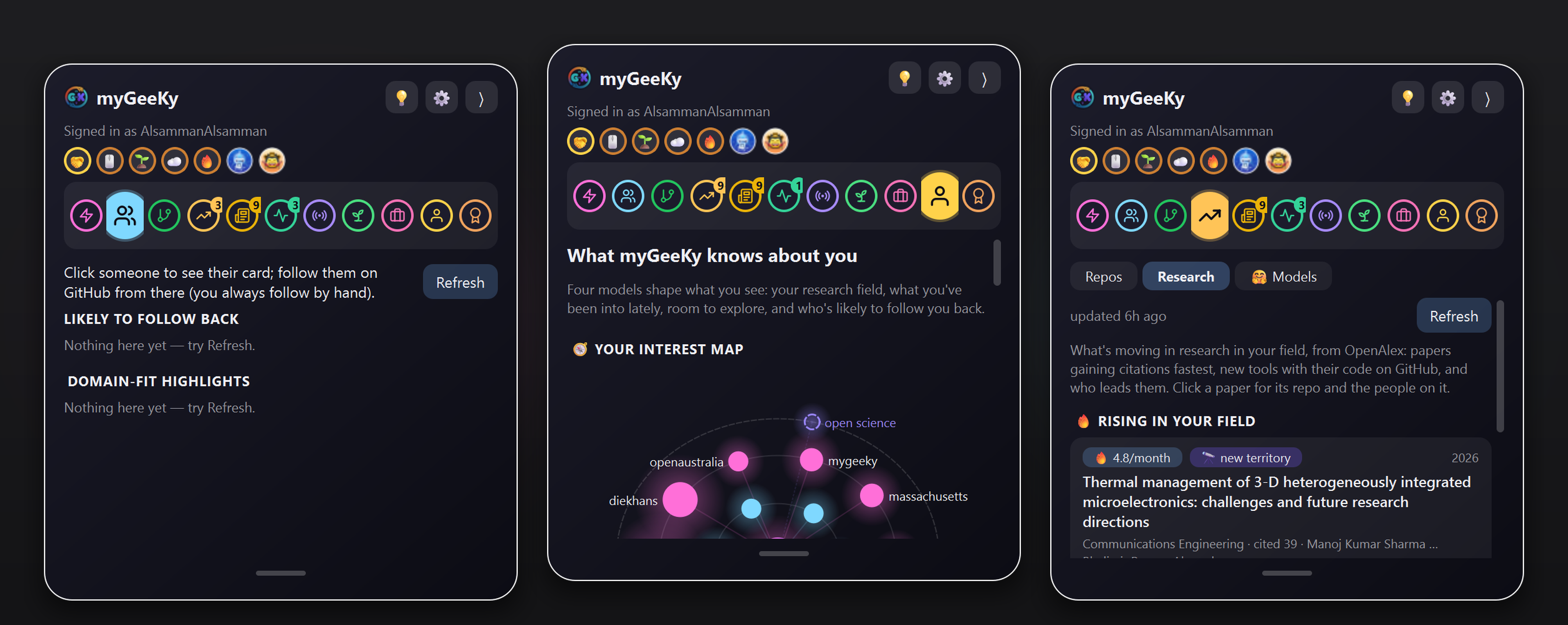
Real screenshots, real data: people likely to follow you back · what myGeeKy knows about you · research rising in your field.
Why this exists: I don't have Facebook. I wanted a real circle in my field: people I can genuinely learn from (and who might learn something from me), projects where my work would be welcome, and a feel for where the field is moving. GitHub has all of that, but scattered and buried under famous accounts. myGeeKy gathers it in one place, and never acts for you.
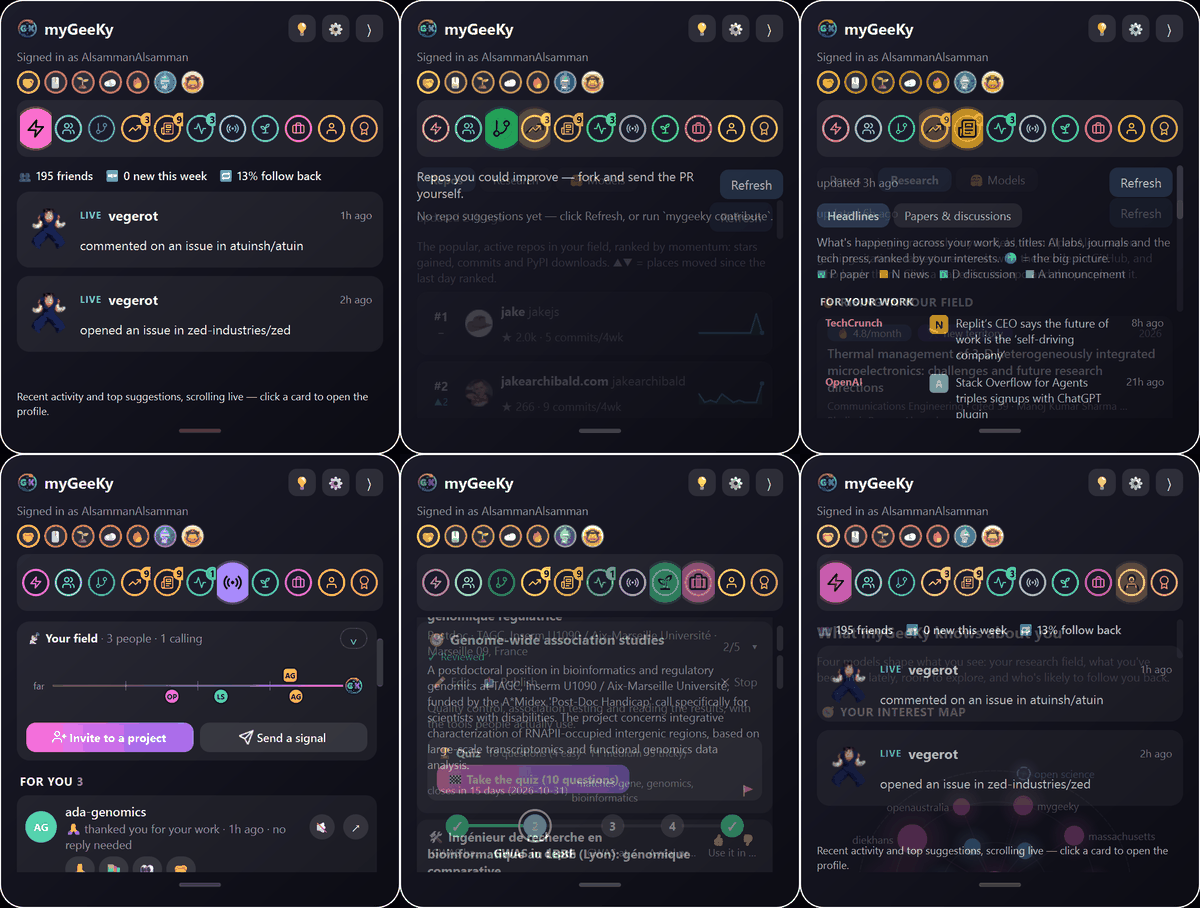
🚀 Get started in 3 steps
▶ Watch the video: install, set up, and a tour of the panel
🪟 Windows: one installer
You don't need anything installed first. It sets up Python and Git if they're missing (just for you, no admin rights), asks who you are, checks your tokens, connects private sync, and adds a Start-menu shortcut. Windows may say "Windows protected your PC" (the installer isn't code-signed yet): click More info → Run anyway. |
🐍 macOS · Linux · Windowspip install mygeeky
mygeeky init # who you are + token 1
mygeeky gui # open the panel
Only your GitHub username is required. Your CV, ORCID and Google Scholar profile are optional, and they make every match much better.
|
Then, any time, from the panel or the terminal:
mygeeky run           # 👥 people in your field worth following
mygeeky contribute    # 🛠️ repos you could improve
mygeeky market        # 📈 what's rising in your field
mygeeky trends        # 🔬 papers and tools gaining traction
mygeeky news          # 🗞️ news about your interests
mygeeky beacon init   # 🙏 join Signals (optional)
🔑 Two tokens, two jobs
myGeeKy uses two separate GitHub tokens with very different powers. Setup checks what each token can actually do (with tests that change nothing on GitHub), and refuses a token that doesn't fit its job.
| 🔍 Token 1: read-only | ✍️ Token 2: Signals (optional) | |
|---|---|---|
| What it's for | Reading public profiles, repos and followers | Writing your mygeeky-beacon repo, and nothing else |
| Repository access | Public repositories | Only select repositories → mygeeky-beacon |
| Permissions | Account → Followers: Read-only | Repository → Contents: Read and write |
| Refused if… | it can write to any repo, can follow people, or is your Signals token | it can't write to mygeeky-beacon, or is token 1 again |
| Made with | new fine-grained token ↗ | the same page, after the repo exists |
Both live only in your OS keyring (Windows Credential Locker / macOS Keychain / Secret Service), never in a file.
myGeeKy reminds you a week before either one expires, and mygeeky auth status shows what each can do.
🪟 Every tab
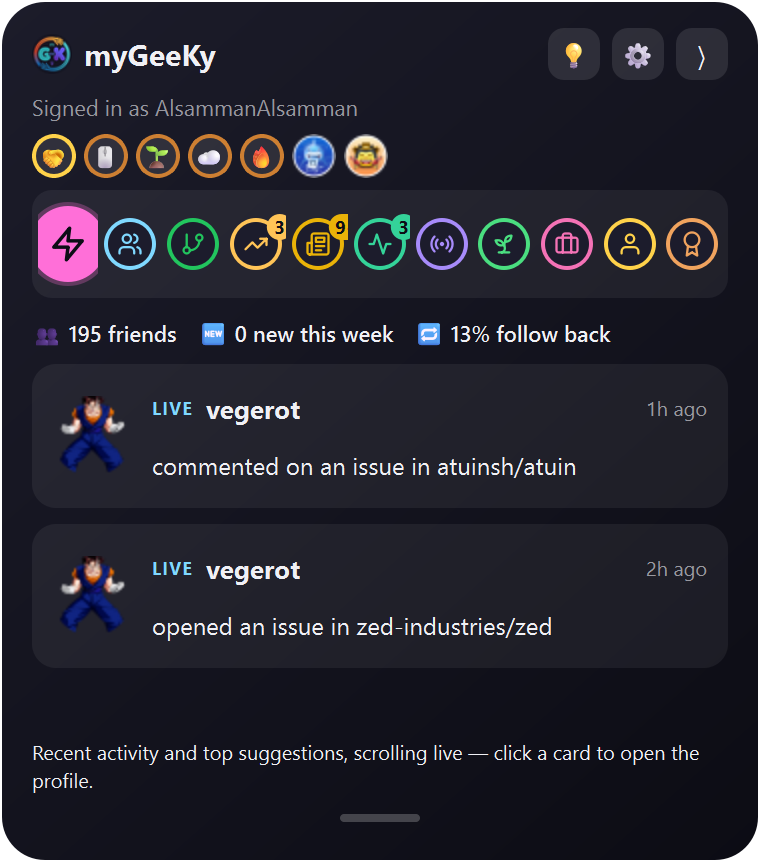 Live Your circle's activity and top suggestions, scrolling live |
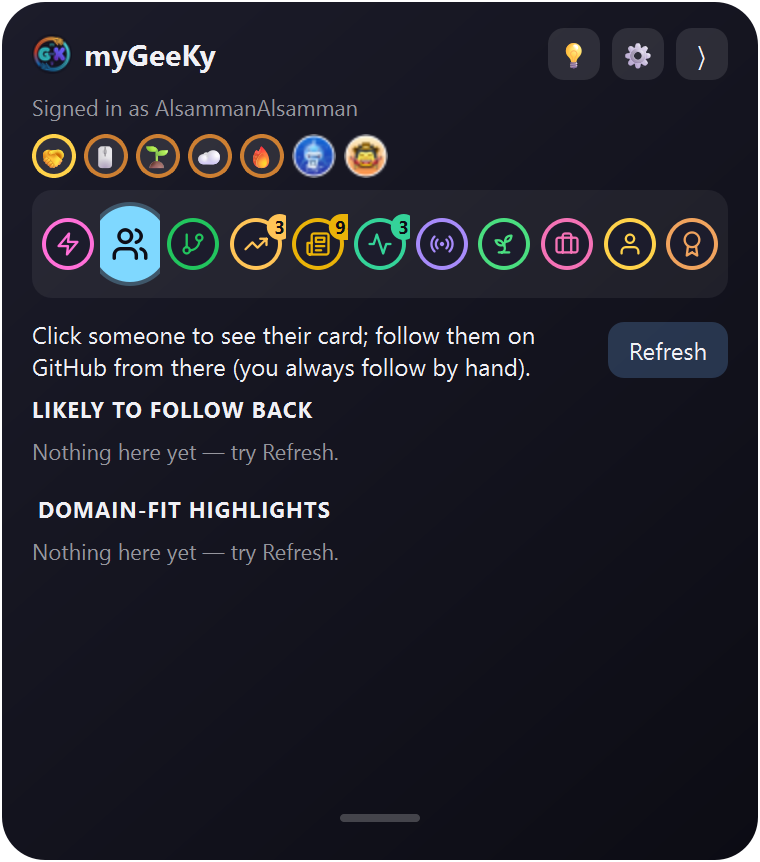 People Likely to follow you back, plus domain experts. Click to open; you follow by hand |
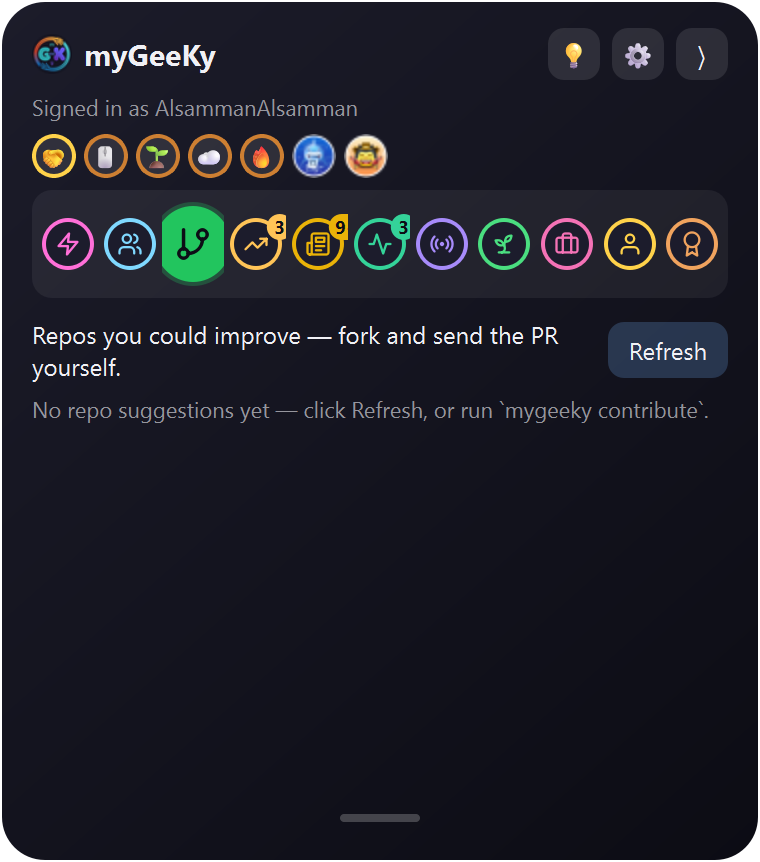 Repos Projects in your field with starter issues and maintainers who merge |
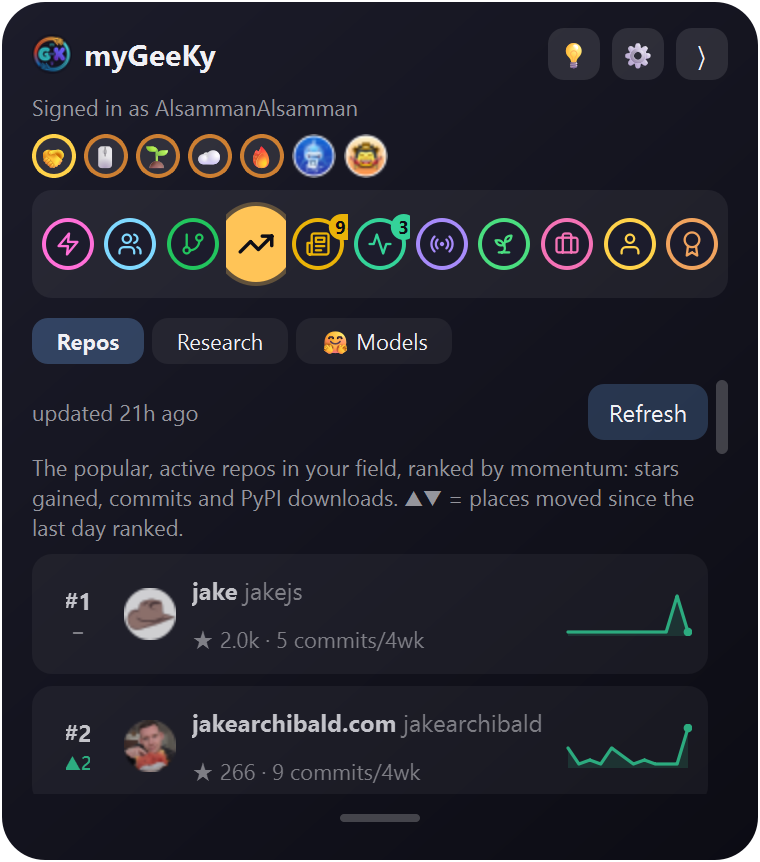 Market Your field's repos as a stock race: stars, commits, downloads |
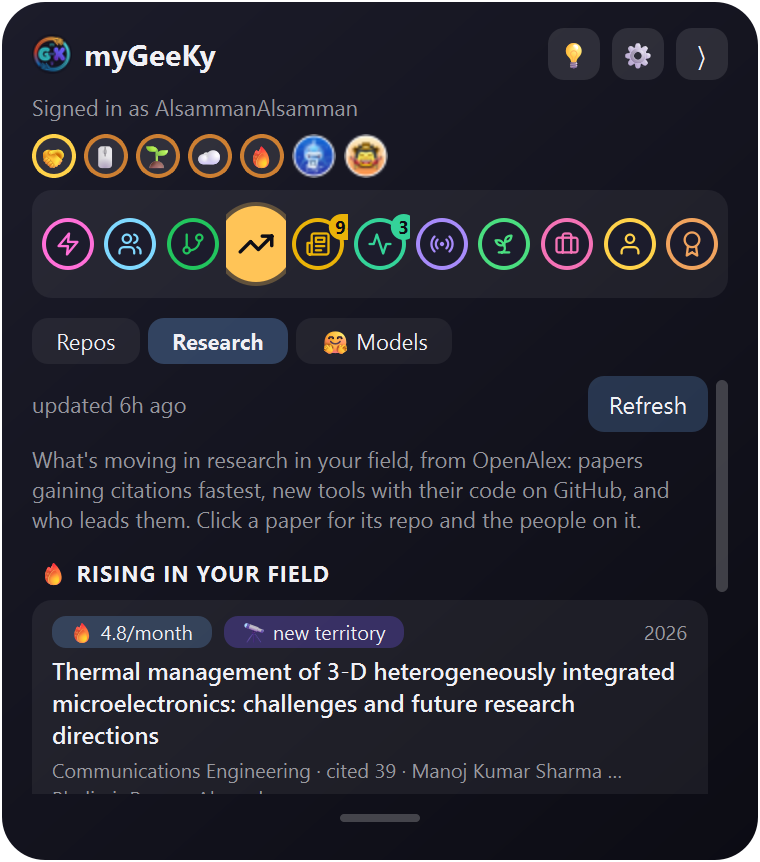 Market → Research Rising papers, their code, and the people behind them (OpenAlex) |
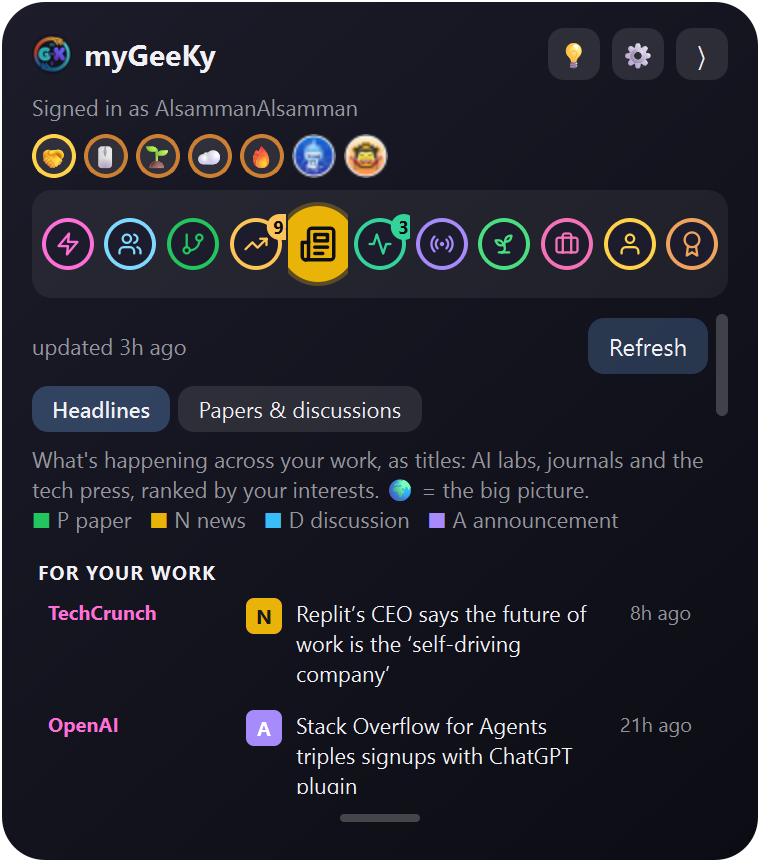 News arXiv, bioRxiv and Hacker News about your interests |
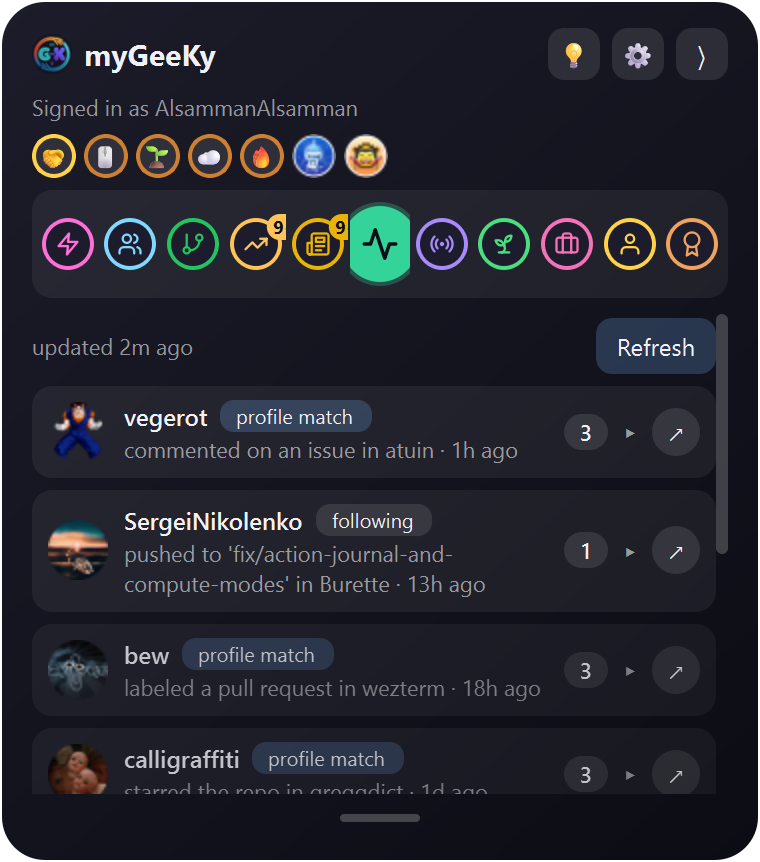 Activity One card per person: what they're building right now |
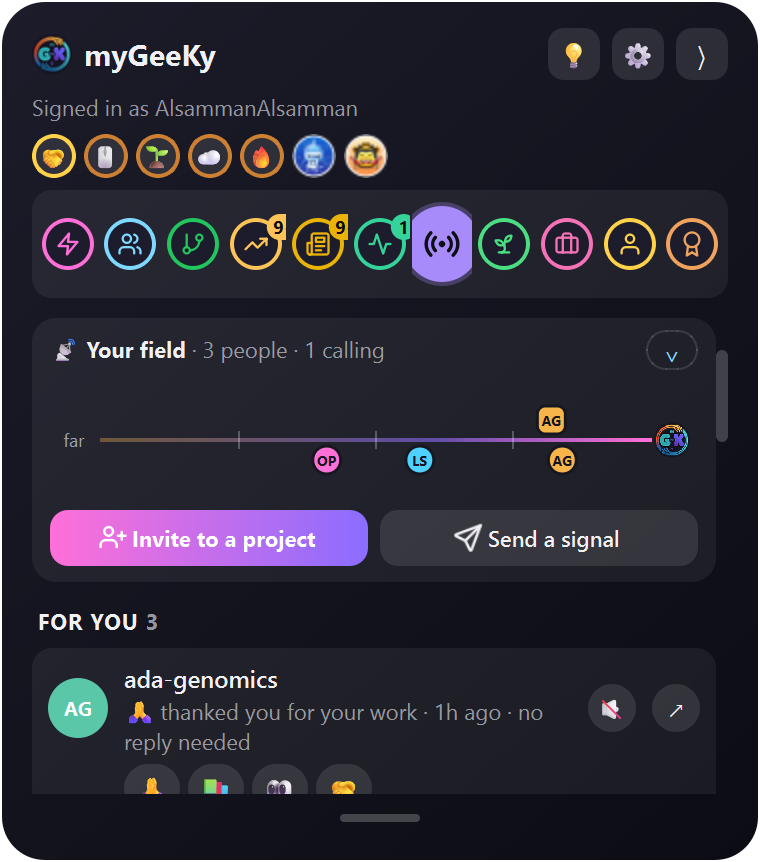 Signals Private 🙏 📚 👀 from fellow users; 🤝 only when you both choose it (example people) |
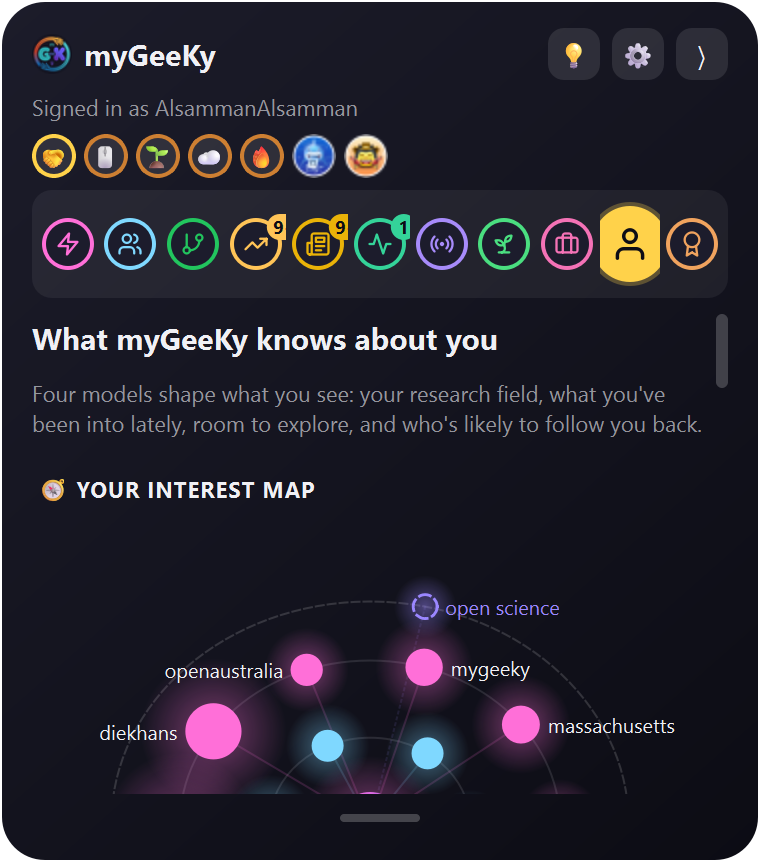 Model What myGeeKy knows about you: your interest map, what teaches it, room to explore |
Folded, it's just a small icon on your screen edge that now and then lets out a few floating hearts (turn them off in ⚙).

🔤 Keywords that mean something
Add AI and myGeeKy also looks for LLMs, deep learning and AI agents; add GWAS and it brings in genomics and statistical genetics. A small model reads which GitHub topics go together across the most-starred repos, and builds a keyword dictionary that every myGeeKy uses.
- 🟢 Green keywords are in the dictionary: they bring their whole meaning to People, Repos, Research and News.
- 🔴 Red ones aren't yet: they still work as plain words, and they're passed on (through your Signals beacon, or with one click as a suggestion) so the next dictionary learns them.
mygeeky keywords add AI "single cell"   # or in the panel: Model → 🔤 Your keywords
mygeeky keywords explain gwas           # what it brings in, and how strongly
🧠 It learns, and keeps room to explore
|
Everything starts from your research field: topics from your papers (OpenAlex), your Google Scholar interests, and your repos. Then it watches what you actually do:
Interests fade with a 30-day half-life, so it follows you as you change. And 🔭 20% of every list is deliberately kept for fields you've never touched, so you don't end up in a bubble. A separate model learns who follows you back, from your own history, and gets sharper every week. |
The Model tab: you in the middle, your field, what you're into lately, and new territory |
🔒 What it will never do
- Never follows, stars, forks or comments for you. There is no code for it anywhere in the project. You look, you click, you act yourself on github.com.
- No server, no account, no telemetry. It talks only to GitHub and public research APIs (OpenAlex, arXiv, bioRxiv, Hacker News, PyPI).
- Your data stays yours: on your computer, plus (if you choose) a private GitHub repo you own for sync.
- Tokens only in your OS keyring, checked for least privilege, never logged or printed.
Details: Safety.
💡 Ideas, problems and questions
Click 💡 at the top of the panel (or run mygeeky idea "your idea"). Pick Idea, Problem or Question,
and your browser opens a ready-to-send issue in
myGeeKy-ideas. Click Submit to send it. Nothing is sent
until you do, and no token passes through myGeeKy. Issues there are public, so leave out tokens and private data.
📚 The full guide
Everything else is in docs/GUIDE.md:
License
MIT. Made with ❤️ for researchers who code.

1 maintainer

Metadata
1 maintainer
Release files for mygeeky 0.10.1
For a detailed explanation of source distributions (sdists) and built distributions (wheels), please see the package formats documentation.
Source distribution (sdist)
| File | Size | Uploaded | Provenance | |
|---|---|---|---|---|
| mygeeky-0.10.1.tar.gz | 780.8 kB | Without provenance | Details |
Built distribution (wheel)
| File | Interpreter | ABI | Platform | Reset |
|---|---|---|---|---|
| mygeeky-0.10.1-py3-none-any.whl | Python 3 | none | any | Details |
Total release size: 1.5 MB
Release files / mygeeky-0.10.1.tar.gz
| Download URL | mygeeky-0.10.1.tar.gz |
|---|---|
| Size | 780.8 kB |
| Tags | Source |
|
SHA-256 checksum How to use checksums |
6adfd9f6b82fd538fa285b9039a724a9c2f7dd5f7aa373a7944dcdd7c02cf560
|
|
BLAKE2b-256 checksum How to use checksums |
f919866a578b23433f3028f4144a26bcd91bf83944ab3bc2eae63a9386b18e0f
|
| Upload date | |
|
Uploaded using Trusted Publishing? What is trusted publishing? |
No |
| Uploaded via |
twine/7.0.0 CPython/3.12.10
|
Release files / mygeeky-0.10.1-py3-none-any.whl
| Download URL | mygeeky-0.10.1-py3-none-any.whl |
|---|---|
| Size | 745.4 kB |
| Tags | Python 3 |
|
SHA-256 checksum How to use checksums |
1ee7d94a3ba8ed547e93374d6ee6f8ea4eae8498db7e157ac3820f6e123708ee
|
|
BLAKE2b-256 checksum How to use checksums |
700299233834c0bddb2f98ae21014029301175999c0097e3033128081971bdb7
|
| Upload date | |
|
Uploaded using Trusted Publishing? What is trusted publishing? |
No |
| Uploaded via |
twine/7.0.0 CPython/3.12.10
|
Security for mygeeky 0.10.1
Provenance
Provenance describes where a file came from. On PyPI, provenance is shared via attestations, which provide a verifiable record of the build or publishing details. View details, limitations and caveats.
No provenance found
None of the files in this release were uploaded with provenance metadata.
A note on package security
PyPI is a repository for distributing packages, not a service for auditing them. While third-party security researchers and our staff do their best to detect and remove malicious packages, PyPI cannot guarantee the quality, security or suitability of any given package.














