
myGeeKy
Your geeky friend who helps you grow, quietly.









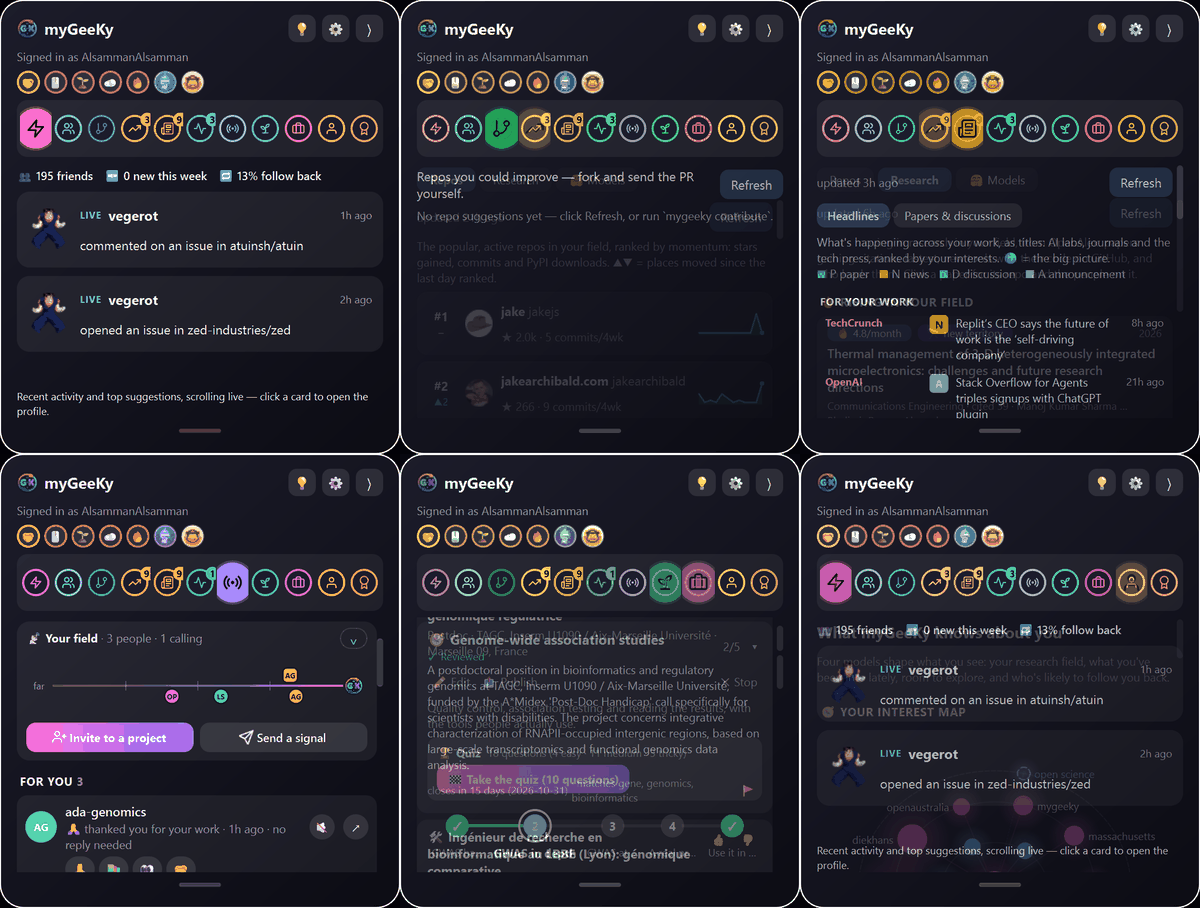
This is the whole program: one panel beside what you were already doing, every tab one click away.
No window to manage, no dashboard to log into. Close it and nothing keeps running.
▶ Watch the video (2½ minutes, opens on YouTube)
👀 See · 🌱 Learn · 👥 Meet · 🎯 Catch · 🚀 Install · 🔒 Never · Website · Guide
👀 Helps you see what is moving in your field
“I read the twenty sites, so you read one.”
Papers gaining citations fastest and the tools behind them, your field as a daily market, models trending on Hugging Face, and news from labs, journals and the press: all ranked for your keywords, not for everybody's.
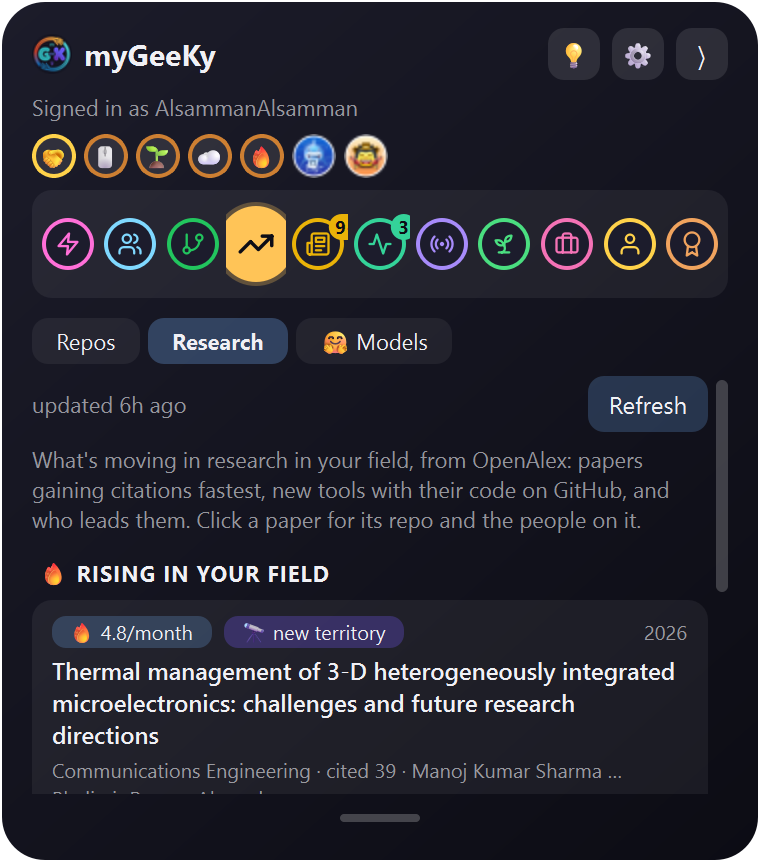 Research papers, and the tools behind them |
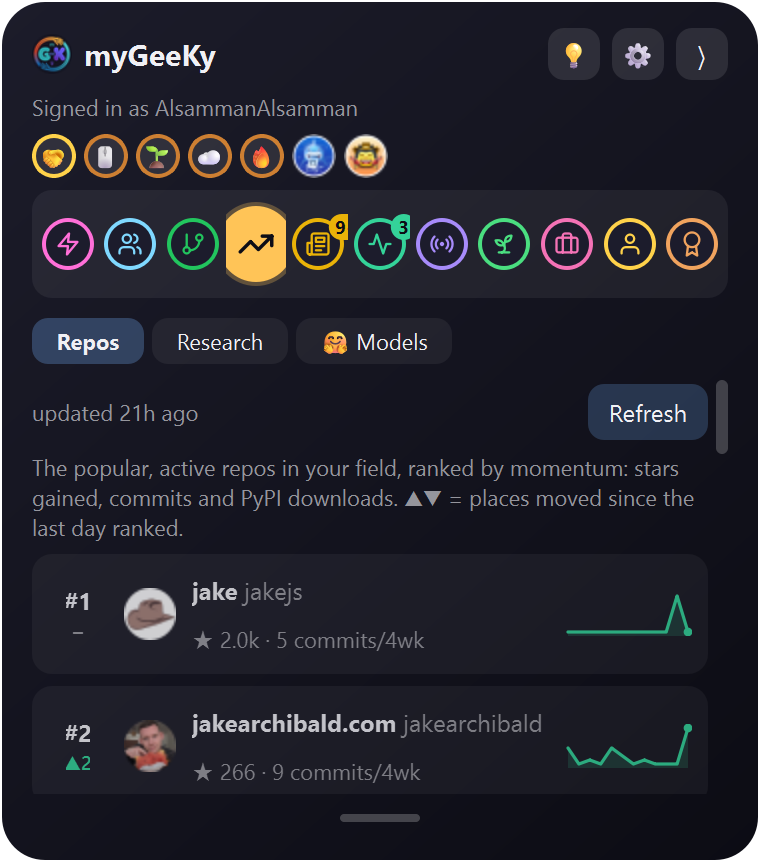 Market what rose and fell since yesterday |
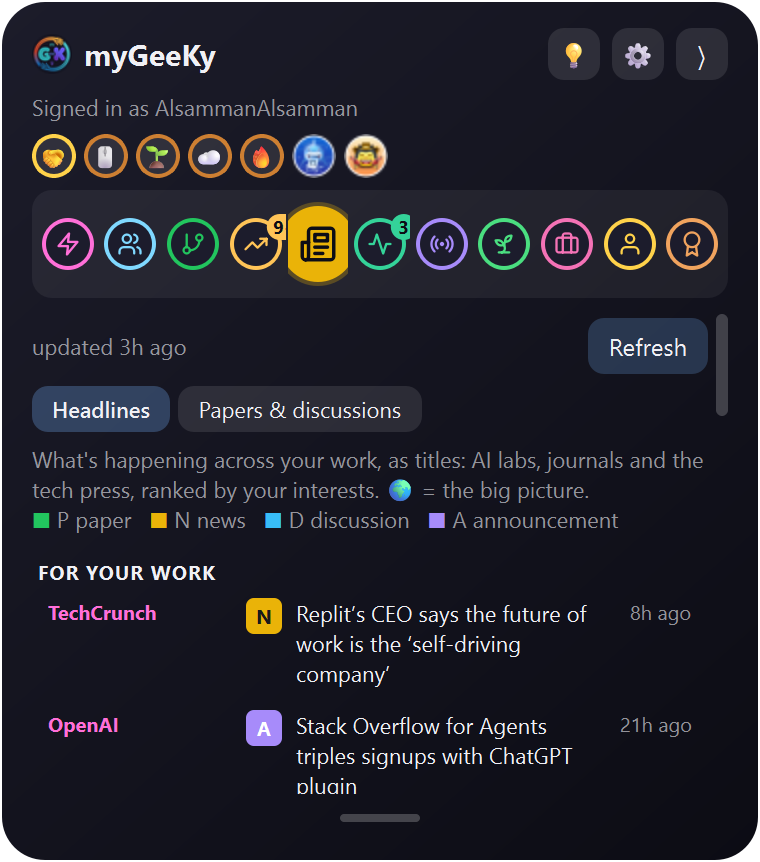 News labs, journals and the press |
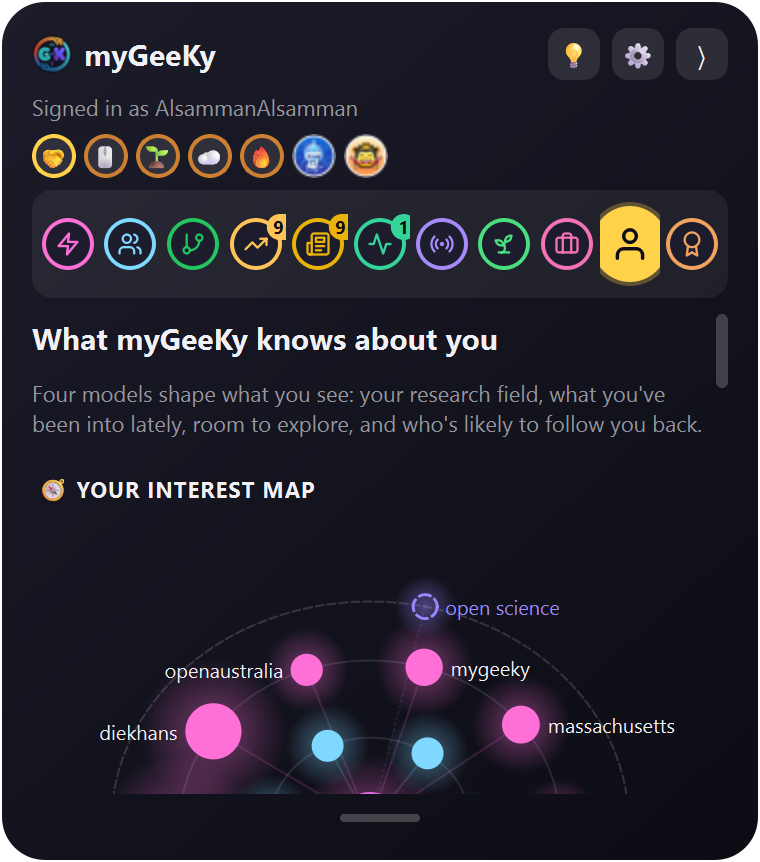 Model what it thinks you care about |
More about See
The Model tab shows you exactly what myGeeKy thinks you care about, so you can correct it.
It reads OpenAlex, arXiv, bioRxiv, Hacker News, PyPI, Hugging Face, Product Hunt, ORCID, Google Scholar, and GitHub. GitHub is one of them, not the point.
🌱 Helps you learn what comes next
“You haven't used Nextflow yet, and five repos near your work just did. Shall we start?”
Any skill becomes a road map. R for data analysis turns into: R basics → statistics with R → a real project to rerun → your own work. A level check skips what you already know, using your own repos as evidence.
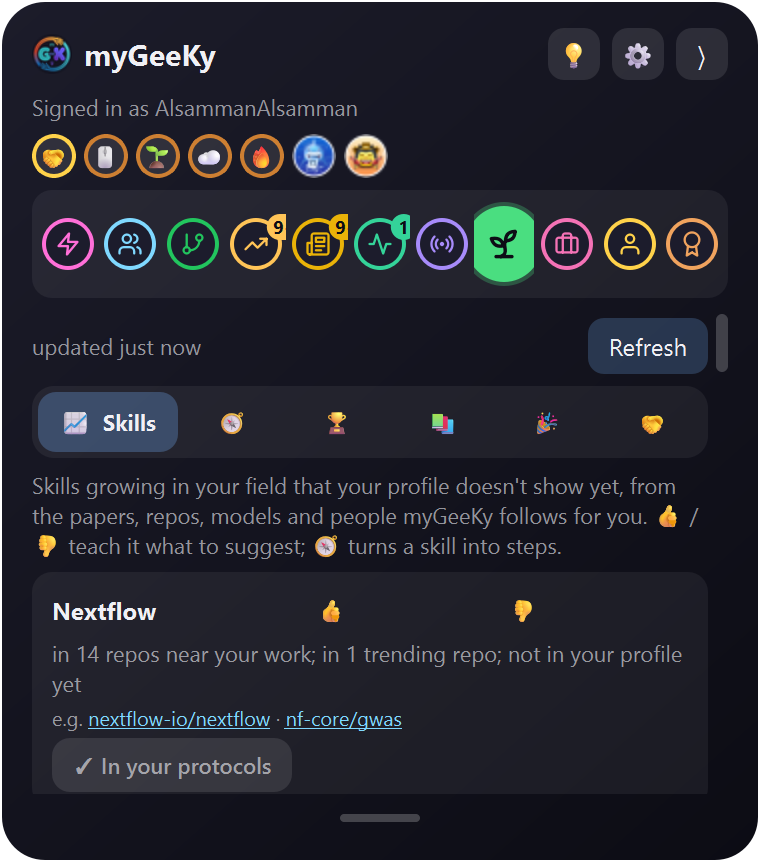 1. What's rising that you don't have yet and why it says so |
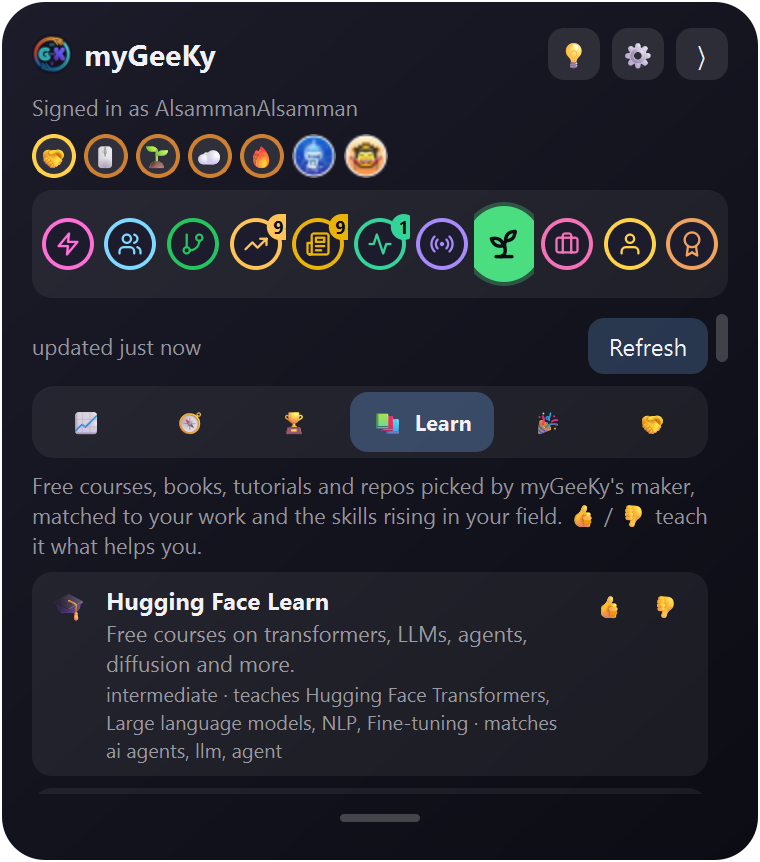 2. Pick one, and it becomes stages starting past what you know |
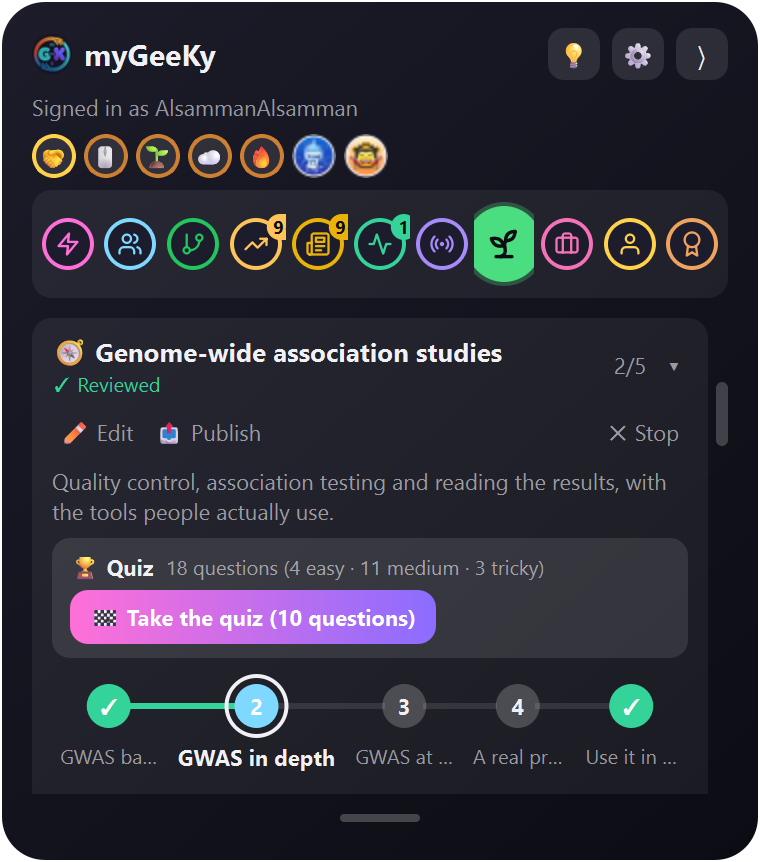 3. The road map the step you're on makes room for itself |
More about Learn
The level check shows its evidence (“6 of your repos use R”), and you can overrule it.
For a skill nobody has written up, a small model on your machine (about 400 KB) searches code and papers and sorts what it finds into stages. 14 protocols are written and reviewed, from your first pull request to statistics for experiments: which test, and why.
Software, data, statistics, figures and pipelines, never laboratory or bench protocols: why.
👥 Helps you meet the people working on the same problems
“These four work on what you work on, and they tend to follow back.”
People near your work, with how likely each is to follow back, what they pushed in the last hour, and repos worth your first pull request. You follow, star and message by hand, always. myGeeKy introduces; it never acts for you.
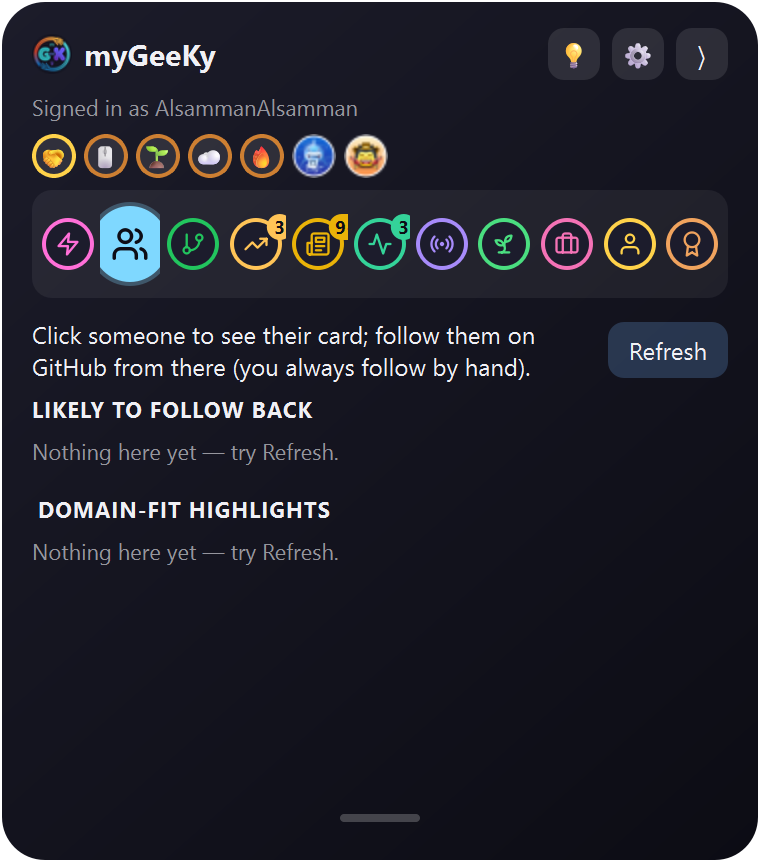 People near your work, and likely to follow back |
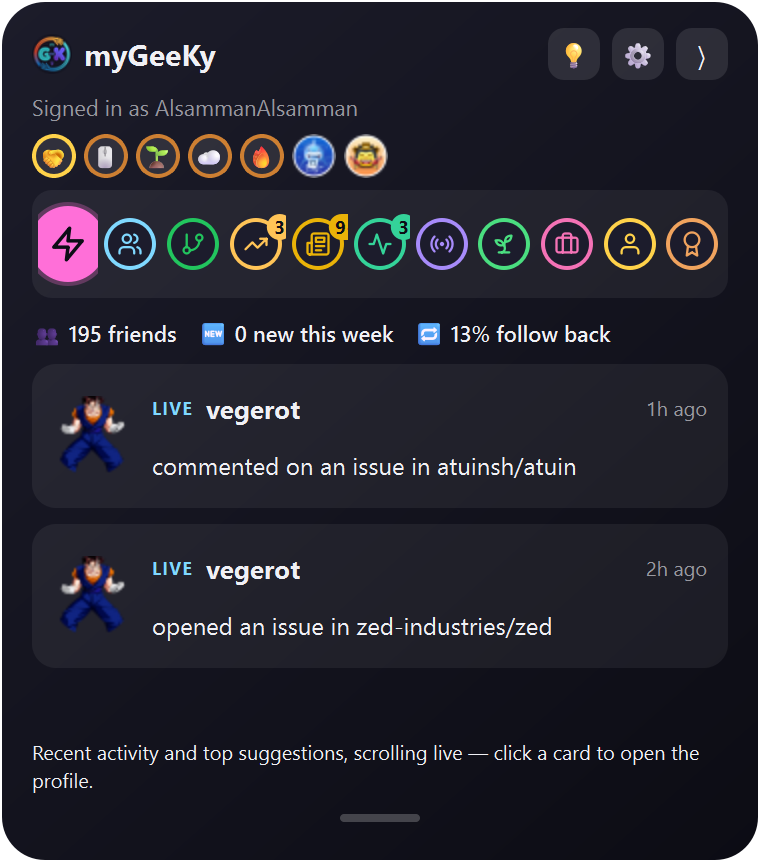 Live who moved in the last hour |
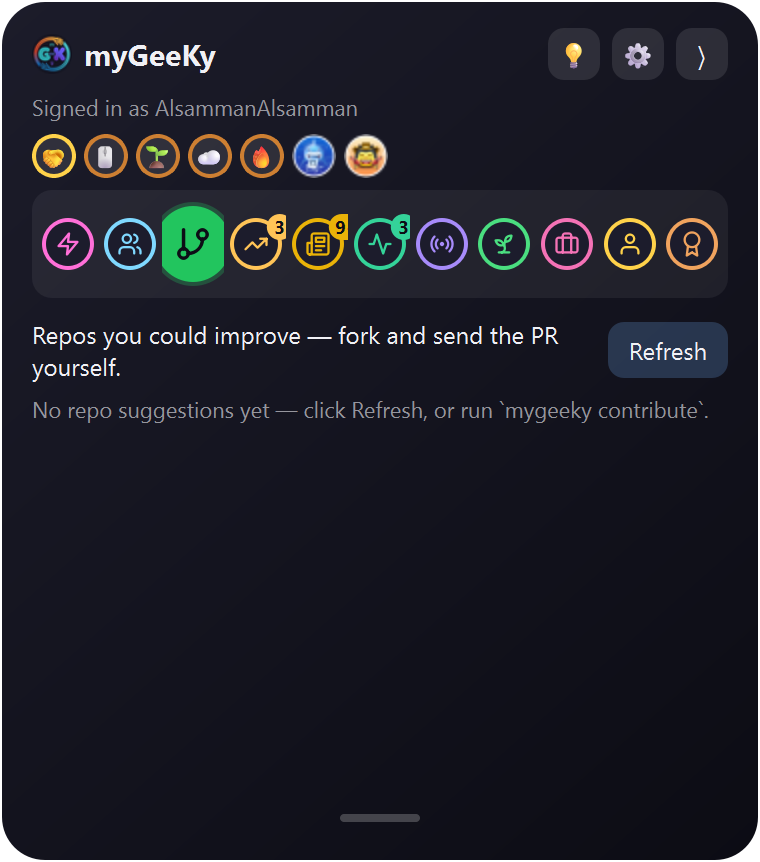 Repos where your pull request has a chance |
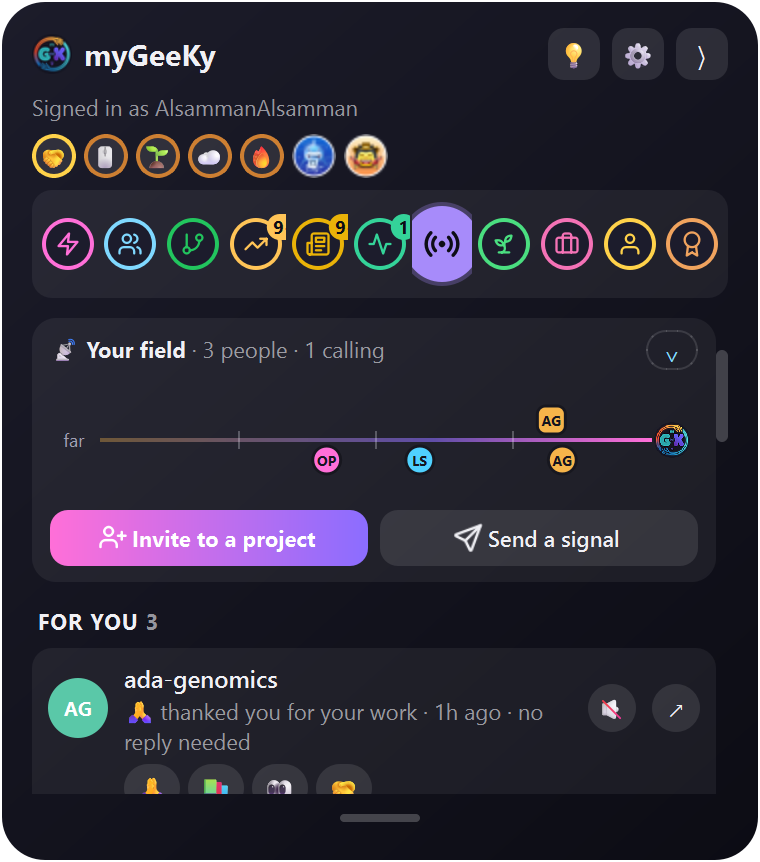 Signals a quiet room, if you want one |
More about Meet
Repos are ranked by whether the maintainers actually merge outside work. Signals is a quiet room for the people who opted into one.
There is also a private 🙏 thank you: only the person you send it to can read it. No public counter, no leaderboard, nothing for anyone else to see.
🎯 Helps you catch the opportunities while they are still open
“Two deadlines this week. Both still open; I checked the page myself.”
Jobs, funding, conferences and the scholarships that come back every year. Each one is checked against its own page before you see it, sorted by deadline, and gone the moment it passes.
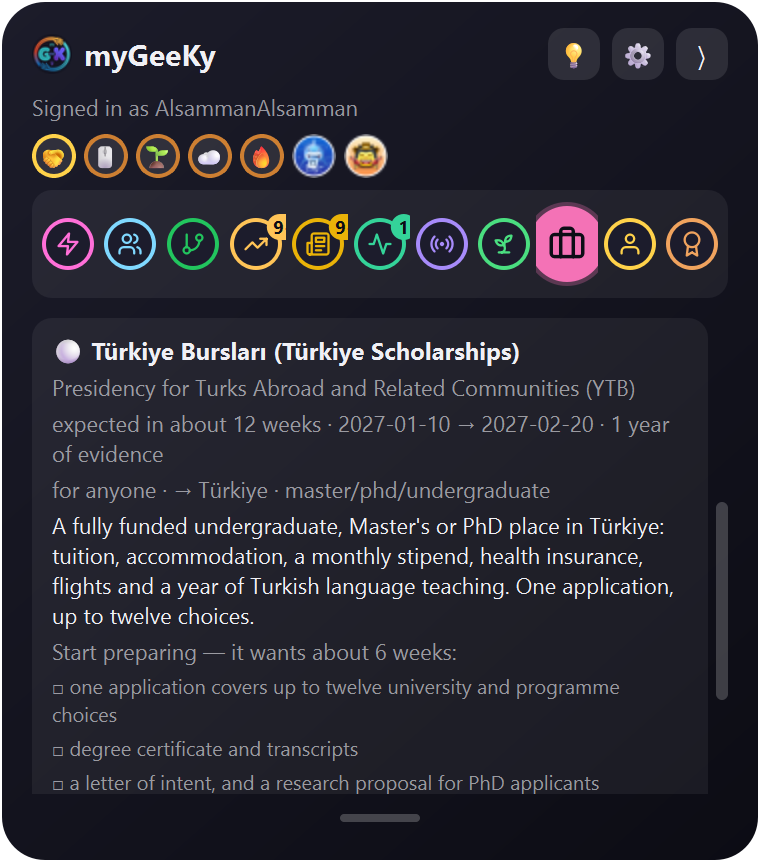 Seasons months of warning, and what to prepare |
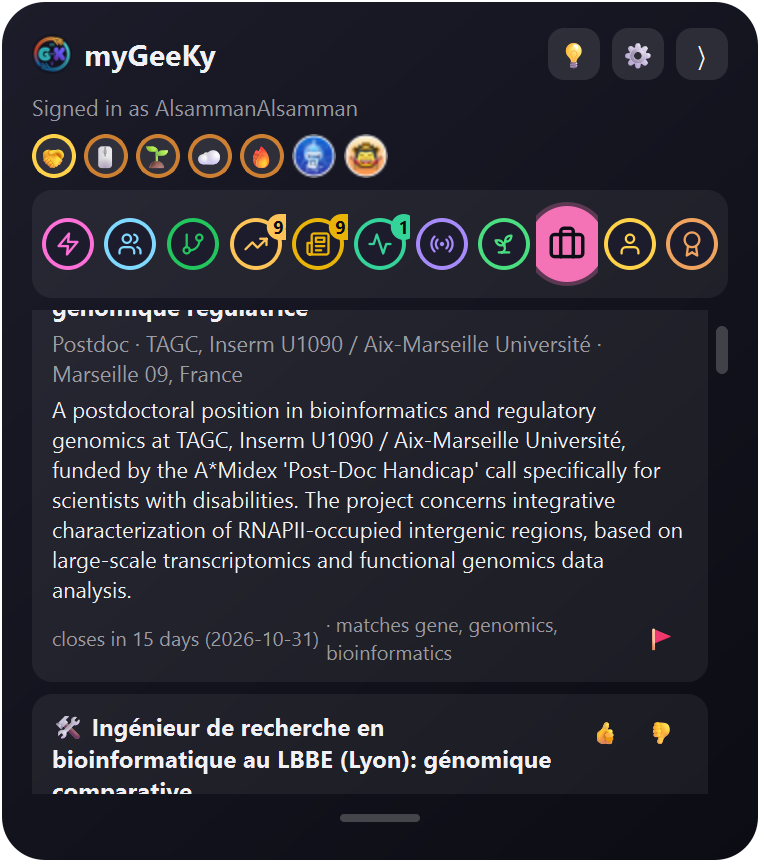 Jobs deadline first |
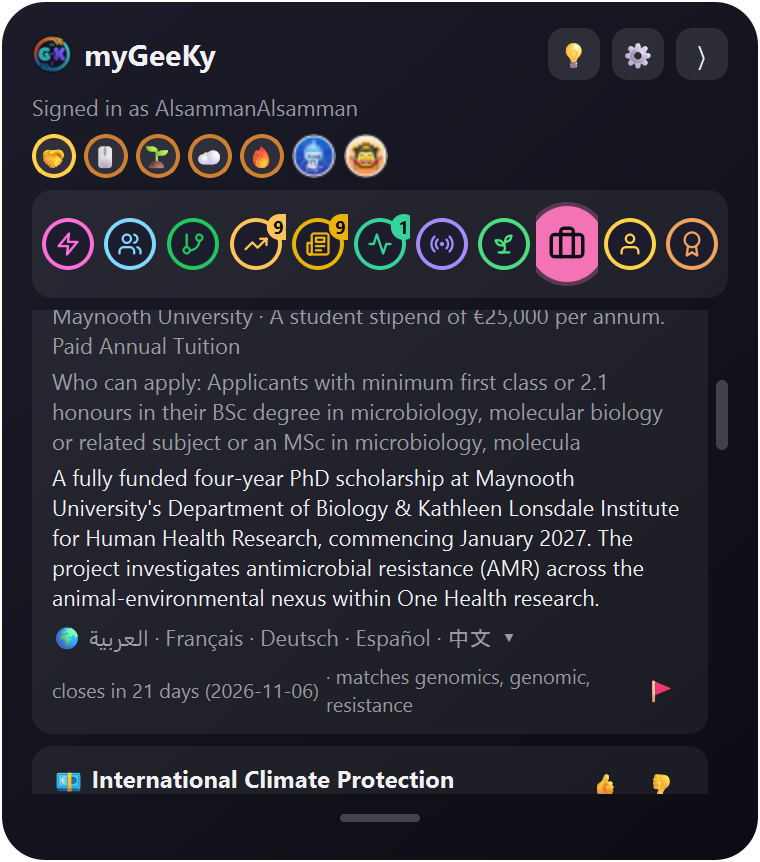 Funding you can still apply for |
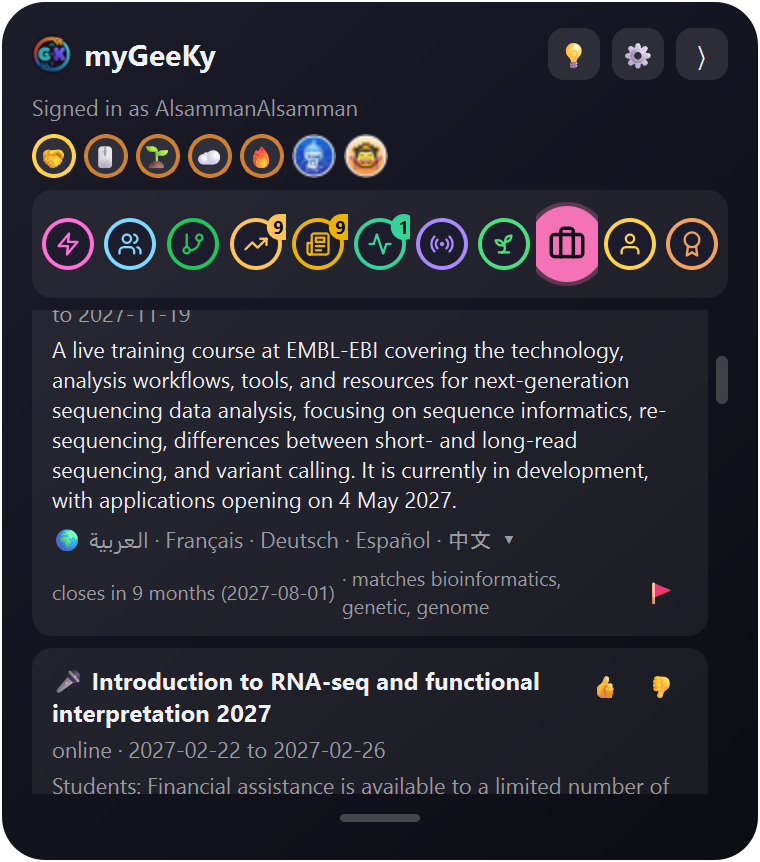 Conferences before the abstract closes |
More about Catch, and 🗓 Seasons
The board is never a list of things you are already too late for. A listing written in Arabic, French, German, Spanish or Chinese is read, translated and still checked against its own page, then shown to you in English. Filter by country, because that applies to all of them.
Seasons is for the ones that come back every year. A scholarship does not stop being real when it closes: it returns next April, and the preparing takes longer than the applying. So myGeeKy says “expected in about 12 weeks” while there is still time to get transcripts certified and a proposal written, and tells you how many years of evidence stand behind that expectation.
It never pretends to know next year's date: a window it read on a page says open now, anything ahead says expected.
🚀 Install
🪟 Windows
Nothing needs installing first: it sets up Python and Git for you, no admin rights. If Windows says “Windows protected your PC” (not code-signed yet): More info → Run anyway. |
🐧 Linux · 🍎 macOS · 🐍 anywherecurl -fsSL https://mygeeky.org/install.sh | sh
or with pip: pip install mygeeky
mygeeky setup
Run the one-liner again to update. Macs get myGeeKy.app in Launchpad and Spotlight. |
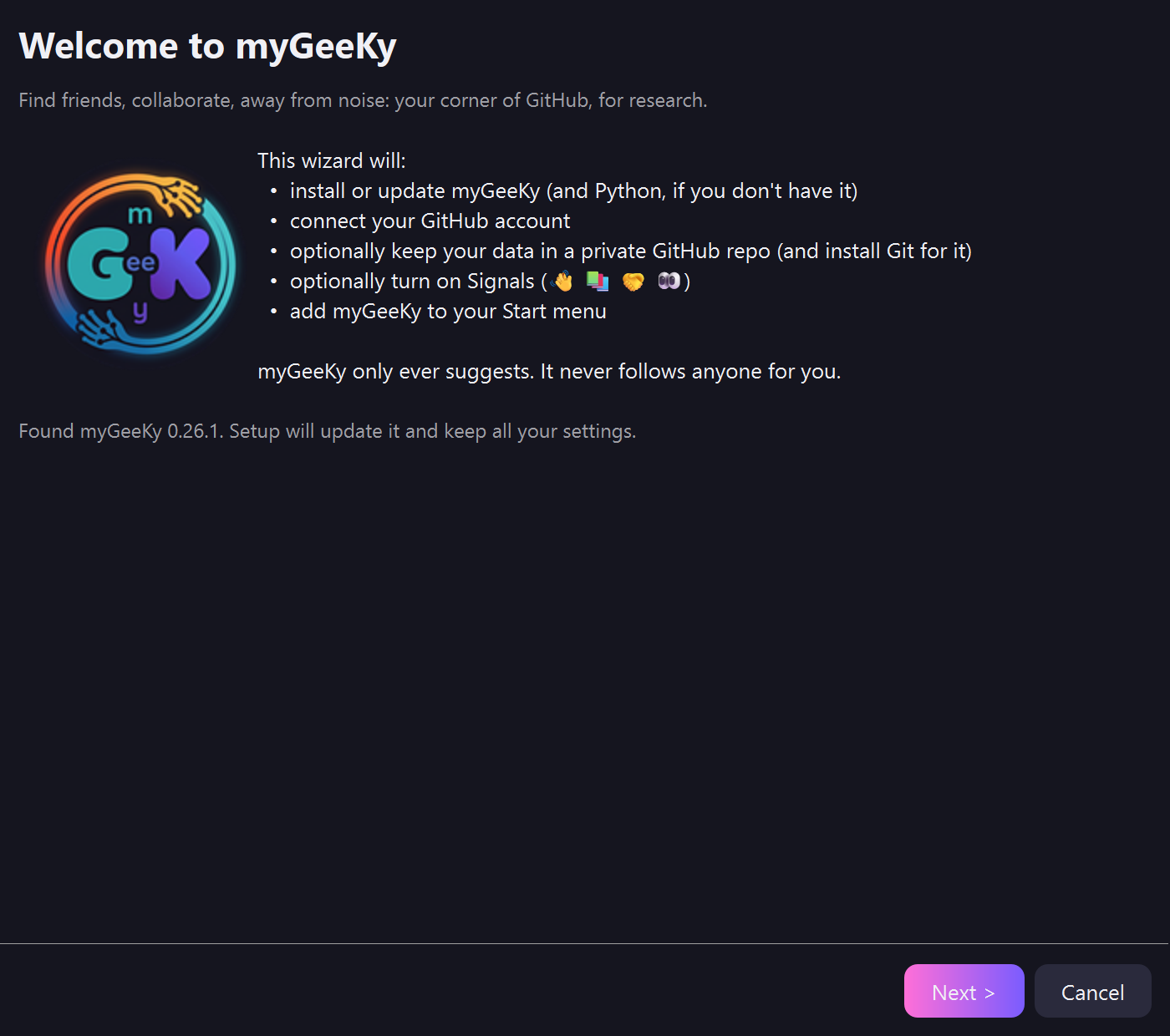 It asks what you work on. That's the whole setup. |
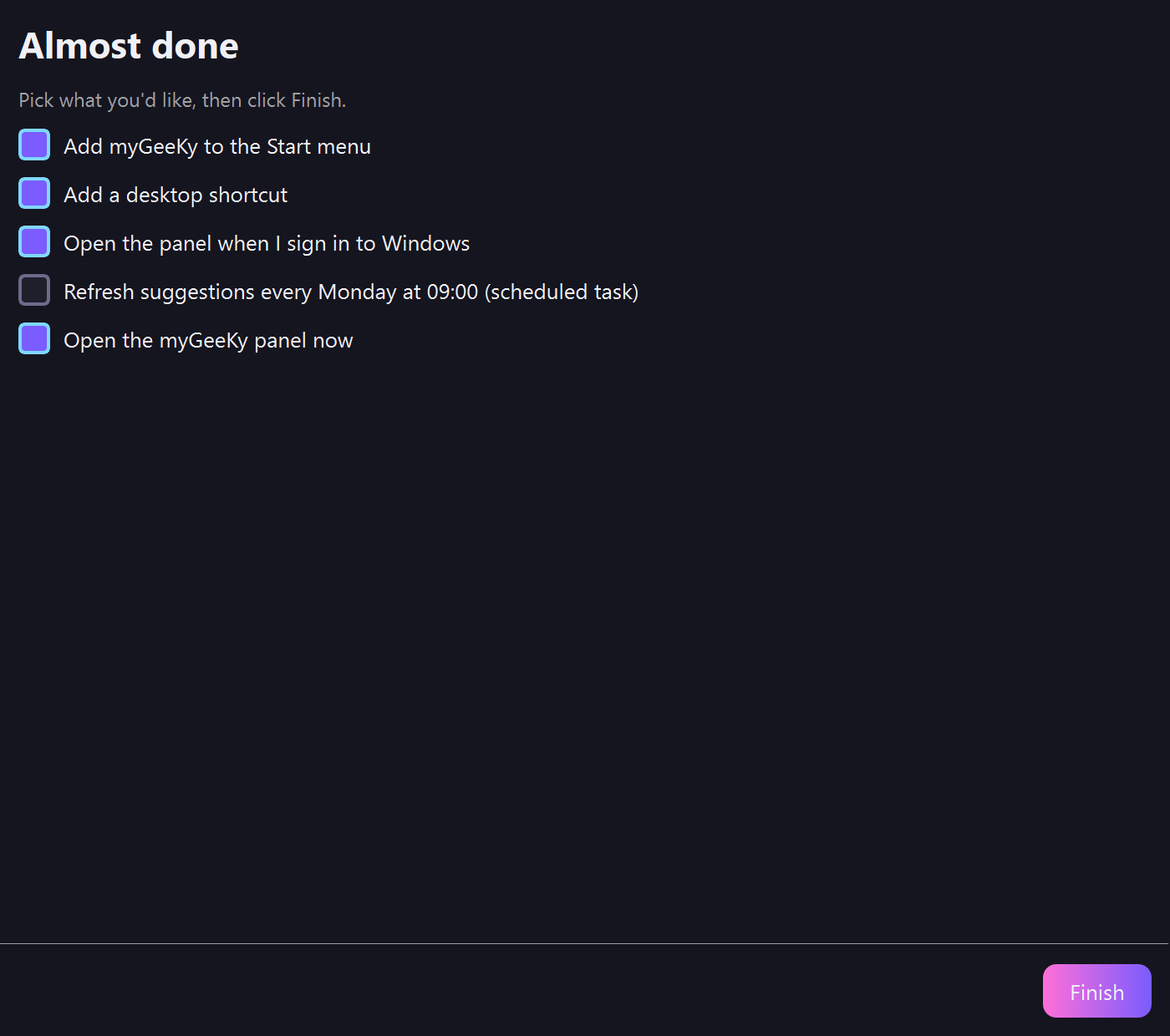 Then it's yours. A GitHub account is optional, and later. |
Then just type what you work on. A GitHub account unlocks who'd follow you back, your activity and Signals; everything else works without one.
📱 On your phone
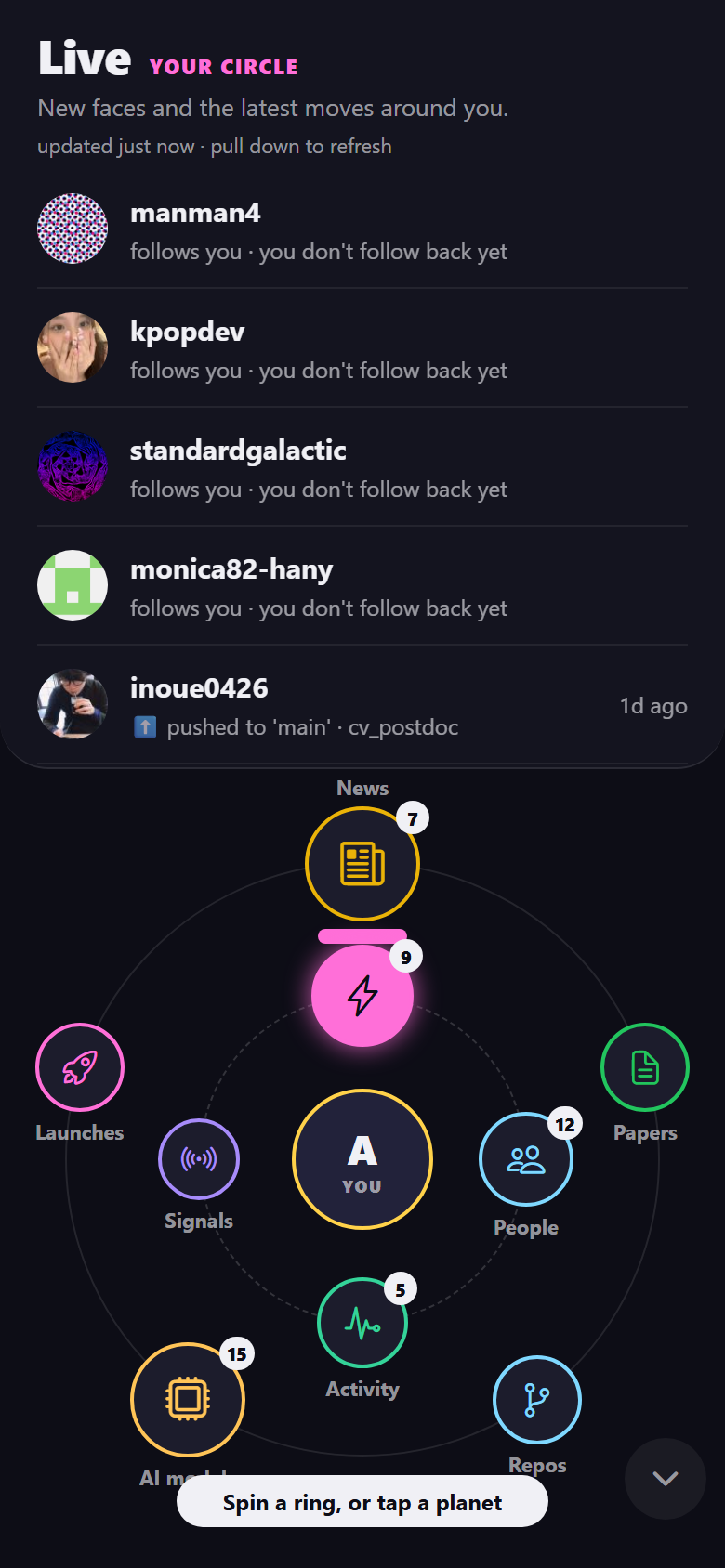
Your world in orbit: you in the middle, your circle on the inner ring, the world on the outer one.
Spin a ring with your thumb; tap to read and the rings fold into a slim dock. Set it up with one scan from the desktop panel.
On Android, coming to Google Play soon.
🤫 For anyone who works alone
|
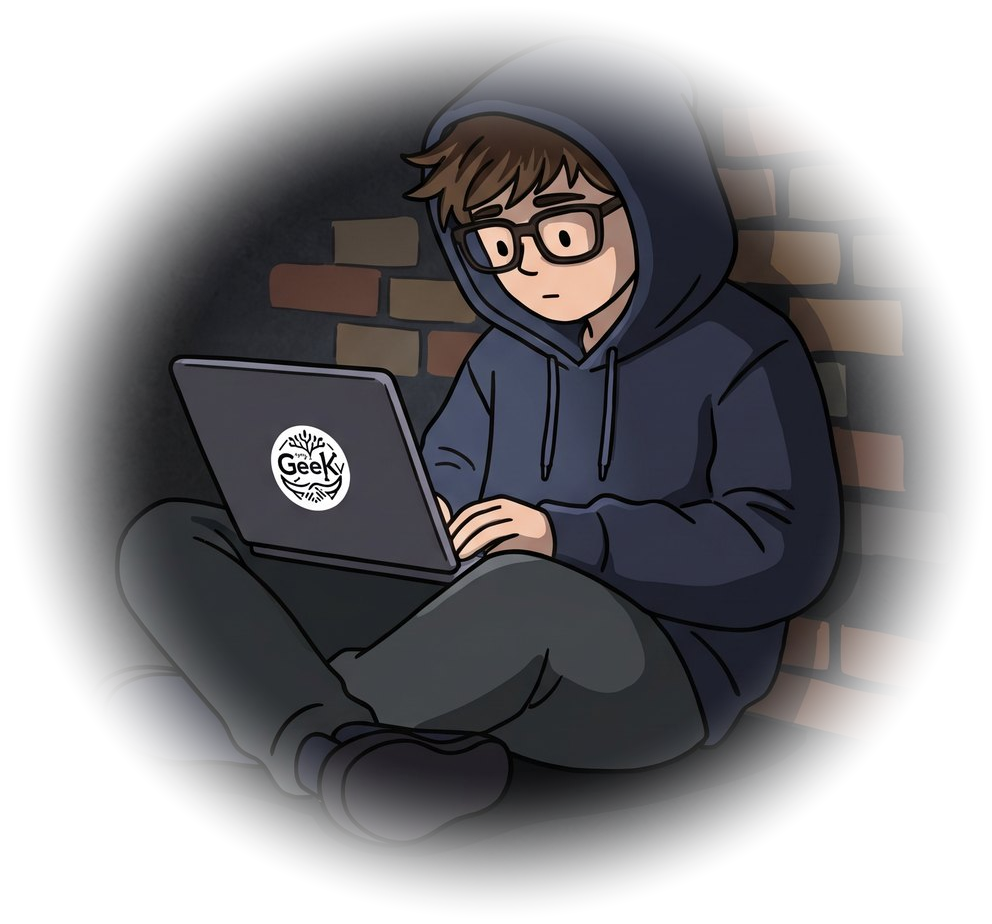
“You might be the only one in your building who does this. You are not the only one in the world.”
|
🔒 What it will never do
“I keep all of this on your computer. I never post for you, and I never tell anyone you were here.”
| ✋ | Never acts as you. | You look, you decide, you act. |
| 🧠 | Never leaves your machine. | No server, no account, no telemetry. |
| 🔑 | Never holds your keys. | They stay in your system's keyring. |
| 📦 | Never takes your data. | It stays on your computer. |
| 📨 | Never sends anything behind your back. | You read every report before it goes. |
The promises in full
- ✋ Never acts as you. It never follows, stars, forks, posts or comments: there is no code for it anywhere in the project.
- 🧠 Never leaves your machine. The model that ranks all of this runs on your computer, because there is no server.
- 🔑 Never holds your keys. Tokens live in your operating system's keyring, checked for least privilege, never logged and never printed.
- 📦 Never takes your data. It stays on your computer, plus a private repo you own, if you want sync.
- 📨 Never sends anything behind your back. If it breaks, you read the whole report first, with your name, email, tokens and folders already stripped out, and you decide whether it goes.
📚 Everything else
The full guide: every tab, the two tokens, keywords that carry meaning, how it learns, Signals, sync, macOS, scripts and AI agents, every setting.
An idea, a problem, a question? Click 💡 in the panel: it opens a ready-to-send issue in myGeeKy-ideas that you submit yourself. Or email support@mygeeky.org.
License
MIT. Made with ❤️ for researchers who build things at a computer.


1 maintainer

Metadata
1 maintainer
Release files for mygeeky 0.29.0
For a detailed explanation of source distributions (sdists) and built distributions (wheels), please see the package formats documentation.
Source distribution (sdist)
| File | Size | Uploaded | Provenance | |
|---|---|---|---|---|
| mygeeky-0.29.0.tar.gz | 2.2 MB | Without provenance | Details |
Built distribution (wheel)
| File | Interpreter | ABI | Platform | Reset |
|---|---|---|---|---|
| mygeeky-0.29.0-py3-none-any.whl | Python 3 | none | any | Details |
Total release size: 4.2 MB
Release files / mygeeky-0.29.0.tar.gz
| Download URL | mygeeky-0.29.0.tar.gz |
|---|---|
| Size | 2.2 MB |
| Tags | Source |
|
SHA-256 checksum How to use checksums |
acc448456b0bd923dad2332ad1c837a8af56acd4cff17ce7b4442bd39665d888
|
|
BLAKE2b-256 checksum How to use checksums |
af74e4cd270bac4f70bdd3ee558a381432a83c72846dcb31b9da0e402409d397
|
| Upload date | |
|
Uploaded using Trusted Publishing? What is trusted publishing? |
No |
| Uploaded via |
twine/7.0.0 CPython/3.12.3
|
Release files / mygeeky-0.29.0-py3-none-any.whl
| Download URL | mygeeky-0.29.0-py3-none-any.whl |
|---|---|
| Size | 2.0 MB |
| Tags | Python 3 |
|
SHA-256 checksum How to use checksums |
9a66963fca5812987974b206f8be6ef6ed63e3d739c4058325945ed6220baacc
|
|
BLAKE2b-256 checksum How to use checksums |
a47b9fc33c904b5ea2a782985ec93b1ec85370deda18239cd525f0586708d572
|
| Upload date | |
|
Uploaded using Trusted Publishing? What is trusted publishing? |
No |
| Uploaded via |
twine/7.0.0 CPython/3.12.3
|
Security for mygeeky 0.29.0
Provenance
Provenance describes where a file came from. On PyPI, provenance is shared via attestations, which provide a verifiable record of the build or publishing details. View details, limitations and caveats.
No provenance found
None of the files in this release were uploaded with provenance metadata.
A note on package security
PyPI is a repository for distributing packages, not a service for auditing them. While third-party security researchers and our staff do their best to detect and remove malicious packages, PyPI cannot guarantee the quality, security or suitability of any given package.














