Claude Code IoT Bridge — connect Claude to hardware via USB
Project description
nff — LLM bridge to hardware
nff is an MCP server that gives LLMs direct control over physical hardware — on the bench during development, and in the field for maintenance and diagnosis.
Connect your board over USB and Claude writes, compiles, flashes, and reads serial output autonomously. Deploy devices with the nff-sdk-c library and Claude can reach them remotely: capture crash state, diagnose failures, and push fixes — without physical access.
nff is the open-source bench CLI of the nff platform — an end-to-end, agent-driven system for developing, shipping, and operating ESP32-class firmware (bench → OTA → fleet diagnosis). This repo (
nff) and the device library (nff-sdk-c) are the two MIT-licensed pieces that run on the engineer's laptop and hardware; the hosted backend (fleet broker, OTA orchestration, crash-analysis engine) is proprietary.
you: "Run the sensor init sequence and assert the calibration values over serial"
LLM: [writes firmware] → [compiles] → [flashes ESP32] → [reads serial] → returns structured output
you: "Why did the unit in the field just hard-fault?"
LLM: [captures panic over OTA] → [reads registers + backtrace] → "Stack overflow in your sensor ISR at line 47"
Supported boards: with the PlatformIO backend (now the default in both the shipped Rust binary and the Python implementation) nff is board-universal — any of PlatformIO's ~1000+ boards across ~40 hardware platforms (every ESP32 variant, RP2040/Pico, all STM32 families, classic & megaAVR, SAMD/SAM, Teensy, nRF51/nRF52, Renesas RA / Arduino Uno R4, NXP LPC, Kendryte K210, GD32V/RISC-V, MSP430, TIVA, and many more), with the platform toolchain auto-installed on first build. The classic arduino-cli backend remains available and covers ESP32 (CP210x / CH340) · ESP8266 (FTDI) · Arduino AVR (Uno, Mega, Nano, Leonardo). See Build backends and the full Supported Boards listing.
Shipped as a single Rust binary. The release artifact is the compiled nff binary built from nff-rs/ — a self-contained executable with no Python runtime required. The Python package under nff/nff/ remains as the reference/prototyping implementation (features are often prototyped there first, then ported to Rust at parity); both are kept in sync, version for version. The Rust port is at full feature parity (CLI commands, MCP server + OAuth proxy, the bench-loop hardening, the PlatformIO build backend, and the nff pi Raspberry-Pi probe).
Quickstart
Get your hardware on the LLM loop in under five minutes.
1. Install
pip install nff
pip install nff fetches a prebuilt wheel containing the compiled Rust binary for your platform (Linux x64, Windows x64, macOS arm64/x64) — no Python runtime and no Rust toolchain needed at runtime. pip is just the delivery mechanism; the installed nff command is the native binary.
2. Install board cores
On the default PlatformIO backend there is nothing to install here — PlatformIO Core is set up by nff init, and the platform/framework/esptool for your board auto-install on the first build. Just make sure your sketch names a PlatformIO board id (--board esp32dev, etc.).
Only on the arduino backend do you install cores manually:
# arduino backend only — install the cores you need
arduino-cli core install esp32:esp32
arduino-cli core install arduino:avr
arduino-cli core install esp8266:esp8266
Both toolchains (
platformio/arduino-cli) are auto-installed bynff init/nff install-depsfor the active backend if not already present.
3. Plug in your board and run init
nff init # default PlatformIO backend (board-universal)
nff init --backend arduino # opt into the arduino-cli backend instead
nff init --offline # local-only: skip cloud sign-in entirely
This single command:
- Optionally signs you in to the nff platform (browser login) to enable cloud features (
repair,agent, device onboarding). Sign-in is not required — if it's skipped or times out, init continues in local mode. See Local / offline mode below. - Detects your board by USB vendor/product ID
- Writes
~/.nff/config.json(default device + build backend/board) - Installs the active backend's toolchain if missing (PlatformIO Core, or arduino-cli)
- On the arduino backend with an ESP32, optionally enrolls the board on the nff platform (flash bootstrap firmware → claim into your dashboard)
- Registers the nff MCP server with Claude Code (
claude mcp add --scope user --transport http nff http://127.0.0.1:3010/mcp) - Starts the MCP server in the background so Claude Code finds it already running — no manual
nff mcpneeded
✓ Signed in to the nff platform
✓ Found: ESP32 (CP210x) on COM10
✓ Config written to ~/.nff/config.json
✓ Registered with Claude Code CLI (HTTP MCP on 127.0.0.1:3010)
✓ Server running on http://127.0.0.1:3010/mcp
✓ nff configured! Restart Claude Code to pick up the nff MCP server.
The background server runs until you reboot or stop it. After a reboot, run
nff mcp(or just re-runnff init) to bring it back up —nff doctorwill tell you if it's down.
Local / offline mode
You don't need an nff account to compile, flash, monitor, or debug a board — those run
entirely on your machine. Run nff init --offline (or set NFF_OFFLINE=1) to configure the bench
without any cloud sign-in; even a plain nff init no longer blocks on login — if it fails or times
out, init just continues in local mode. nff doctor reports a clean bill of health for a
local-only setup (sign-in shows as an informational warning, not a failure).
Only the cloud features need an account: nff repair, nff agent, and device onboarding. Run
nff auth login whenever you want to enable them — that also lifts offline mode automatically.
4. Verify
nff doctor
5. Talk to your board
Restart Claude Code (so it picks up the MCP server) and just describe what you want — Claude compiles, flashes, and reads serial through nff:
you: "Flash sketches/blink_esp32 and confirm the LED is toggling over serial"
LLM: [compiles] → [flashes ESP32] → [reads serial] → "LED toggling at 1 Hz, confirmed"
Prefer the CLI directly? The same loop is a one-liner:
nff flash sketches/blink_esp32
nff monitor --timeout 10
Two modes, one tool
Bench development
nff closes the edit–compile–flash–debug loop. Instead of switching between your editor, terminal, and serial monitor, you stay in one conversation. The LLM iterates on firmware in response to serial output, catches exceptions, and reflashes — handling the logistics so you focus on the problem.
Field maintenance
Once a device is deployed, nff becomes your remote window into it. When a bare-metal MCU crashes in the field there is no shell, no SSH, no process table — just a panic on a chip you cannot physically touch. nff captures the crash state (registers, stack, memory, backtrace) and routes it to a cloud AI agent that explains the failure in plain language and drives the recovery. No truck roll. No JTAG probe on-site.
This is the gap Mender, balena, and similar OTA tools cannot fill: they require a living network client running inside the firmware. nff's field mode works precisely when the firmware is dead.
Build backends
nff can drive the build/flash loop through either of two toolchains, selected per-run or persisted in config. Every compile/flash path resolves the backend the same way, so the CLI and MCP tools are identical regardless of which one is active.
| Backend | Boards | Toolchain | Sketch layout |
|---|---|---|---|
platformio (default) |
board-universal — any PlatformIO board id (esp32dev, esp32-s3-devkitc-1, pico, genericSTM32F103C8, uno, …) |
PlatformIO Core; the platform + framework + esptool auto-install on first build per board family | native src/main.cpp + a generated platformio.ini |
arduino |
the Supported Boards table (FQBN) | arduino-cli + manually installed cores | .ino sketch folder |
Selecting a backend — precedence is env var → config → default (platformio):
# per-run override (config untouched)
NFF_BUILD_BACKEND=platformio nff compile sketches/esp32_vitals --board esp32dev
NFF_BUILD_BACKEND=arduino nff compile sketches/esp32_vitals --board esp32:esp32:esp32
# persist a choice (writes build.backend + build.board to ~/.nff/config.json)
nff init --backend platformio # → no flags needed afterwards
nff init --backend arduino # opt back into arduino-cli
--board is backend-aware: a PlatformIO board id under the pio backend, an arduino-cli FQBN under the arduino backend. With a board saved via nff init you can omit --board entirely.
Status: both backends ship in the compiled Rust binary (
nff-rs/) — the artifactpip install nffdelivers — with PlatformIO the default. The Python package (nff/) is the reference/prototyping implementation and is kept at parity.nff init --backend platformio(orarduino) persists the choice.
📄 Full write-up — architecture, internals, requirements, and verification — in docs/platformio-backend.md.
AI crash diagnosis — validated
Phase-0 validation on an ESP32 confirmed that Claude can produce specific, correct diagnoses from raw panic output alone — no ELF file, no source access:
| Crash type | Panic signature | What Claude identifies |
|---|---|---|
| Null pointer write | EXCCAUSE 0x1d + EXCVADDR 0x00000000 |
StoreProhibited in setup(), stack intact |
| Stack overflow | EXCCAUSE 0x01 + repeated PC in backtrace |
Unbounded recursion, FreeRTOS canary, depth 11 |
| Watchdog timeout | IDF task-WDT log, no Guru Meditation | loopTask on CPU 1 never yielded, liveness failure |
Each failure class produces a different panic format, exception code, backtrace depth, and task snapshot — rich enough signal to distinguish root causes without symbol resolution. With addr2line + the build ELF wired in (next milestone), diagnoses resolve to exact source lines.
MCP Tools
Bench — hardware & build
| Tool | What it does |
|---|---|
list_devices() |
List all connected USB boards |
compile(sketch?, code?, board?) |
Compile a sketch only (no board/port) to verify it builds; returns JSON {ok, fqbn, elf, image, artifacts, errors, output} |
flash(sketch?, code?, board?, port?) |
Compile and upload a sketch to the connected board |
serial_read(duration_ms?, port?, baud?) |
Capture serial output for N ms |
serial_write(data, port?, baud?) |
Send a string to the device |
reset_device(port?) |
Toggle DTR to hardware-reset the board |
get_device_info(port?) |
Return port, board name, FQBN, baud rate |
Simulation (running firmware without hardware via Wokwi) lives in the separate nff-sim package, which provides the
wokwi_flash/wokwi_serial_read/wokwi_get_diagramtools and thenff-simCLI.
Debug — live on-chip (JTAG/SWD)
Pause a running device and inspect it at the source level — like a real debugger, not just
serial prints. nff drives OpenOCD + GDB itself (binaries come from the PlatformIO toolchain).
Supported targets: ESP32-S3/C3/C6 (built-in USB-JTAG) and STM32 via an ST-Link probe
(e.g. on-board on a Nucleo/Discovery); the board is auto-detected from USB. Most tools require a
halted target (hit a breakpoint or call pause_execution first); symbols are optional — with
no ELF you can still attach and read registers/memory/raw-GDB.
| Tool | What it does |
|---|---|
debug_start(elf?, board?, interface?) |
Launch OpenOCD + GDB, load the last build's firmware.elf, and reset+halt the target. Returns session info (chip, halt state, current frame) |
debug_stop() |
Stop the session and shut down OpenOCD + GDB |
get_session_info() |
Whether a session is active, the chip, halt state, and current frame |
get_call_stack() |
Call stack — function, file, line per frame |
get_variables(frame?) |
Local variables and arguments in a frame (default 0) |
expand_variable(expression) |
Expand a struct/array/pointer into its children |
get_registers() |
Core CPU registers → name : hex value |
get_memory(address, count?) |
Raw memory as a hex dump (default 64 bytes) |
evaluate(expression) |
Evaluate a C/C++ expression in the current frame (GDB syntax) |
set_breakpoint(location) |
Breakpoint at file:line or a function name |
pause_execution() / continue_execution() |
Halt / resume the target |
step(kind?) |
Step over (default) / into / out |
gdb_command(command) |
Raw GDB passthrough — MI commands (starting with -) return structured JSON, console commands return text |
Classic ESP32 / ESP32-S2 have no built-in JTAG: connect an external probe and pass
interface=(e.g.ftdi/esp32_devkitj_v1).nff debug checkreports the detected chip / OpenOCD / GDB / ELF without touching hardware.
Field — diagnosis & auth
| Tool | What it does |
|---|---|
repair(serial_output, build_id?, board?) |
Send serial/crash output to the diagnosis server and return a structured diagnosis |
authenticate(email?, password?) |
Log in to the diagnosis server (direct, or omit both for browser OAuth) |
complete_authentication(timeout?) |
Wait for a browser login to finish and store the tokens |
auth_status() / auth_logout() / auth_clear() / auth_reconnect(email?, password?) |
Inspect, end, force-clear, or re-establish the authenticated MCP session |
All bench tools fall back to the default device in ~/.nff/config.json when port and board are omitted.
Prefer
sketch=(a path) overcode=. Write the.inofile to disk first and pass the sketch path, rather than raw source — it keeps the build artifact lookup deterministic. Usecompileto check a build with no board attached; useflashonly when a port is present.
Demo
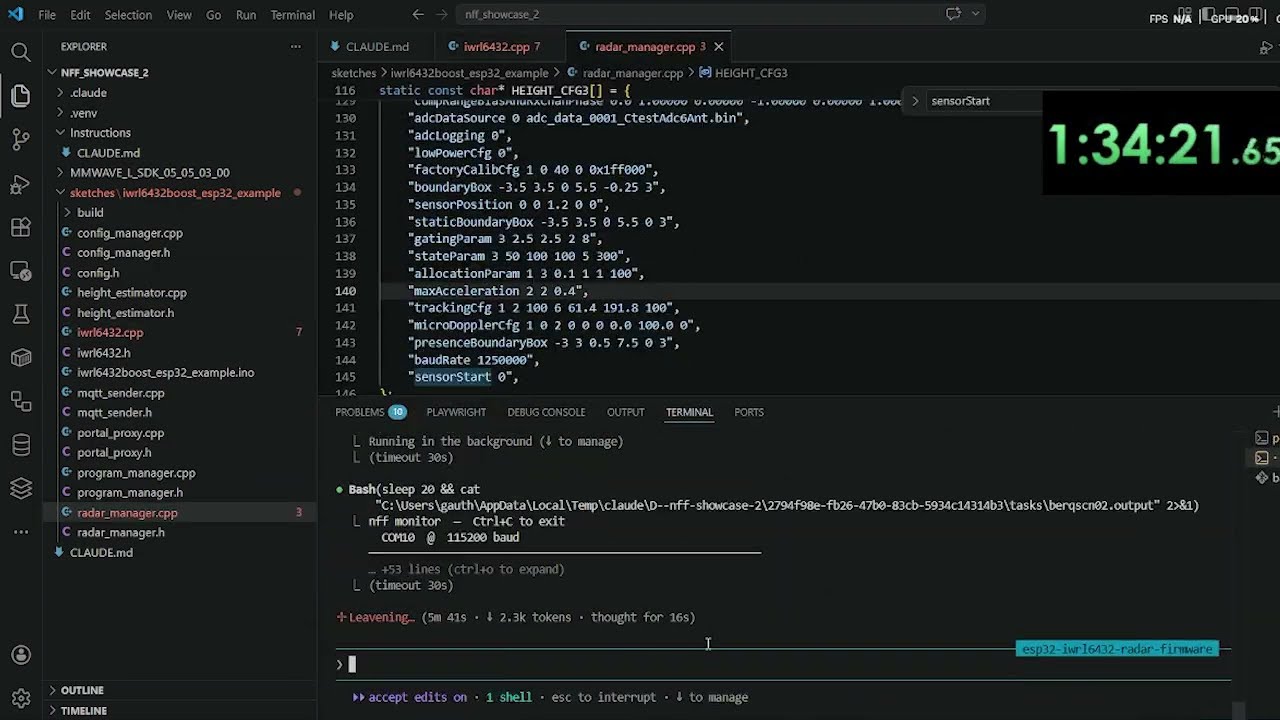
Real Hardware
CLI Reference
Command status
What actually ships on the Rust binary today. stable = works; roadmap = present but a stub /
not yet implemented. Full detail and the plan behind the roadmap items live in
docs/ROADMAP.md.
| Command | State | Notes |
|---|---|---|
nff init |
stable | Detects the board, writes config, registers + starts the MCP server. Cloud sign-in is optional — use nff init --offline for local-only build/flash/monitor |
nff compile |
stable | PlatformIO (default) + arduino backends; no board/port needed |
nff flash |
stable | Compile and upload |
nff monitor |
stable | Stream serial output |
nff debug |
stable | On-chip debugging (OpenOCD + GDB) |
nff doctor |
stable | Dependency + config health check |
nff status |
stable | Snapshot: build backend, board, MCP server, auth, last build |
nff clean |
stable | |
nff install-deps |
stable | |
nff mcp |
stable | Bare nff mcp starts the server; stop / restart / logs manage the background one |
nff auth / deauth |
stable | Browser OAuth or headless login |
nff repair |
stable | Cloud diagnosis (needs login) |
nff agent |
stable | Cloud agent over SSE (needs login) |
nff provision batch |
stable | Fleet batch enrollment |
nff pi probe |
stable | Raspberry-Pi reachability probe |
nff connect |
🚧 roadmap | Autonomous log-analysis + repair loop — not yet implemented |
nff ota |
🚧 roadmap | Over-the-air firmware update — not yet implemented |
Real hardware
| Command | Description |
|---|---|
nff init |
Detect board, write config, register + start the MCP server (optionally sign in; --offline skips it) |
nff compile <path> |
Compile a sketch to verify it builds (no board/port needed) |
nff flash <path> |
Compile and upload a sketch directory |
nff monitor |
Stream serial output (Ctrl+C to exit) |
nff connect |
🚧 (roadmap — not yet implemented) Attach to a device, continuously analyse its logs, autonomously repair detected issues |
nff debug |
Live on-chip debugging (OpenOCD + GDB over JTAG/SWD); nff debug check reports the tools/chip without hardware, nff debug start opens an interactive session |
nff repair |
Send captured serial/crash output to the diagnosis server for a structured root-cause |
nff auth login |
Authenticate with the diagnosis server (browser OAuth or email/password) |
nff doctor |
Check all dependencies and configuration |
nff status |
Snapshot of the bench: build backend, detected board, MCP server up/down, auth state, and last build artifact |
nff mcp |
Start the MCP server (streamable HTTP on 127.0.0.1:3010; started in the background by nff init). nff mcp stop / restart / logs manage that background server |
nff flash sketches/sensor_init
nff flash sketches/sensor_init --board esp32dev --port COM3 # PlatformIO board id (default backend)
nff flash sketches/sensor_init --board esp32:esp32:esp32 # arduino FQBN (NFF_BUILD_BACKEND=arduino)
nff flash sketches/sensor_init --manual-reset # for boards without auto-reset
nff monitor --port COM10 --baud 115200
nff monitor --port COM10 --baud 115200 --timeout 15
nff connect — Autonomous log analysis and repair
🚧 Not yet implemented — planned. See docs/ROADMAP.md. The design below describes the intended behaviour.
nff connect keeps a live serial connection to your device and routes each batch of output to Claude for analysis. When Claude detects an error, a hang, or a recoverable fault, it rewrites the sketch, recompiles, reflashes, and resumes monitoring — closing the repair loop without manual intervention.
nff connect
↓ streams serial from device
↓ Claude analyses each log window
↓ fault detected → sketch rewritten → nff flash → device reset
↓ monitoring resumes automatically
Useful flags:
| Flag | Default | Description |
|---|---|---|
--port PORT |
auto-detect | Serial port to attach to |
--baud BAUD |
115200 | Baud rate |
--sketch DIR |
last flashed | Sketch directory to rewrite and reflash on a fix |
--window MS |
2000 | Log window passed to Claude per analysis cycle |
--max-cycles N |
unlimited | Stop after N repair attempts |
Simulation (
nff wokwi/flash --sim) moved to the separate nff-sim package — see its README.
Supported Boards
On the default PlatformIO backend, nff is board-universal. Pass any of PlatformIO's ~1000+ board ids to --board and the matching platform toolchain (compiler + framework + uploader) installs itself on first build — there is no fixed allow-list and nothing to pre-install.
Architectures & platforms covered
The PlatformIO backend gives nff every PlatformIO development platform — each one a whole family of boards. You don't need any of these in nff's catalog; just pass the PlatformIO board id to --board and the toolchain installs on first build. The table below is the full set of platforms (≈40), each spanning dozens-to-hundreds of individual boards.
Platform (--board resolves it) |
Core / MCU family | Example boards & --board ids |
|---|---|---|
espressif32 |
Espressif ESP32 (Xtensa LX6/LX7 + RISC-V) | ESP32, ESP32-S2, ESP32-S3, ESP32-C3/C6/H2, ESP32-P4 — esp32dev, esp32-s3-devkitc-1, esp32-c6-devkitc-1 |
espressif8266 |
Espressif ESP8266 (Tensilica L106) | NodeMCU, Wemos D1 — esp01_1m, nodemcuv2, d1_mini |
raspberrypi |
Raspberry Pi RP2040 / RP2350 (ARM Cortex-M0+/M33) | Pico, Pico W, Pico 2 — pico, rpipicow, rpipico2 |
atmelavr |
Classic 8-bit Atmel AVR | Arduino Uno/Mega/Nano/Leonardo, Pro Mini — uno, megaatmega2560, nanoatmega328, leonardo |
atmelmegaavr |
Atmel megaAVR (0-series) | Arduino Uno WiFi Rev2, Nano Every — uno_wifi_rev2, nano_every |
atmelsam |
Atmel SAM (ARM Cortex-M0+/M3/M4) | Arduino Zero/MKR/Due, Adafruit Feather M0/M4 — mkrwifi1010, adafruit_feather_m4, due |
ststm32 |
ST STM32 (ARM Cortex-M0/0+/M3/M4/M7) — F0/F1/F2/F3/F4/F7/G0/G4/H7/L0/L1/L4/L5/U5/WB/WL | Blue Pill, Black Pill, every Nucleo/Discovery — bluepill_f103c8, genericSTM32F103C8, nucleo_f401re, nucleo_h743zi |
ststm8 |
ST STM8 (8-bit) | STM8S Discovery, sduino — stm8sdiscovery |
teensy |
PJRC Teensy (ARM Cortex-M4/M7) | Teensy 3.x / 4.0 / 4.1 / LC — teensy41, teensy40, teensy36, teensylc |
nordicnrf52 |
Nordic nRF52 (ARM Cortex-M4, BLE) | Adafruit Feather/ItsyBitsy nRF52840, Nano 33 BLE — nano33ble, adafruit_feather_nrf52840 |
nordicnrf51 |
Nordic nRF51 (ARM Cortex-M0, BLE) | micro:bit v1, BBC boards — bbcmicrobit, nrf51_dk |
renesas-ra |
Renesas RA4M1 (ARM Cortex-M4) | Arduino Uno R4 Minima / WiFi — uno_r4_minima, uno_r4_wifi |
nxplpc |
NXP LPC (ARM Cortex-M0/M3/M4) | mbed LPC1768, LPC11U24 — lpc1768, lpc11u35 |
nxpimxrt |
NXP i.MX RT (ARM Cortex-M7) | MIMXRT1060/1010 EVK — mimxrt1060_evk |
freescalekinetis |
NXP/Freescale Kinetis (ARM Cortex-M0+/M4) | FRDM-K64F, FRDM-KL25Z — frdm_k64f, frdm_kl25z |
siliconlabsefm32 |
Silicon Labs EFM32 (ARM Cortex-M) | EFM32 Giant/Wonder Gecko — efm32gg_stk3700 |
gd32v |
GigaDevice GD32V (RISC-V) | Sipeed Longan Nano — sipeed-longan-nano |
kendryte210 |
Kendryte K210 (RISC-V, AI) | Sipeed MAIX — sipeed-maix-bit |
microchippic32 |
Microchip PIC32 (MIPS) | chipKIT Uno32, Max32 — chipkit_uno32, chipkit_max32 |
timsp430 |
TI MSP430 (16-bit) | MSP430 LaunchPads — lpmsp430g2553, lpmsp430fr6989 |
titiva |
TI TIVA C (ARM Cortex-M4) | Tiva C / Stellaris LaunchPad — lptm4c1230c3pm, lplm4f120h5qr |
infineonxmc |
Infineon XMC (ARM Cortex-M) | XMC2Go, XMC1100 Boot Kit — xmc1100_xmc2go |
intel_arc32 |
Intel Curie (ARC) | Arduino/Genuino 101 — genuino101 |
wiznet7500 |
WIZnet W7500 (ARM Cortex-M0, Ethernet) | WIZwiki-W7500 — wizwiki_w7500 |
lattice_ice40 |
Lattice iCE40 FPGA | TinyFPGA B2, iCEstick — icezum, tinyfpga_b2 |
Less common platforms PlatformIO also ships (and that nff therefore drives) include
nuclei,riscv_gap,samd21,chipsalliance,aceinna_imu,shakti,samsung_artik, and others — see the PlatformIO platforms index for the live, complete list.
Curated families (built-in catalog)
These are the board ids in nff's built-in catalog. The catalog only supplies sensible defaults (PlatformIO platform) so you can name a short board id and nff init can auto-detect — every other board above still builds, you just pass the full PlatformIO id.
| Family | PlatformIO platform | Catalogued --board ids |
|---|---|---|
| ESP32 | espressif32 |
esp32dev, esp32-s3-devkitc-1, esp32-c3-devkitm-1, esp32-c6-devkitc-1, esp32-s2-saola-1 |
| ESP8266 | espressif8266 |
esp01_1m, nodemcuv2 |
| RP2040 / Pico | raspberrypi |
pico, rpipicow |
| STM32 | ststm32 |
genericSTM32F103C8, bluepill_f103c8, nucleo_f401re |
| Classic AVR | atmelavr |
uno, megaatmega2560, nanoatmega328, leonardo |
Need a board that isn't catalogued (Teensy, SAMD, nRF52, Uno R4, ESP32-P4, …)? Just give its PlatformIO id — e.g. nff compile sketch.ino --board teensy41. Adding it to the catalog (for auto-detect + a short default) is a two-line PR.
USB auto-detect
When you plug a board in, nff resolves it by USB vendor/product ID to a default board id for both backends, so nff init and --board-less commands "just work". A USB-serial chip (CP210x/CH340/FTDI) is shared by many boards, so this is a default you can override with --board.
| Board | Vendor ID | Product ID | FQBN (arduino) | PlatformIO board id |
|---|---|---|---|---|
| ESP32 (CP210x) | 10c4 | ea60 | esp32:esp32:esp32 |
esp32dev |
| ESP32 (CH340) | 1a86 | 7523 | esp32:esp32:esp32 |
esp32dev |
| ESP8266 (FTDI) | 0403 | 6001 | esp8266:esp8266:generic |
esp01_1m |
| Arduino Uno | 2341 | 0043 | arduino:avr:uno |
uno |
| Arduino Mega 2560 | 2341 | 0010 | arduino:avr:mega |
megaatmega2560 |
| Arduino Leonardo | 2341 | 0036 | arduino:avr:leonardo |
leonardo |
| Arduino Nano | 2341 | 0058 | arduino:avr:nano |
nanoatmega328 |
The arduino backend (
NFF_BUILD_BACKEND=arduino) is limited to the FQBN column above plus whatever cores youarduino-cli core install. The PlatformIO backend is the one that makes the rest of the families above available.
Config File
~/.nff/config.json, written by nff init and editable by hand:
{
"version": "1",
"default_device": {
"port": "COM10",
"board": "ESP32 (CP210x)",
"fqbn": "esp32:esp32:esp32",
"baud": 115200
},
"build": {
"backend": "platformio",
"board": "esp32dev"
}
}
build.backend selects the toolchain (platformio default, or arduino) and build.board holds the PlatformIO board id; the arduino backend uses default_device.fqbn instead. The NFF_BUILD_BACKEND env var overrides build.backend per-run.
Claude Code Skills
nff ships Claude Code skills bundled inside the package:
| Skill | When to use |
|---|---|
/nff |
Full pipeline reference — hardware workflows, sketch-first rules, debugging checklist |
/nff
Skill files live at nff/skills/ (the source of truth — edit them there) so they ship with every pip install nff, and are also mirrored in .claude/commands/ for project-level use. Copy them into ~/.claude/commands/ to make the slash commands available globally.
The
/wokwi-diagramsimulation skill moved to the nff-sim package.
Repository Structure
nff/
├── nff/ # Python package — reference / prototyping implementation
│ ├── cli.py # Click CLI — wires every subcommand
│ ├── config.py # ~/.nff/config.json read/write
│ ├── mcp_server.py # streamable-HTTP MCP server (Bearer-authed /mcp)
│ ├── commands/
│ │ ├── init.py
│ │ ├── compile_cmd.py # port-free build check
│ │ ├── flash.py
│ │ ├── monitor.py
│ │ ├── connect.py # autonomous log-analysis + repair loop
│ │ ├── repair.py # route crash output to the diagnosis server
│ │ ├── auth_cmd.py # nff auth login / status / logout
│ │ ├── ota.py
│ │ ├── provision.py
│ │ ├── doctor.py
│ │ ├── clean.py
│ │ ├── install_deps.py
│ │ └── mcp_cmd.py
│ ├── tools/
│ │ ├── boards.py # USB ID detection + PlatformIO board catalog
│ │ ├── serial.py # serial read/write/stream/reset
│ │ ├── toolchain.py # backend dispatcher + arduino-cli/esptool wrappers
│ │ ├── backends/
│ │ │ └── platformio.py # PlatformIO backend (project scaffold, pio run)
│ │ ├── installer.py # arduino-cli auto-install
│ │ └── auth.py # diagnosis-server token handling
│ └── skills/ # /nff skill (ships with the package)
├── nff-rs/ # Rust port — the shipped binary (full parity)
├── sketches/
│ ├── blink_esp32/
│ └── servo_button/
└── .claude/
└── commands/
└── nff.md # /nff Claude Code skill
The Rust crate under nff-rs/nff/ is the shipped binary and is at full feature parity with the Python package — every CLI command and MCP tool runs natively (no Python runtime). Build it with cargo build --release (binary at nff-rs/target/release/nff). The Python package under nff/nff/ is the reference/prototyping implementation and is kept in sync version-for-version; when you add a feature, land it in both so the two never drift.
Linux: Serial Port Permissions
sudo usermod -aG dialout $USER
# then log out and back in
nff doctor detects this and prints the fix.
Simulation
Running firmware without hardware (Wokwi) is provided by the separate
nff-sim package. It compiles via nff and runs the result in the Wokwi
simulator — nff-sim init / nff-sim flash / nff-sim run, plus the wokwi_* MCP tools
and the /wokwi-diagram authoring skill.
License
MIT — see LICENSE.
Copyright (c) 2026 Gauthier Lechevalier
Project details
Release history Release notifications | RSS feed
Download files
Download the file for your platform. If you're not sure which to choose, learn more about installing packages.
Source Distributions
Built Distributions
Filter files by name, interpreter, ABI, and platform.
If you're not sure about the file name format, learn more about wheel file names.
Copy a direct link to the current filters
File details
Details for the file nff-0.2.36-py3-none-win_amd64.whl.
File metadata
- Download URL: nff-0.2.36-py3-none-win_amd64.whl
- Upload date:
- Size: 4.6 MB
- Tags: Python 3, Windows x86-64
- Uploaded using Trusted Publishing? No
- Uploaded via: twine/6.2.0 CPython/3.12.13
File hashes
| Algorithm | Hash digest | |
|---|---|---|
| SHA256 |
29e22b6fa1641d7b3abf7db0cd2c04ca2f02369e36b96a59f7eaa38ef72586ff
|
|
| MD5 |
3c372d54602a8774c1b0f9ac83091245
|
|
| BLAKE2b-256 |
cb1f268646ccd7074ad8de18800e55c9a8df5bd0a0548ad44c79fb1463f1aae0
|
File details
Details for the file nff-0.2.36-py3-none-manylinux_2_17_x86_64.manylinux2014_x86_64.whl.
File metadata
- Download URL: nff-0.2.36-py3-none-manylinux_2_17_x86_64.manylinux2014_x86_64.whl
- Upload date:
- Size: 5.4 MB
- Tags: Python 3, manylinux: glibc 2.17+ x86-64
- Uploaded using Trusted Publishing? No
- Uploaded via: twine/6.2.0 CPython/3.12.13
File hashes
| Algorithm | Hash digest | |
|---|---|---|
| SHA256 |
06820f94ec8a54300ab3165eab116e1577effdc451c738ffe42fdd9f883dc8c0
|
|
| MD5 |
bb3684838f86f8fd800b1b93faeb4ab6
|
|
| BLAKE2b-256 |
195d3a423272b1d0f101b849980937495b12e26c67c5bdfdcec122102ae45019
|
File details
Details for the file nff-0.2.36-py3-none-macosx_11_0_arm64.whl.
File metadata
- Download URL: nff-0.2.36-py3-none-macosx_11_0_arm64.whl
- Upload date:
- Size: 4.7 MB
- Tags: Python 3, macOS 11.0+ ARM64
- Uploaded using Trusted Publishing? No
- Uploaded via: twine/6.2.0 CPython/3.12.13
File hashes
| Algorithm | Hash digest | |
|---|---|---|
| SHA256 |
49abb9d95ac81c577cd9584fca47da179fc1310701790c6757f1f54867aca28d
|
|
| MD5 |
dc514511a340394e8c118195687a06b8
|
|
| BLAKE2b-256 |
8bbcb79942056a4aaac13676074af6aa1f6ec058296094f92b0f0222a147ea66
|
File details
Details for the file nff-0.2.36-py3-none-macosx_10_12_x86_64.whl.
File metadata
- Download URL: nff-0.2.36-py3-none-macosx_10_12_x86_64.whl
- Upload date:
- Size: 4.8 MB
- Tags: Python 3, macOS 10.12+ x86-64
- Uploaded using Trusted Publishing? No
- Uploaded via: twine/6.2.0 CPython/3.12.13
File hashes
| Algorithm | Hash digest | |
|---|---|---|
| SHA256 |
b76034ac3931e6fd35d712ec00097b99b1b7eafd0785552cee450b018c1a9f02
|
|
| MD5 |
43d817af308b97c5ec97d57cf18ef6f9
|
|
| BLAKE2b-256 |
6ff6c8f38e0c03c43f9daddc5ea55d6f6ca3cd7c61e5a0bb521389e36f4a6d8c
|