
linecast
Weather, tides, the sun, the moon, maps, and a planetarium, in your terminal. The Old Farmer's Almanac meets Minitel.



English | 日本語
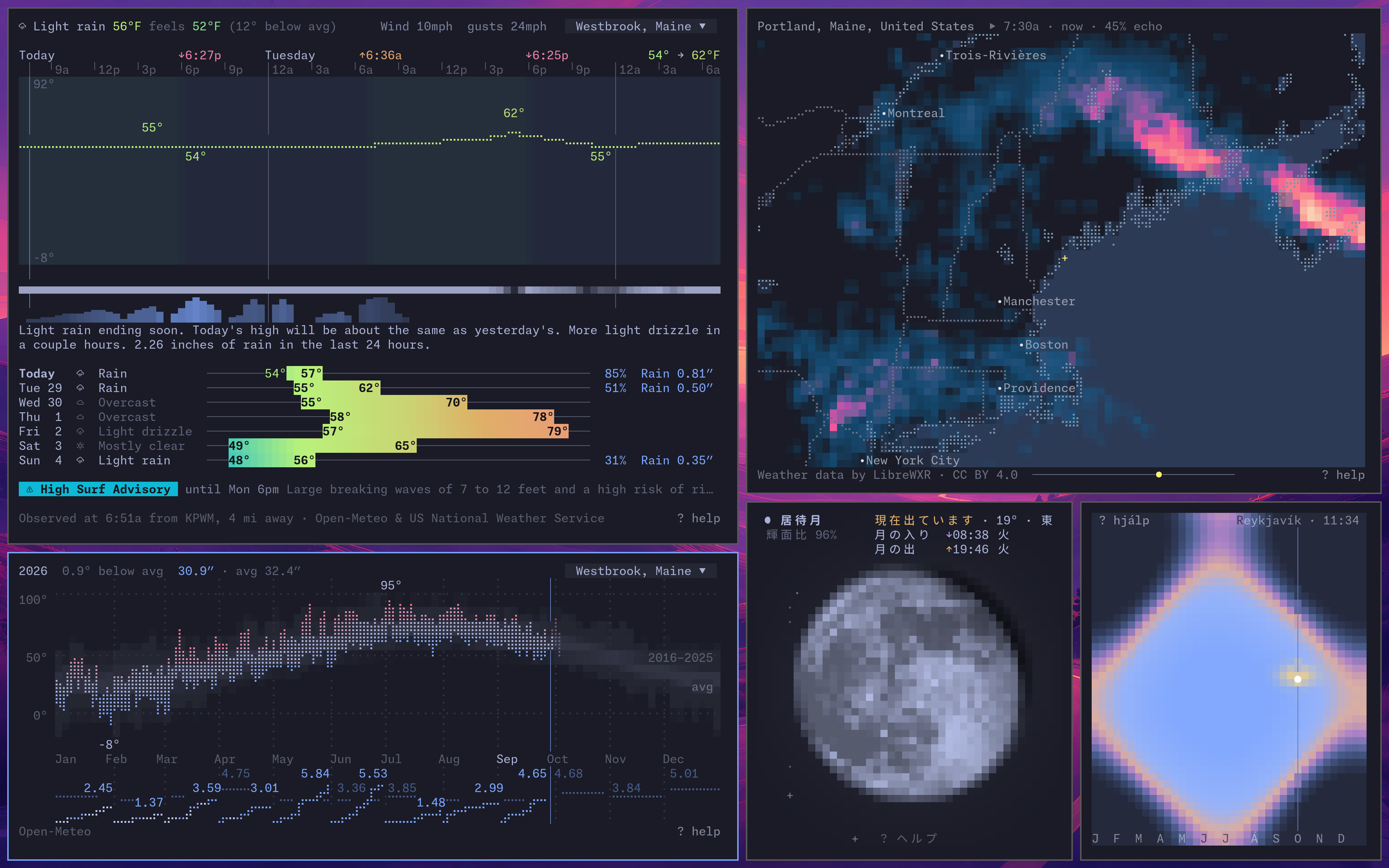
Seven live terminal apps built on free public data. Pure Python, no accounts or API keys required. Colors come from your terminal theme, and the mouse works. Runs on macOS, Linux, and Windows, over SSH, and in tmux.
| Command | Shows |
|---|---|
linecast weather |
Current conditions and forecasts, official alerts for 46 countries, and month and year views of past weather |
linecast sunshine |
The sun's path today, and daylight through the year |
linecast moon |
The Moon's phase as you see it, with rise, set, and a month calendar |
linecast sky |
A planetarium: stars, constellations, planets, and the Milky Way over you |
linecast tides |
Local tides through the day, month, and year, and what moves them |
linecast radar |
Animated weather radar for the whole world |
linecast maps |
Street maps, terrain, directions, and a globe with live daylight and clouds |
Install · Using it · The apps · Settings · Contributing
Install
brew install linecast        # Homebrew
uv tool install linecast     # uv
uvx linecast weather         # try it without installing
curl -sL https://raw.githubusercontent.com/ashuttl/linecast/main/get.sh | sh   # with nothing but curl
pipx and pip work too, and there are community packages in the AUR and nixpkgs. linecast needs Python 3.10 or newer. On Windows, use Windows Terminal.
For a portable copy, download linecast.pyz from the latest release and run python3 linecast.pyz weather. On macOS or Linux, you can also make it executable with chmod +x linecast.pyz and put it on your PATH as linecast. It checks weekly for a newer release; use a package manager if you want it to manage updates.
Using it
Every command opens live. Press ? for the keys, or add --print for one static frame. Weather, sunshine, moon, sky, and tides also offer --json for raw data and --oneline for a status bar. linecast weather --prose prints the forecast paragraph; add --oneline to include the current conditions above it.
For a shell startup greeting, try linecast moon --width 80 --height 20 or linecast weather --width 100% --height 50%. Sizes are in columns and rows, or percentages of the terminal, and imply --print. See print sizing for details.
linecast weather --location "quebec"
linecast sky --culture hawaiian
linecast sunshine --year
linecast maps --from "portland, maine" --to "portland head light" --profile bike
linecast maps --view now
Month, year, and tide makeup views also work with --print. They have no --json, --oneline, or --prose output.
linecast takes its colors from your terminal's color scheme. If you change the scheme while an app is open, the app redraws itself in the new colors. This is the same desktop through ten Omarchy themes:
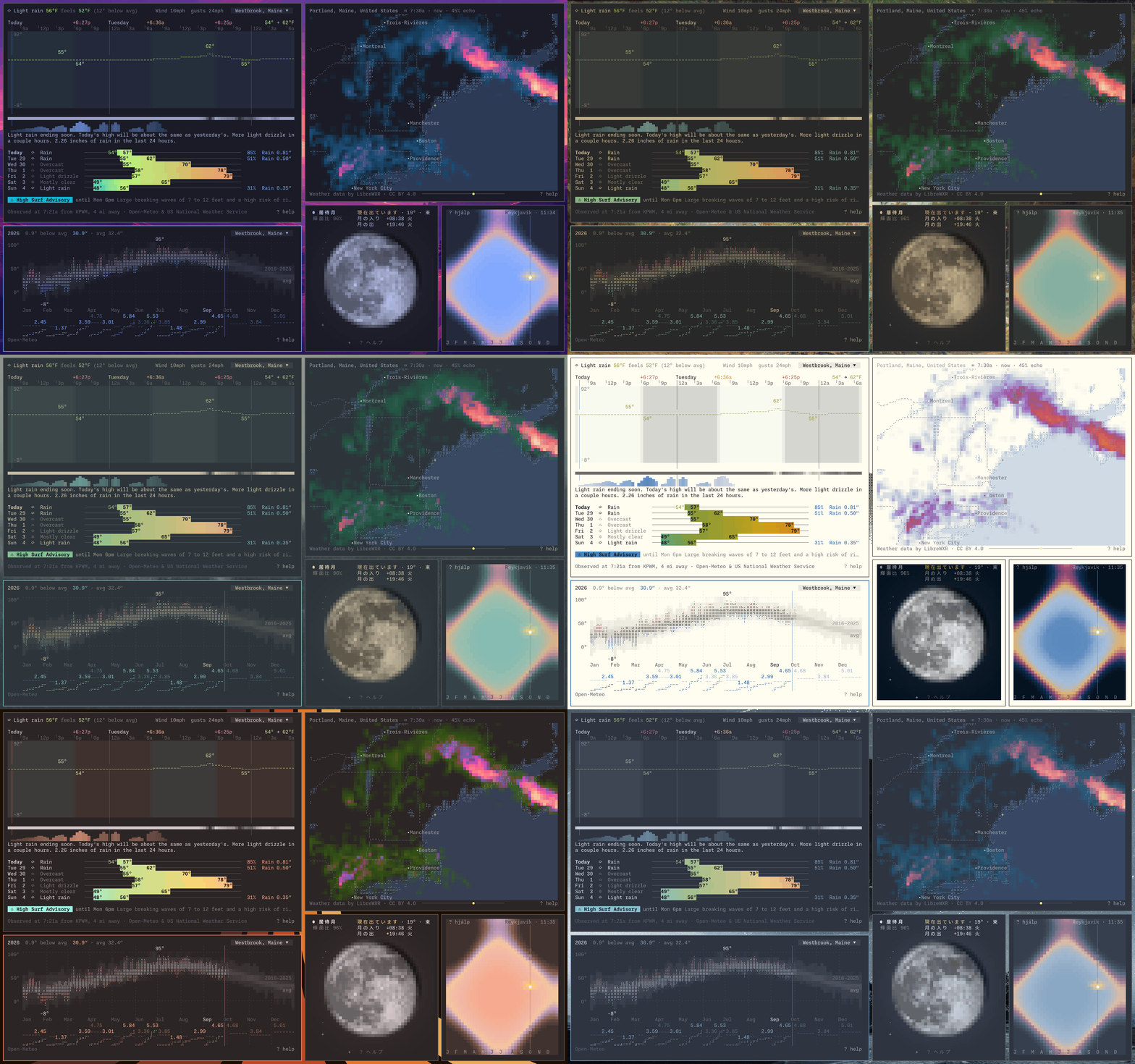
Inside tmux, this needs tmux 3.6 or newer. Older versions don't pass the terminal's colors on, and linecast uses its own fixed palette instead. A change of scheme also comes through tmux only if the terminal reports it to tmux; if yours doesn't, detach and reattach to bring in the new colors. linecast doctor says which palette is in use.
The apps
The gallery shows each one in more of its states.
Weather
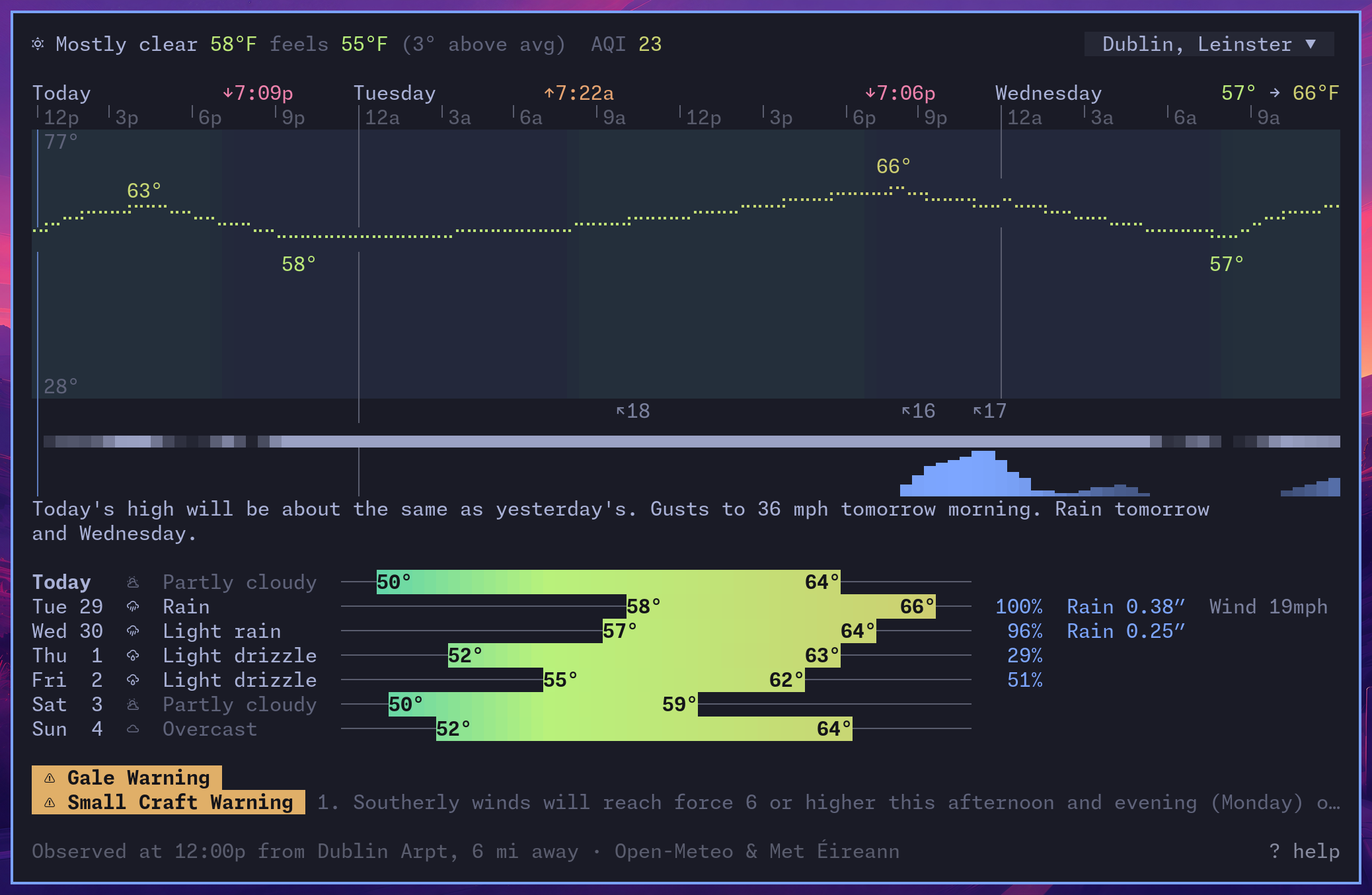
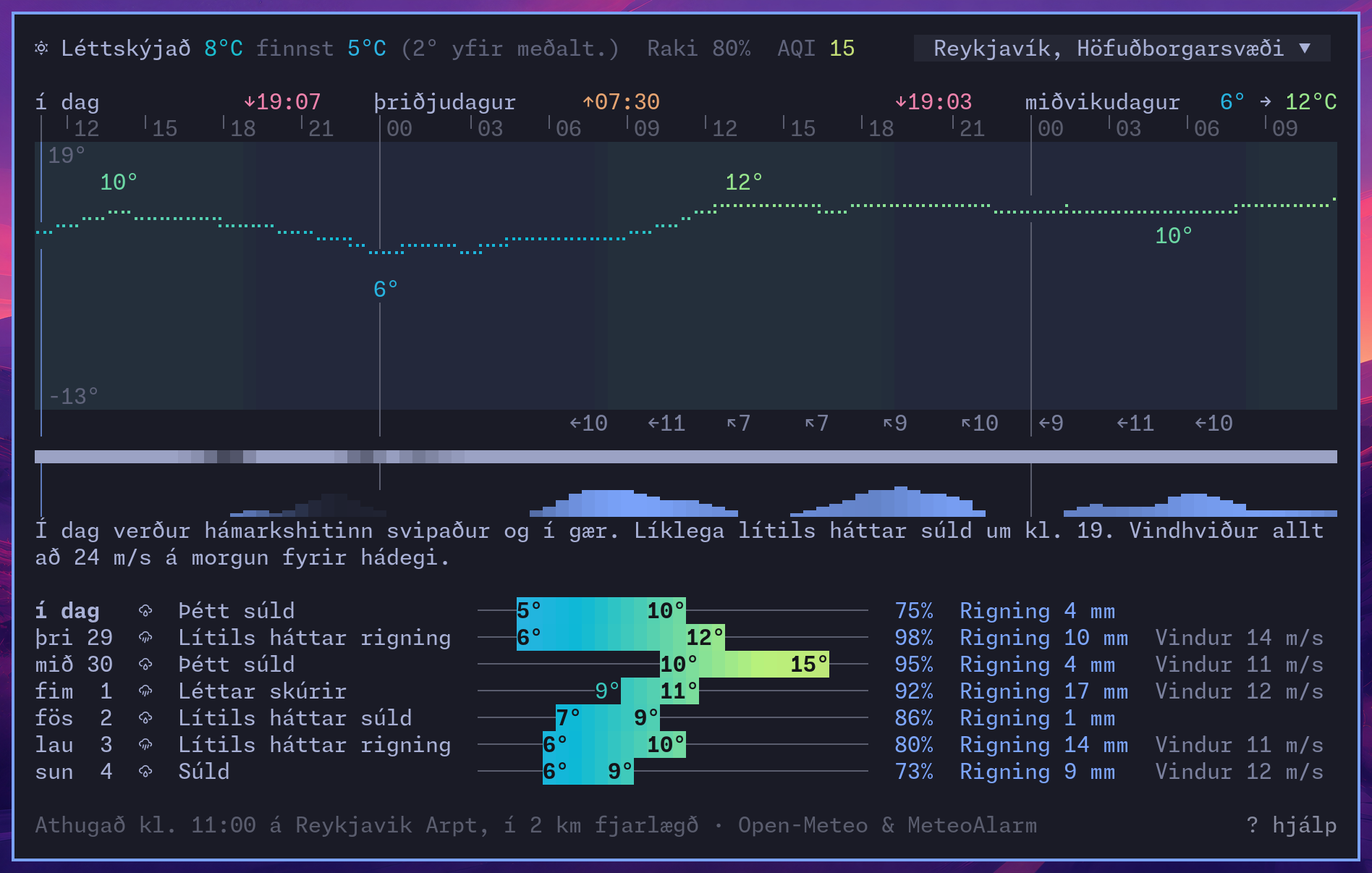
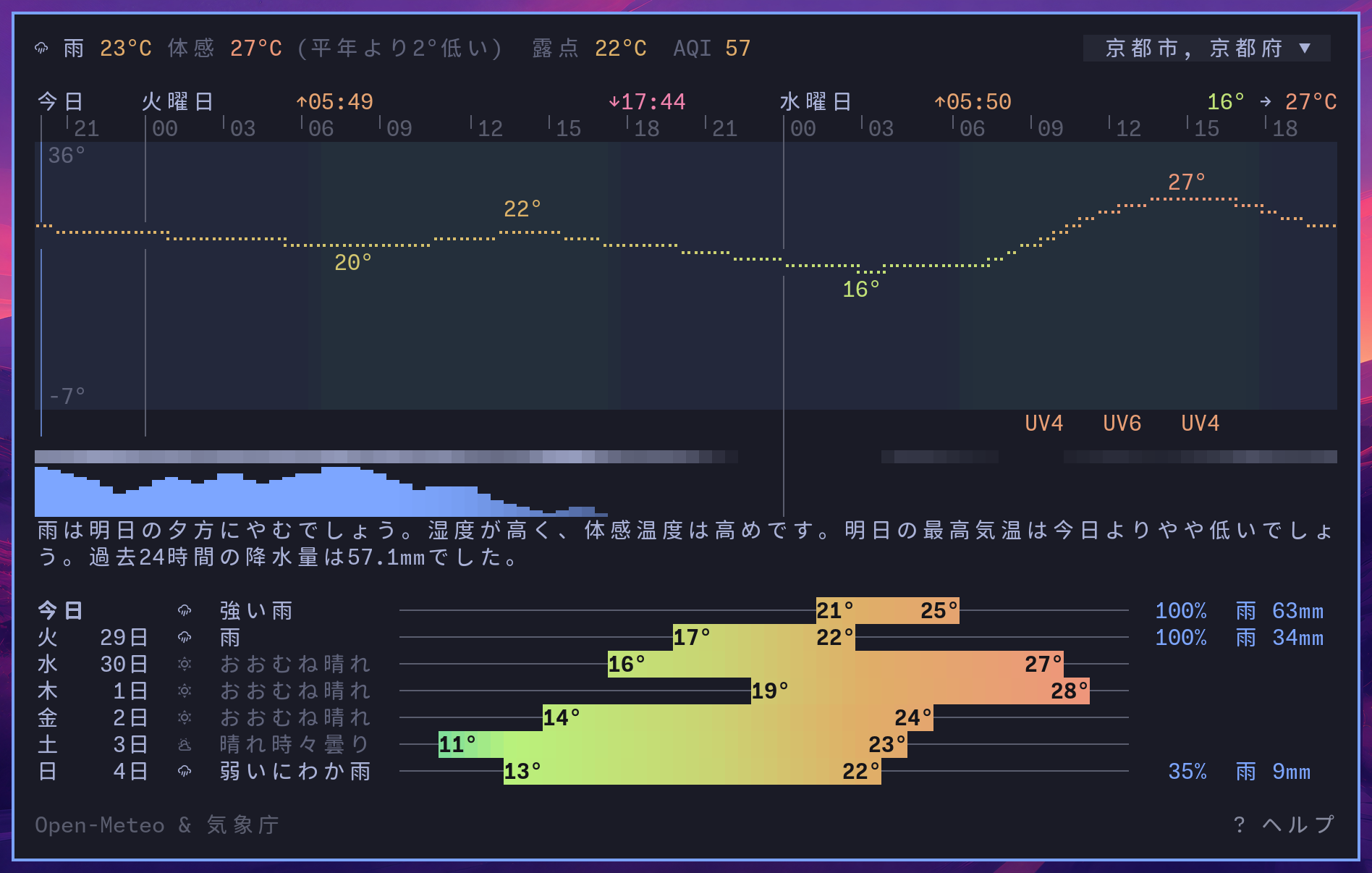
An hourly chart on the scale of a typical year where you are, so a mild day looks mild, with a forecast in words. Click an alert to read it. Press v to cycle through the forecast, month, and year views.
The month shows hourly temperatures, with days down the chart and hours across it. Sunrise and sunset trace the changing daylight. Press c to compare each hour with the ten-year average, and hover for the numbers. Open it with --month, or start with the comparison using --month-departure.
It opens on the previous calendar month. Scroll or use the arrows to browse the past ten years and the current year so far; space or n returns to the previous calendar month. See the month view for how to read it.
Reykjavík in Icelandic, and Kyoto in Japanese:
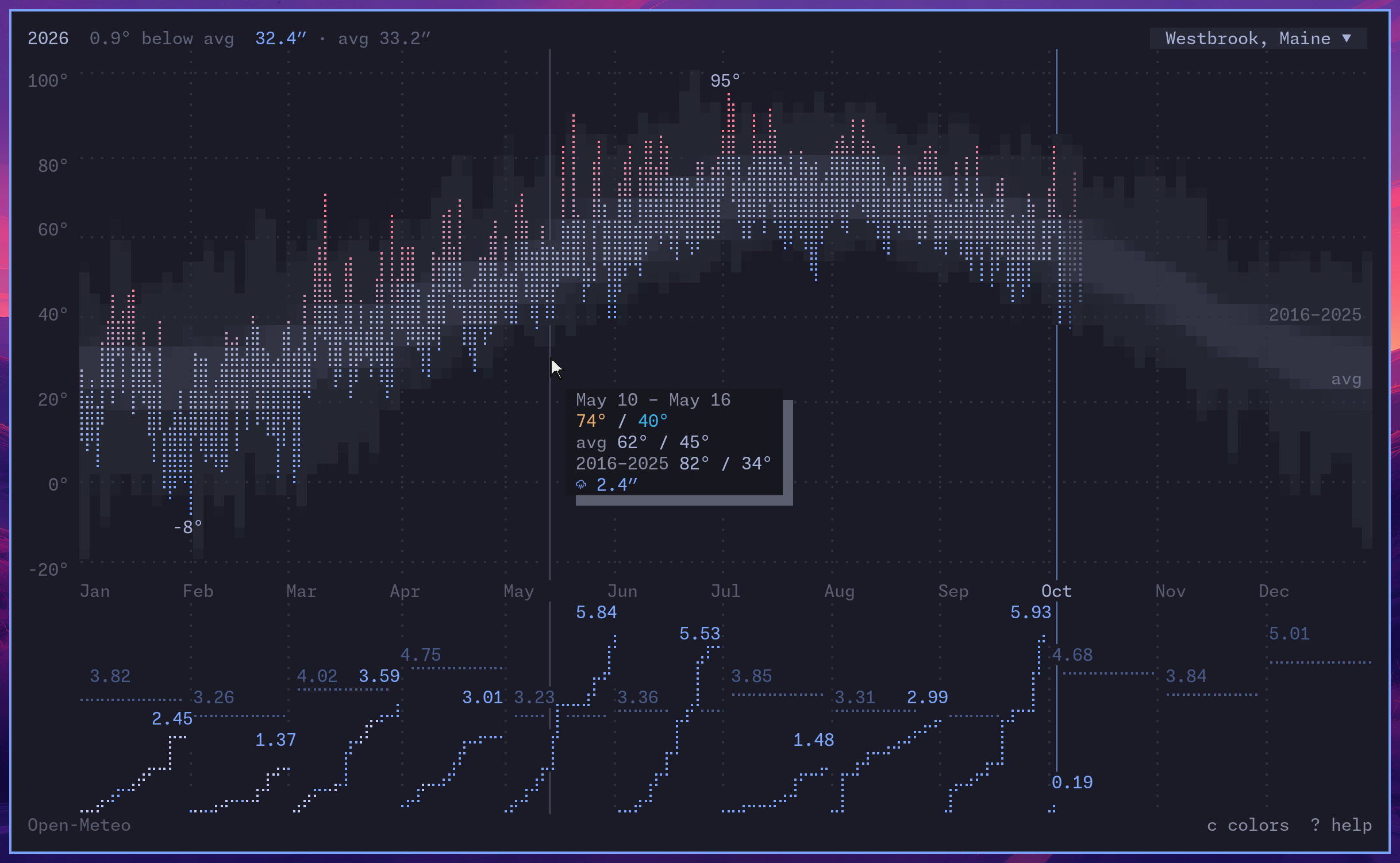
The year so far, après Tufte, shows each day's high and low against the last ten years, and each month's precipitation against its average. Open it with --year. Press c to switch between comparison colors, temperature colors, and plain.
The year view for Westbrook, Maine:
Sunshine
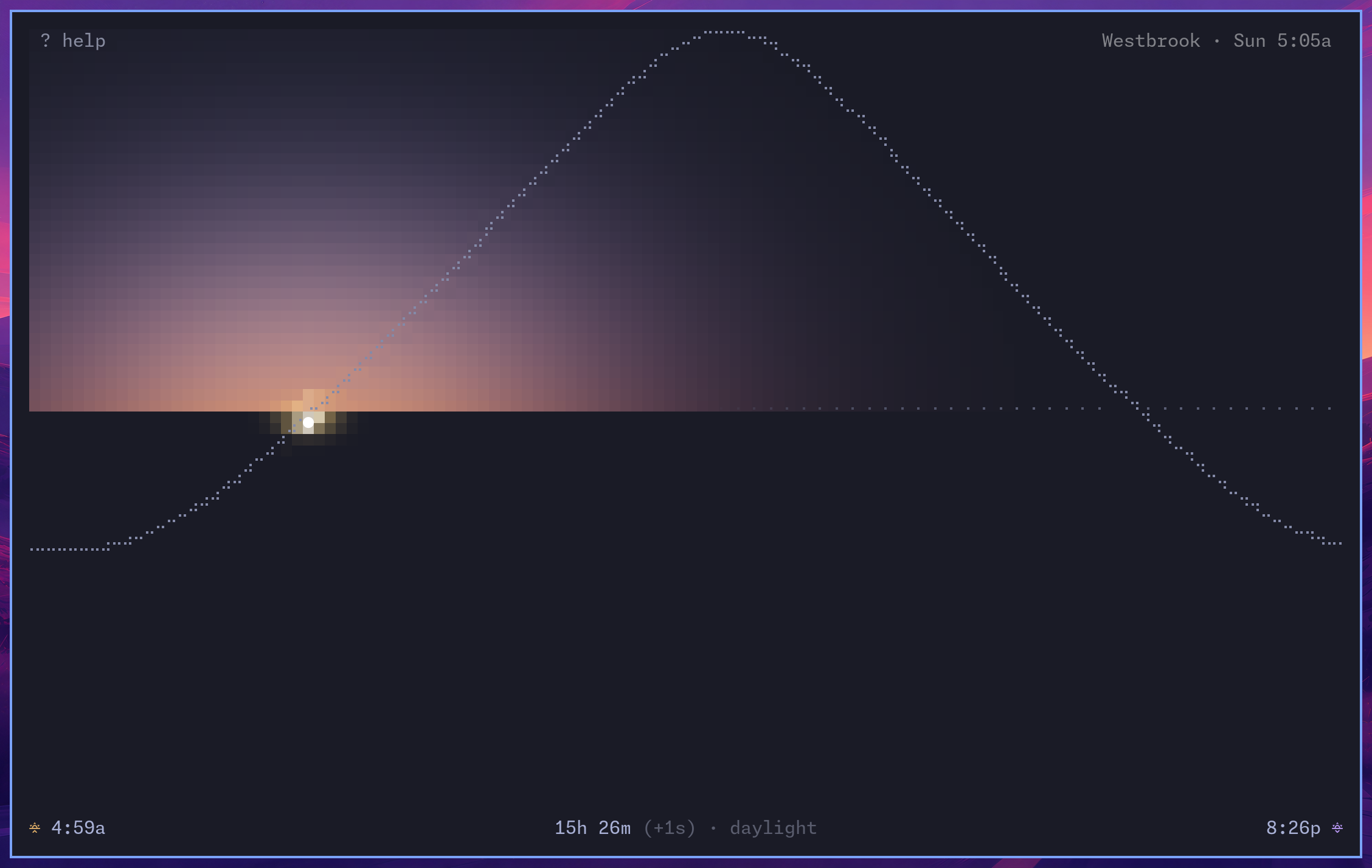
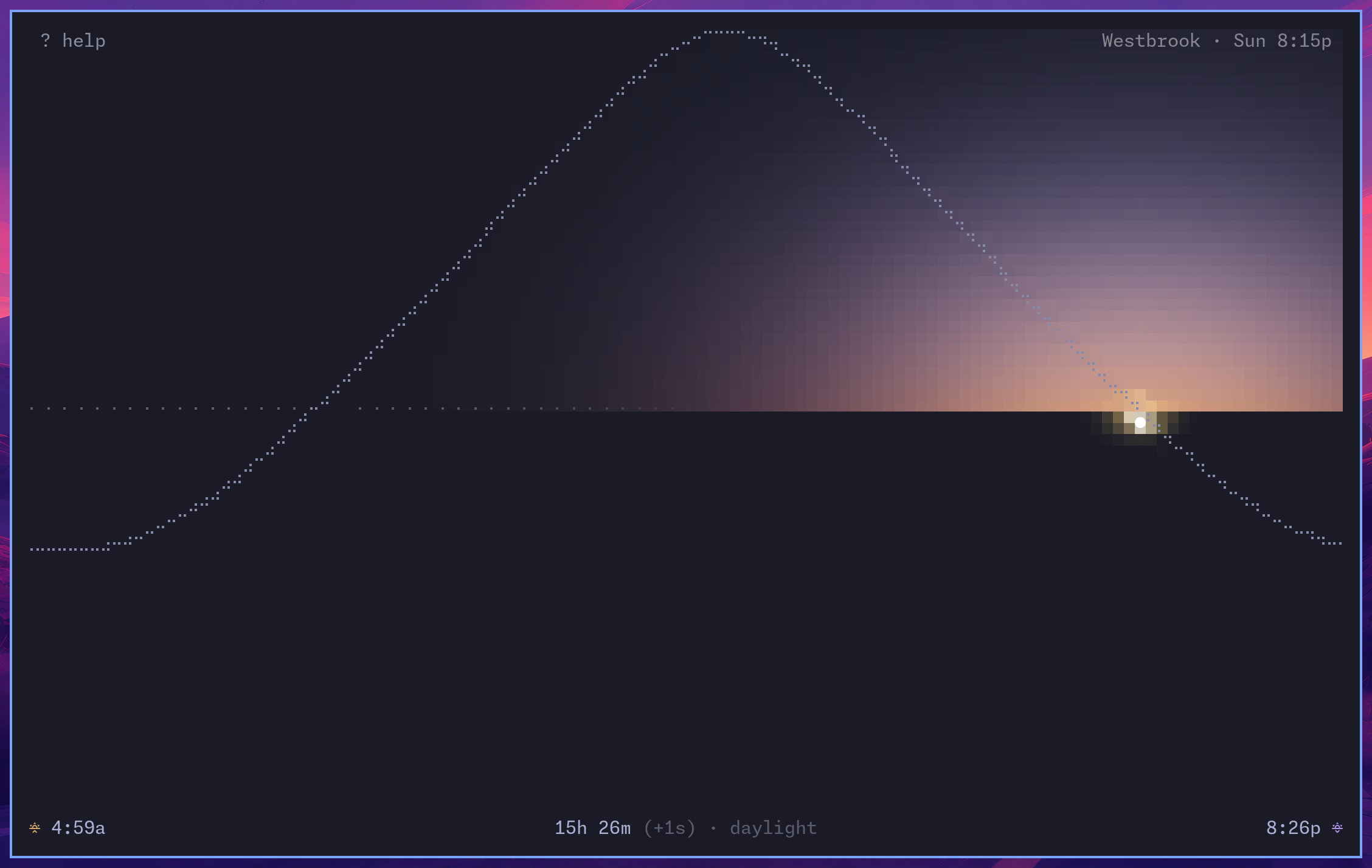
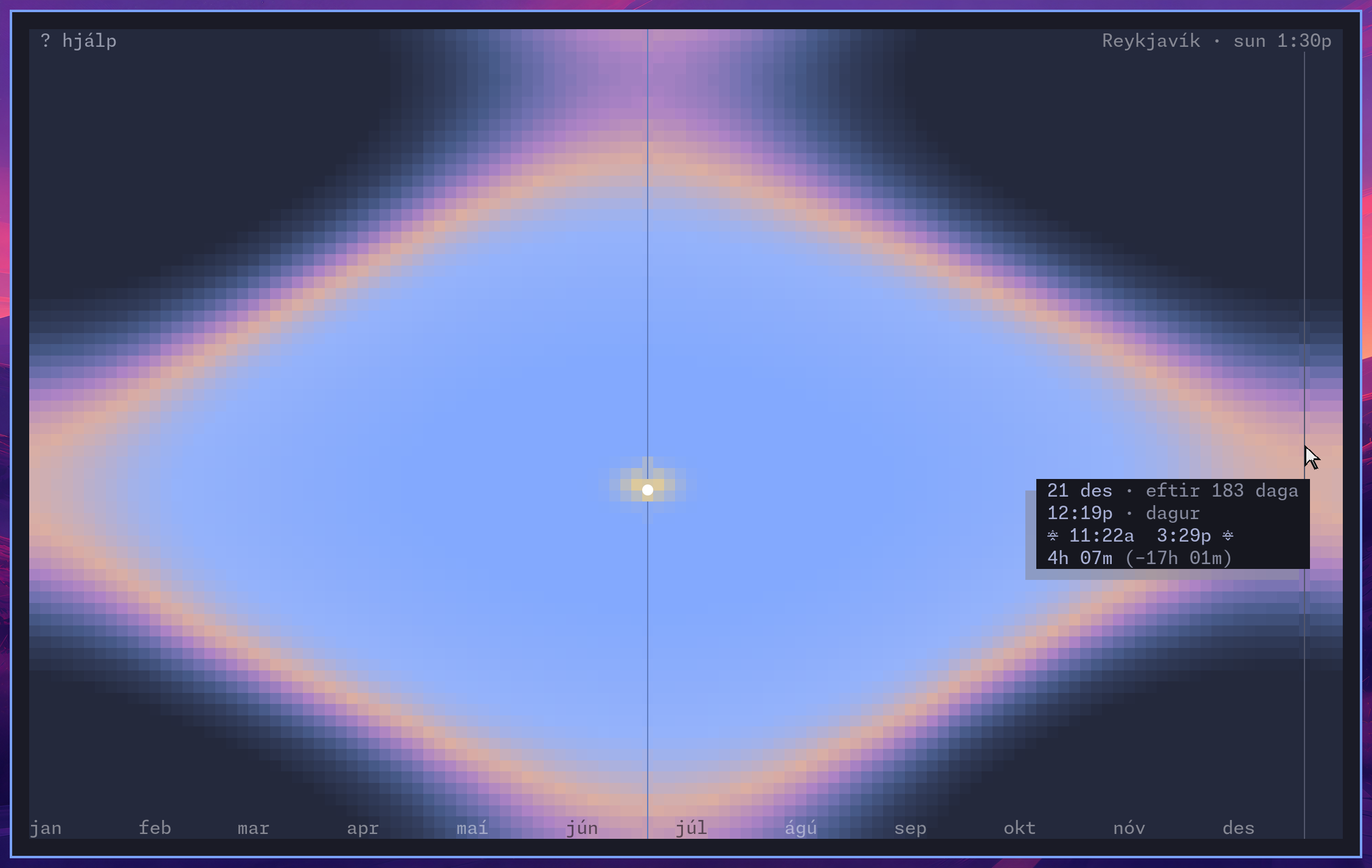
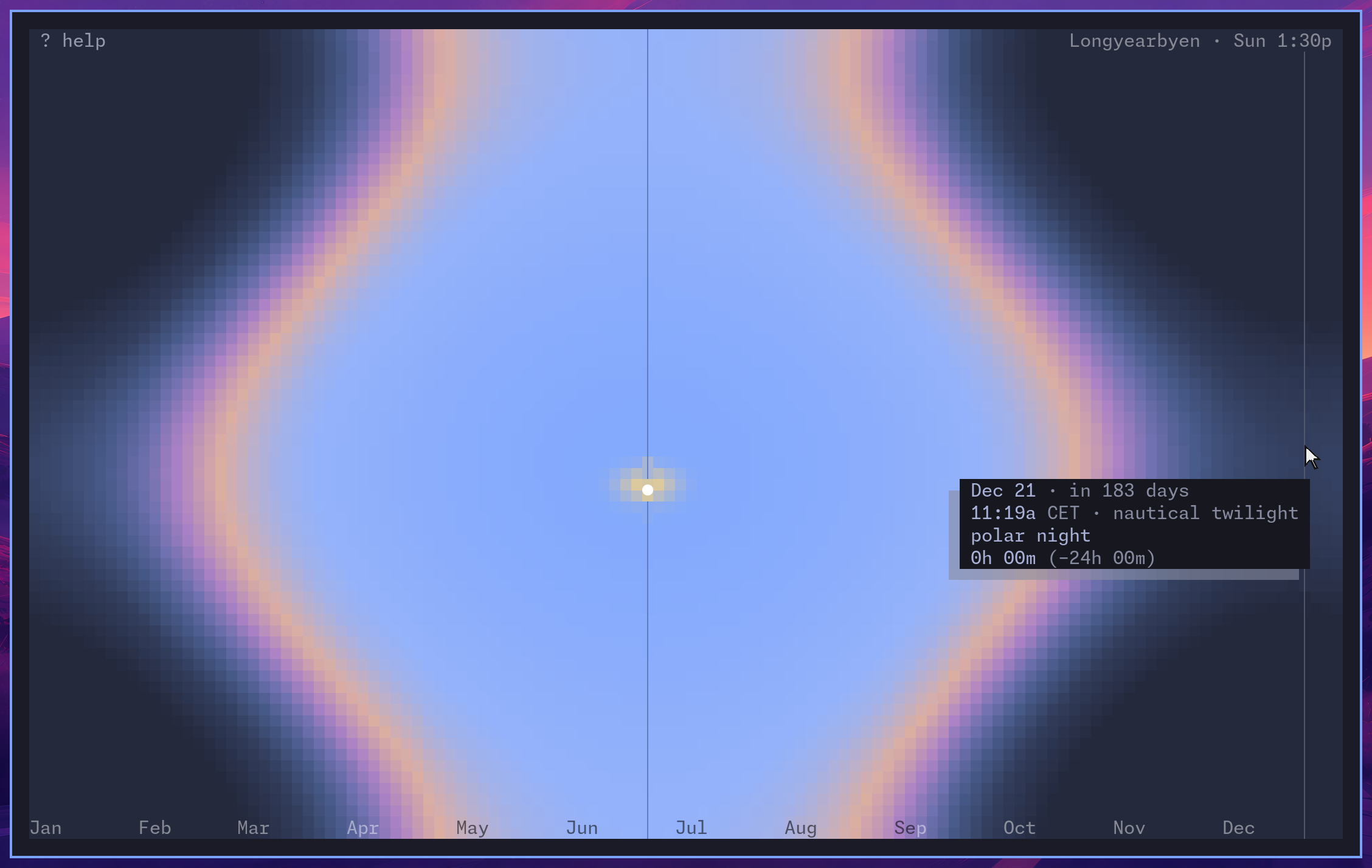
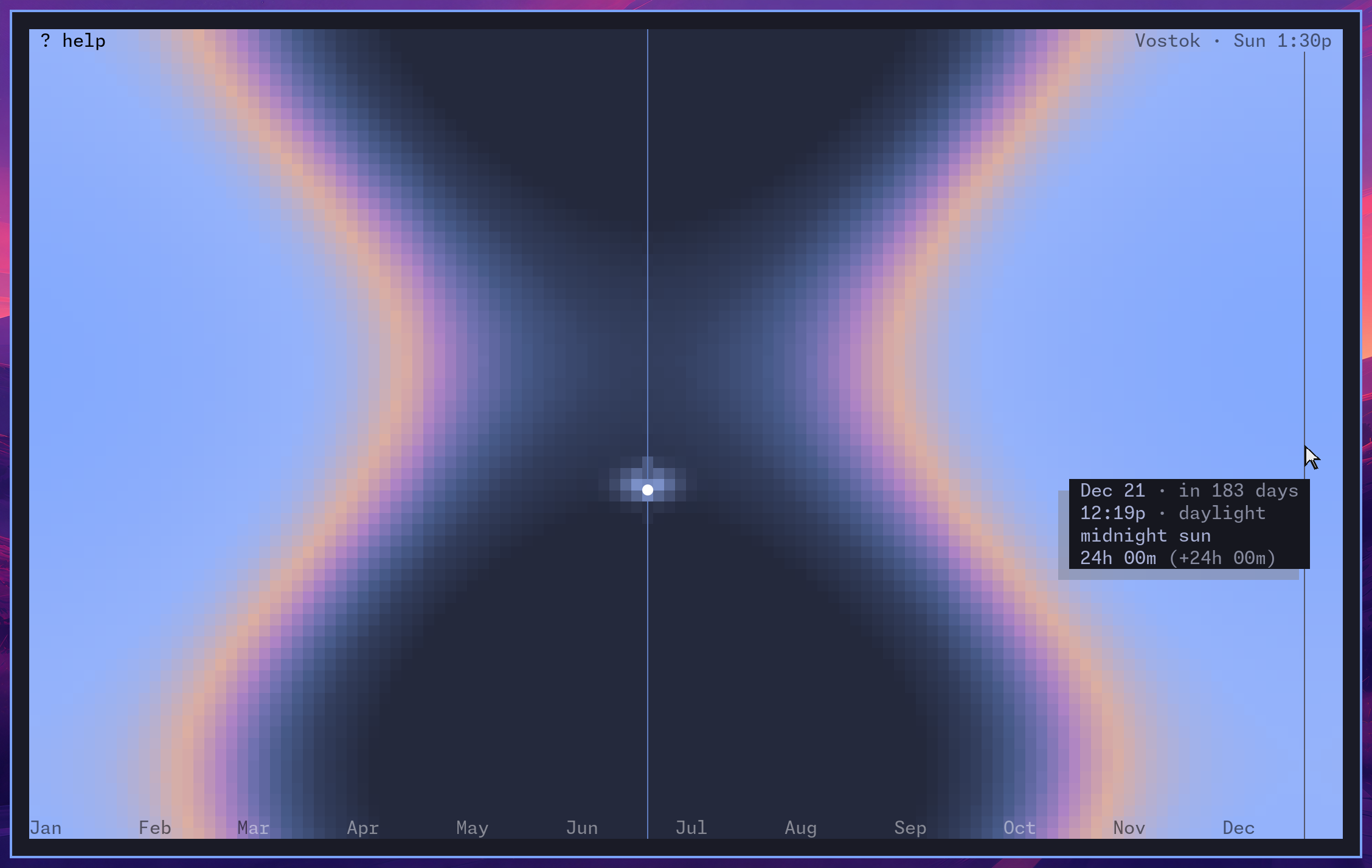
The sun on its arc through dawn, day, and dusk. Press v for the whole year. In either view, t hides the text except the location and current time; --no-text starts that way. --hours reads the day in traditional hours: halachic, Roman, Edo, Islamic, or Swahili.
Dawn and dusk on the June solstice:
The year in Reykjavík, in Icelandic:
Polar night and midnight sun, at 78° north and 78° south:
Moon
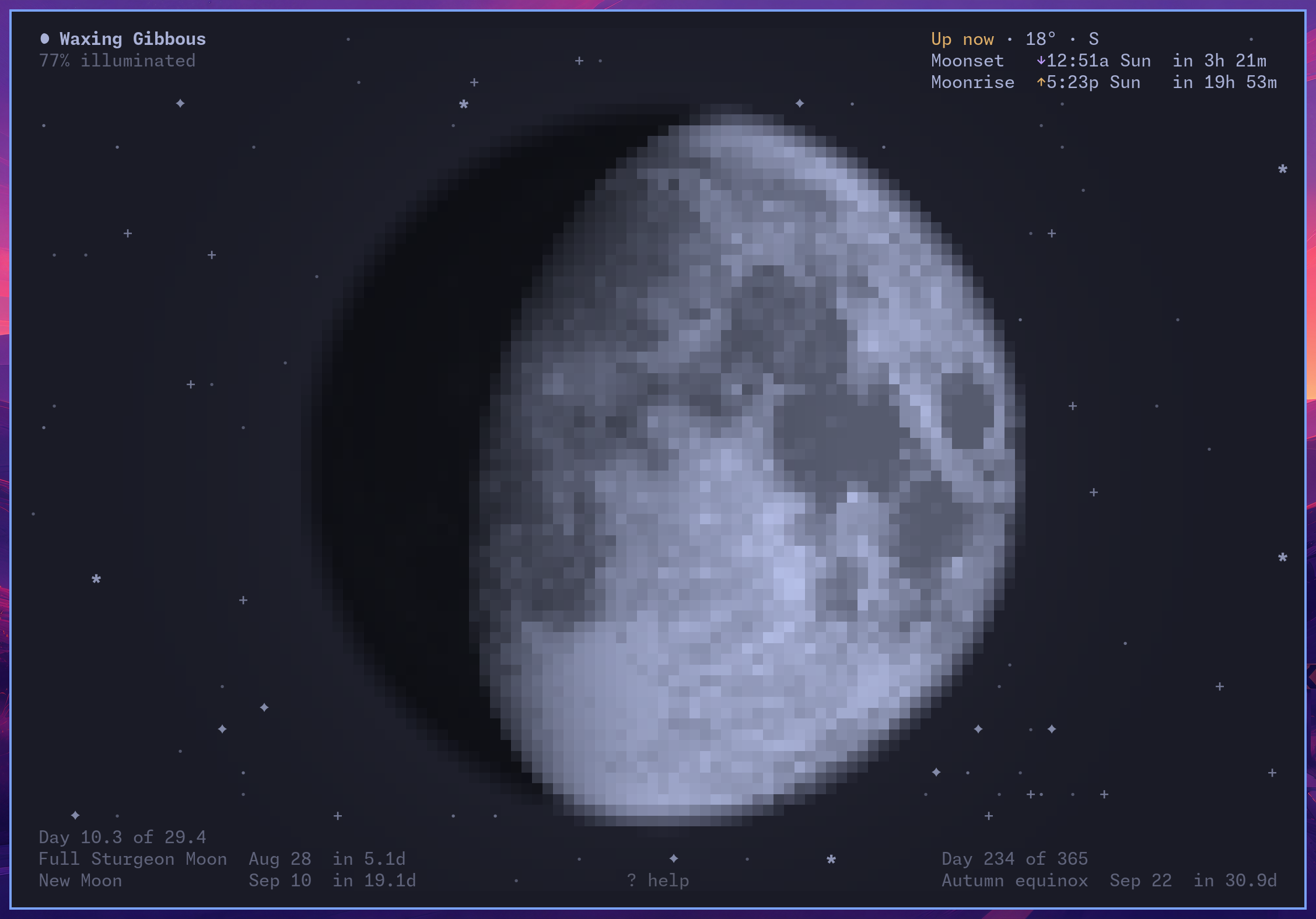
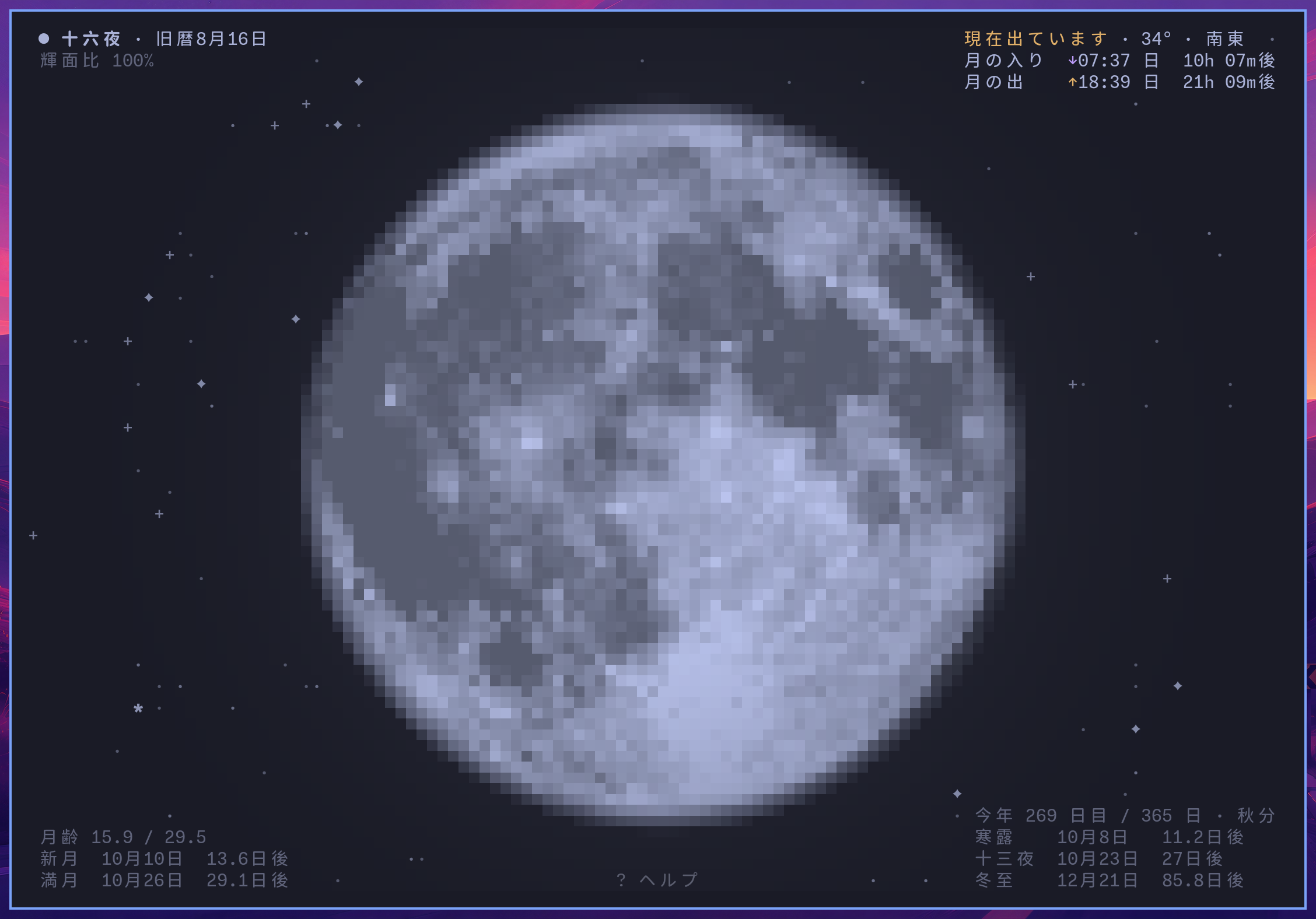
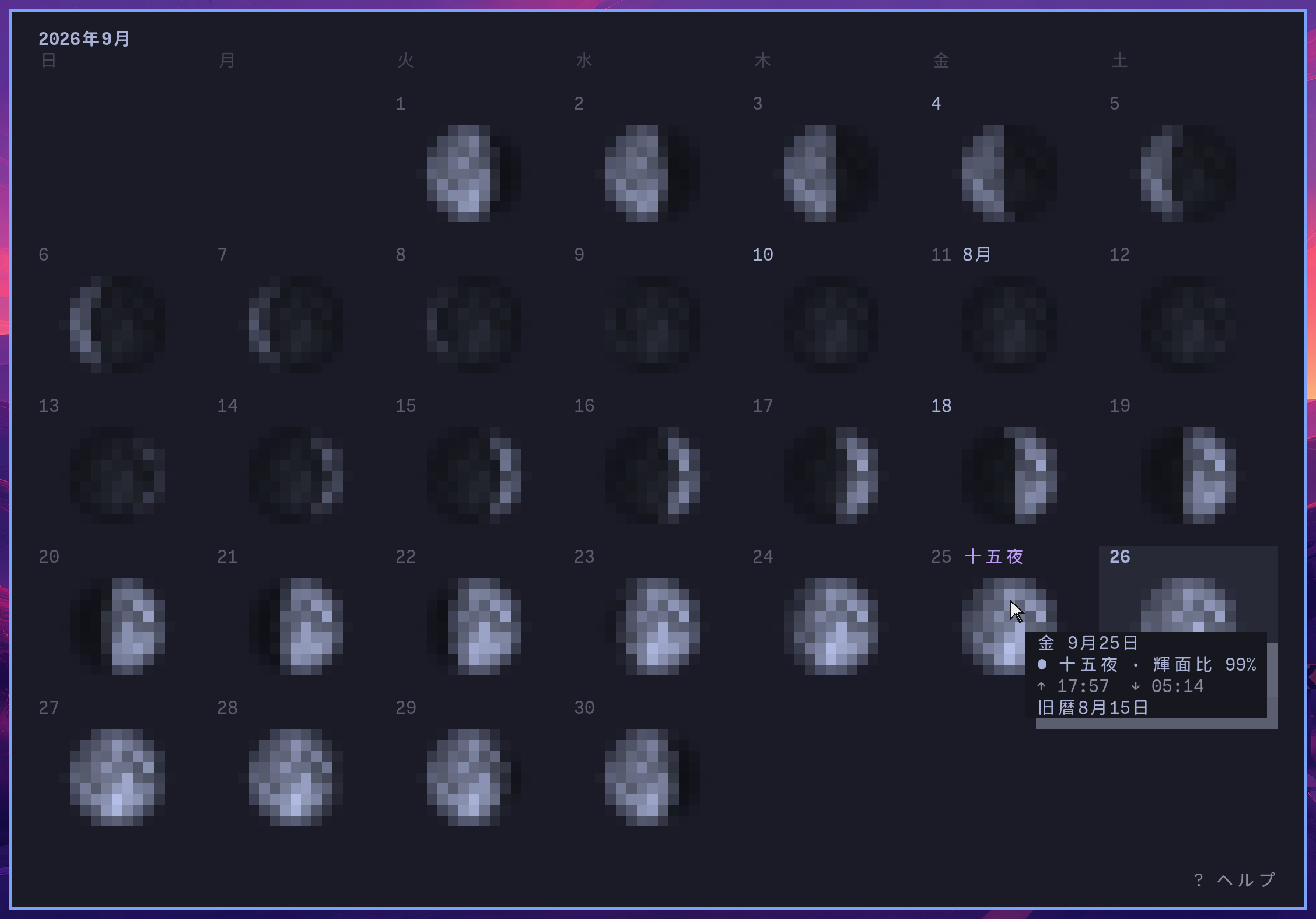
The phase as you see it, with the real stars behind. Drag to see the far side; press v for the month, or open on it with --month. --calendar adds a traditional calendar and its festivals.
Okinawa after the mid-autumn full moon, in Japanese, and the month around it:
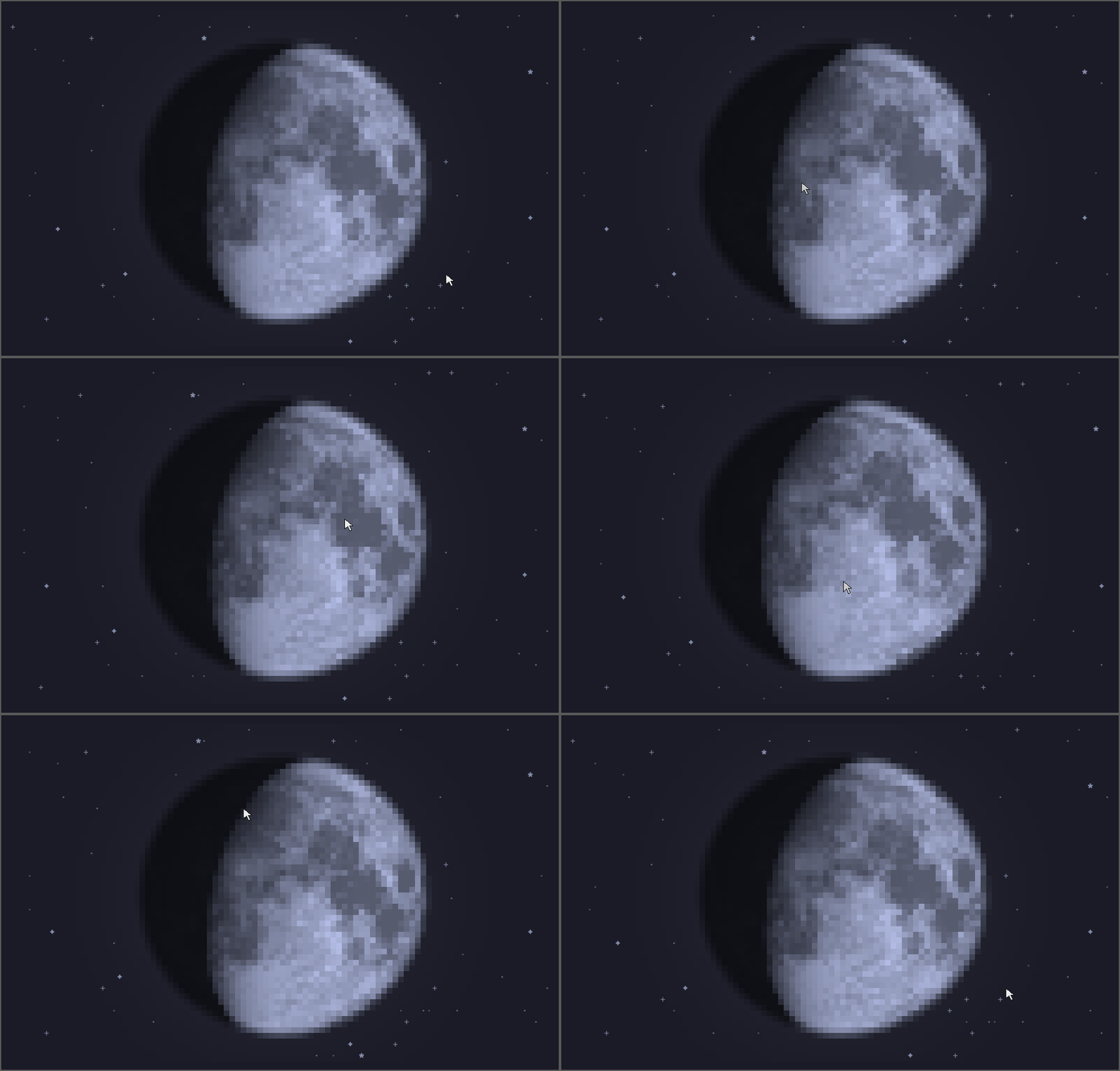
Press t to hide the text and show only the Moon, or launch with --no-text. You can drag the Moon to turn it, and when you let go, it turns back to how it looks from where you are:
Sky
The sky over you, now or at any hour: the 8,404 stars the naked eye can see, and nearly 117,000 as you zoom in. Drag to look around, / to find a star or planet, t to choose among 22 sky cultures.
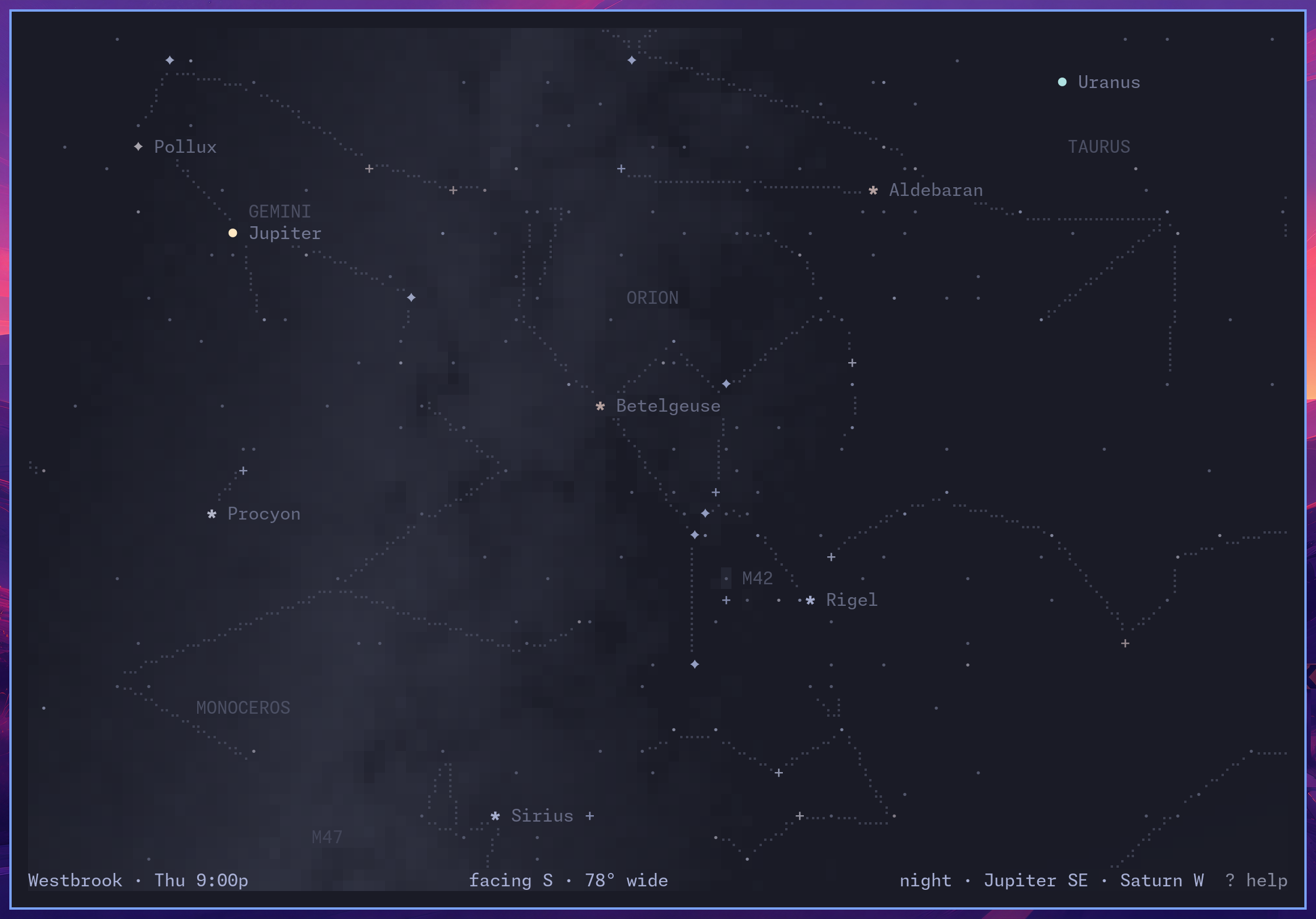
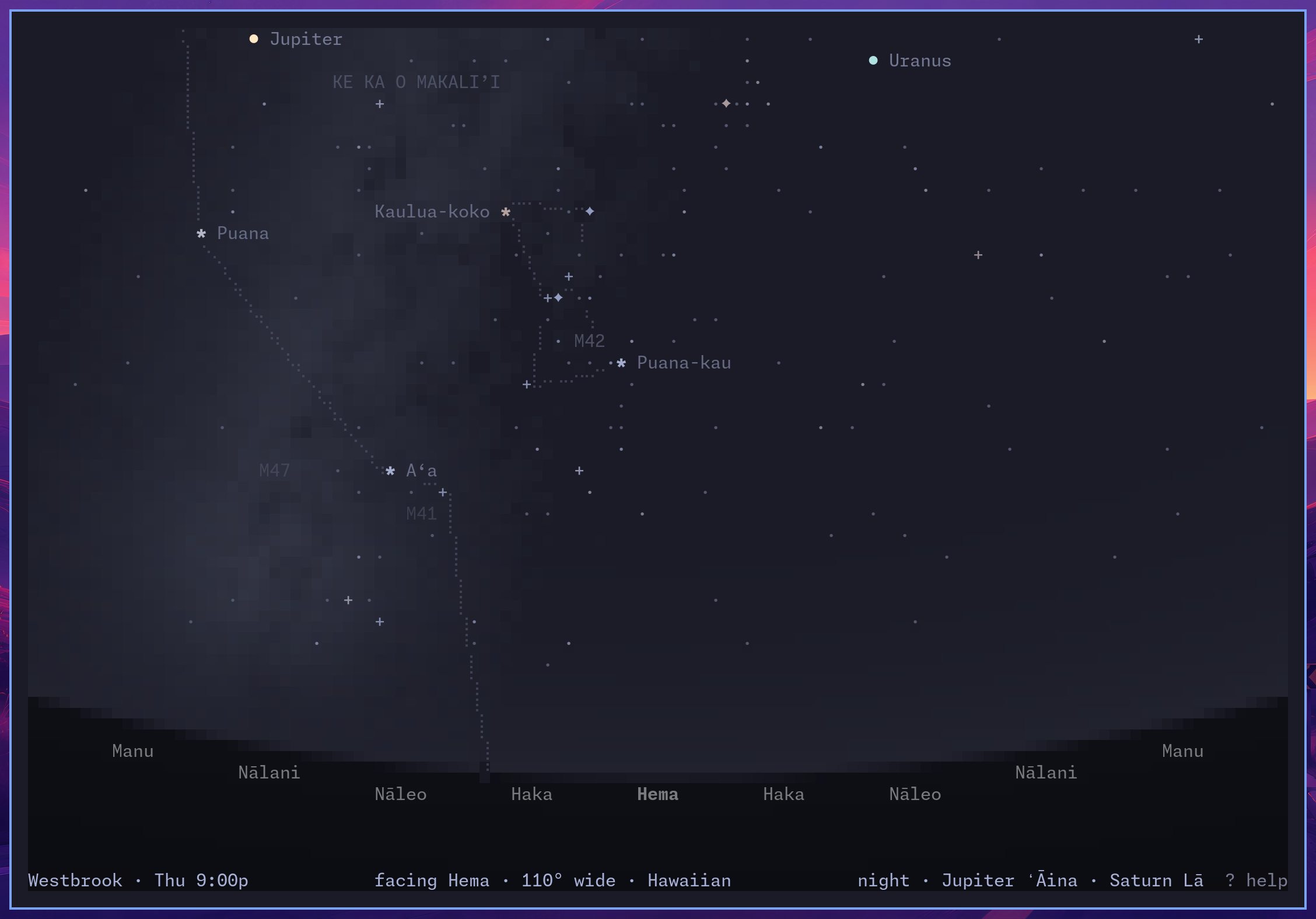
The whole August sky, and a January evening drawn the Hawaiian way:
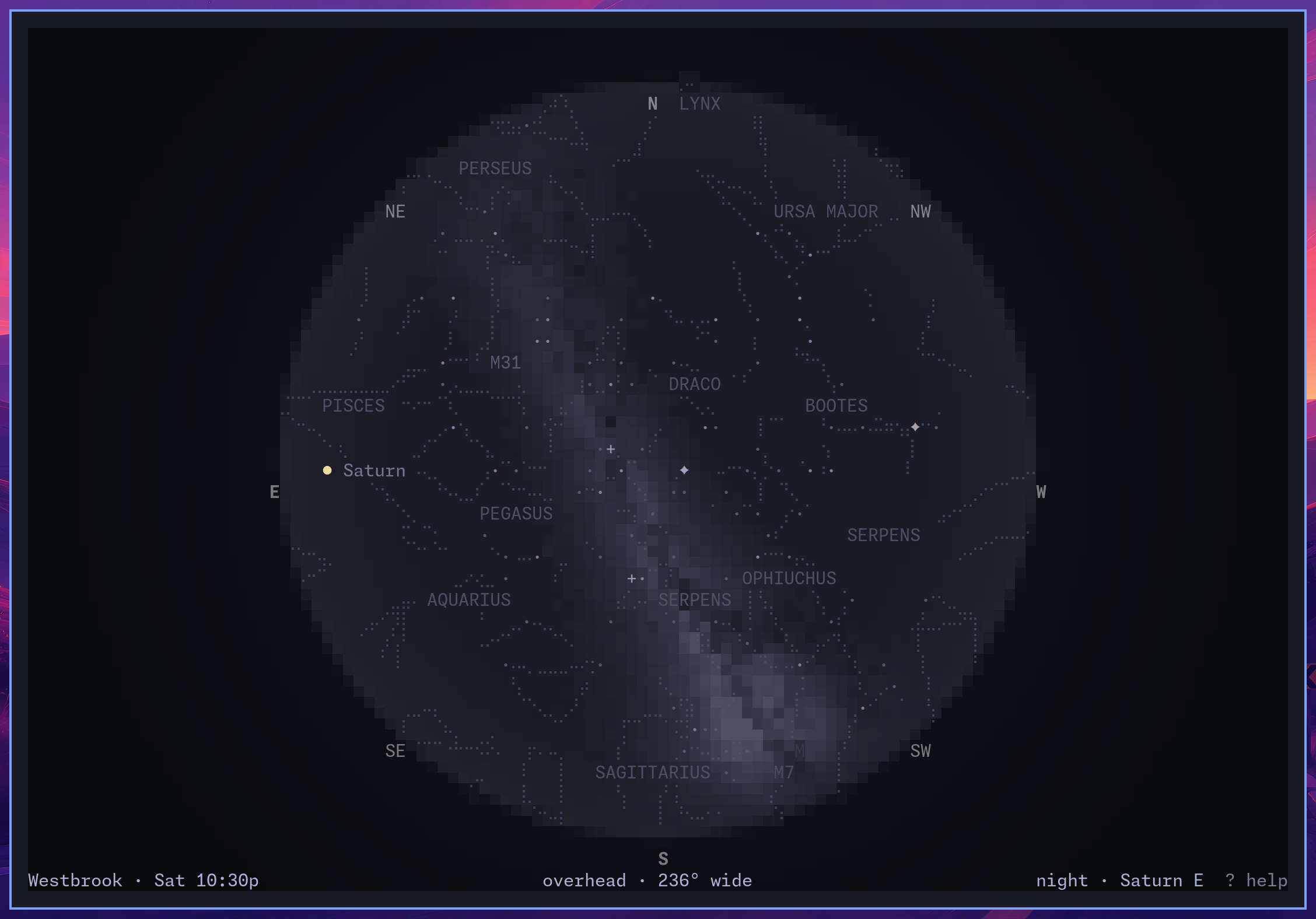
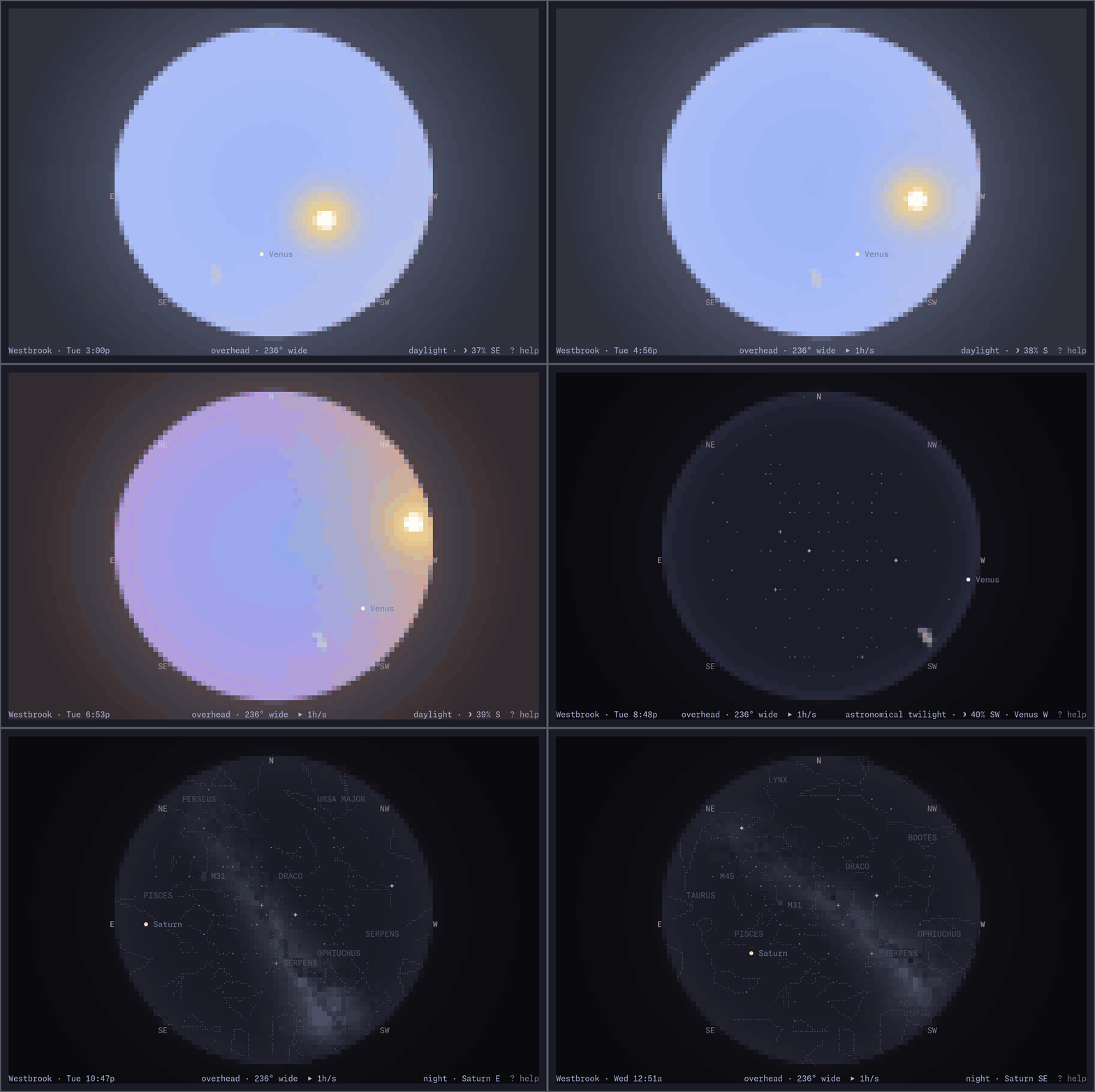
Press - a few times and the view lies back until the horizon closes into a circle overhead, with the whole sky inside it, the way the almanacs print it. Press p to play time forward. This is an August afternoon and night over Westbrook, Maine, at an hour a second:
Tides
Tides from national and regional services in the US, Canada, Queensland, Hong Kong, Japan, and Norway, with about 1,200 additional gauges and global predictions elsewhere. --nearby lists stations.
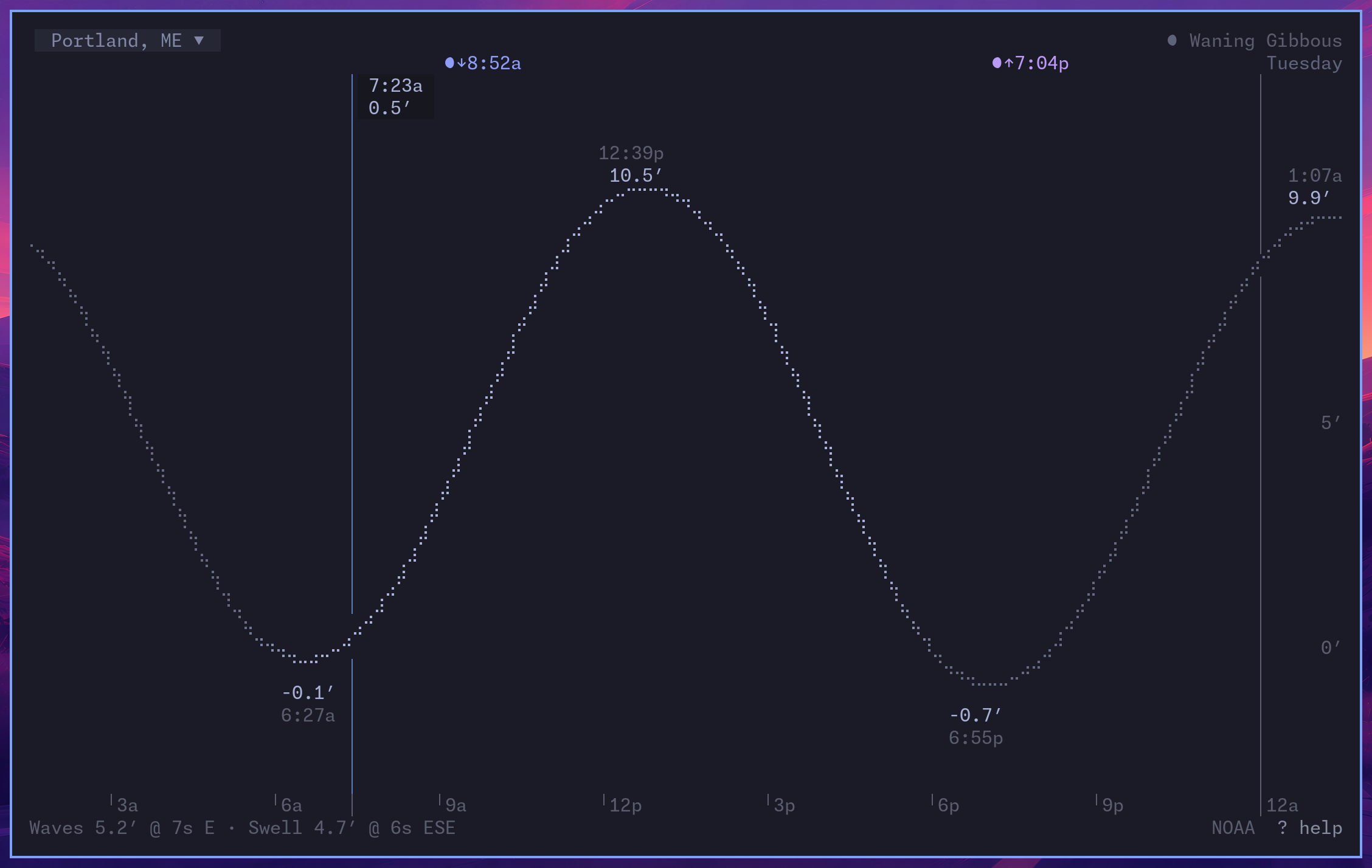
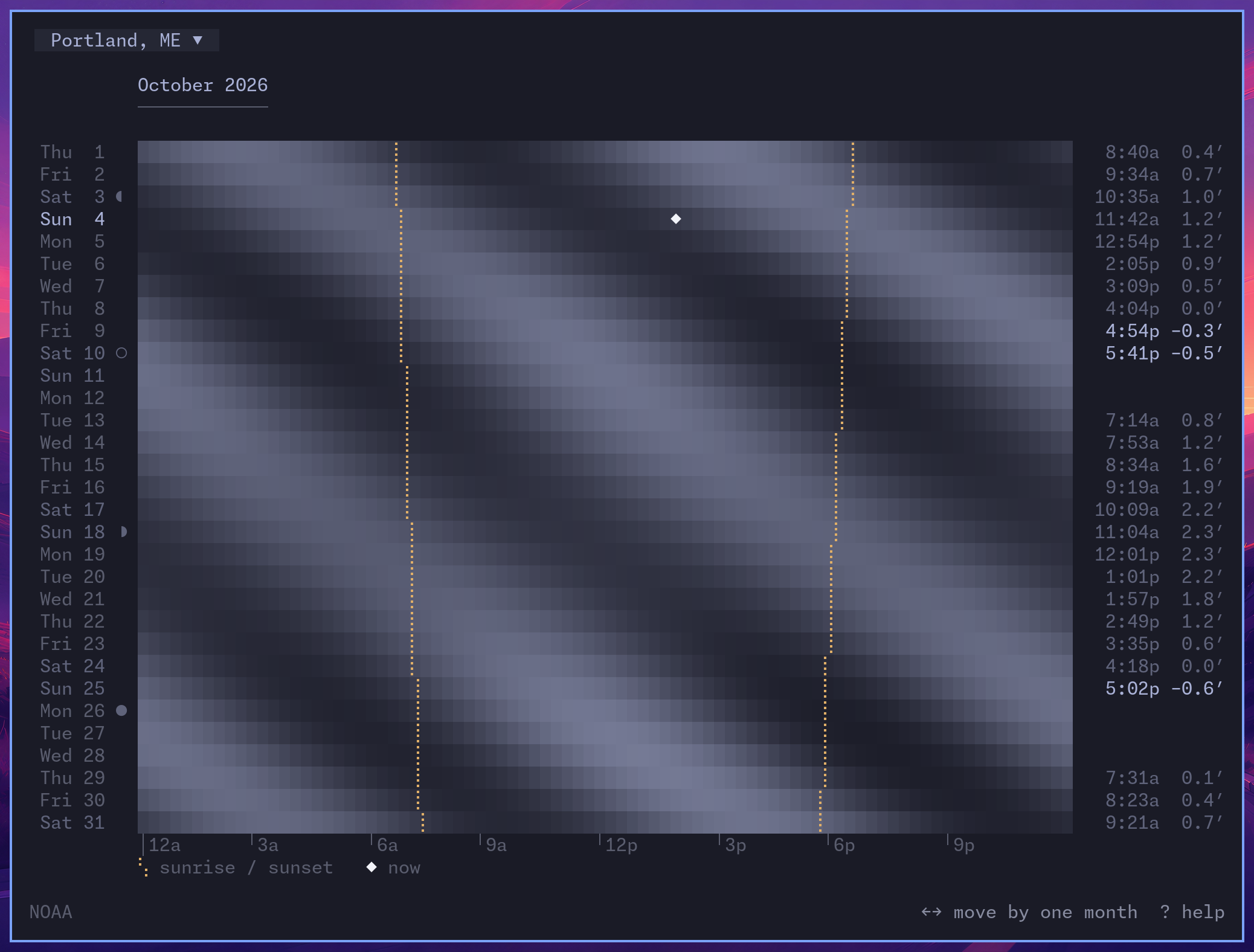
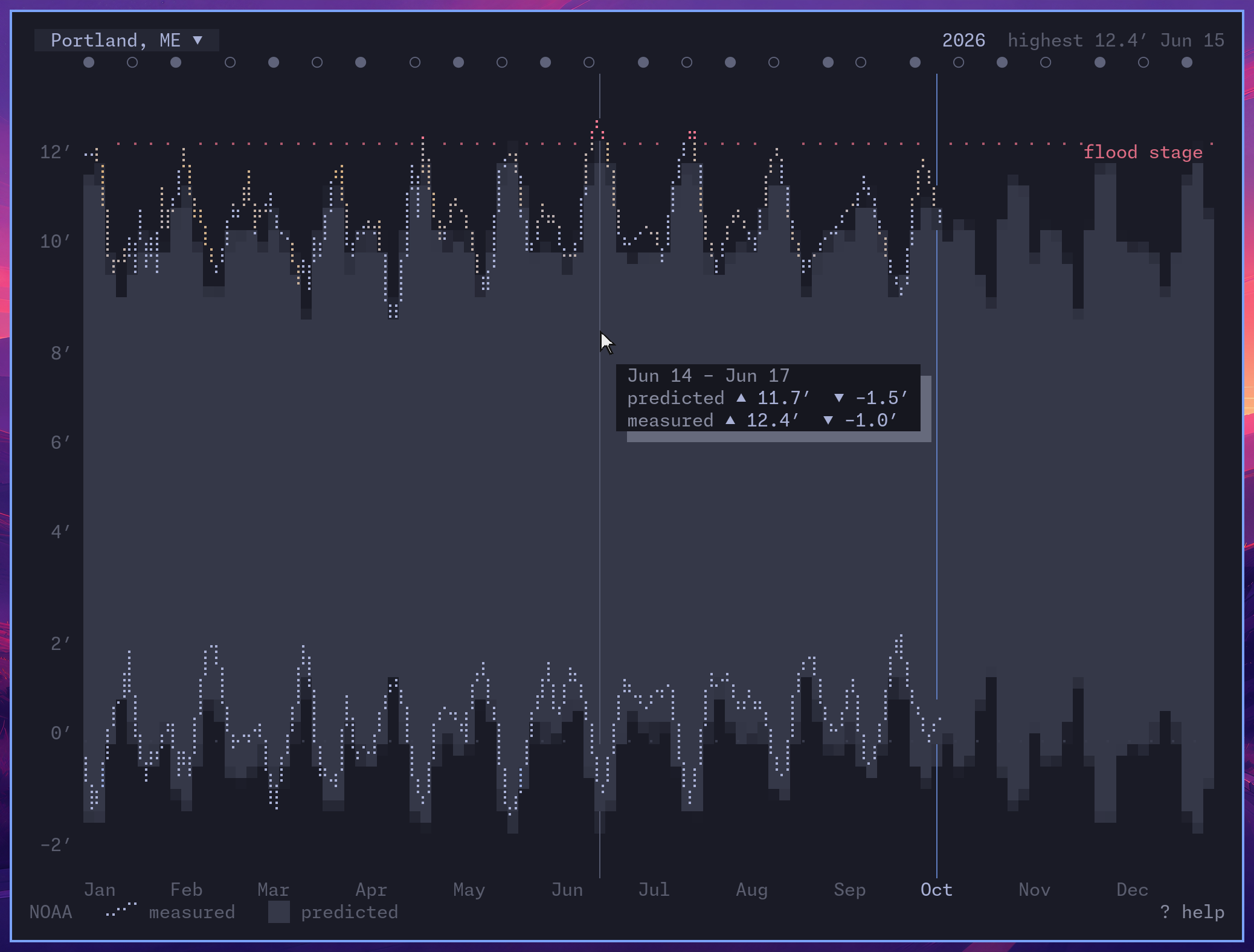
Press v for the month, showing the tides through each day and the lowest low water in daylight. Press it again for the year, comparing predictions with measured water levels where available. Open directly with linecast tides --month or linecast tides --year:
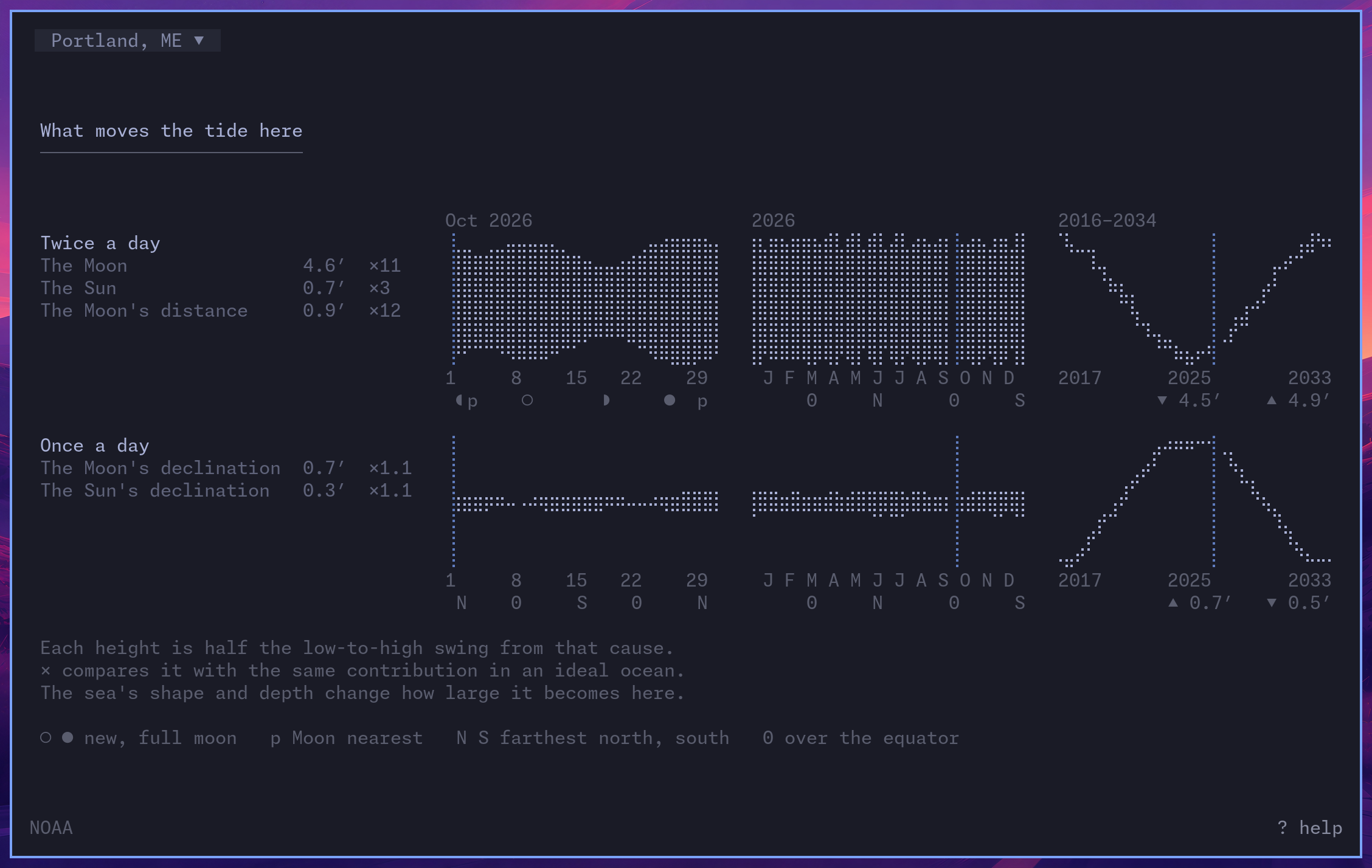
Press v once more, or start with linecast tides --makeup, to see what moves the tide: how the Sun and Moon shape its daily rhythm through the month, the year, and the Moon's long cycle. The year and makeup views require a source with year-round predictions. About the tides explains what it shows.
Radar
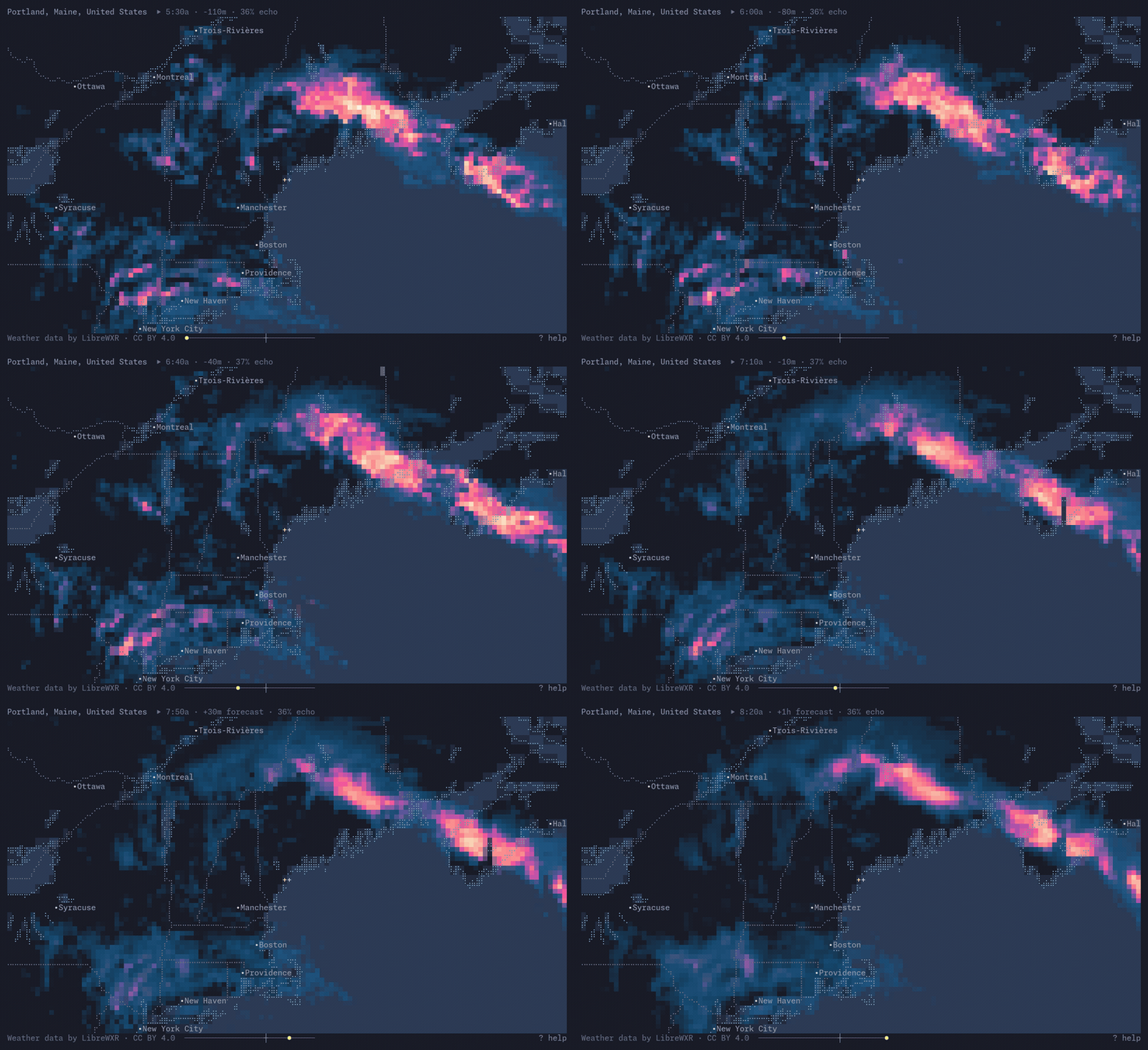
The last hour and the next, with US warnings on top. S switches to satellite, t changes the colors. Real radar comes from wherever it is published openly: North America, Europe, and parts of East and Southeast Asia. Everywhere else a precipitation model fills in, and it looks like one.
Maps
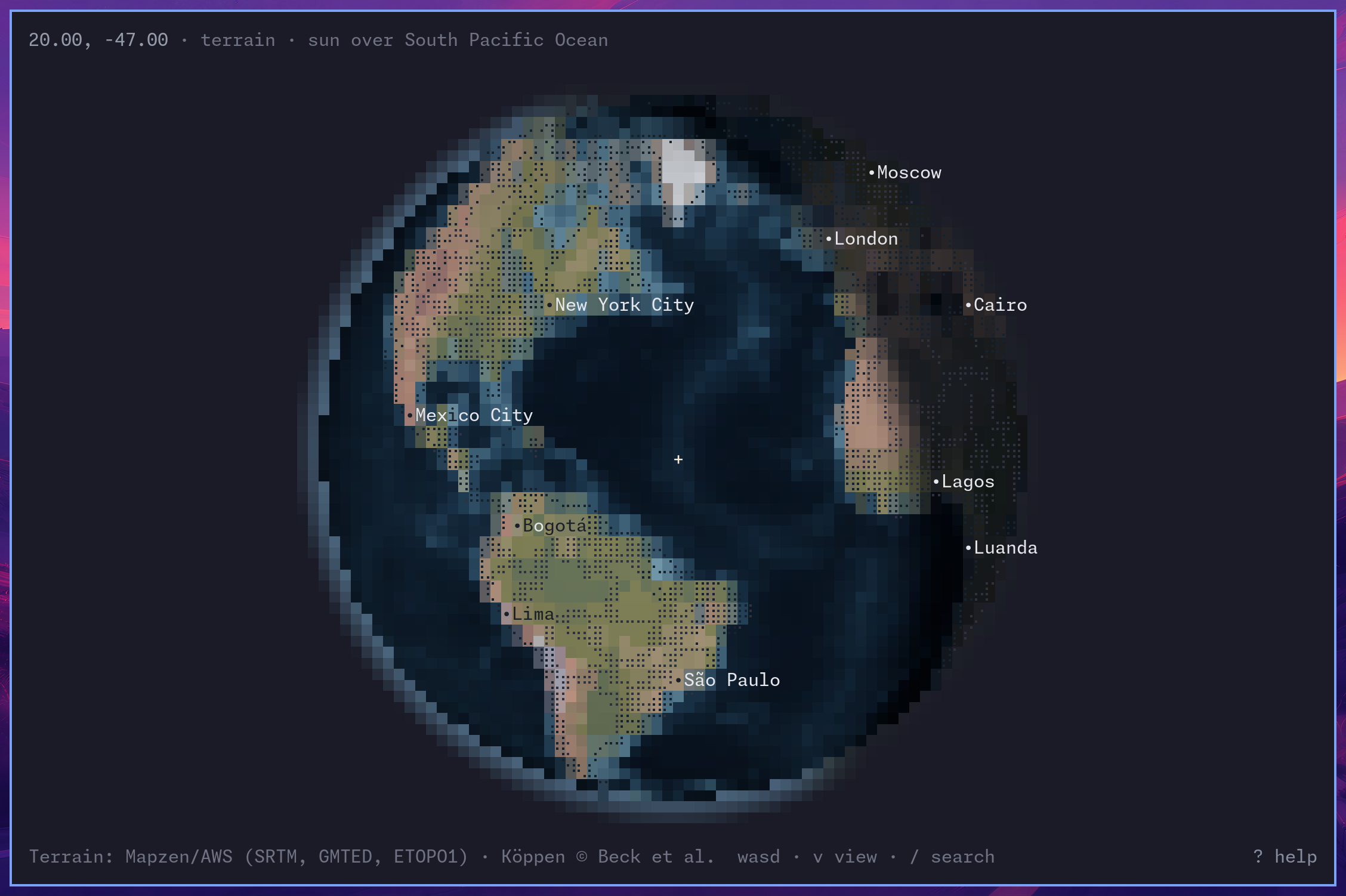
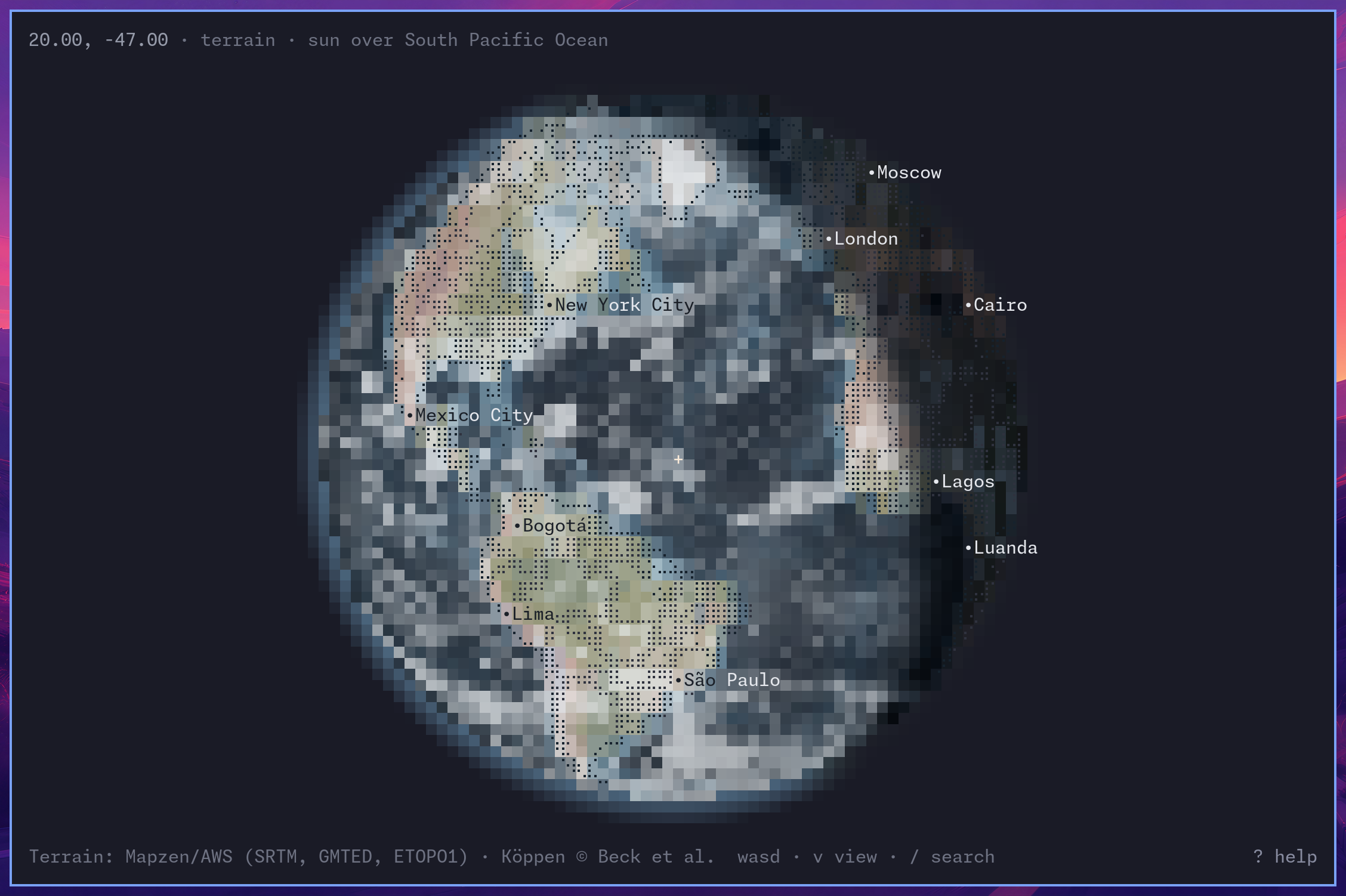
Streets or terrain; press v to switch, / to search, D for directions. Zoom out to the globe, and press S for daylight and c for clouds. Press t to hide the header, footer, and crosshairs and fill the terminal with the map; --no-text starts that way. l toggles map labels independently.
linecast maps --view now opens a full-terminal globe with daylight and clouds, text and labels hidden, slowly rotating. Press t to restore the header and footer, l for labels, or r to stop or resume rotation.
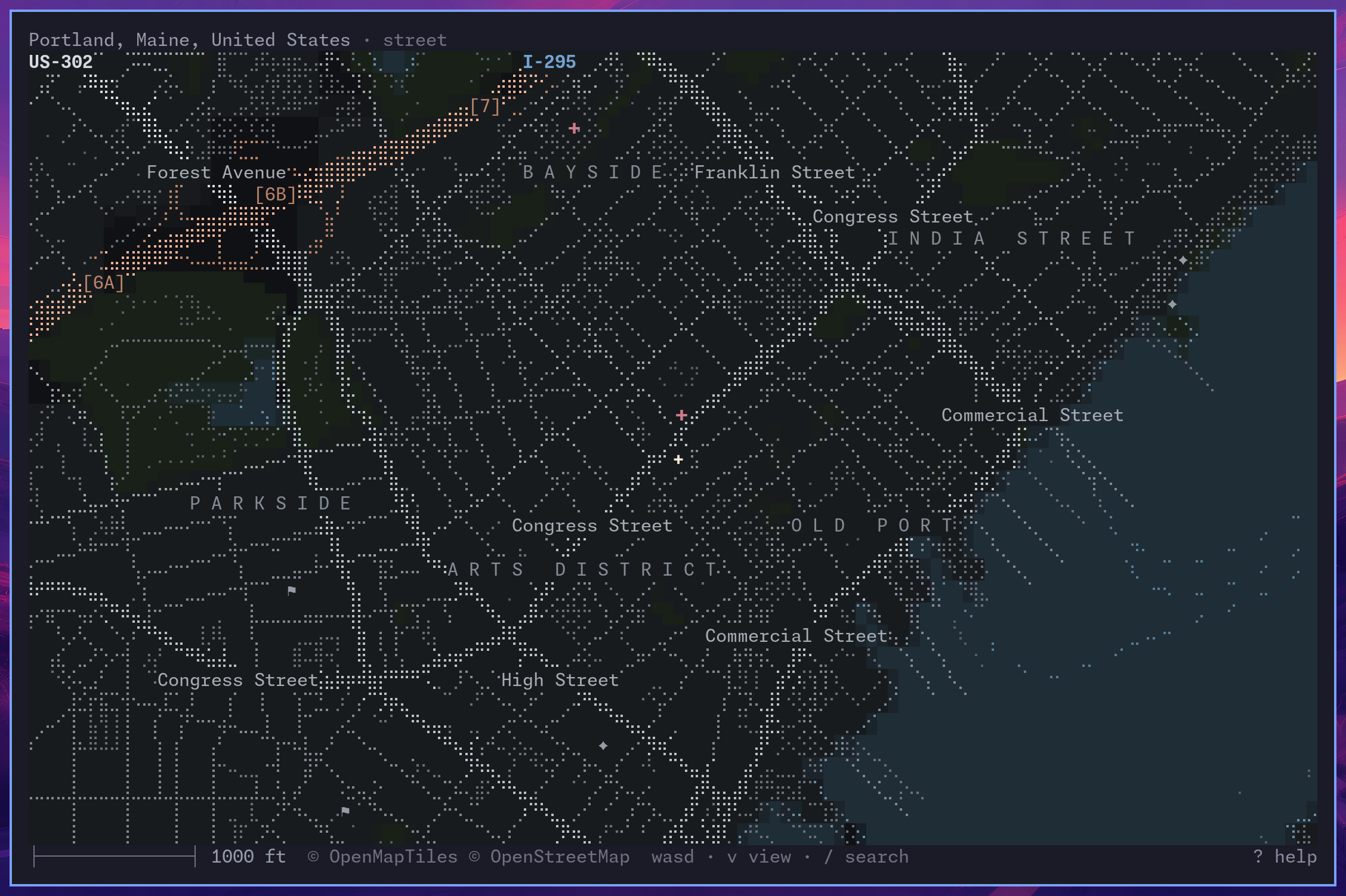
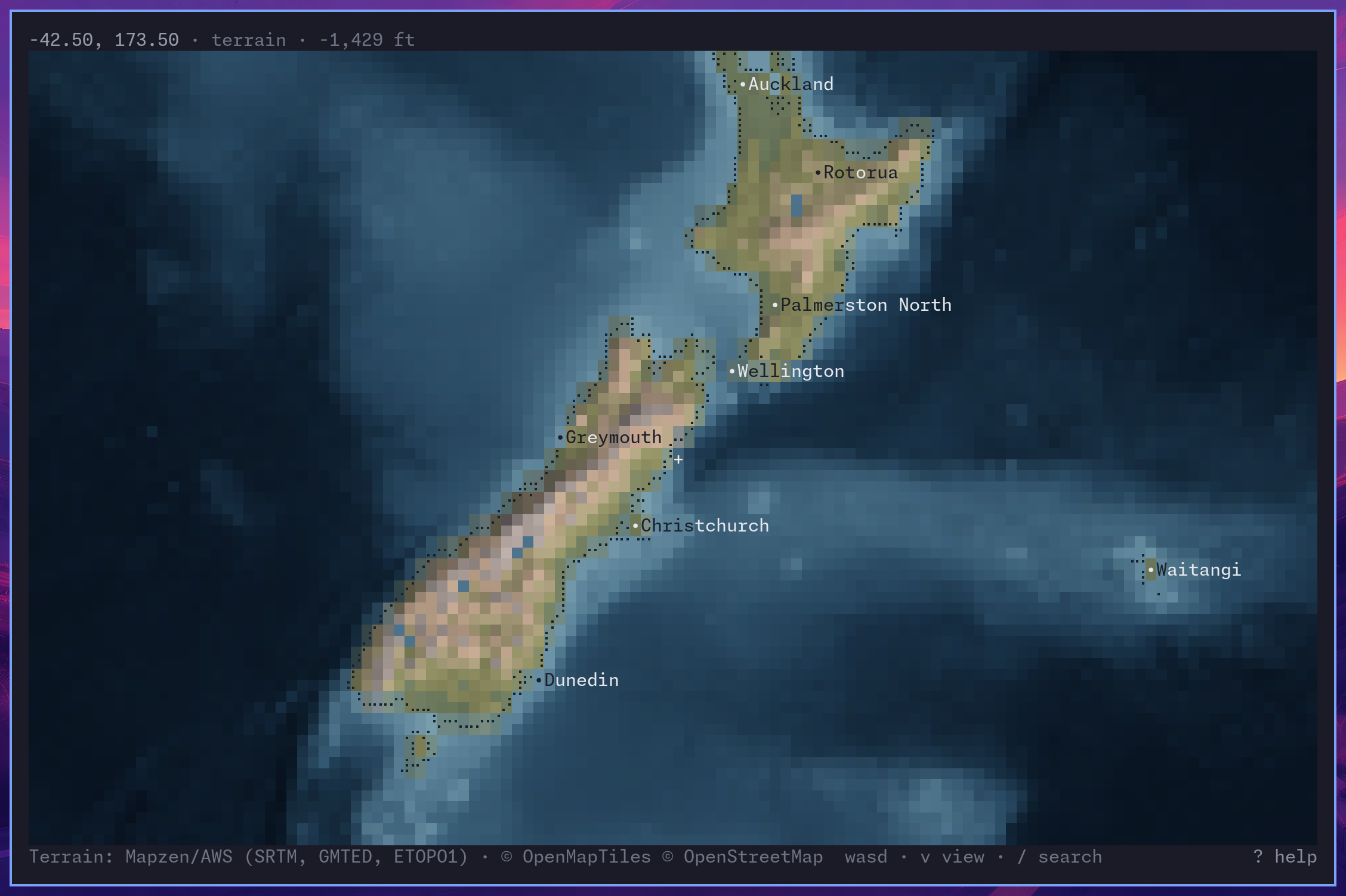
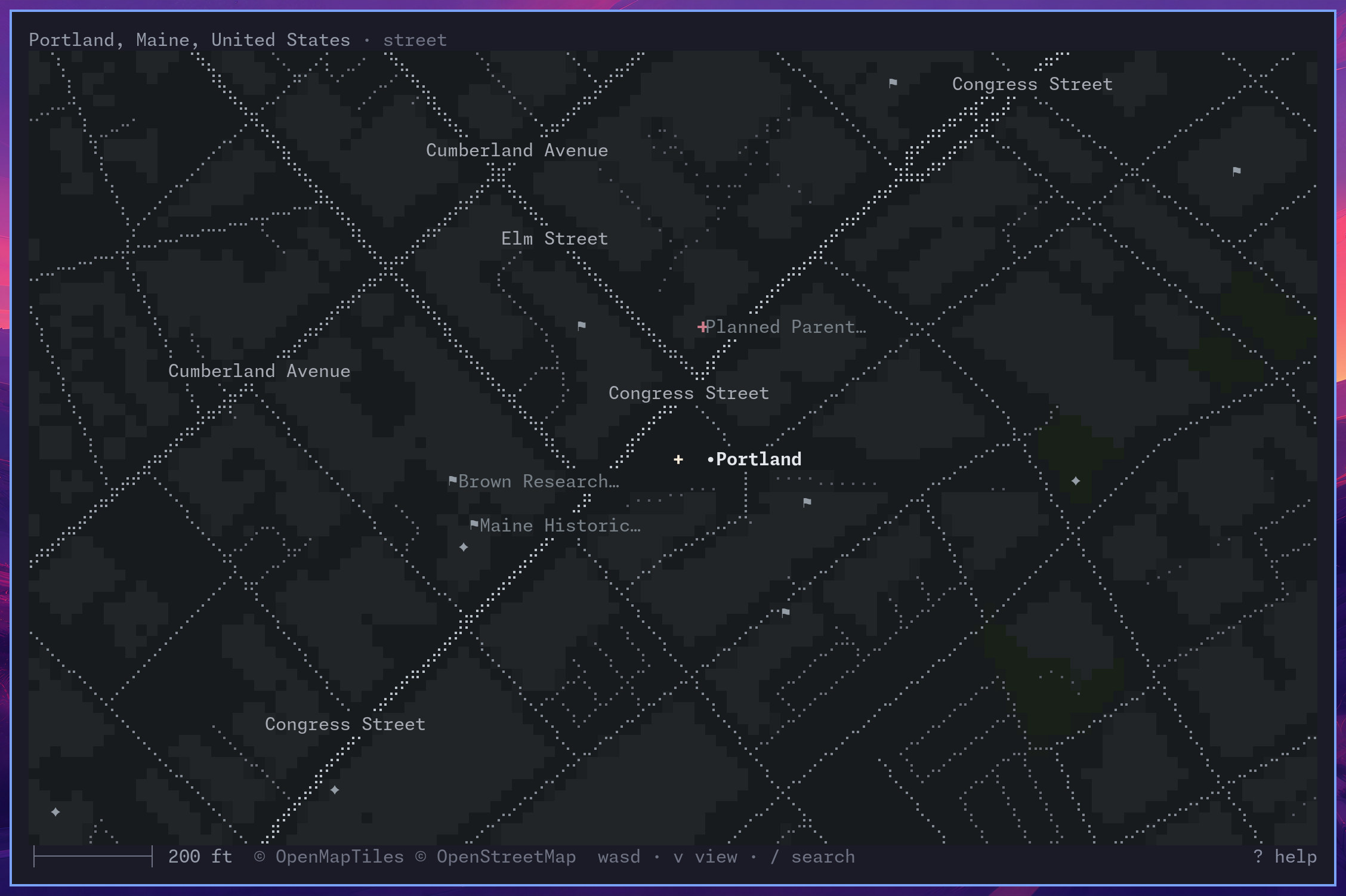
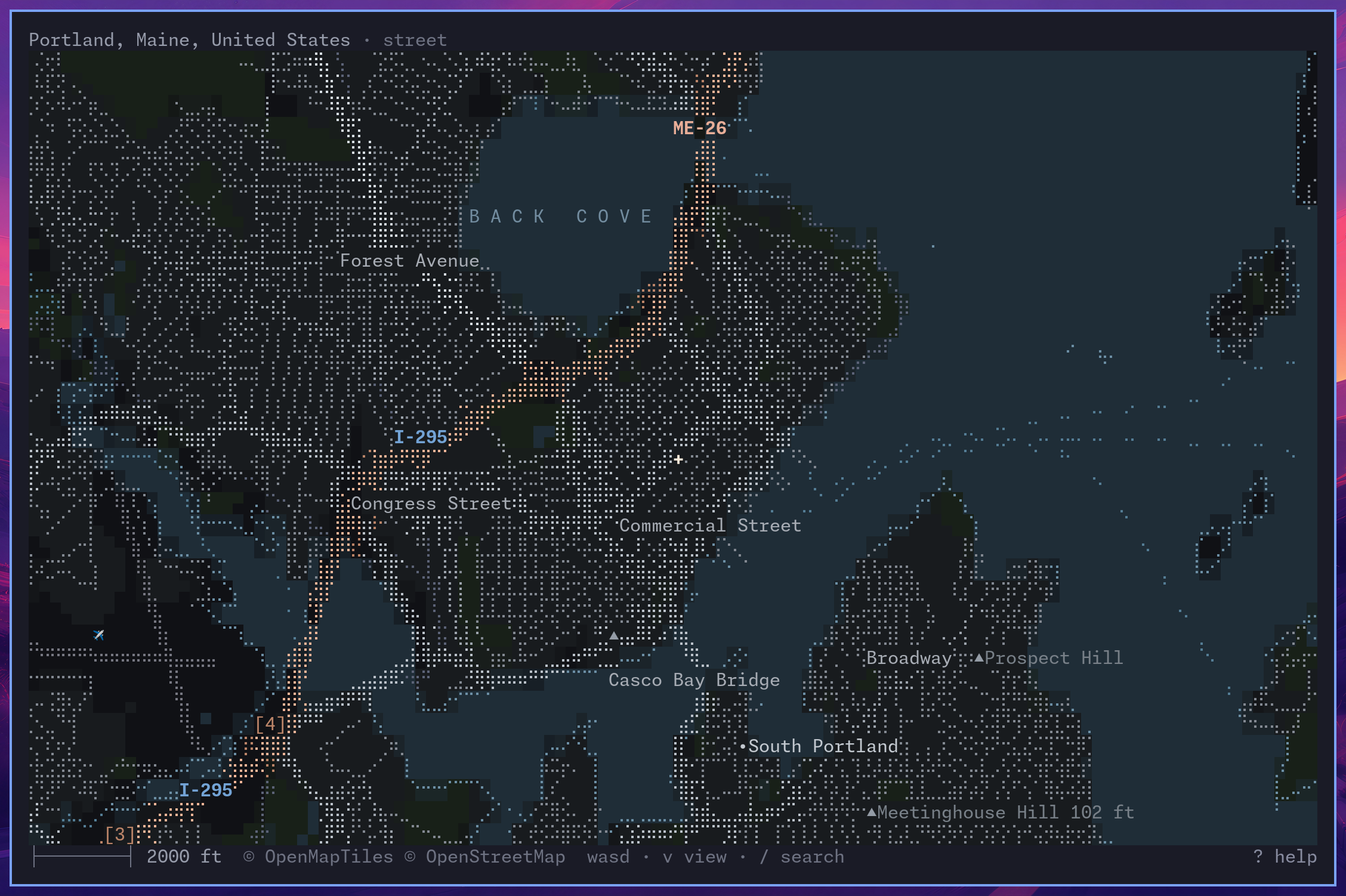
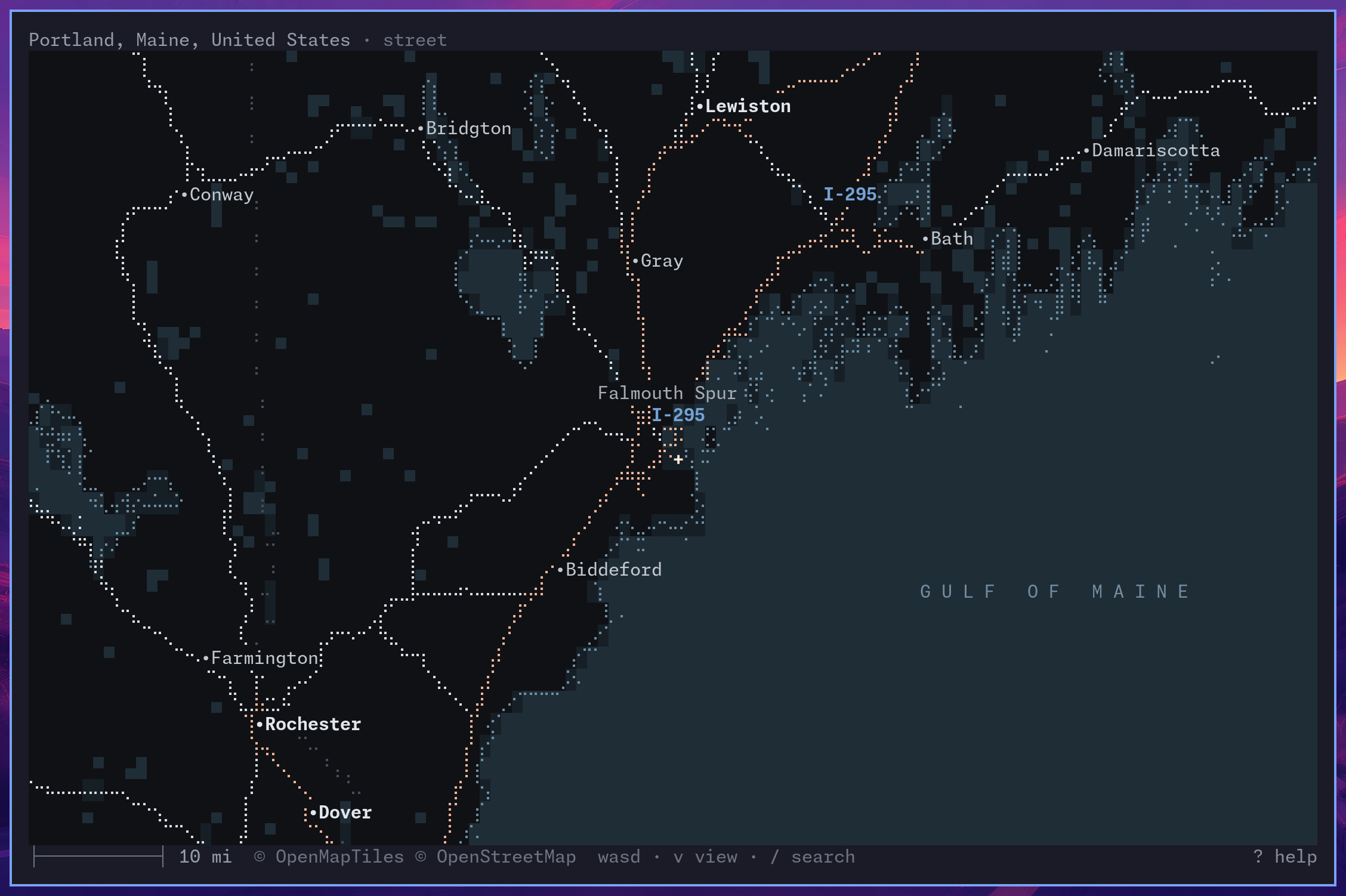
The map decides what to say at every zoom. At block level it names the shops; at city scale, the cove and the bridge; at the state, only the highways and the towns:
The globe in daylight, and with the hour's clouds:
Settings
Run a setting alone to see it, with a value to save it, or with auto to reset it.
| Setting | Values | For one run |
|---|---|---|
linecast location |
set "Portland, Maine", set 44.54,-68.42, search NAME |
--location |
linecast language |
one of the supported languages | --lang |
linecast units |
metric, imperial |
--metric, --imperial |
linecast clock |
12, 24 |
--12h, --24h |
linecast week |
monday, sunday, saturday |
--week-start |
linecast calendar |
chinese, hebrew, islamic, … |
--calendar |
linecast culture |
chinese, hawaiian, norse, … |
--culture |
linecast hours |
halachic, roman, japanese, … |
--hours |
linecast icons |
nerd, emoji, plain |
--icons |
linecast dates |
gregorian, solar-hijri |
|
linecast digits |
latin, native |
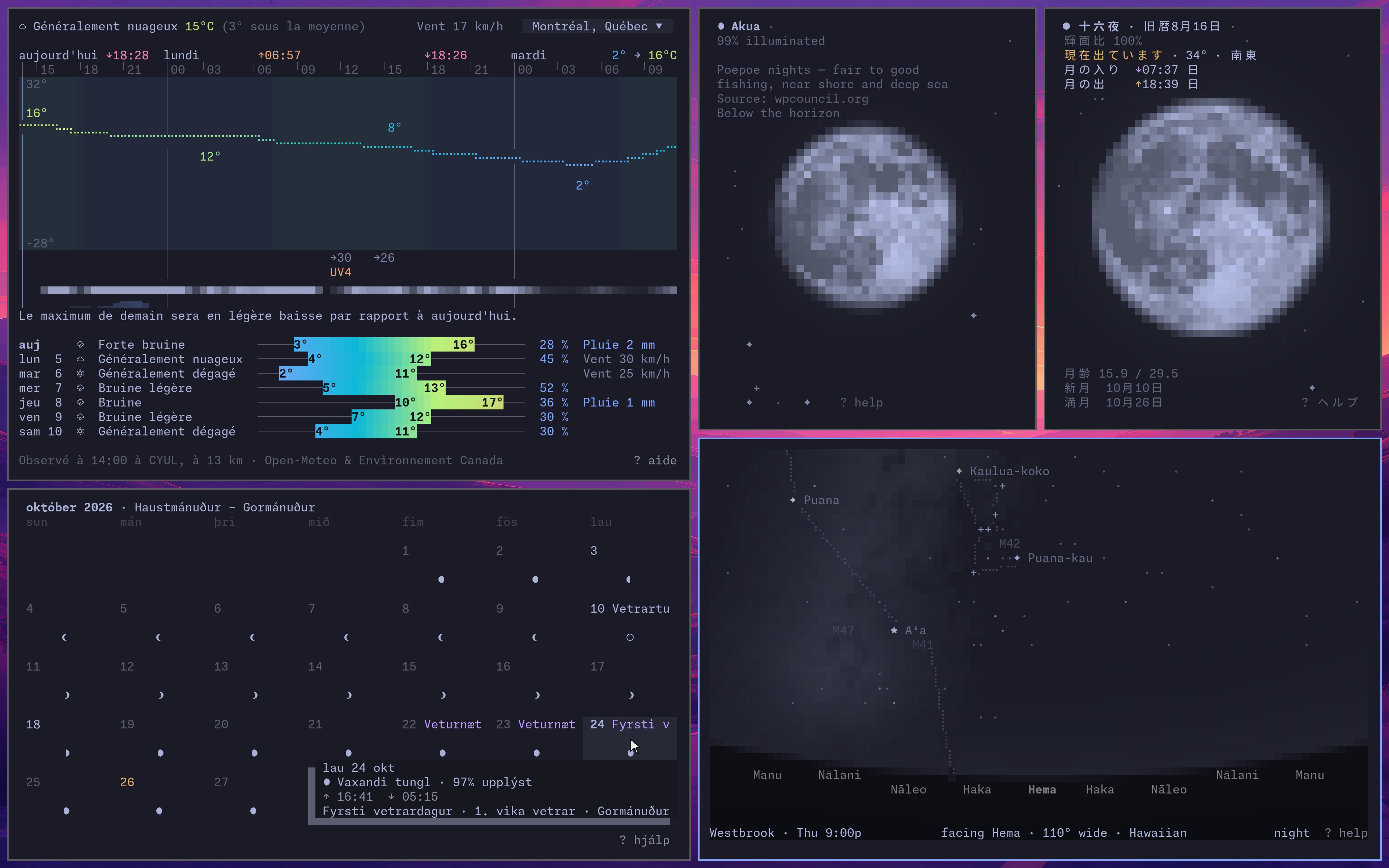
The same apps in other languages and traditions: the weather in Montréal in Canadian French, October in Reykjavík with the Icelandic calendar, the Moon over Hilo with the Hawaiian calendar and over Okinawa in Japanese, and the January sky with Hawaiian star names and the star compass along the horizon:
Without a saved location, linecast guesses from your IP address, which can be far off on a VPN or over SSH.
Persian (fa), Hebrew (he), and Arabic (ar) are experimental and need native-speaker review. Persian has been tested in Ghostty, Alacritty, and foot, but does not display well in the Mac's Terminal or iTerm2. Hebrew and Arabic still need testing across terminals. See languages for details.
Environment variables, and the optional TideCheck key for more tide stations, are in docs/configuration.md, and data sources and credits in docs/sources.md.
Extras
linecast link                       # add weather, moon, … as short commands
source <(linecast completion zsh)   # shell completion: bash, zsh, fish, nu
linecast doctor                     # when something looks wrong
Contributing
Questions and ideas are welcome in Discussions, and pull requests too; see CONTRIBUTING.md.
Lineage
Prior art.
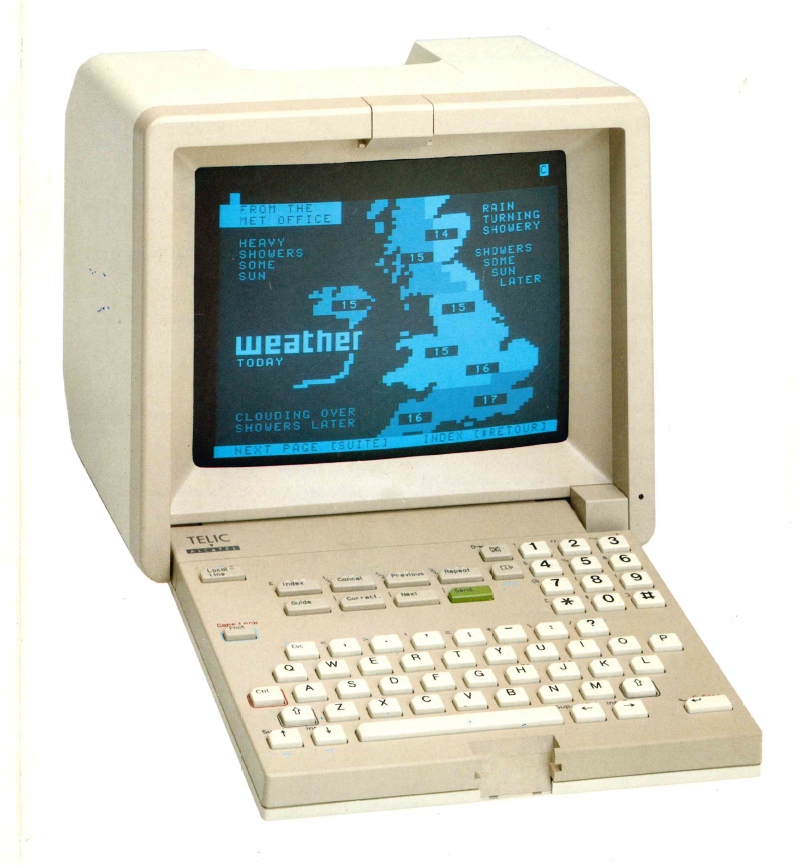
A Telic-Alcatel videotex terminal draws the weather, circa 1990. Photograph from the collection at minitel-alcatel.fr.
License
1 maintainer

Metadata
1 maintainer
Release files for linecast 2.10.2
For a detailed explanation of source distributions (sdists) and built distributions (wheels), please see the package formats documentation.
Source distribution (sdist)
| File | Size | Uploaded | |
|---|---|---|---|
| linecast-2.10.2.tar.gz | 9.6 MB | Details |
Built distribution (wheel)
| File | Interpreter | ABI | Platform | Reset |
|---|---|---|---|---|
| linecast-2.10.2-py3-none-any.whl | Python 3 | none | any | Details |
Total release size: 18.6 MB
Release files / linecast-2.10.2.tar.gz
| Download URL | linecast-2.10.2.tar.gz |
|---|---|
| Size | 9.6 MB |
| Tags | Source |
|
SHA-256 checksum How to use checksums |
3ae653e1778e757c7e2599ccb962b8574050faca24e9750ed071ad09ce55ac1d
|
|
BLAKE2b-256 checksum How to use checksums |
3d2a1f2b5c7e460fe8d3f94873e836309567d49dbce02cc44dc407d745774da4
|
| Upload date | |
|
Uploaded using Trusted Publishing? What is trusted publishing? |
Yes |
| Uploaded via |
twine/7.0.0 CPython/3.13.14
|
Provenance
Provenance describes where a file came from. On PyPI, provenance is shared via attestations, which provide a verifiable record of the build or publishing details. View details, limitations and caveats.


PyPI Publish Attestation
PyPI verified that this artifact, at this checksum, originated from the publisher listed below.
Signed by GitHub Actions, verified by PyPI on Oct 15, 2026.
Transparency logRelease files / linecast-2.10.2-py3-none-any.whl
| Download URL | linecast-2.10.2-py3-none-any.whl |
|---|---|
| Size | 8.9 MB |
| Tags | Python 3 |
|
SHA-256 checksum How to use checksums |
3b1b20f255d87ac075b34ee3201ff6220a864a7d91eaf07ef3cb215671b87590
|
|
BLAKE2b-256 checksum How to use checksums |
bafcc75fd107dc4b1cbeb6cac4684da35ef3fcf1109a019ba594d9a85604bfa5
|
| Upload date | |
|
Uploaded using Trusted Publishing? What is trusted publishing? |
Yes |
| Uploaded via |
twine/7.0.0 CPython/3.13.14
|
Provenance
Provenance describes where a file came from. On PyPI, provenance is shared via attestations, which provide a verifiable record of the build or publishing details. View details, limitations and caveats.
PyPI Publish Attestation
PyPI verified that this artifact, at this checksum, originated from the publisher listed below.
Signed by GitHub Actions, verified by PyPI on Oct 15, 2026.
Transparency log













