
v_ase



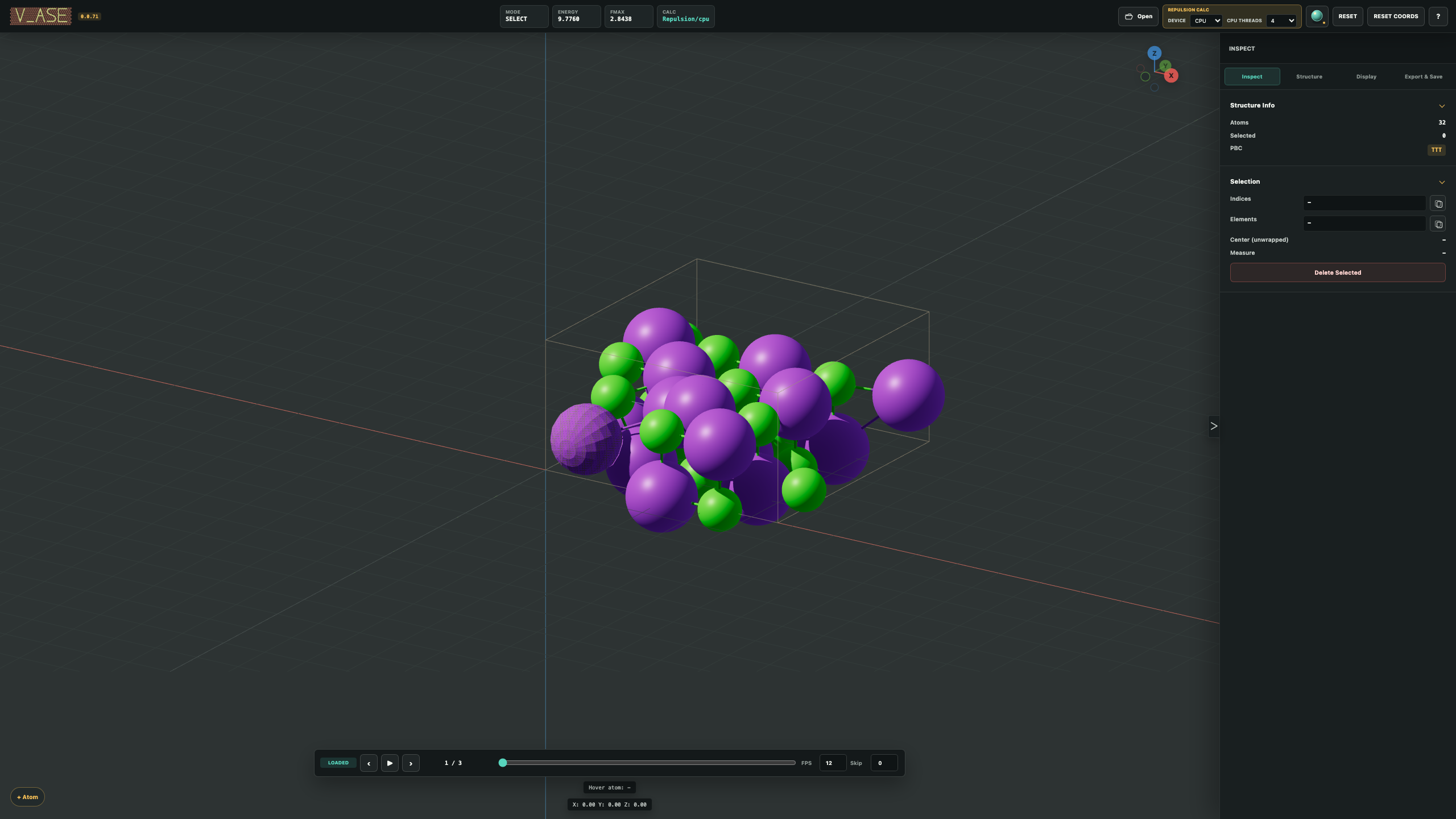
v_ase is a local 3D viewer and editor for atomic structures and trajectories.
Open ASE-compatible files from the terminal or Python, inspect large systems,
edit atoms when needed, and export publication-ready images, movies, and 3D
scenes. The same viewport can also switch to a clean 2D atom-and-bond display.
Install
From PyPI
python -m pip install v_ase-gui
From GitHub
git clone https://github.com/lgyEthan/v_ase.git
cd v_ase
python -m pip install -e .
No Node.js installation is required.
Start
There are two command forms:
v_ase gui
v_ase gui [structure-filename]
| What you want to open | Command |
|---|---|
| Empty workspace with an Open button | v_ase gui |
| POSCAR or another static structure | v_ase gui POSCAR |
| VASP structure | v_ase gui structure.vasp |
| XYZ or extended XYZ trajectory | v_ase gui trajectory.extxyz |
| ASE trajectory | v_ase gui relaxation.traj |
| Saved v_ase project | v_ase gui project.vase |
The terminal waits while the viewer is open and becomes available again when the browser tab is closed.
View And Interactive Modes
The default mode is optimized for viewing, trajectory playback, measurements, bonds, appearance, supercells, wrapping, and export:
v_ase gui trajectory.extxyz
Use interactive mode to move, rotate, create, delete, copy, paste, or relax atoms:
v_ase gui structure.vasp --interactive
Controls
| Input | Action |
|---|---|
| Left click | Select an atom or confirm a transform |
| Shift + left click | Add or remove atoms from the selection |
| Left drag | Box selection |
| Middle drag | Orbit the view |
| Shift + middle drag | Pan |
| Wheel | Zoom |
G |
Move selected atoms |
R |
Rotate selected atoms |
X, Y, Z |
Lock a transform axis; outside a transform, align the view |
| Number keys | Enter an exact distance or angle during G or R |
Enter / left click |
Confirm a transform |
Esc / right click |
Cancel a transform |
Ctrl+C, Ctrl+V, Ctrl+Z |
Copy, paste, undo |
Delete / Backspace |
Delete selected atoms |
Space |
Play or pause a trajectory |
Tab |
Open the control panel when it is collapsed |
Esc |
Close the open control panel and return focus to the viewport |
The ? button in the top bar shows the same shortcut reference inside the app.
The Camera View button in the top bar changes only the camera. Set an exact
degree step, rotate around +/-X, +/-Y, or +/-Z, or align directly to any
of the six axis views. After aligning to +Z, a +Z step of 45 deg rotates
the visible structure counterclockwise by exactly 45 degrees without changing
any atomic coordinate.
Trajectories
Multi-frame files receive a timeline at the bottom of the viewport. You can:
- drag the frame slider for immediate frame updates;
- play or pause with
Space; - set playback FPS and frame skip;
- keep bond cutoffs and appearance settings across every frame;
- run relaxation in interactive mode and inspect its optimization path;
- export the complete loaded trajectory as a movie.
Export Video
Open Export & Save, select Export Video, then choose:
MOVwith H.264 video orAVIwith MPEG-4 video;- output width, height, and FPS;
- current viewport framing or a fixed atomic scale in px/Å;
- atom smoothness;
- grid and axes visibility;
- renderer, Sun brightness, position, and target.
Every trajectory frame is rendered. The movie uses the exact camera, crop, lighting, and atom styling shown by Preview Area. Movie backgrounds are white; transparent video export is not used.
Constraints
Constraints remain active during interactive transforms when Apply constraints is enabled. Disable that switch when unrestricted editing is required.
FixedLine
A constrained atom moves only along its permitted direction. The guide remains visible in the viewport and becomes more prominent when the atom is selected.

Example:
v_ase gui examples/readme_scene_assets/fixedline.traj --show-bonds --interactive
FixedPlane And FixScaled
FixedPlane movement is limited to the displayed plane. VASP selective
dynamics read as FixScaled are shown according to their allowed fractional
directions.

Example:
v_ase gui examples/readme_scene_assets/fixedplane.traj --show-bonds --interactive
FixAtoms
Fixed atoms use a distinct surface treatment while keeping their element color. They remain recognizable without being confused with the yellow selection outline.
Hookean
Hookean constraints show their threshold and active spring state. The spring engages only after the constrained distance passes its cutoff.
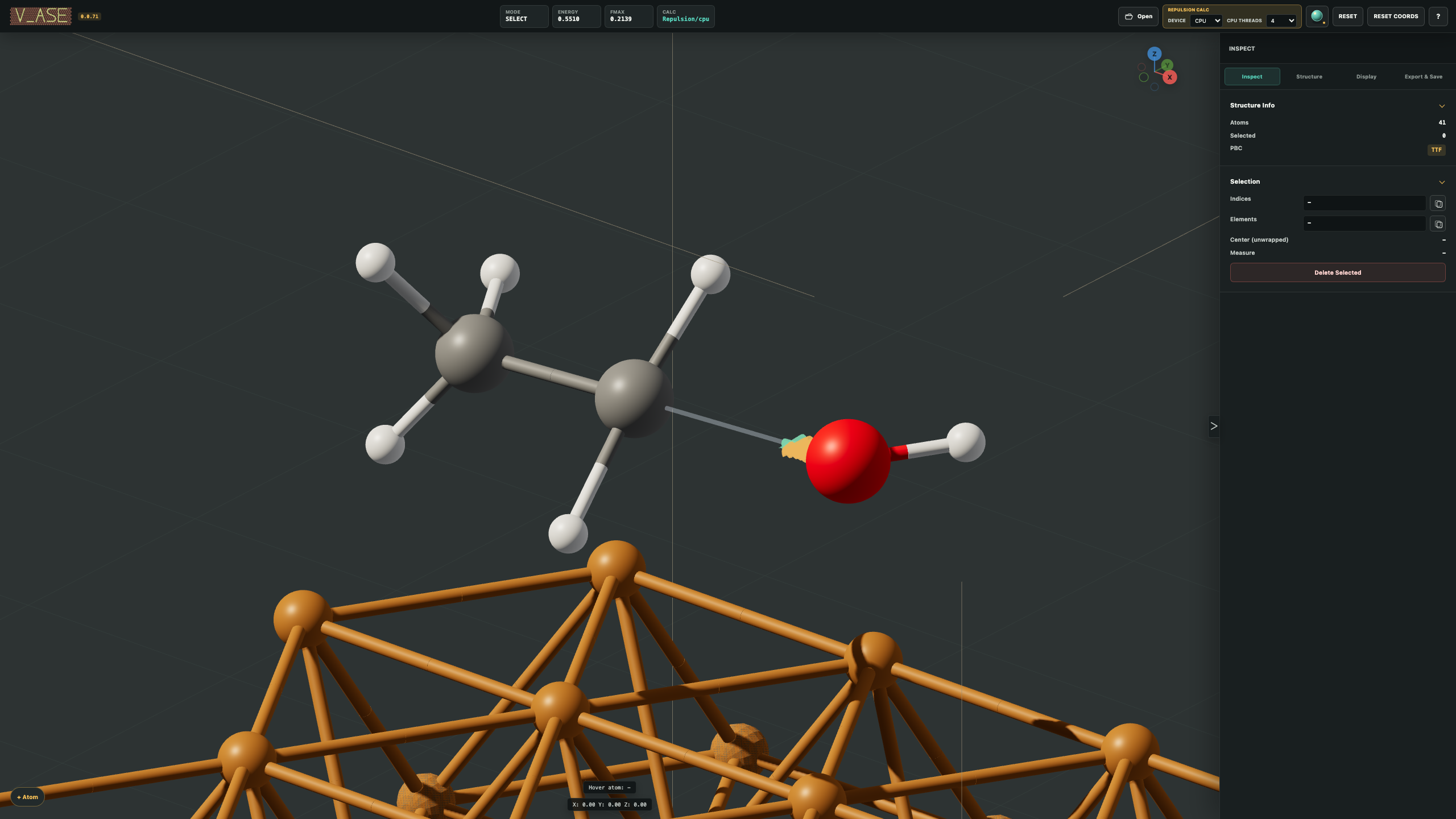

Example:
v_ase gui examples/readme_scene_assets/hookean.traj --show-bonds --interactive
Atom Editing
Interactive mode supports direct selection, move, and rotate operations. Move and angle increments can be set in the control panel, and the live transform readout reports the displacement or rotation applied so far.
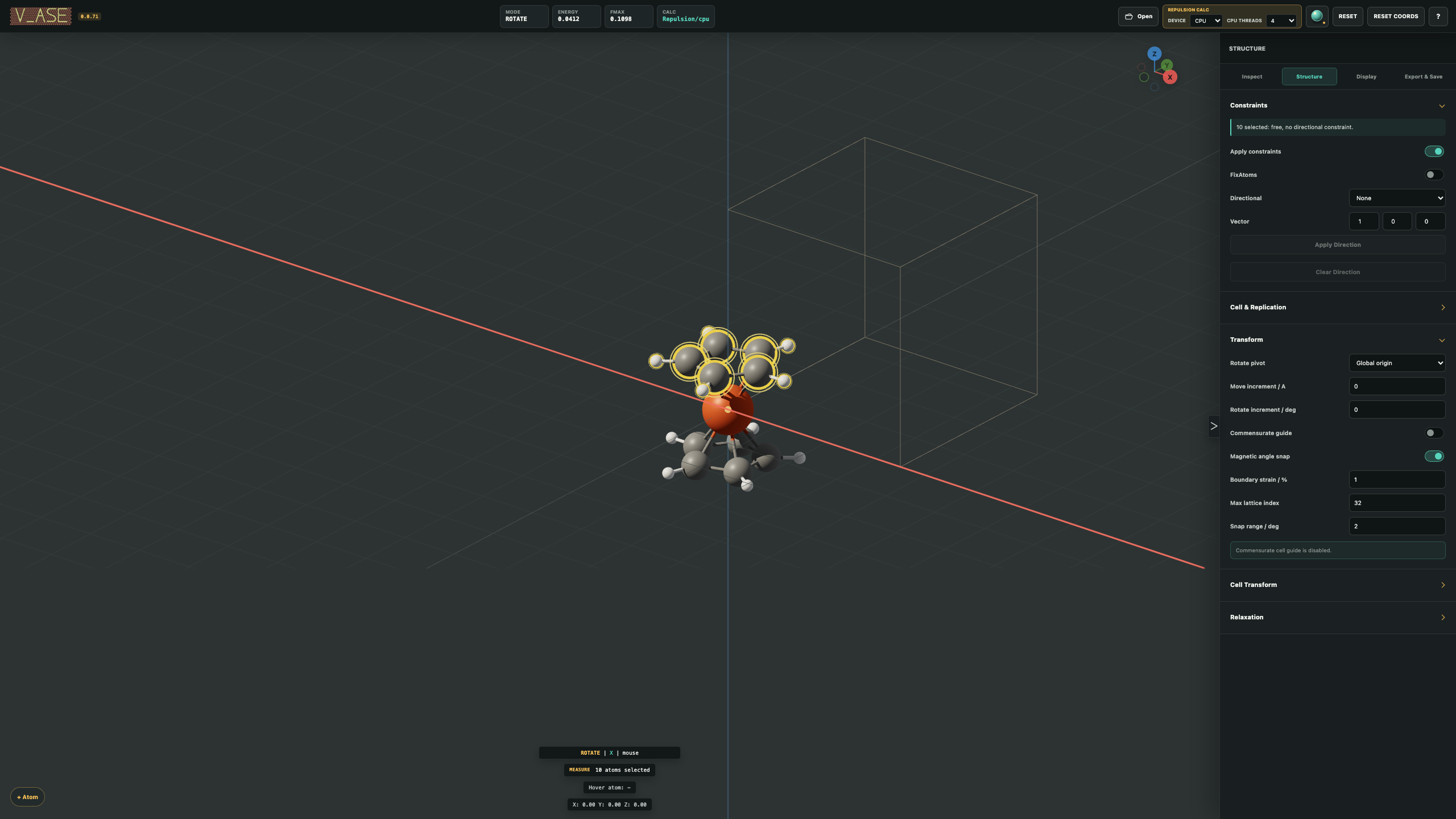

Example:
v_ase gui examples/readme_scene_assets/ferrocene.traj --show-bonds --interactive
Display And Measurement
The control panel provides:
- orthographic or perspective projection;
- exact camera-only axis rotation and six-direction view alignment;
- dark or white live viewport backgrounds;
- 3D solid or 2D flat atom-and-bond display;
- live atomic scale in px/Å;
- Modeling, Studio Sun, and Sun + Soft Shadow rendering;
- editable Sun brightness, source, and target;
- per-label element type, name, visibility, color, and radius;
- selectable sphere smoothness and anti-aliasing;
- atom-index, element, center, distance, and angle measurements;
- unit-cell display, wrapping, and periodic supercell replication.
Bonds
Enable Show bonds and choose automatic, pairwise-cutoff, or manual bonds.
Pairwise cutoffs use atom labels, so chemically distinct labels can have
different cutoffs even when they share one element type. A cutoff of 0
disables that pair.
Bond thickness, cylinder or flat style, one custom color, or split endpoint colors can be selected. In interactive mode, automatic and pairwise bonds form and break while atoms move. Supercell bonds are repeated across the displayed supercell.
Export And Save
| Option | Result |
|---|---|
| Export POSCAR | Current atomic structure in VASP format |
| Export ASE Pickle | ASE Atoms data, labels, constraints, and valid SinglePointCalculator results |
| Export Image | PNG using the requested dimensions and Preview Area crop |
| Export Video | Complete trajectory as MOV or AVI |
| Export Blender | Python scene script with atoms, optional cell, bonds, camera, Sun settings, and trajectory animation |
| Export 3DM | Instanced Rhino geometry with atom/bond metadata and saved camera views |
| Export OBJ | OBJ/MTL geometry plus a camera/metadata JSON sidecar in one ZIP |
| Save Project | Complete structure, trajectory, edits, labels, and visual state in .vase |
| Save Settings | Reusable appearance, bonds, camera, lighting, quality, and supercell settings in JSON |
Use Preview Area before image or video export. Its fixed frame has the exact output aspect ratio; orbiting or zooming changes the structure inside the frame without moving the frame itself. Image-dialog changes to dimensions, framing, grid, axes, unit cell, transparency, atom smoothness, renderer, and Sun settings update the preview immediately; PNG export uses that same profile without recomputing it. Include unit cell independently controls cell geometry in Blender, 3DM, OBJ, image, and video output, regardless of the live View toggle.
.vase projects are self-contained: the complete structure or trajectory is
stored inside the project together with labels and visual settings. The original
input file is not required when the project is opened again.
Viewport background, 2D/3D display choice, and the camera rotation step are
included in both .vase projects and reusable visual settings.
Rhino 3DM export needs one optional package:
python -m pip install "v_ase-gui[rhino]"
OBJ export needs no optional dependency. Keep the extracted .obj, .mtl, and
.json files together; the JSON sidecar preserves the v_ase camera and object
metadata that the OBJ standard cannot store itself.
Python
from ase.build import molecule
from v_ase.visualize import view

atoms = molecule("H2O")
view(atoms)
Interactive mode can return the edited ASE object:
edited = view(atoms, viz_only=False)
print(edited.positions)
Input Formats
File type is normally detected automatically. Common inputs include POSCAR,
CONTCAR, VASP files, XDATCAR, vasprun.xml, XYZ, extended XYZ, ASE .traj,
LAMMPS dump files, LAMMPS data files, and .vase projects.
For a filename without a useful extension, specify the reader:
v_ase gui ABCD --format POSCAR
v_ase gui ABCD --format XDATCAR
v_ase gui ABCD --format vasprun.xml
v_ase gui ABCD --format lammpstrj
v_ase gui ABCD --format extxyz
v_ase gui ABCD --format data
Use --index : for all frames, --index -1 for the last frame, or an integer
for one frame.
Help
v_ase --help
v_ase gui --help
Report reproducible problems at GitHub Issues.
1 maintainer

Download files
Download the file for your platform. If you're not sure which to choose, learn more about installing packages.
Source Distribution
Built Distribution
Filter files by name, interpreter, ABI, and platform.
If you're not sure about the file name format, learn more about wheel file names.
Copy a direct link to the current filters
File details
Details for the file v_ase_gui-0.0.74.tar.gz.
File metadata
- Download URL: v_ase_gui-0.0.74.tar.gz
- Upload date:
- Size: 31.4 MB
- Tags: Source
- Uploaded using Trusted Publishing? No
- Uploaded via:
twine/6.2.0 CPython/3.11.0
File hashes
| Algorithm | Hash digest | |
|---|---|---|
| SHA256 |
ad04dc6947200dcc8d473590e1368238de107672bc1510e0c08b510d3076f047
|
|
| MD5 |
0790842969cb9c447e932fec2c5108b4
|
|
| BLAKE2b-256 |
7d02fc3bc6496bc77301950c6cdf07f3ec237cc115d2c5077c27bc2632c2dc32
|
File details
Details for the file v_ase_gui-0.0.74-py3-none-any.whl.
File metadata
- Download URL: v_ase_gui-0.0.74-py3-none-any.whl
- Upload date:
- Size: 1.2 MB
- Tags: Python 3
- Uploaded using Trusted Publishing? No
- Uploaded via:
twine/6.2.0 CPython/3.11.0
File hashes
| Algorithm | Hash digest | |
|---|---|---|
| SHA256 |
357957991d6fef5a9fa2f10effc1c605e2ba83d0b85568b36f585bcdee3ccfcf
|
|
| MD5 |
1c9f7c3e29cc39923c9036041b5c234d
|
|
| BLAKE2b-256 |
b7b63457cbd67e0b47d1419887a74fd4df2ffaa03d3267d3f980378600b7b502
|














