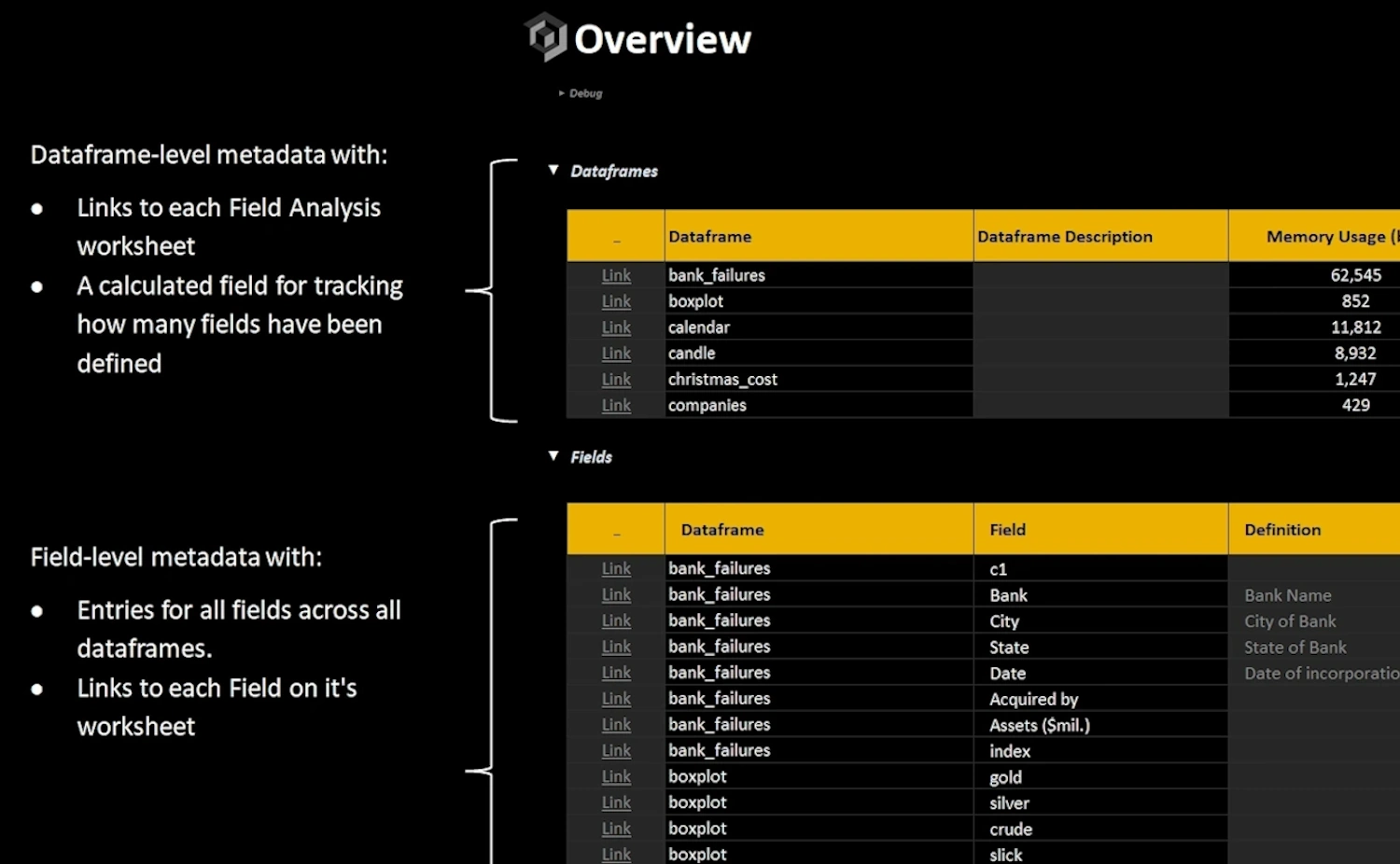
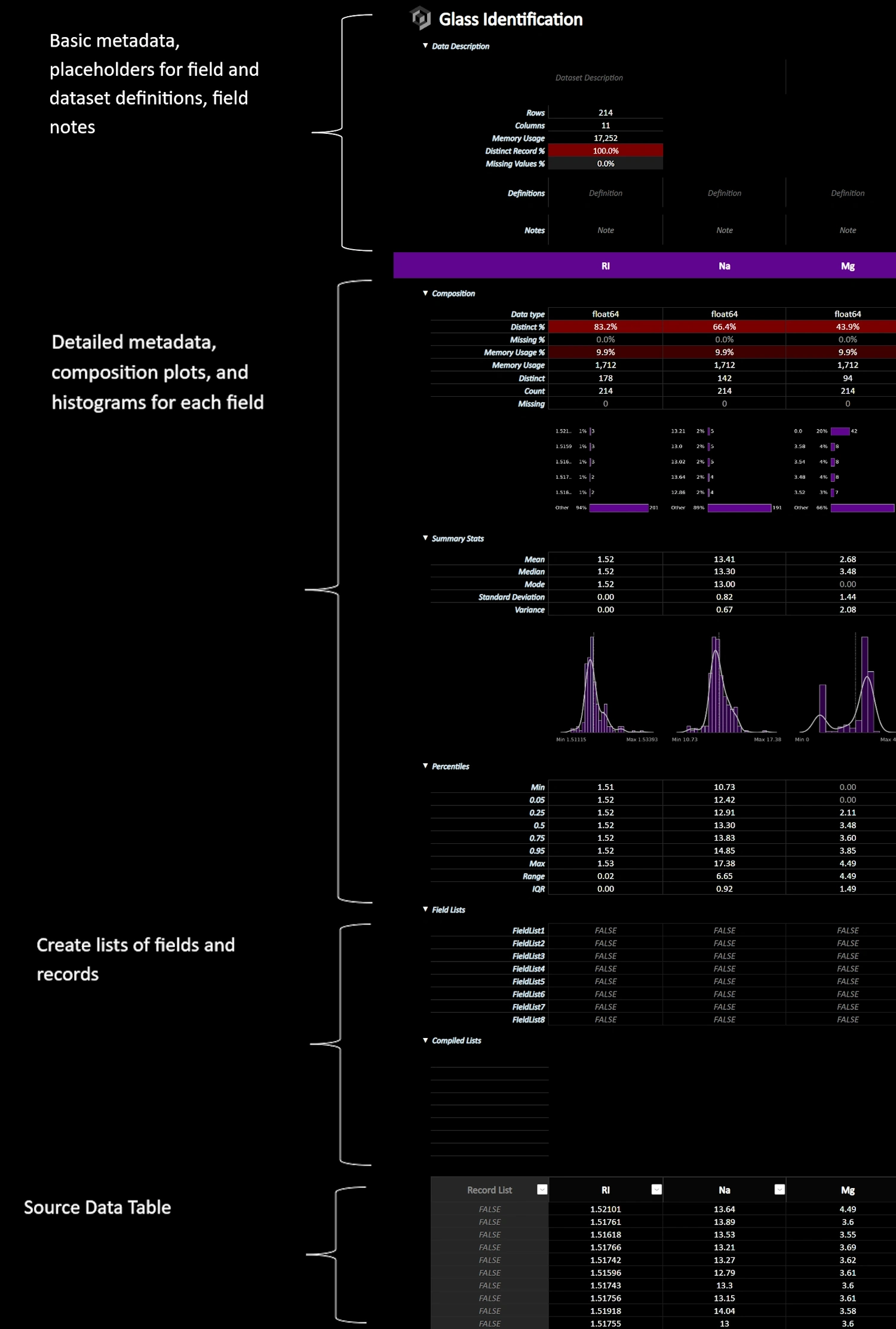
Anatomy of a Field Analysis Worksheet







xleda is a Python/Excel powered EDA tool that creates workbooks from dataframes or data files that are highly optimized to explore, define, and document data sets.
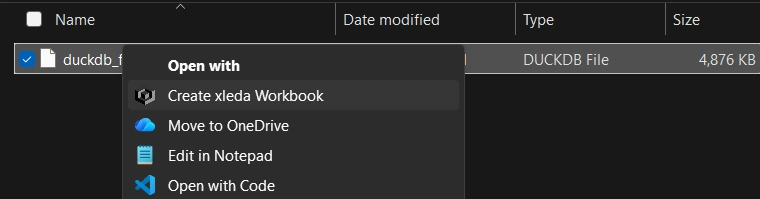
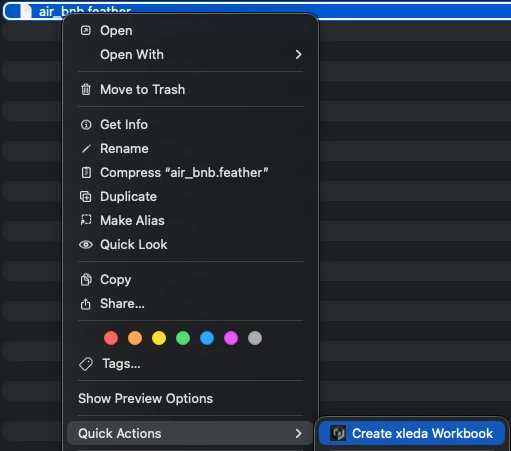
Works on Windows or MacOS as a Python package, a CLI, or as a service that lets you create workbooks by right-clicking supported files.
There are some amazing EDA tools available to data professionals. You shouldn't have to start from scratch to include Microsoft Excel among them.
Docs |
Sample Workbooks |
Basic Usage |
Configuration |
Usage Notes |
Examples |
Quick-Start Guide for Non-Developers

Top view of a Field Analysis worksheet.
Use wb() to quickly create an xleda workbook from a dataframe, a dictionary of dataframes, or a supported data file.
From a Dataframe
from xleda import wb
import seaborn as sns

# < your dataframe goes here >
df = sns.load_dataset("titanic")

# Creates xleda.xlsm in the current directory
wb(df)
From a Dictionary of Dataframes
from xleda import wb
import seaborn as sns

# < your dataframes go here >
df1 = sns.load_dataset("titanic")
df2 = sns.load_dataset("penguins")

# Creates Titanic.xlsm in the current directory
wb({"Titanic": df1,
    "Penguins": df2})
From a File
from xleda import wb
from pathlib import Path

# < your data file goes here >
duckdb_file = "https://github.com/InfoDesigner/xleda/raw/refs/heads/main/examples/data/duckdb.duckdb"

# Creates duckdb.xlsm in the current directory
# Includes data from all tables in the db file
wb(duckdb_file)
From the CLI
# Creates 'userdata.xlsm' in the current directory
xleda wb 'https://github.com/InfoDesigner/xleda/raw/refs/heads/main/examples/data/userdata.parquet'

# Shows the help command
xleda --help

# Shows the wb help command
xleda wb --help
From Right-Clicking | After running xleda install
Windows |
MacOS |
|
|
| Desktop Excel |
Requires the full version of Microsoft Excel (2016+) on either MacOS or Windows to create workbooks
|
| Supported Data |
Supports pandas dataframes, CSV, DuckDB, SQLite, Feather, Parquet, Pickle, Excel, RData, JSON, and XML |
For a detailed explanation of source distributions (sdists) and built distributions (wheels), please see the package formats documentation.
| File | Size | Uploaded | |
|---|---|---|---|
| xleda-0.9.25.tar.gz | 434.7 kB | Details |
| File | Interpreter | ABI | Platform | Reset |
|---|---|---|---|---|
| xleda-0.9.25-py3-none-any.whl | Python 3 | none | any | Details |
Total release size: 869.3 kB
| Download URL | xleda-0.9.25.tar.gz |
|---|---|
| Size | 434.7 kB |
| Tags | Source |
|
SHA-256 checksum How to use checksums |
8fef2f08b9d12baa07adfc4246f2efe45334eb3dde56596877dc67f11af4573b
|
|
BLAKE2b-256 checksum How to use checksums |
1ad956e668d39e0fe5458697e98a35beceb17c6ae6ed7421de31f30ec0ac912b
|
| Upload date | |
|
Uploaded using Trusted Publishing? What is trusted publishing? |
Yes |
| Uploaded via |
uv/0.12.15 {"installer":{"name":"uv","version":"0.12.15","subcommand":["publish"]},"python":null,"implementation":{"name":null,"version":null},"distro":{"name":"Ubuntu","version":"24.04","id":"noble","libc":null},"system":{"name":null,"release":null},"cpu":null,"openssl_version":null,"setuptools_version":null,"rustc_version":null,"ci":true}
|
| Download URL | xleda-0.9.25-py3-none-any.whl |
|---|---|
| Size | 434.6 kB |
| Tags | Python 3 |
|
SHA-256 checksum How to use checksums |
73595ddf221116527e75b95a6af8926b9cd5e2e31afb208ad9f07159ad1f3baf
|
|
BLAKE2b-256 checksum How to use checksums |
cfe865ba2394b6ff06103dd24de8acf974a83122991077b89f27152ffa7da8b7
|
| Upload date | |
|
Uploaded using Trusted Publishing? What is trusted publishing? |
Yes |
| Uploaded via |
uv/0.12.15 {"installer":{"name":"uv","version":"0.12.15","subcommand":["publish"]},"python":null,"implementation":{"name":null,"version":null},"distro":{"name":"Ubuntu","version":"24.04","id":"noble","libc":null},"system":{"name":null,"release":null},"cpu":null,"openssl_version":null,"setuptools_version":null,"rustc_version":null,"ci":true}
|
 Anthropic, PBC
Visionary sponsor
Anthropic, PBC
Visionary sponsor
 Bloomberg
Visionary sponsor
Bloomberg
Visionary sponsor
 Hudson River Trading
Visionary sponsor
Hudson River Trading
Visionary sponsor
 Meta
Visionary sponsor
Meta
Visionary sponsor
 NVIDIA
Visionary sponsor
NVIDIA
Visionary sponsor
 Microsoft
Sustainability sponsor
Microsoft
Sustainability sponsor
 Depot
Continuous Integration
Depot
Continuous Integration
 AWS
Cloud computing and Security Sponsor
AWS
Cloud computing and Security Sponsor
 Datadog
Monitoring
Datadog
Monitoring
 Fastly
CDN
Fastly
CDN
 Google
Download Analytics
Google
Download Analytics
 Sentry
Error logging
Sentry
Error logging
 StatusPage
Status page
StatusPage
Status page