
v_ase




Documentation · PyPI · Changelog · Issues
v_ase 0.4.8 — continuous water surfaces and refined rendering · Changes
An ASE-native workspace for building, editing and visualizing atomic structures, trajectories and volumetric data.

Trajectory navigation retains double-precision coordinates and committed edits through frame switches, animation output and scientific project exports. Animation export restores the current frame and selection; an empty colorscale target maps no atoms and does not block export. GUI and agent project saves both retain the document's mode and presentation. Agent revision snapshots wait for pending change notifications to finish. Renderer scale and atom radius remain independent.
Water surfaces and rendering quality
Style → Water draws detected H₂O as a continuous translucent surface while
keeping ions and solids atomistic. Color, opacity, smoothing and lighting are
adjustable; trajectories, images, movies/GIF and offline HTML share the same
surface. Stored molecule IDs distinguish water from surface hydroxyls. A cached,
indexed boundary mesh replaces water sphere/bond draw instances, including
visible periodic copies. This is coordinate-derived visualization, not a new MD solver.
See Water surface and run
python examples/water_surface.py for a synthetic animated example.
Render → Renderer → Quality now uses numeric atom/bond segments (8–128),
with independent isosurface/water subdivision (0–8) and smoothing passes (0–100).
Smoothing softens mesh ripples without multiplying triangles; high subdivision
is checked against a mesh budget. Style → Isosurfaces owns the isovalue and
surface definition; Style → Forces styles stored force vectors. Renderer
surface controls are disabled when the corresponding surface is absent or hidden.
Close-ups receive the
requested geometry; screen-space detail and off-screen culling keep large scenes
manageable. Surface work shows progress and supports Cancel / Esc;
Revert quality and Lightweight make recovery immediate. See
quality and performance.
Water starts from a molecular-scale 2.0 Å kernel, a 0.63 threshold, subdivision 1
and 20 smoothing passes. Existing saved settings are retained.
Installation And Launch
macOS and Windows users can install the self-contained
desktop app from
GitHub Releases.
It runs the same GUI with native Command/Ctrl shortcuts and file dialogs;
Python installation is not required. Python and Jupyter remain available
independently. Drag a desktop tab out to detach it into another window. Atom magnification,
render composition and Undo history survive a different destination window size.
Help → About this runtime shows the installed desktop version.
Dropped structures offer trajectory, new-tab and new-window destinations. Saved
.vase projects open immediately in their saved Edit/View mode and presentation,
using a new tab when the current document has content. Each
window closes independently; Windows Alt+F4 closes the active window, while
explicit Quit checks all windows. The app icon now features the full atomic-bead
castle with its small Pinocchio detail and no projecting red foundation board.
| Desktop download (0.4.8) | Install and launch |
|---|---|
| Mac, Apple silicon | macOS 15+: open the DMG, drag v_ase to Applications, eject the disk image, then launch the Applications copy. |
| Mac, Intel | Same steps; choose Intel when About This Mac shows an Intel processor. |
| Windows, Intel/AMD x64 | Windows 10/11, 64-bit: run the EXE installer, complete installation, then launch v_ase from Start. |
The Mac downloads are Developer ID signed and Apple-notarized, with stapled tickets for the app and DMG. macOS may show its normal first-open confirmation for an internet download. The Windows build is not yet publisher-signed; after verifying its source and checksum, a SmartScreen prompt may offer More info → Run anyway. Do not disable OS protection. Step-by-step installation, ZIPs, checksums and troubleshooting. Maintainer build, signing and notarization steps are in the desktop build guide.
.vase is registered as a project type. To make double-click use v_ase, choose
Get Info → Open with → v_ase → Change All on Mac, or Open with → Choose
another app → v_ase → Always on Windows. You can also select v_ase for
.vasp, .xyz and .cif; browse to the installed application if it is not
listed. Extensionless POSCAR/CONTCAR can be opened using File → Open.
Complete file-association instructions.
For the Python/browser/Jupyter installation:
python -m pip install v_ase-gui
v_ase gui POSCAR
Use v_ase gui for an empty workspace or --interactive to edit a file.
Installation · First session ·
Supported formats · Troubleshooting
Explore
| Work with | Guide |
|---|---|
| Atoms and molecules | Move · Rotate · Build |
| Periodic interfaces | Cells, matching, registry |
| Trajectories and fields | Analysis · Volumetric data |
| Figures and projects | Appearance · Export |
| AI agents | MCP setup · GUI/MCP comparison |
| Numerical methods | Validation · Source audit |
Save And Share
| Format | Use it to |
|---|---|
.vase project |
Resume editing with your structures, trajectory, camera and appearance preserved. |
| Project HTML | Share an offline interactive view that can also reopen as an editable v_ase project. |
| Export HTML View | Share a lightweight offline viewing copy, without editable project data by default. |
For Project HTML, enable Include interactive rendered view in File → Project save settings. Saving and sharing guide.
Work With An AI Agent
You and an external agent edit the same live document. Connect MCP · Scene workflow · CLI compatibility
ChatGPT Chat setup · personal connection.
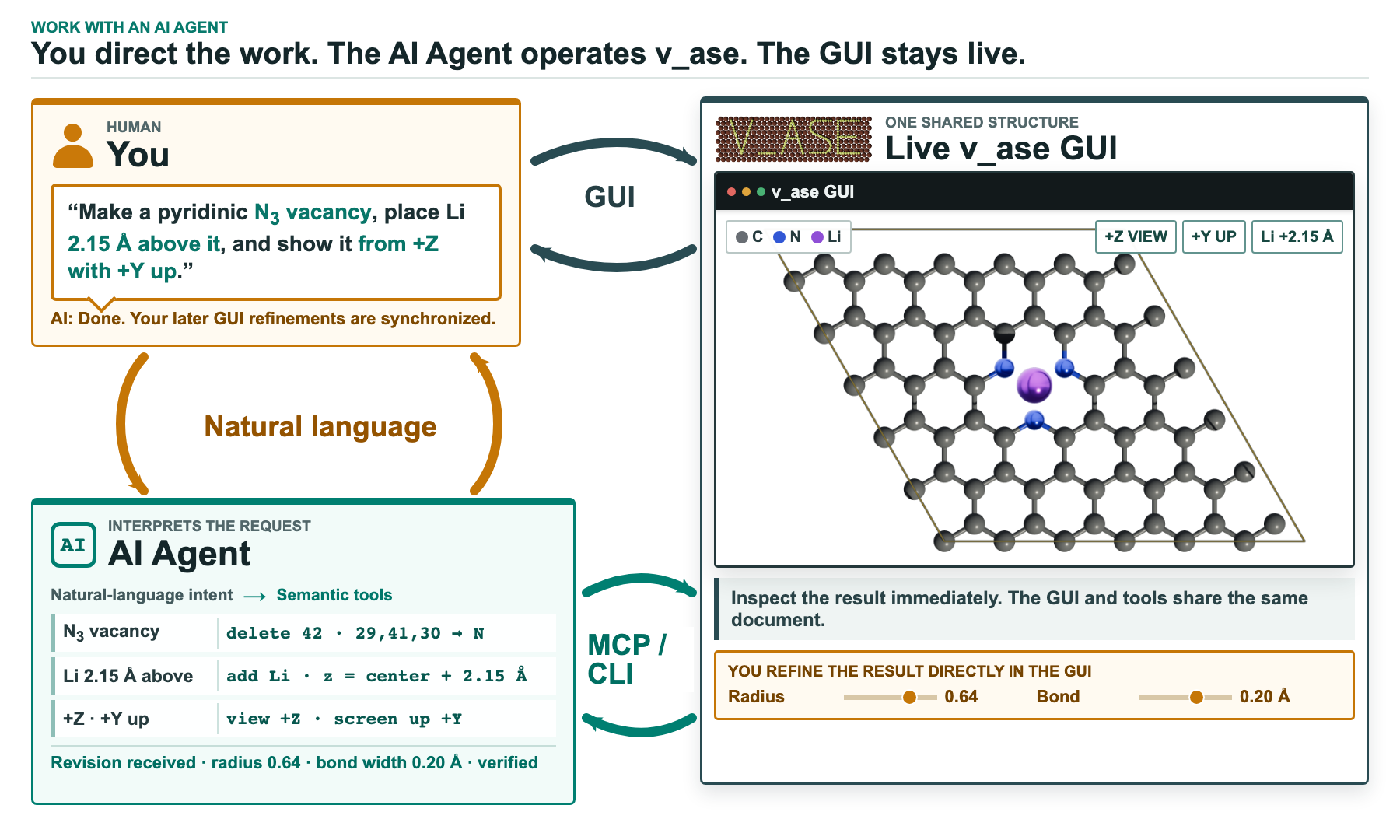
python -m pip install "v_ase-gui[mcp]"
v_ase mcp
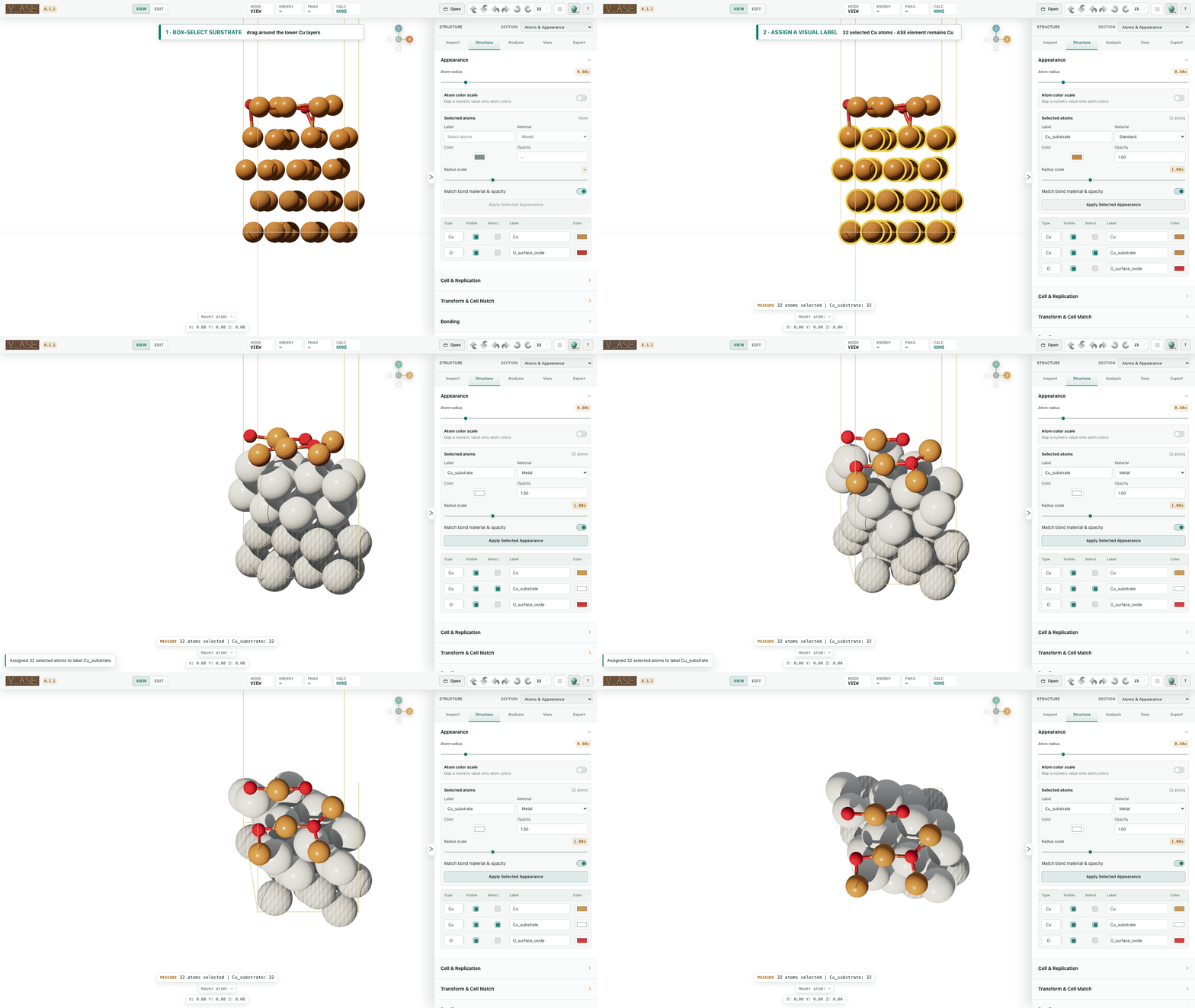
60-run comparison: MCP completed 30/30 strict targets; GUI completed 24/30. Images, token usage and success criteria
Cu₈O₄ extension: both completed 10/10; MCP used 90.9% fewer median tokens. Images and methods
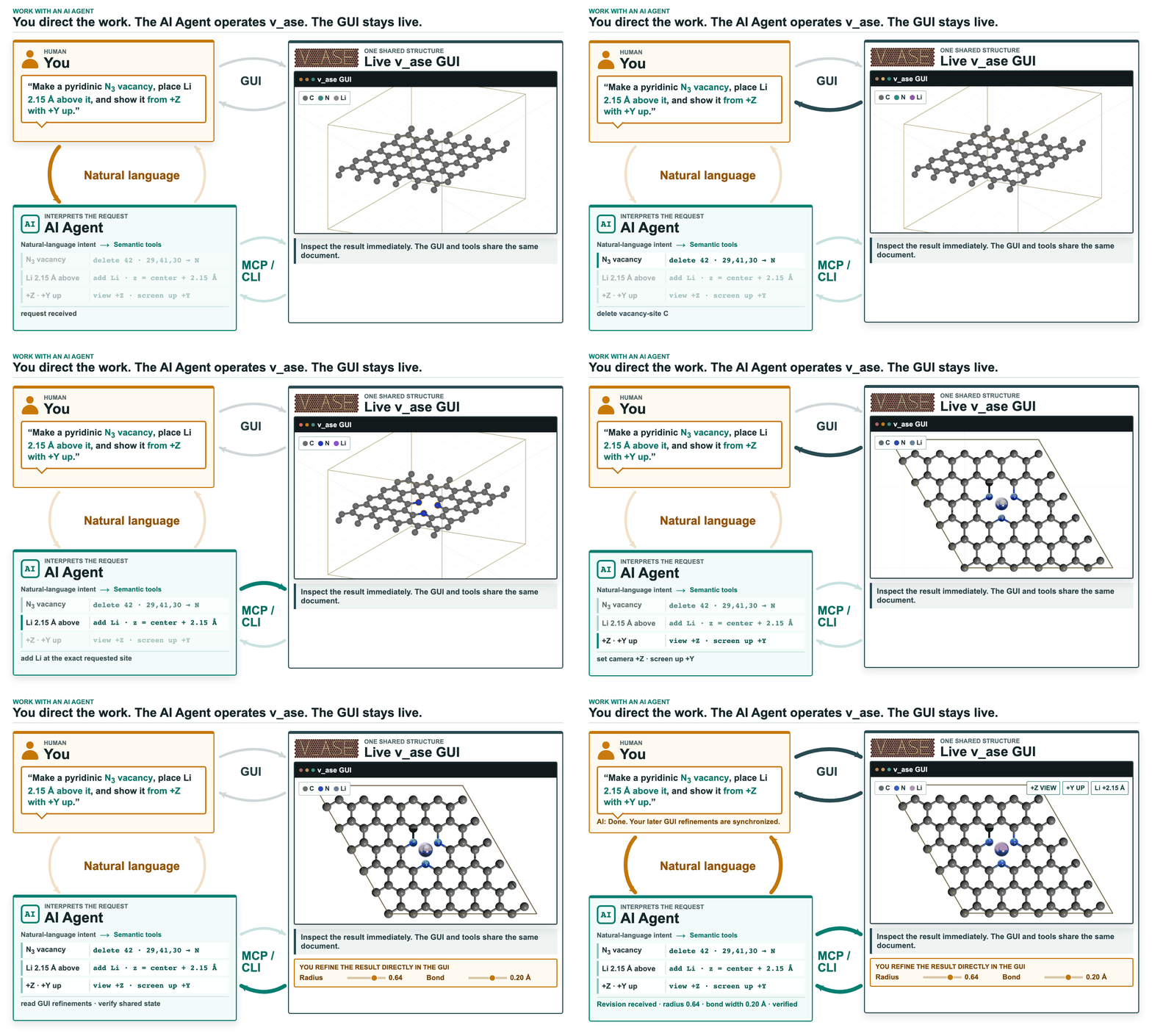
Exact atom edits from a natural-language request. Agent workflow · Bundled Skill
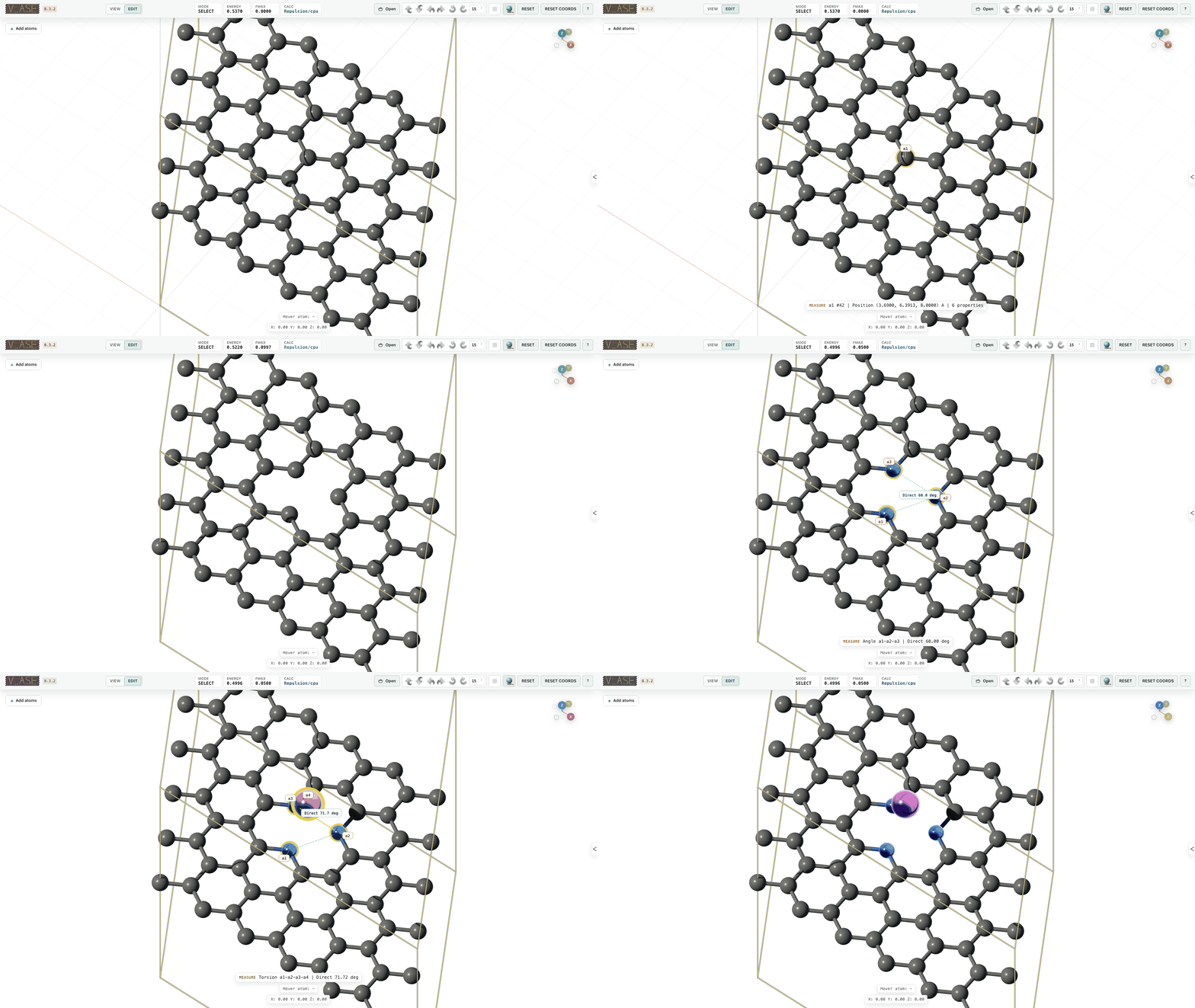
Edit Structures
Select atoms, then use G to move, R to rotate and S to scale coordinates.
Editing guide · Controls
Build From Scratch
Define a cell and distribute atoms; refine overlaps with repulsion. Atomic distributions · ASE crystal builder

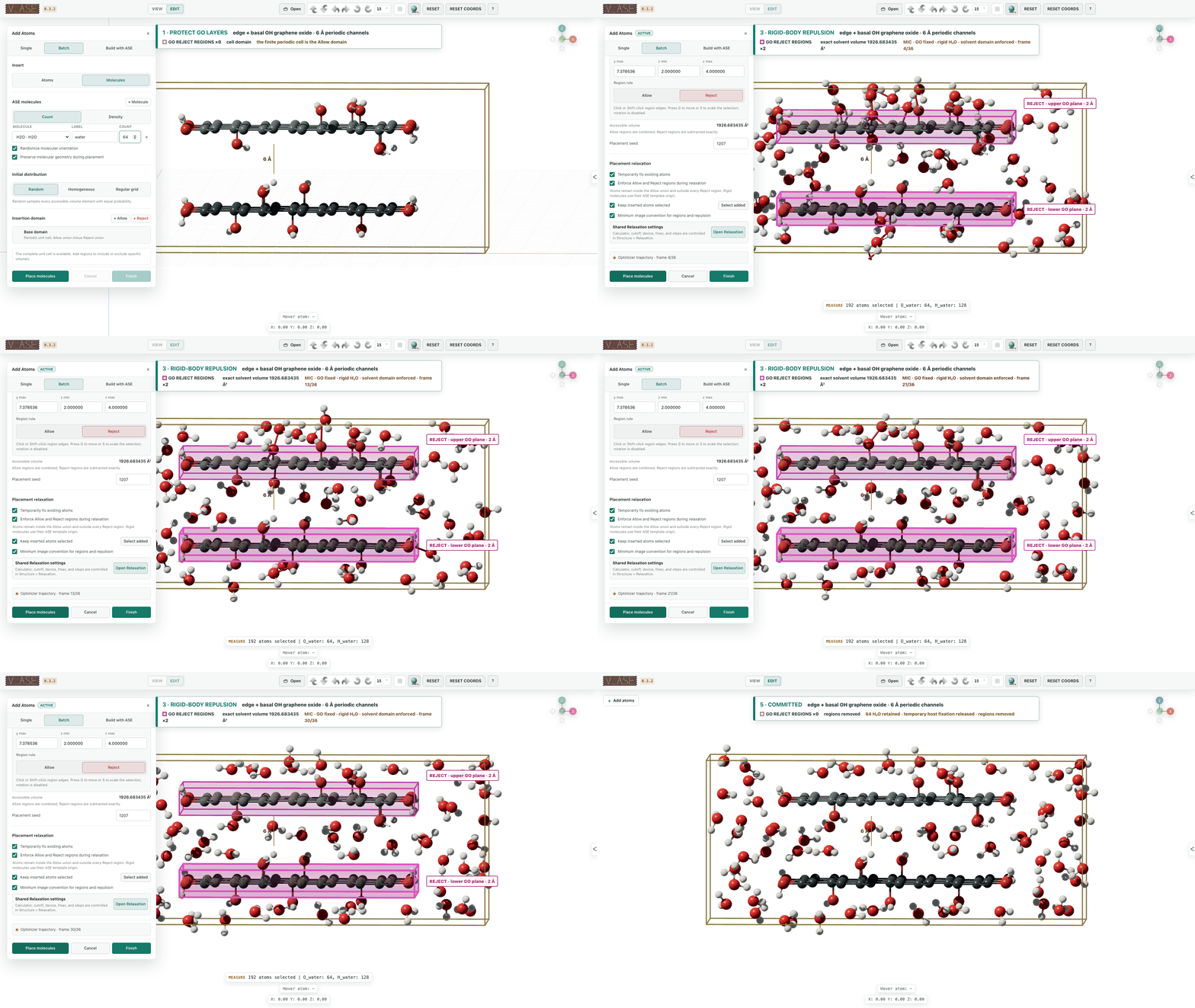
Add Atoms
Set composition, density, placement and allowed regions. Insertion workflow

Add Molecules
Place rigid molecules around an existing structure. Molecular insertion
Rotate Selected Atoms
Rotate around an active atom, center of mass or explicit pivot. Pivot controls

Build a phosphorene twist through successive selections and rotations. Worked examples
Periodic Cells And Interfaces
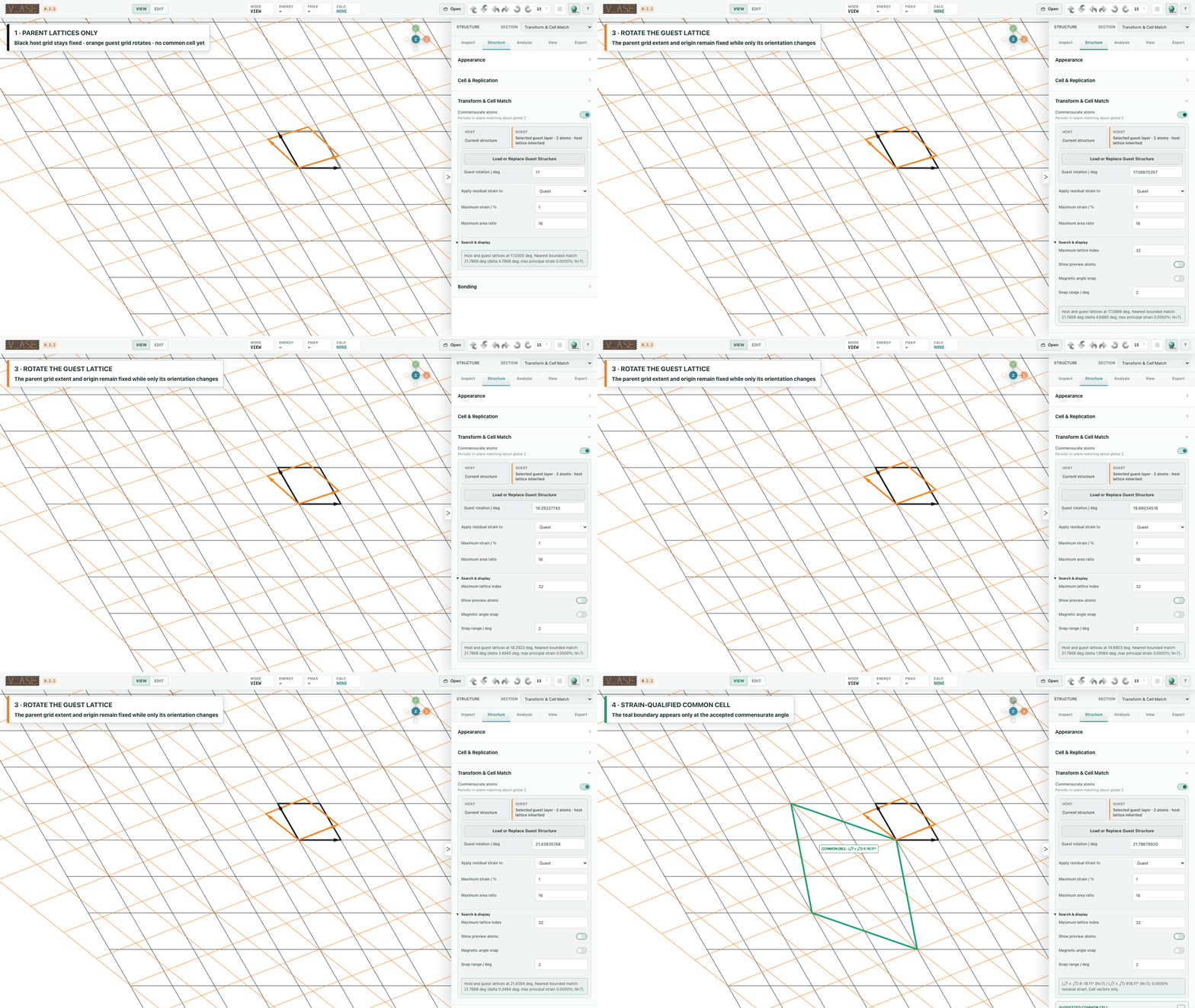
Commensurate Cells
Find compatible 2D cells within declared strain and search limits. Same-lattice matching
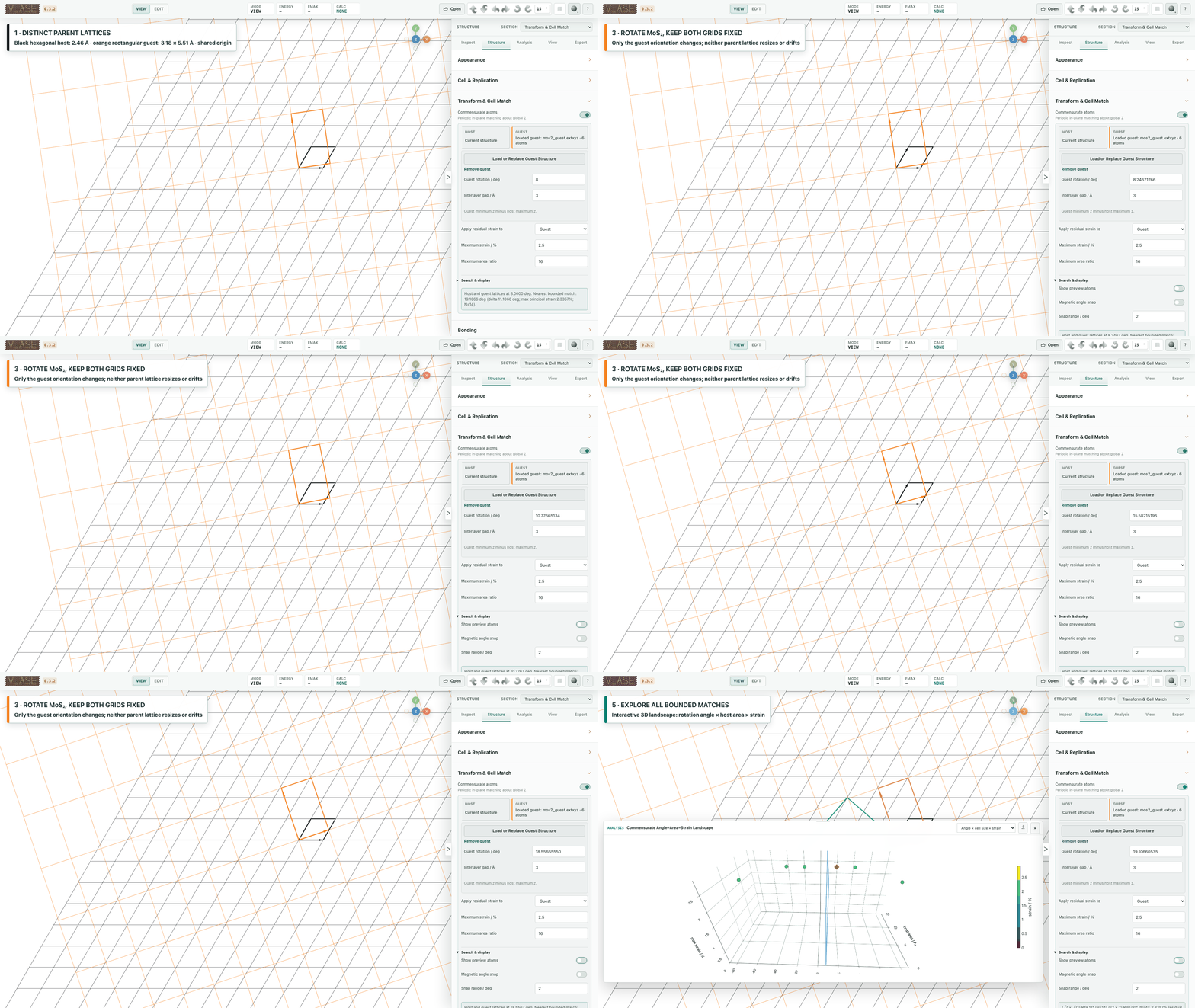
Match separate host and guest lattices. Host/guest workflow
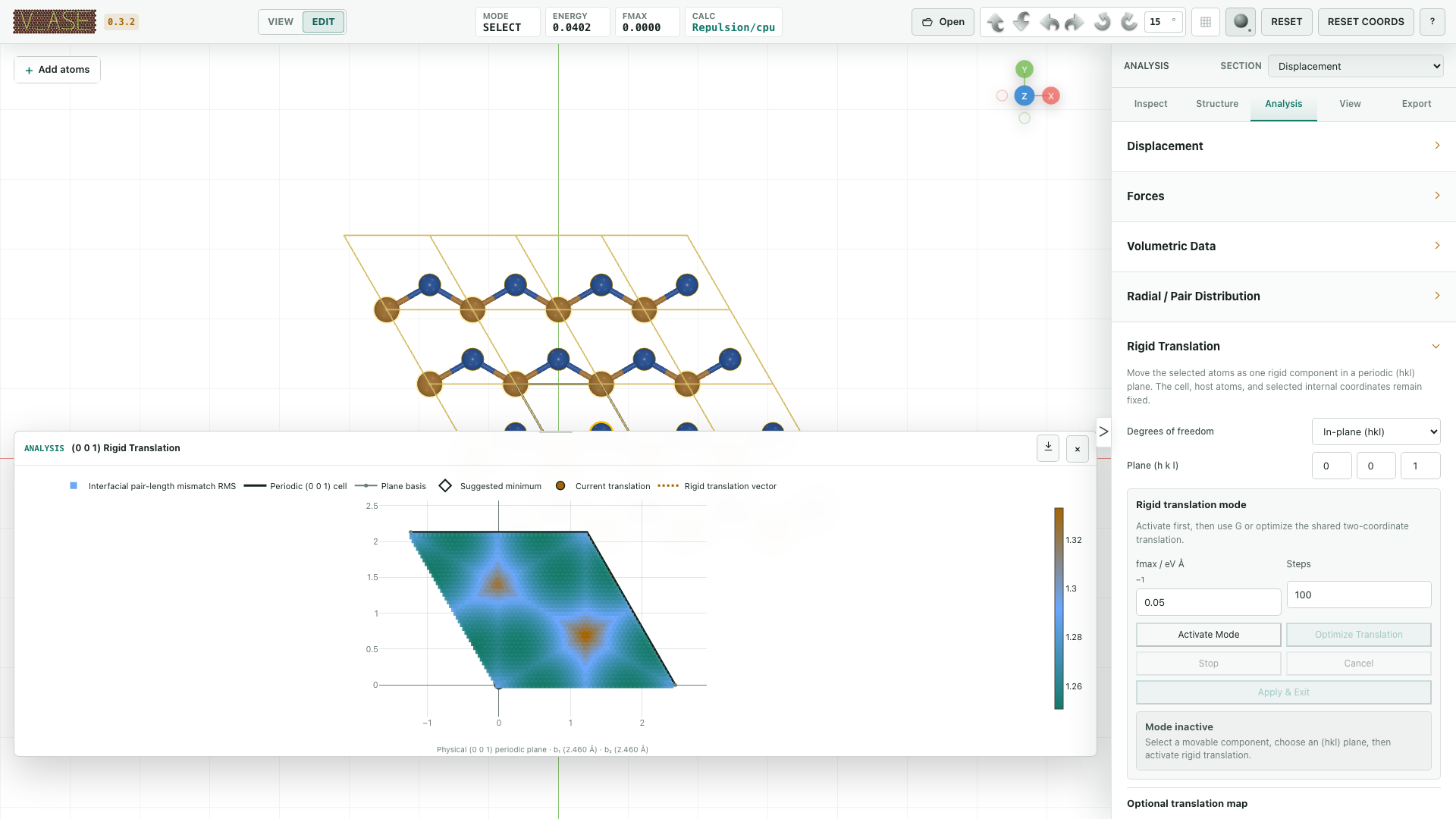
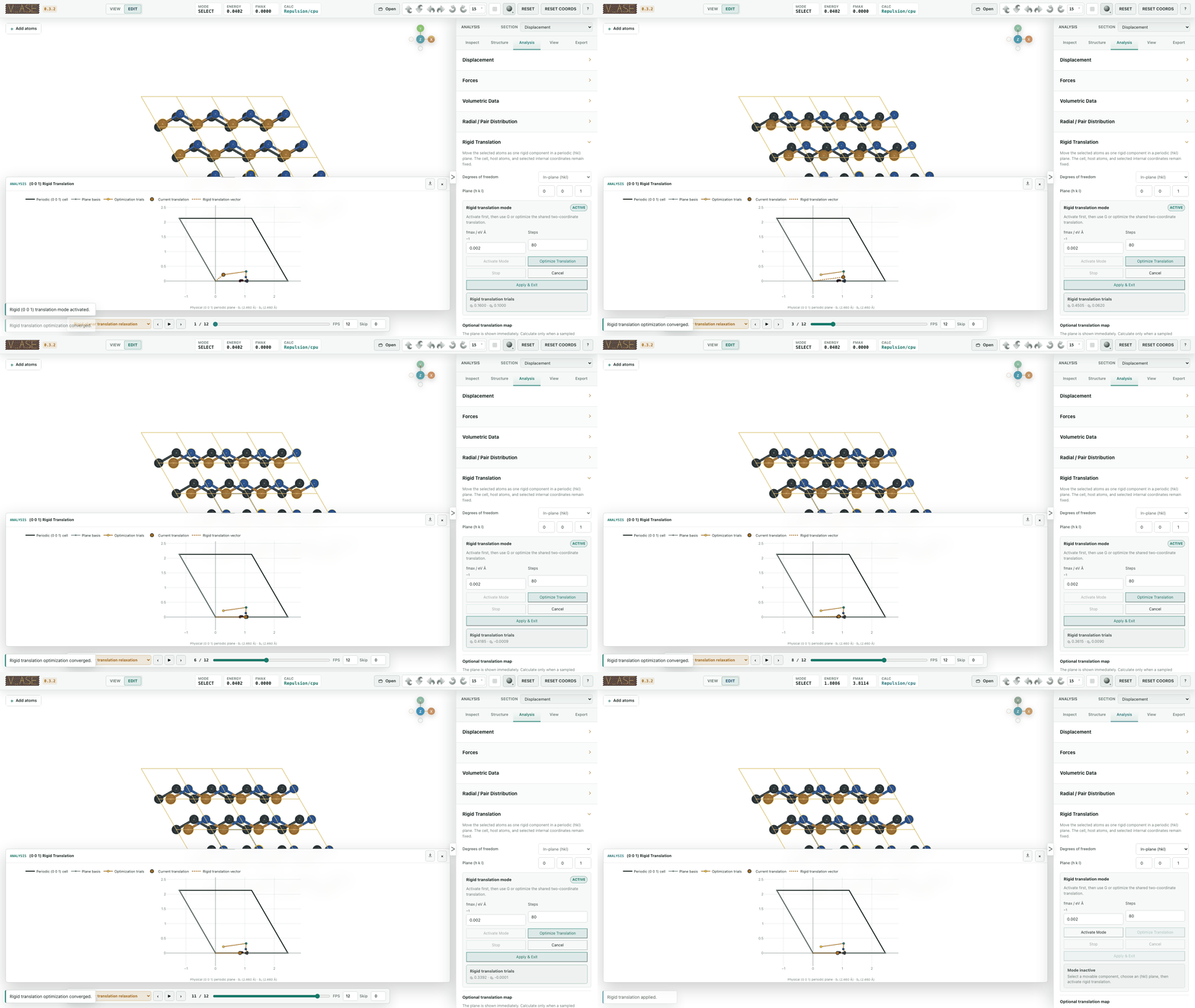
Rigid Translation
Map registry or relax a selected rigid component. Registry maps · Rigid relaxation
Analyze Structures And Fields
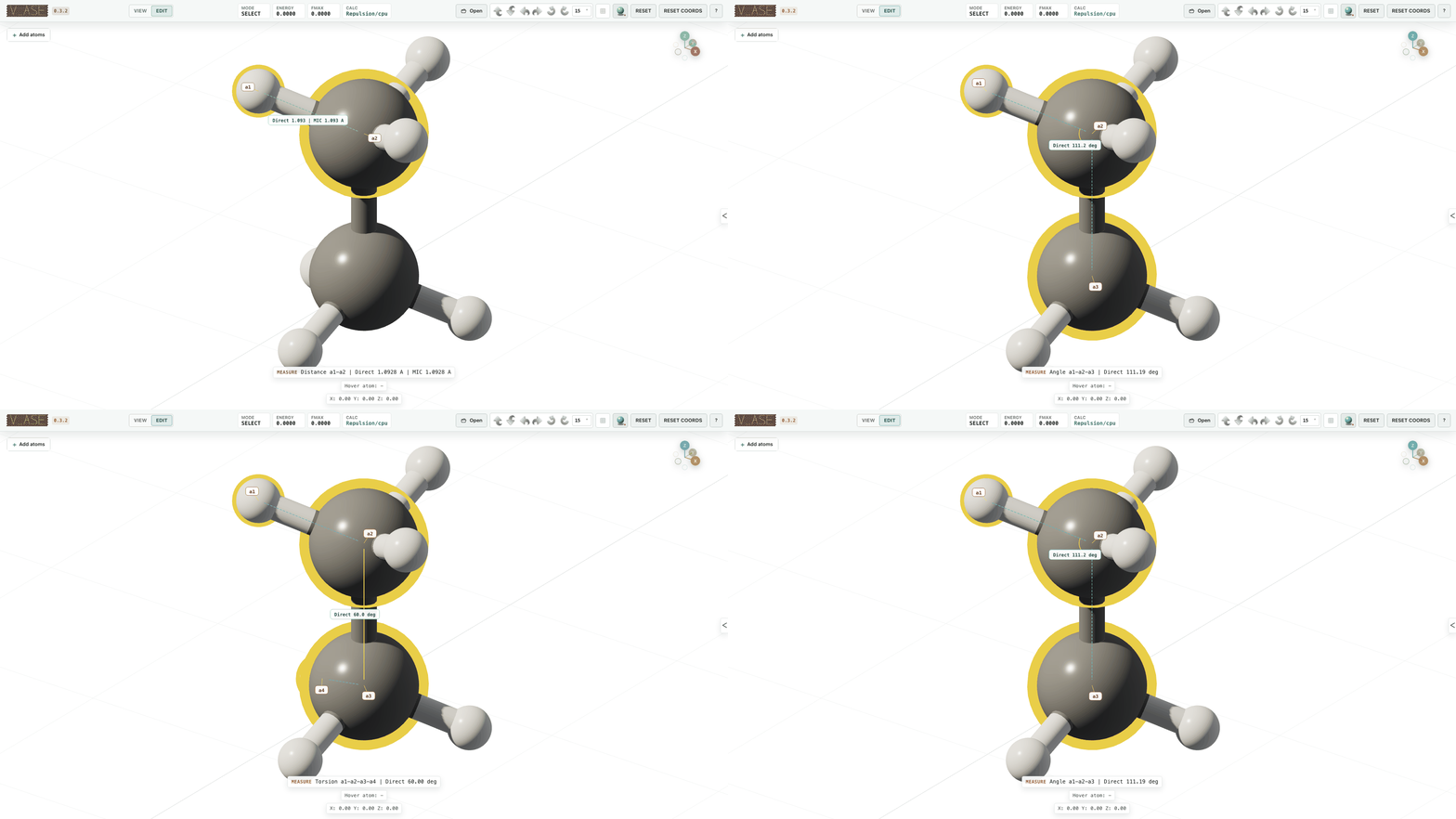
Ordered Geometry
Click 2, 3 or 4 atoms deliberately in order for distance, angle or torsion. Marquee, label and Select all selections show a count without incidental geometry. Measurements
Property-based atom size
The Atom appearance controls include a global-size slider with a numeric input and an independent per-atom property radius mapping. Select an available numeric field, input range, minimum/maximum size multipliers and exponent. Enabling the mapping first reveals the field picker; it does not apply a placeholder property. Custom and charge presets fit the displayed frame's finite values, including signed data and the frozen atom scope. The mapping multiplies existing label and selected-atom sizing; a zero factor hides the glyph, not its scientific atom or bonds. Current and trajectory fits lock their resulting limits until fitted again. Field, scope, fit and export details.
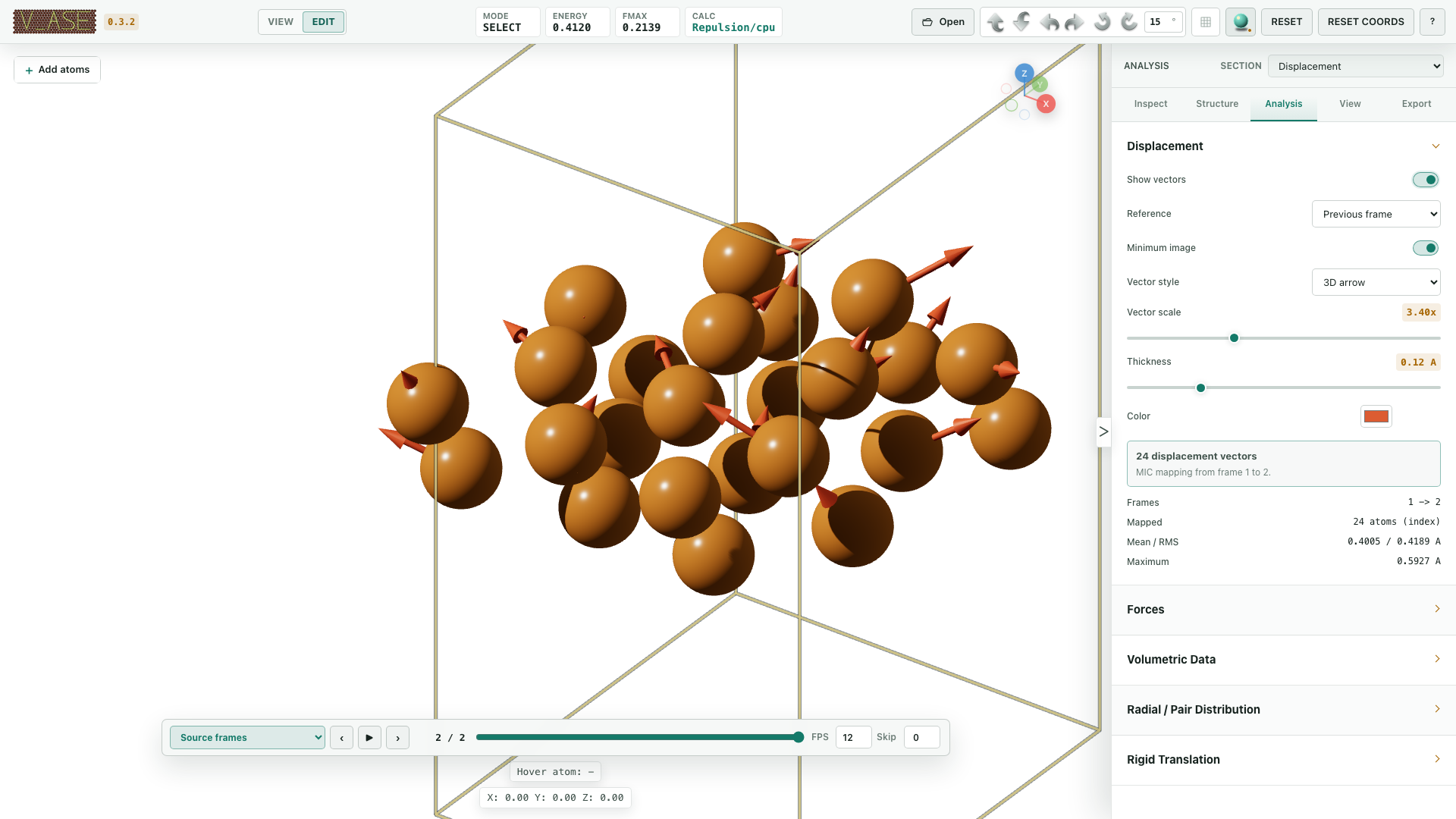
Trajectories And Displacement
Scrub frames and inspect displacement against a reference. Trajectory analysis
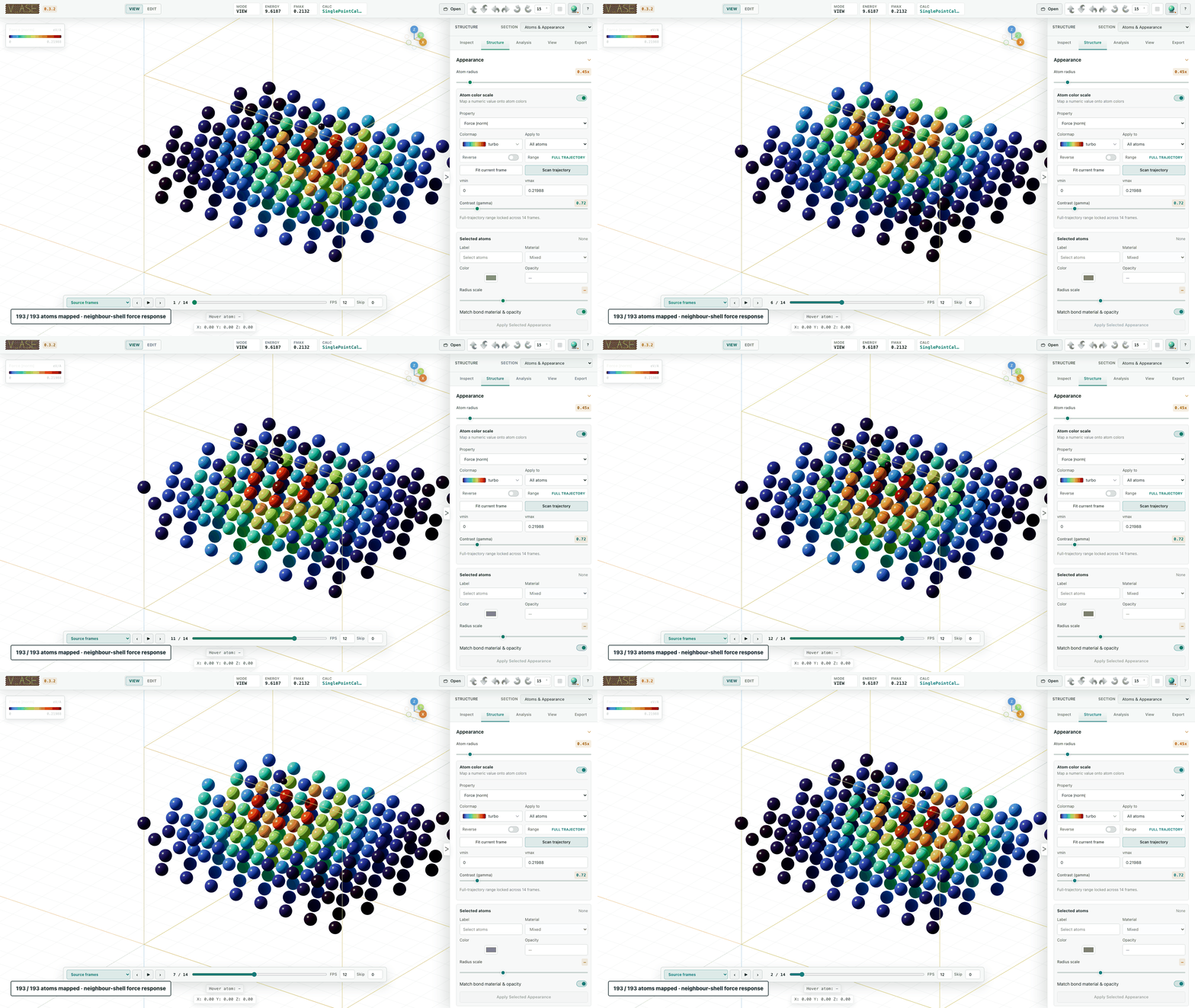
Map Per-Atom Data
Color atoms by stored properties and display force vectors. Colorscales · Forces
Volumetric Fields
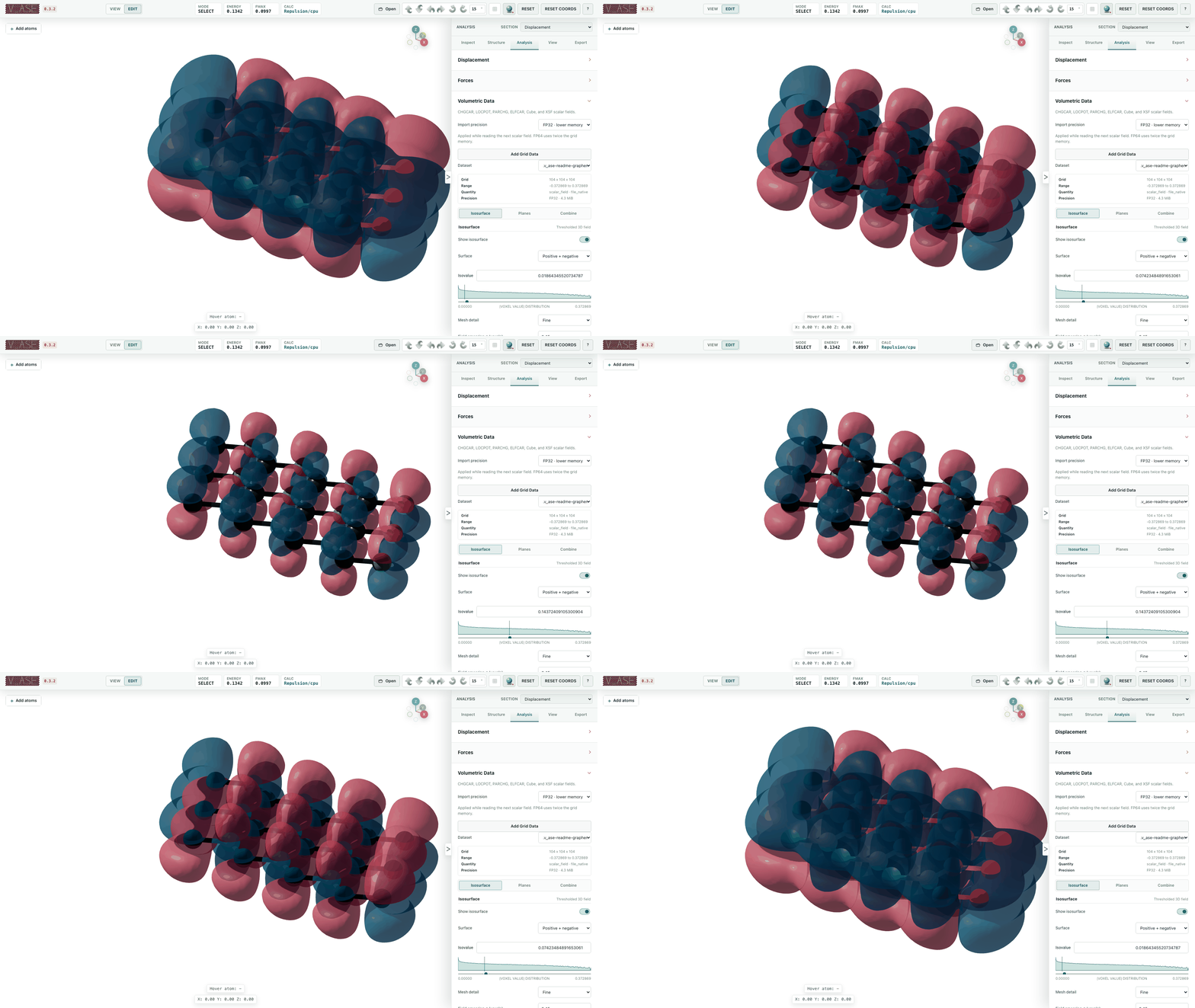
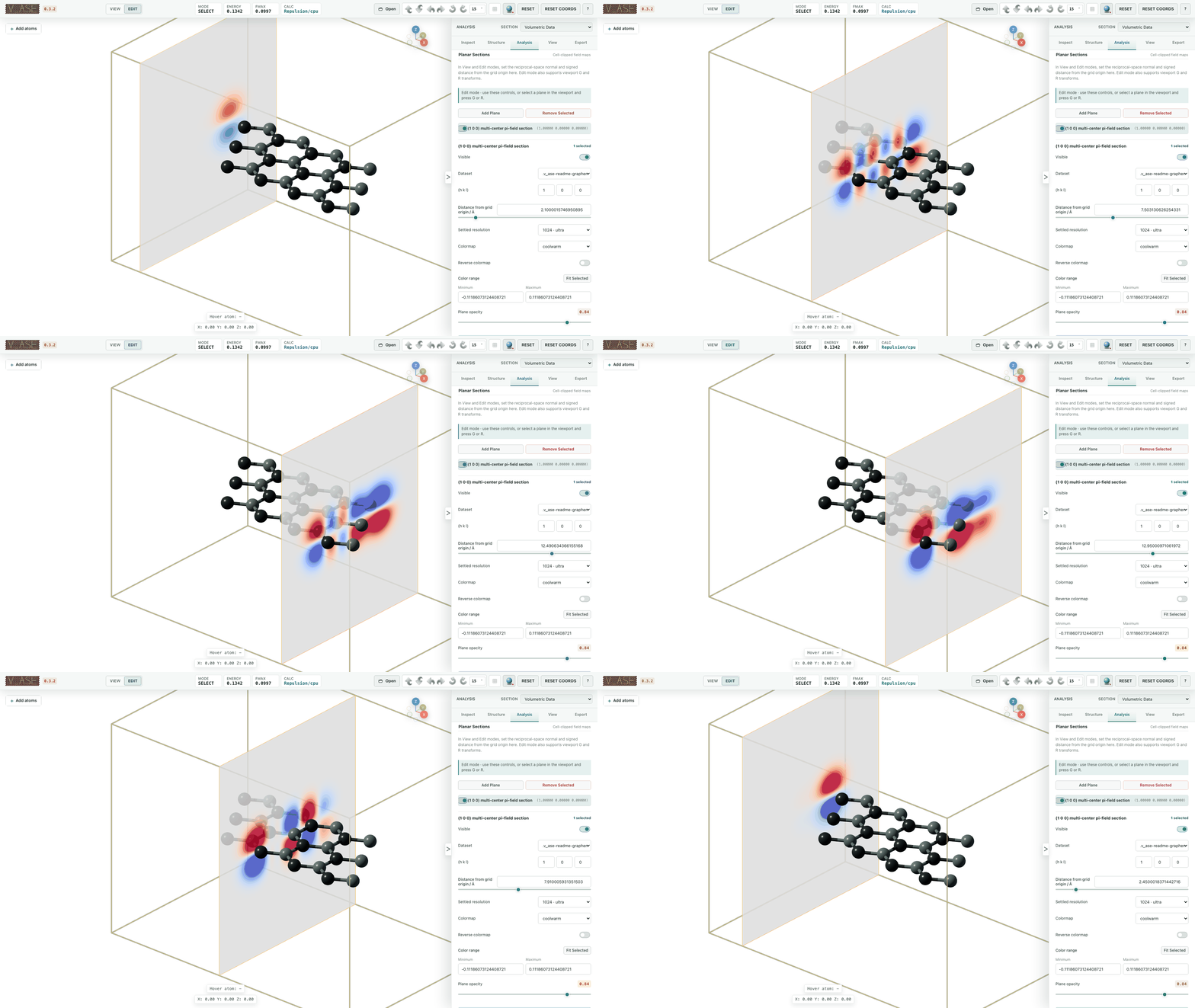
Inspect charge, potential and orbital grids as isosurfaces or planar sections. Isosurfaces · Planes · Combine fields
Radial And Pair-distribution Functions
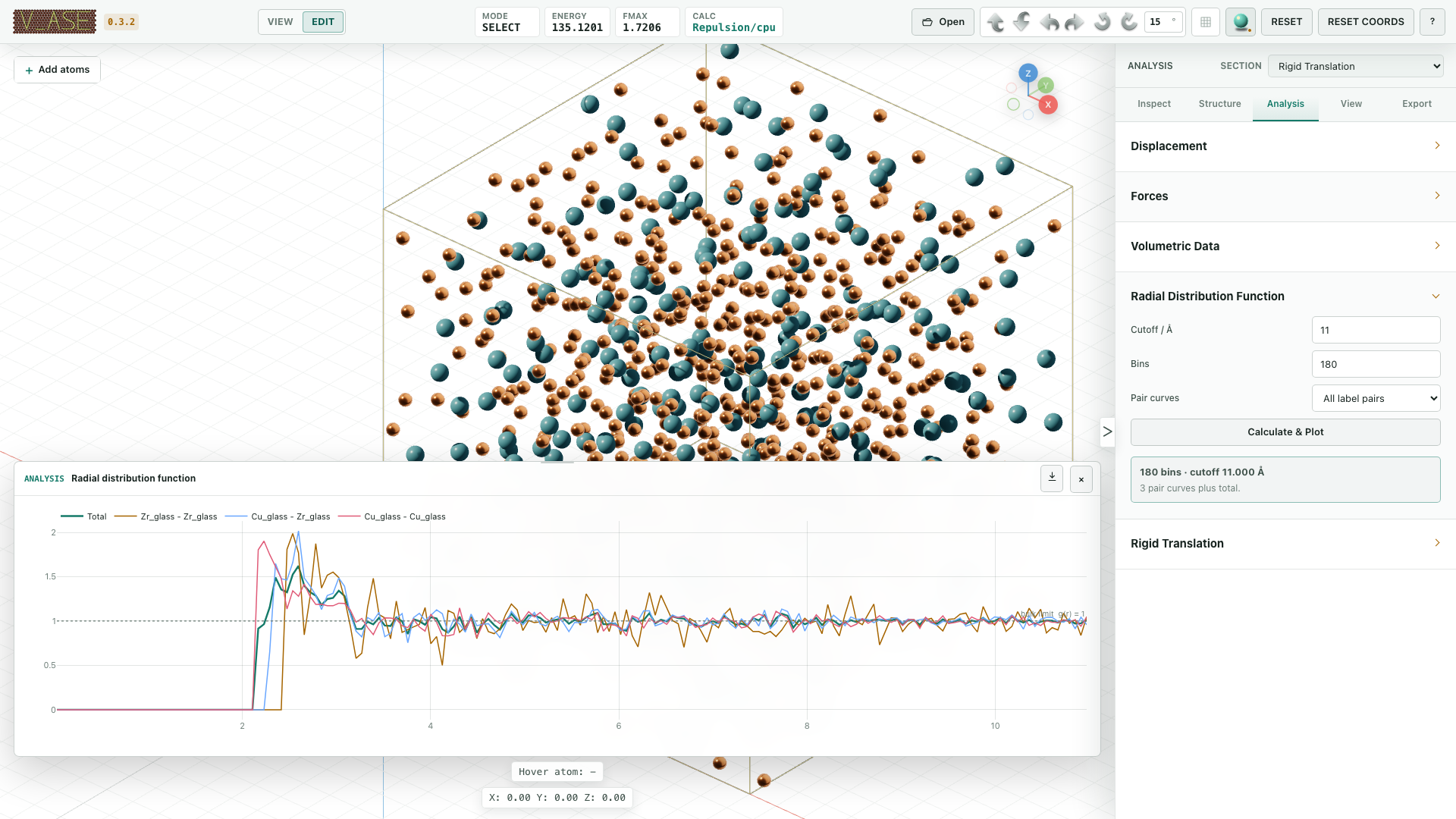
Plot periodic RDFs or finite pair distributions with the appropriate normalization. RDF guide
Constraints And Relaxation
Constrain physical motion using ASE constraints. Constraint guide
FixedLine
Restrict motion to a line. Details

FixedPlane And FixScaled
Restrict motion in Cartesian or fractional directions. FixedPlane · FixScaled

Hookean
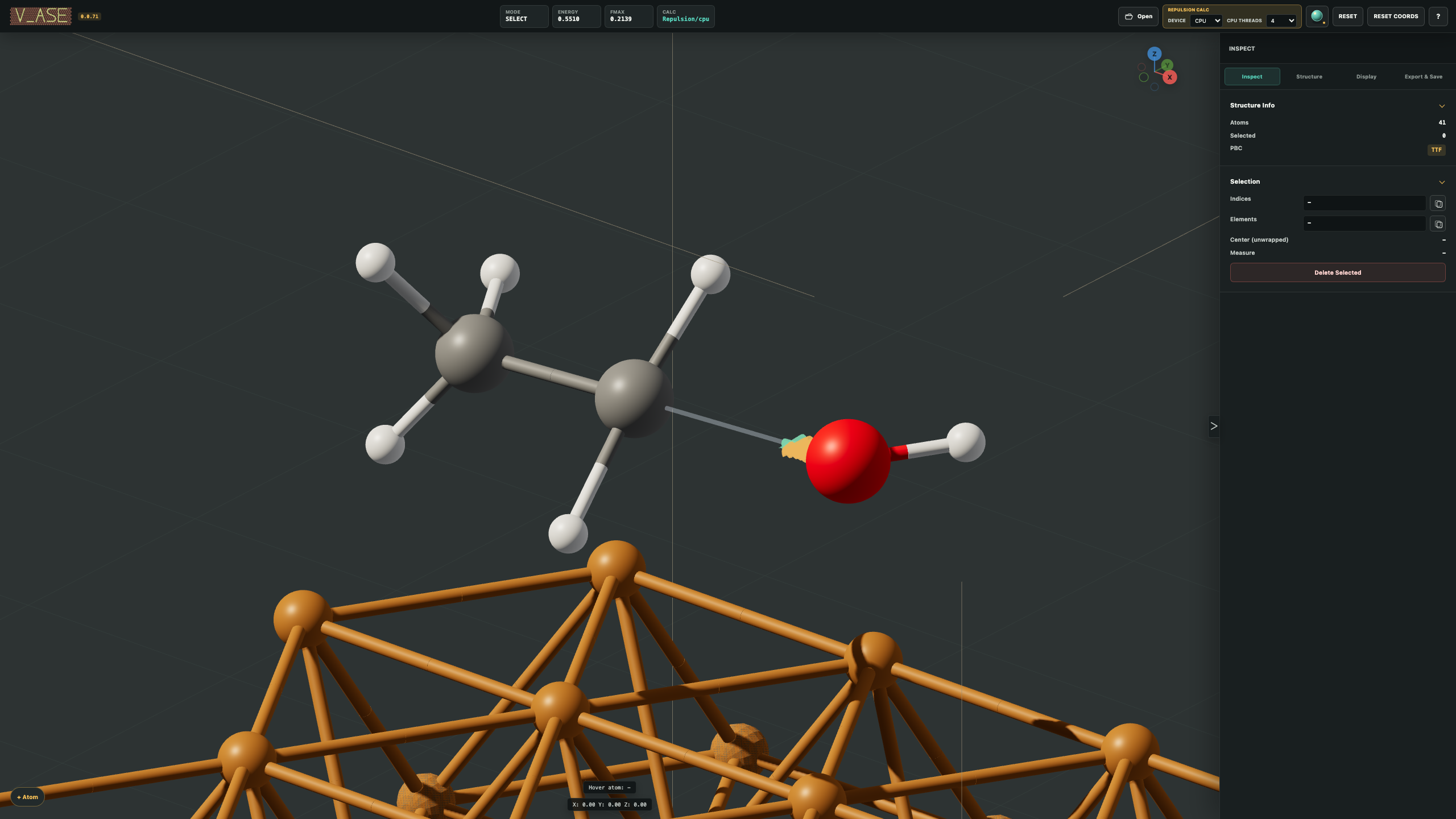
Apply spring-like restraints. Details

Relaxation
Reduce overlaps or optimize with a configured calculator. Repulsion · Run relaxation

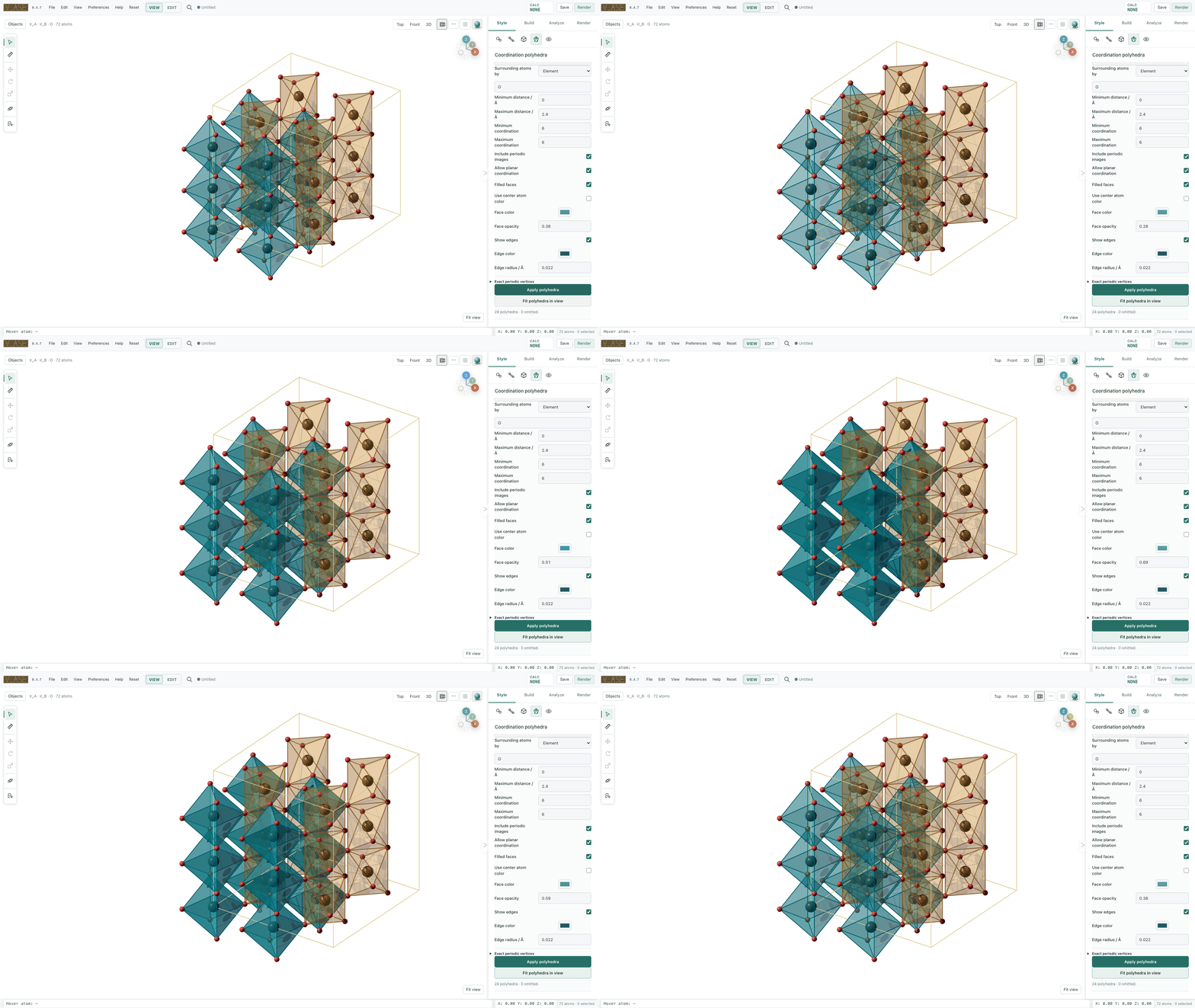
Coordination Polyhedra
Show coordination faces, ligand atoms and connectors in 2D/3D, with per-group color and opacity. Polyhedra guide
Style Atoms, Bonds, And Rendering
Camera controls stay beside the viewport, with matching camera visibility in the Renderer panel. Render area and camera lock.
Control colors, radii and visibility by label or atom index. Appearance
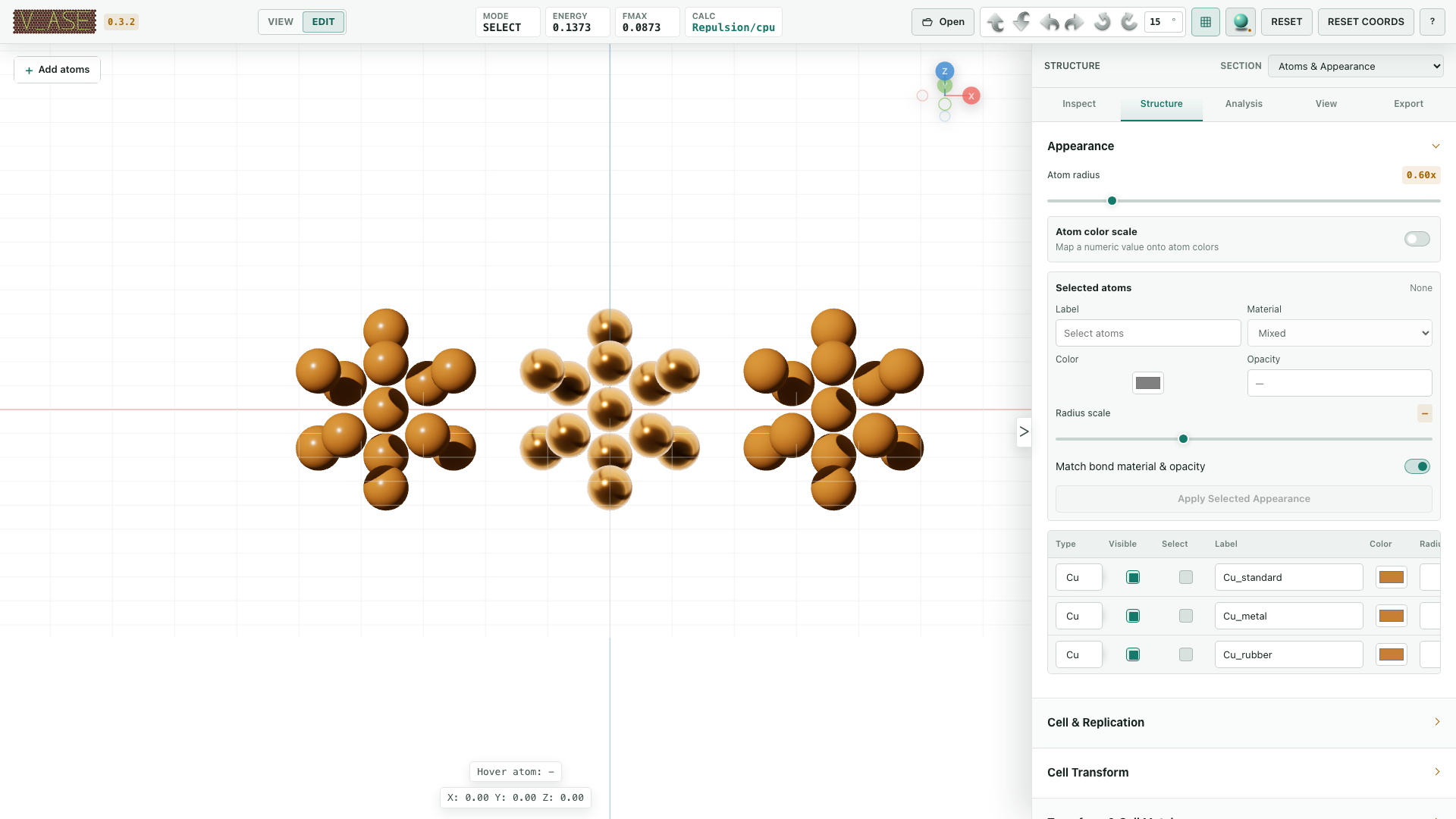
Choose Standard, Metal, Rubber or flat 2D rendering. Materials and rendering
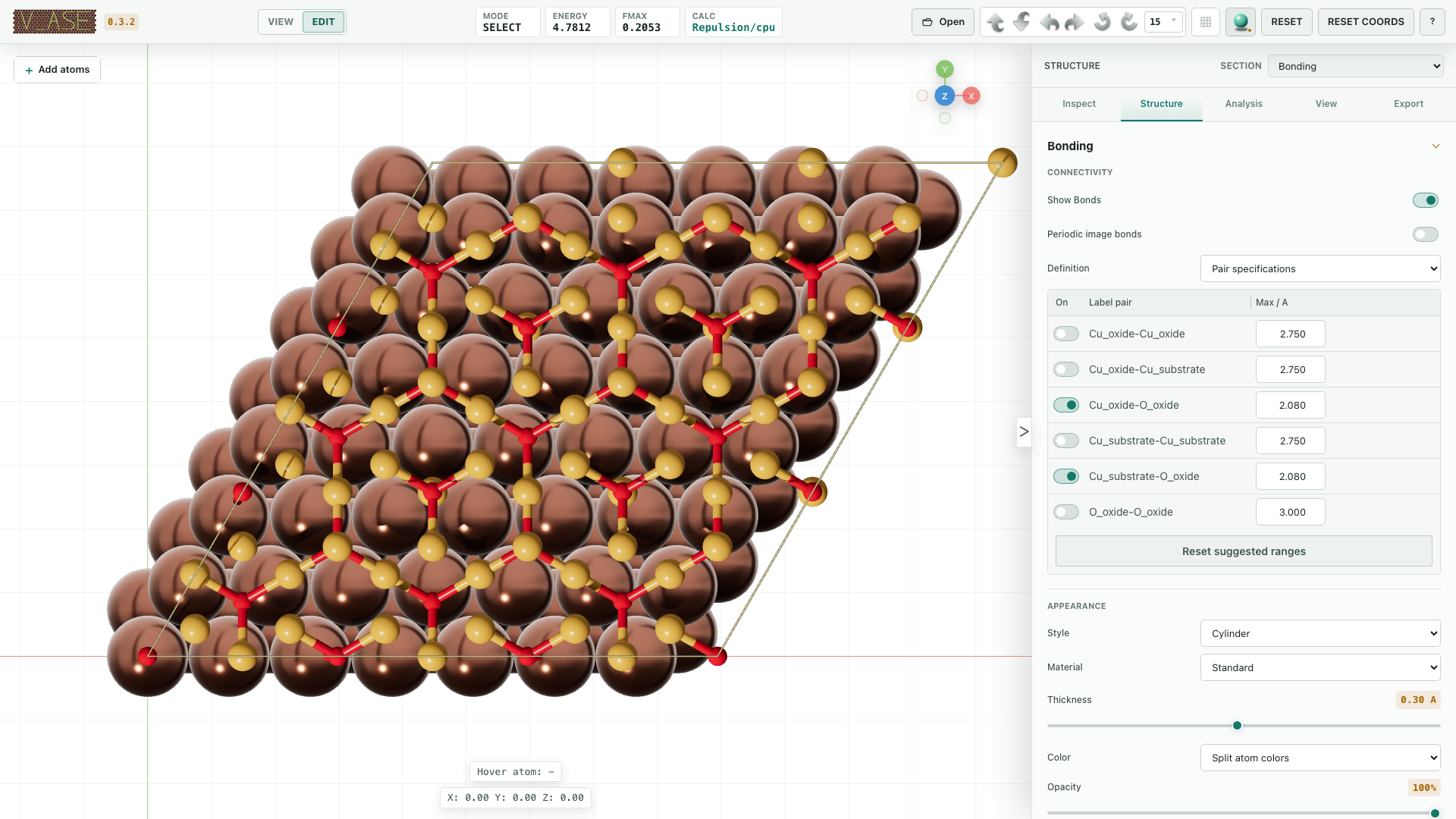
Set bond topology and appearance by pair or exact atom indices. Bond controls
Export And Save
Images and video · Render Area · Blender / OBJ / Rhino · Projects and presets
Python And Remote Systems
from ase.build import molecule
from v_ase import view

view(molecule("H2O"))
Python API · Jupyter · SSH / remote files
License And Citation
1 maintainer

Metadata
1 maintainer
Release files for v-ase-gui 0.4.8
For a detailed explanation of source distributions (sdists) and built distributions (wheels), please see the package formats documentation.
Source distribution (sdist)
| File | Size | Uploaded | |
|---|---|---|---|
| v_ase_gui-0.4.8.tar.gz | 33.9 MB | Details |
Built distribution (wheel)
| File | Interpreter | ABI | Platform | Reset |
|---|---|---|---|---|
| v_ase_gui-0.4.8-py3-none-any.whl | Python 3 | none | any | Details |
Total release size: 40.6 MB
Release files / v_ase_gui-0.4.8.tar.gz
| Download URL | v_ase_gui-0.4.8.tar.gz |
|---|---|
| Size | 33.9 MB |
| Tags | Source |
|
SHA-256 checksum How to use checksums |
904bbb1c17b0bfa6ee8079cbebd56480480e6f5d82b96ea90043409331af592b
|
|
BLAKE2b-256 checksum How to use checksums |
538e08a5d6171f724a3030d50e7120283a2bd192b533c32c9d9314abb2143898
|
| Upload date | |
|
Uploaded using Trusted Publishing? What is trusted publishing? |
No |
| Uploaded via |
twine/6.2.0 CPython/3.13.5
|
Release files / v_ase_gui-0.4.8-py3-none-any.whl
| Download URL | v_ase_gui-0.4.8-py3-none-any.whl |
|---|---|
| Size | 6.6 MB |
| Tags | Python 3 |
|
SHA-256 checksum How to use checksums |
e7707679698bae85263fadc140cb4457da47faefc477831a1db9706d015b7dc6
|
|
BLAKE2b-256 checksum How to use checksums |
f5349a6e11a69f3b19ddbc2f8de669a0a70d85b4ec162dd4fa562724004f1c33
|
| Upload date | |
|
Uploaded using Trusted Publishing? What is trusted publishing? |
No |
| Uploaded via |
twine/6.2.0 CPython/3.13.5
|














